I also like the previous Version 2.11.5 more - it sounds more “natural” with my LaRosita Beta 3 DAC over WLAN. The 3.0 Version sounds a bit harsh to my  . I also don’t like some of the interface changes, especially the bigger mini-player with the huge fonts. The playlist, when switched on in the mini-payer, stands out of the screen - and when the playlist is switched off again, the mini-player has to be resized manually, and some more things .
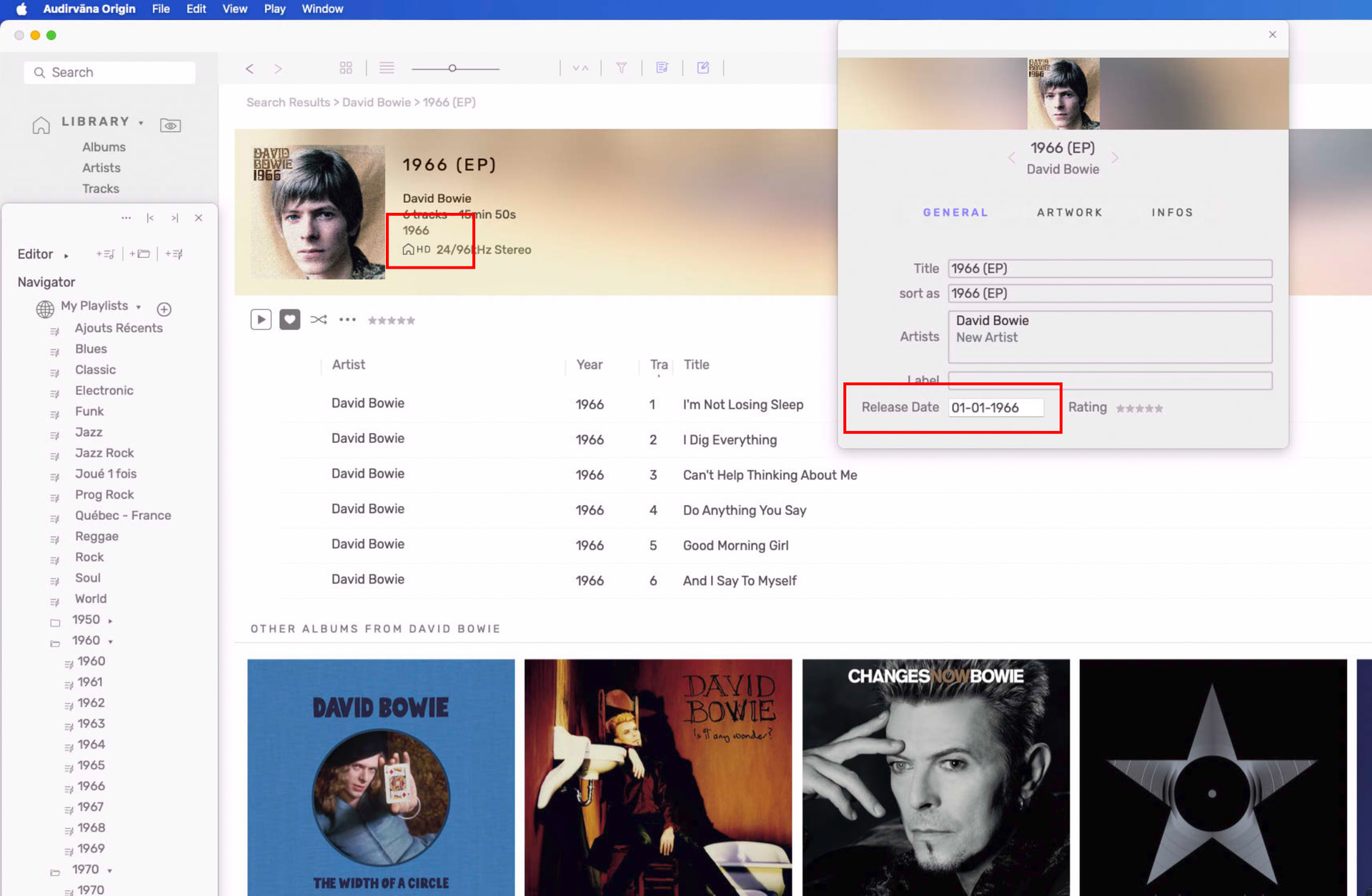
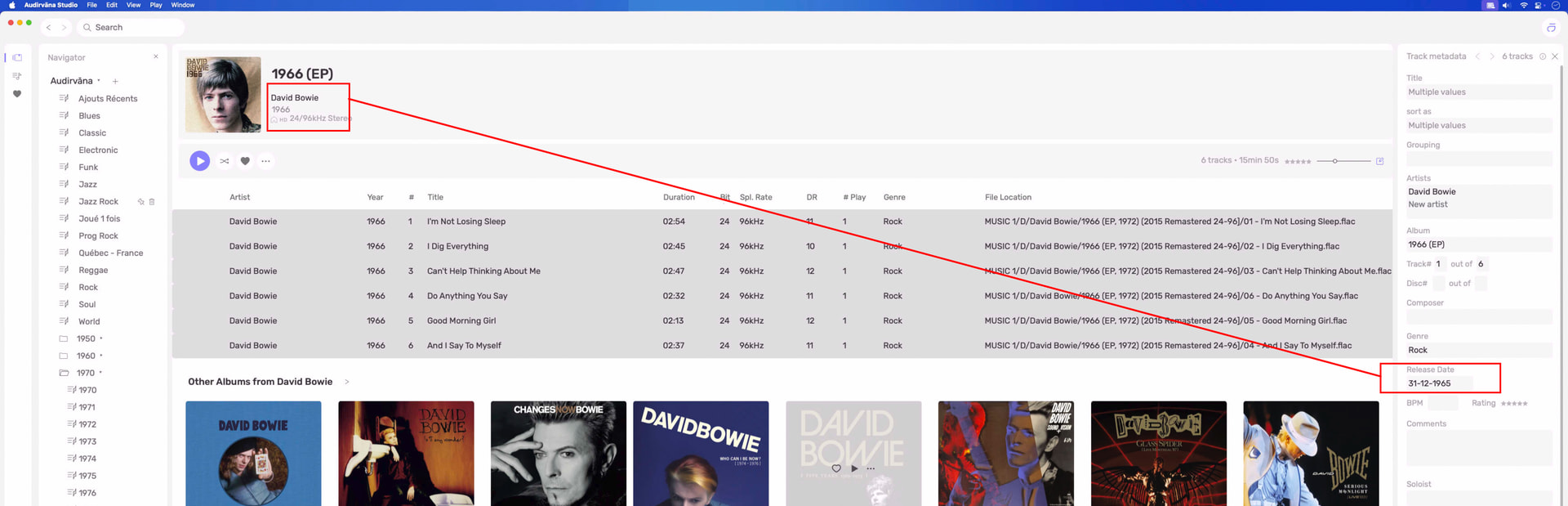
Studio 3 STILL doesn’t remember new album with 1970 and lower date in tags,
still come empty on seeing Album info panel even if it sees the date in the songs of the album.
Also on Origin well tag album shows a date for the album,
Studio shows the date also, but with strange writing in the tag… day before??
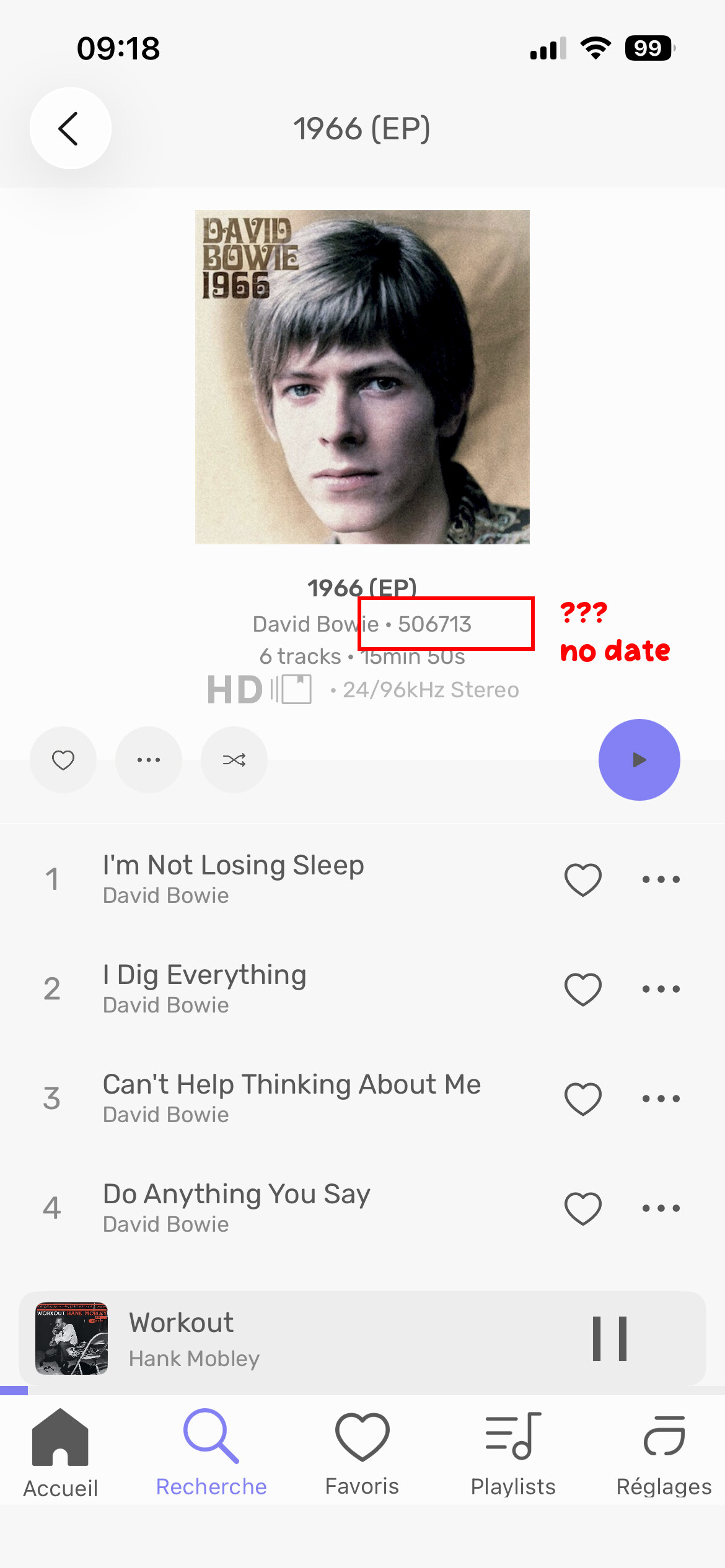
On the new remote, many albums have some strange number instead of the date…
Audirvana should really work with someone who could code correctly that 1970 date bug still running 
That screenshot »Studio date« of yours – I don’t even know how to get such a window. Is it MacOS version specific?
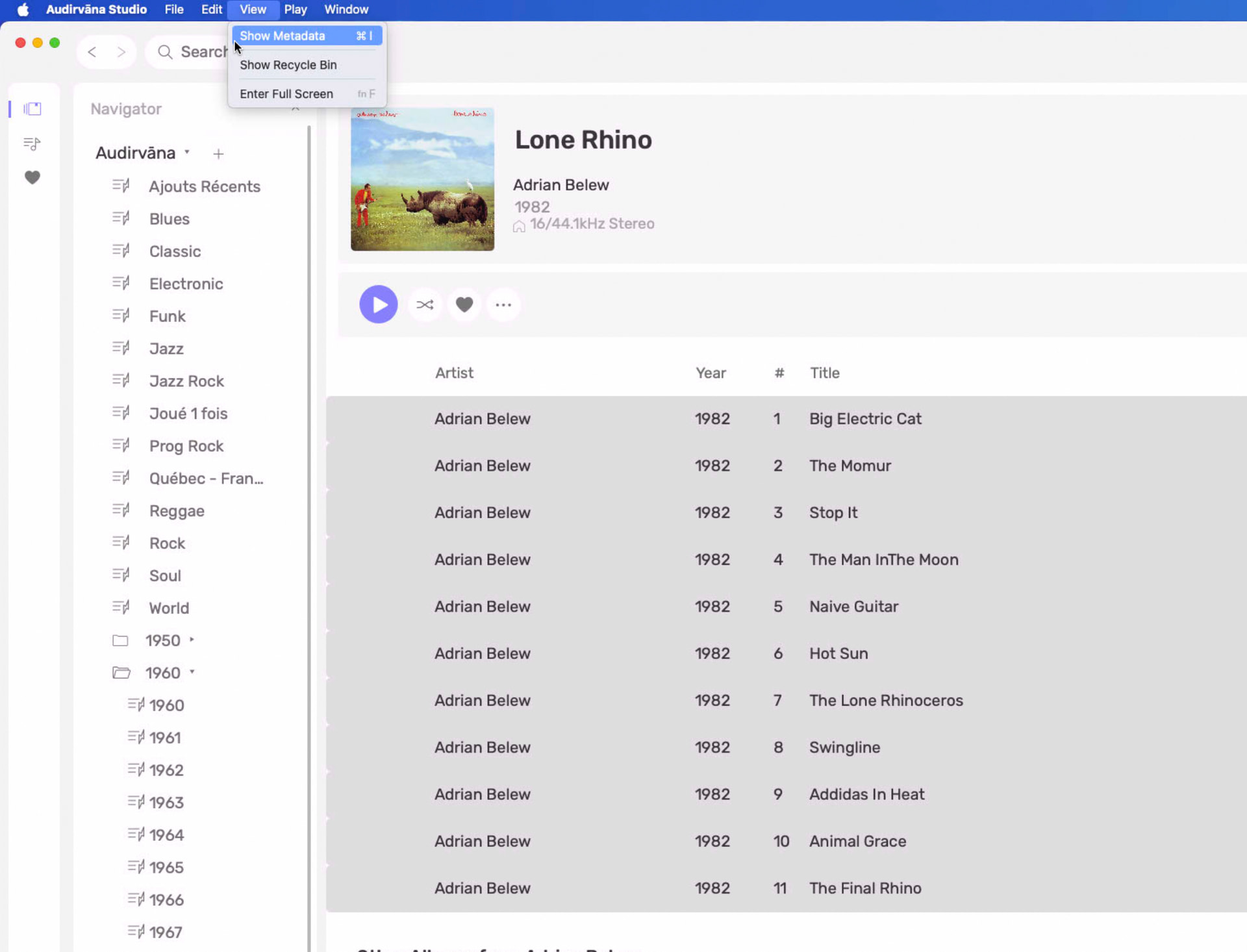
What I mean is a window carrying such a header:

The problem with these types of subjective assessments of sound-quality being posed here, is there is no corollary platform/system/environment references outside of the Audirvāna application… Your personal observations are useful for your determination and reasoning, but these observations are not transferrable to every user scenario/experience. There are platform resource related influences that may be playing into your assessment of Studio 3.0 versus the version you are familiar with.
For example… We don’t have a reference for your interpretation of “natural” and “harsh”… How did you define “natural” and “harsh” etc, prior to version 3.0? It is purely subjective. We need better means of rationalizing sound-quality assessment than random subjective interpretations.


Audirvana Studio 3.0 will not allow me to connect to my Elac Z3. Says cannot use Raw PCM. I switched that to off and it disappeared from the selection screen and still will not connect. I’m using WIFI or AirPlay, but I’m not sure which.
EDIT: Now I can’t even get Audirvana 3.5 to work. I hate Audirvana. It only works once in a while. I wish I did not waste my money on this.
1 Like
I’m not happy with 3.0. Running Tahoe 26.4 on a M4 MAC mini - when I start Audirvana 3.0, it requests license information, no problem, enter my user information. Audirvana then plays for 1 hour and then declares that it is “Unable to check your license“ when it hits the 1 hour mark. It continues to play from my music library, but stops scrobblling that tracks are being played. It puts up a message box (non-dismissable (not cool)) “Please check your internet connection, and try again13“ with a “OK“ button. This box blocks out the area on your monitor which it displays, which means that you can not do any work. Checking the “OK“ button on this non-dismissable box will cause Audirvana 3.0 to quit. Nothing was wrong will my internet connection at the time of the message, was using it to connect to work. Please fix this behavior!
Airplay (only MacOS)
Apple has not fixed a regression since OS X 10.11 (El Capitan), which makes the AirPlay device unavailable to any application other than iTunes.
There is a workaround to get it back:
- Option/alt-click on the loudspeaker icon on the menu bar.
Note: If the Sound control isn’t in the menu bar, choose Apple menu
> System Settings, then click Control Center
in the sidebar. (You may need to scroll down.) Click the pop-up menu next to Sound on the right, then choose whether to show Sound in the menu bar all the time or only when it’s active.
Select AirPlay in the selection menu that appears
You can then select AirPlay in Audirvana Audio Device Settings.
Also, be sure iTunes is set to use something other than the Airplay device.
Welcome… sorry that you are having difficulty…
I’m not Audirvāna support, I am just a user that contributes in the forum and can provide some information that may be relevant… Otherwise you will see how to contact the support team in the Audirvåna Knowledge base article linked below…
Were you running an earlier version of Audirvāna Studio prior to installing version 3.0?
- For macOS:
Check the firewall settings: In System Preferences > Security and Privacy > Firewall > Firewall Options > Automatically allow signed software to receive incoming connections. Check that this setting is selected and “Block all incoming connections” is not selected.
You can learn more about it from the Apple guide.


Yes, I understand that it purely subjective, but I don’t have any means to objective measurements. Just my first impulsive impression 
2 Likes
Is it possible to download an older version of Studio?
Are you using the Windows, macOS, or Linux versions of Audirvāna Studio?
It won’t work on MacMini or two different Windows 11 servers for the same reason.
Can you go into the Audirvāna settings and in the My Account section? You will see a ‘Start Log Session’ button; click on it and reproduce your issue. After you reproduce it, click 'Stop Log Session’ and send me the audirvana_studio.log file you can find by clicking the 'Open Log Folder’ button at [email protected].
1 Like
Sorry, Windows Version.
1 Like
For me, the 2.11.4 version has produced the best sound of all the versions so far. The 3.0 version obscures details and has less dynamic range. It’s as if I’d placed a blanket in front of the speakers. I hope the sound quality improves in future versions! Maybe there’s a missing comma (,) somewhere in the code. I like the new interface; I’d rather use it than the old one.
PC/Win11(25H2), Aune S9c Reference, Dynaudio BM5-MKIII, EVE Ts110, audiophile cabling, Sennheiser HD 300 Pro, room with moderate acoustic treatment.
If you know please share it.
I don’t like the V3 me too, both as an interface but above all as sound quality compared to the V2.
Also with the V3 I often get some hiss (like white noise) when I change tracks.
I honestly can’t explain why the Audirvana team decided to release a version like this
1 Like
Sure! I hope the previous version will be provided as an alternative download.
My verdict regarding Studio 3.0.0 now, in comparison against the previous version:
• more punch
• larger soundstage
1 Like