Audio system: 4Tb SSD / MacMini M1 / Lumin U2 / Holo Cyan 2 / Audirvarna Remote on iPad
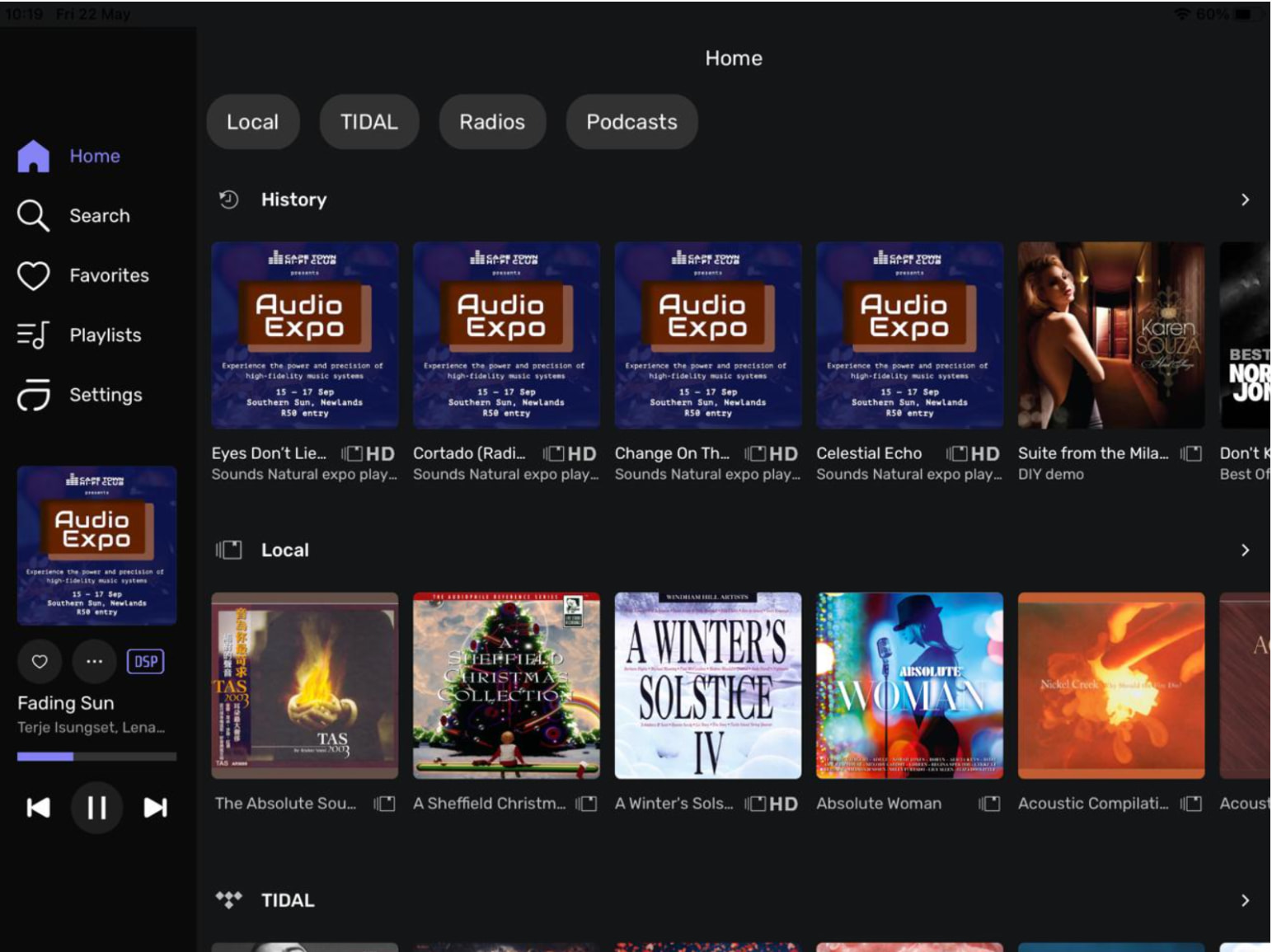
(Picture 1)
The opening screen defaults to this. I’d prefer it to Local / Folder View. Can this be done?
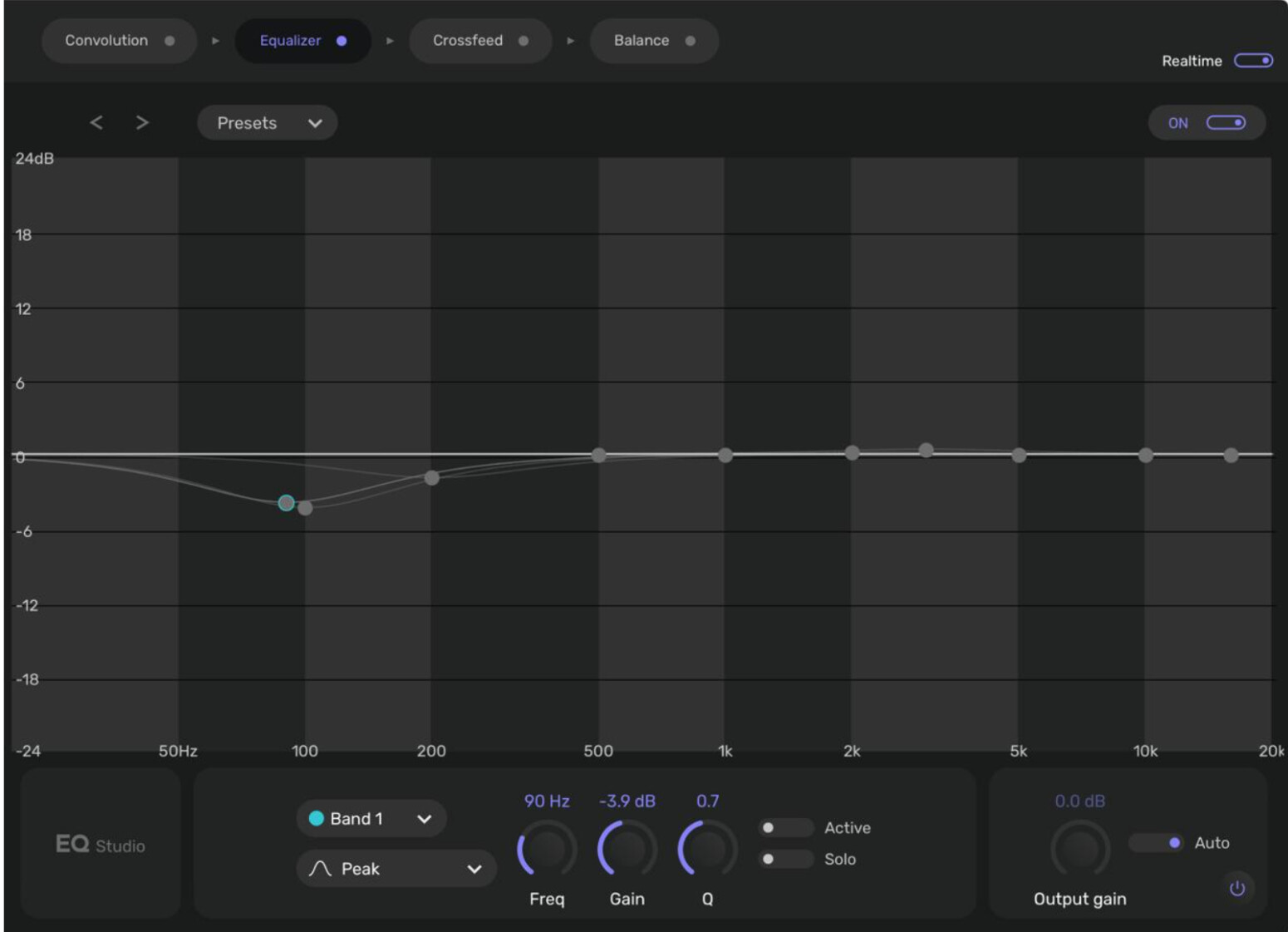
(Picture 2)
Next to the thumbnail of what is being played is [DSP]. Touching this brings up this screen. Bands 1 and 2 have reduced the level by about 4db. Whether this is switched on or off, there is no audible difference. The music file is FLAC 192kHz 24 bit
Second part: How to exit this screen to go back the music list?
Thank you
It’s not possible at the moment, sorry.
You should have an X button at the top of the Realtime option, don’t you have it?
Thanks for the fast reply
There isn’t an “X” at the top. Just the iPad’s wifi symbol and battery percentage
Why does the Equaliser not make any difference to the sound?
Compared to attaching the HDD directly to the Lumin, the bass is much more evident and rather overwhelming
Which iPad and iOS version do you have?
iPad12, model iPad Pro 12.9 inch
iPadOS 16.7.16
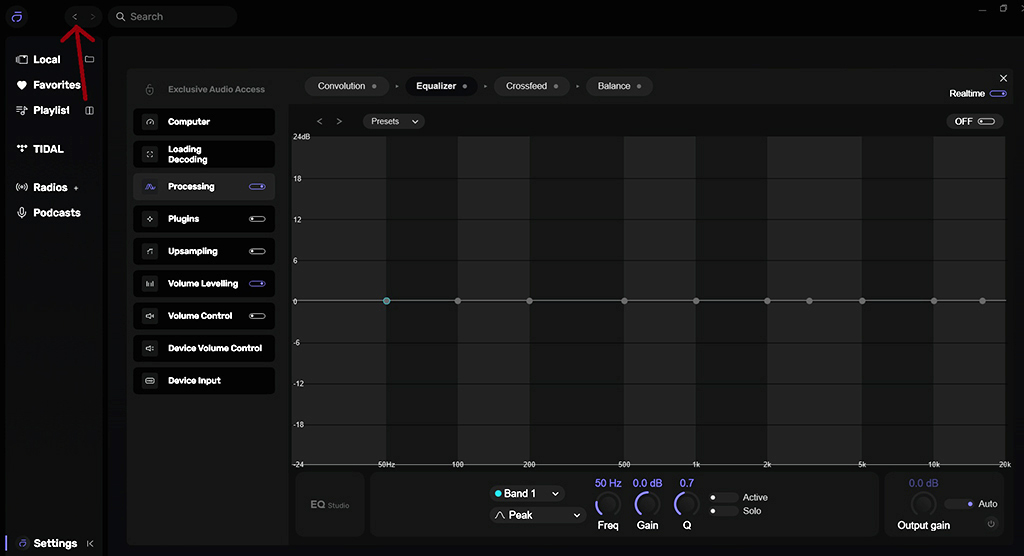
Not sure why you have not got an “X” top right, I have on the pc. However that will only take me back to the main settings page. You should be able to go back to the music list by clicking previous at the top left.