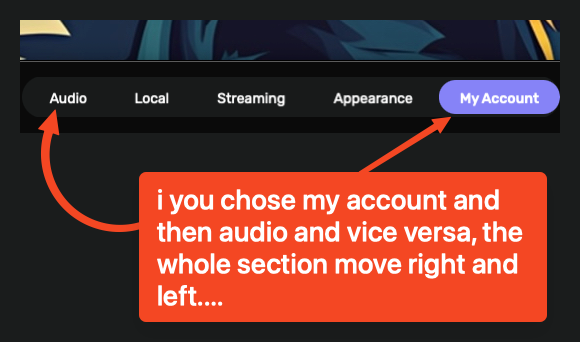
Hi !
I just checked my Audirvana Studio.
Installed latest version for Windows 3.1.0 (30100)
Everything is working fine on my PC with Windows 11 pro 25H2
Nothing is moving in the strange way as you describing.
Are you using Windows or Mac ? Audirvana Studio or Origin and which version ?
I didn’t check Audirvana Studio for Mac yet .
i forgot to tell im using macOS my friend
Just checked my good old Mac Mini with Monterey ver.12.7.6
Latest version of Audirvana Studio
3.1.0 (30100)
Everything is working  ok when clicking My Account and than Audio and vise versa
My Mini is too old to upgrade to newer version of mac OS
Monterey is still working ok.
tahoe here 26.5 so can tell if this happened only on new OS’es
Nothing disturbing here… Is this really a problem…?
macOS 26.5
Audirvāna Studio 3.1.0
Display 1280 x 1024


yes it is
Generally? I don’t see a large demographic of users finding this disturbing and chiming-in here… I see this very, very slight bit of action, inconsequential in a real-world playback modality, and in general real-world UI activity, because it is nearly undetectable, and is not a hinderance of any kind.
Can you record your screen while you reproduce this, please?
I will
this is not an answer mate I can get seriously
as I promised…. ps when you have the time can you check the miniplayer second view size issue too? cause that one make me wonder never seen anything like that to size the miplayer from top or sides and the whole miniplayer goes up till it disappears
Oh, now I see what you mean. Can you please confirm it happens only when you go from the Album section to another section, like Genres?
I could reproduce this as well 
in my case at least yes this is happens!
you have no idea how much I love you 

p.s. if you want a permanent beta tester, I’m all here for! 