With respect, Mark makes the point that all modifications operated by Audirvana/MusicBrainz before the toggle is reversed in “metadata Recovery” are irreversible modifications, and he is undeniably right.
All of us had to rebuild from scratch a new database based on a non edited backup of our music files. As for those of us who did not have a non edited backup, well …
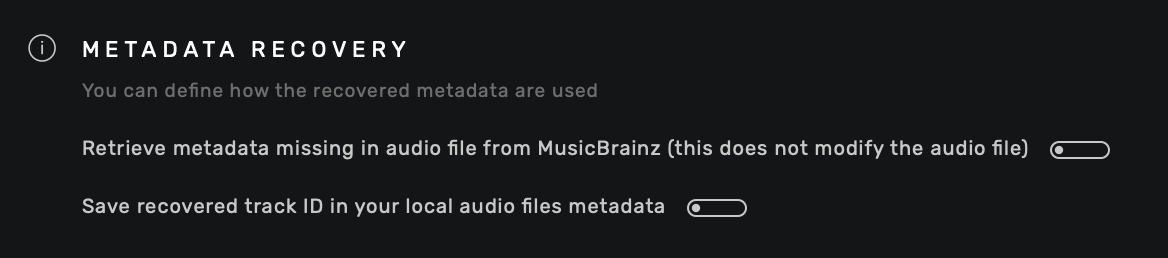
You are talking about something that happened a long time ago. By default Audirvāna Studio do not have the “Save recovered track ID…” enabled anymore. Mark created his account ten days ago so he didn’t had this toggle enabled, unless he enabled it accidentally.
But Audirvāna Studio still do an analysis of your tracks and will still display and ONLY display information from Musicbrainz since the tracks have the Musicbrainz id linked to it but only in the database.
If you remove the option to display those information and remove/add your synced folders, those information should not be displayed.
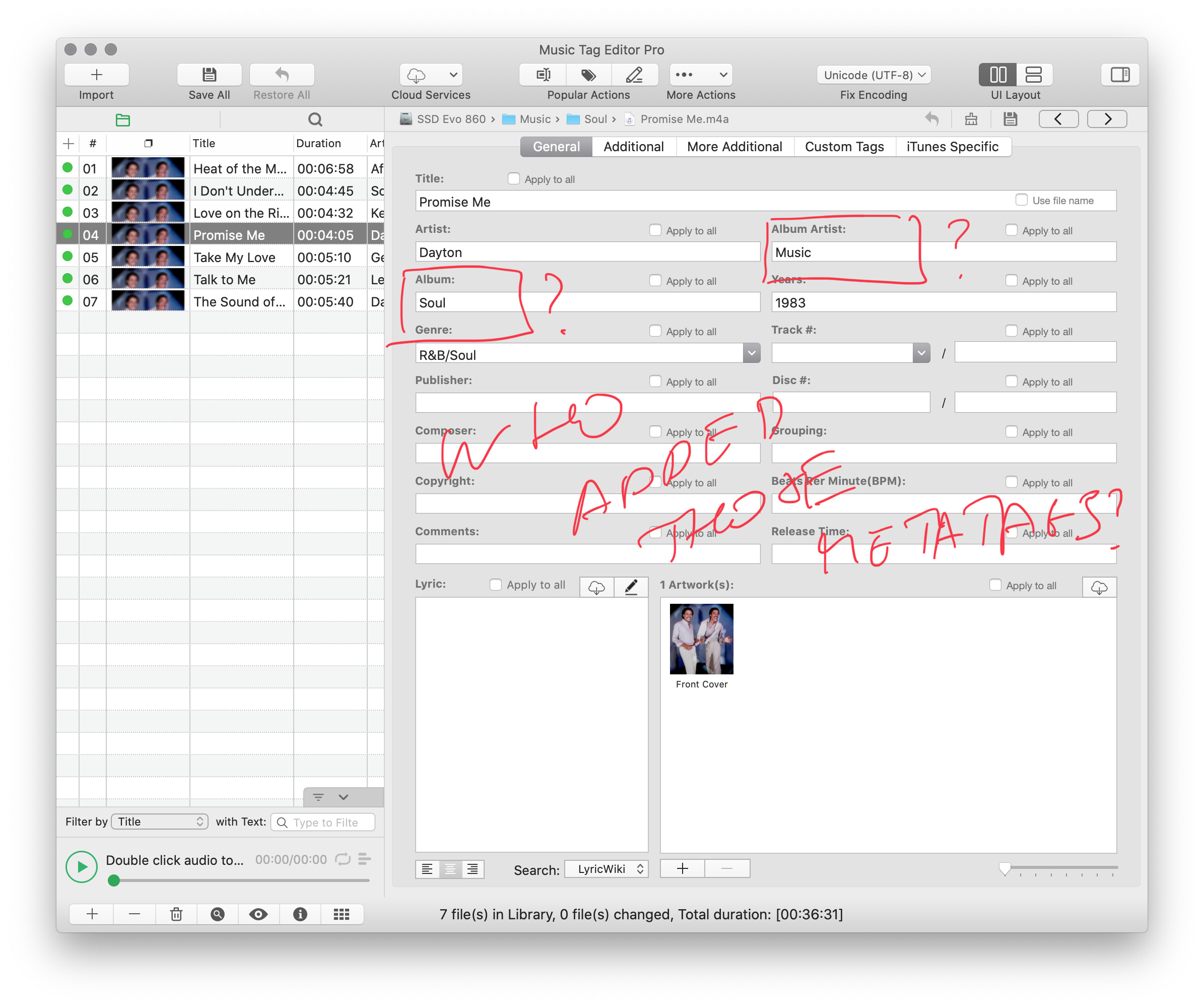
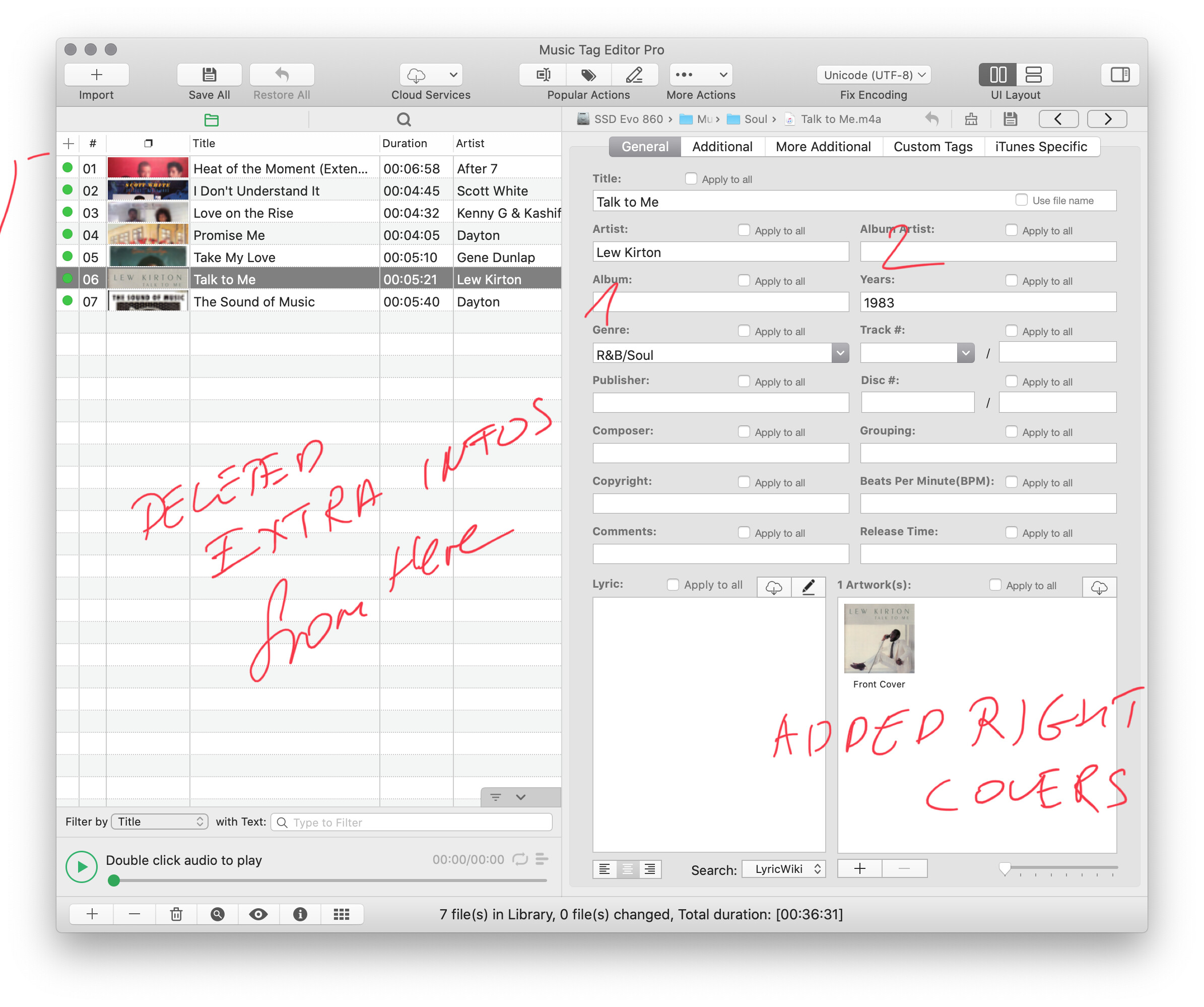
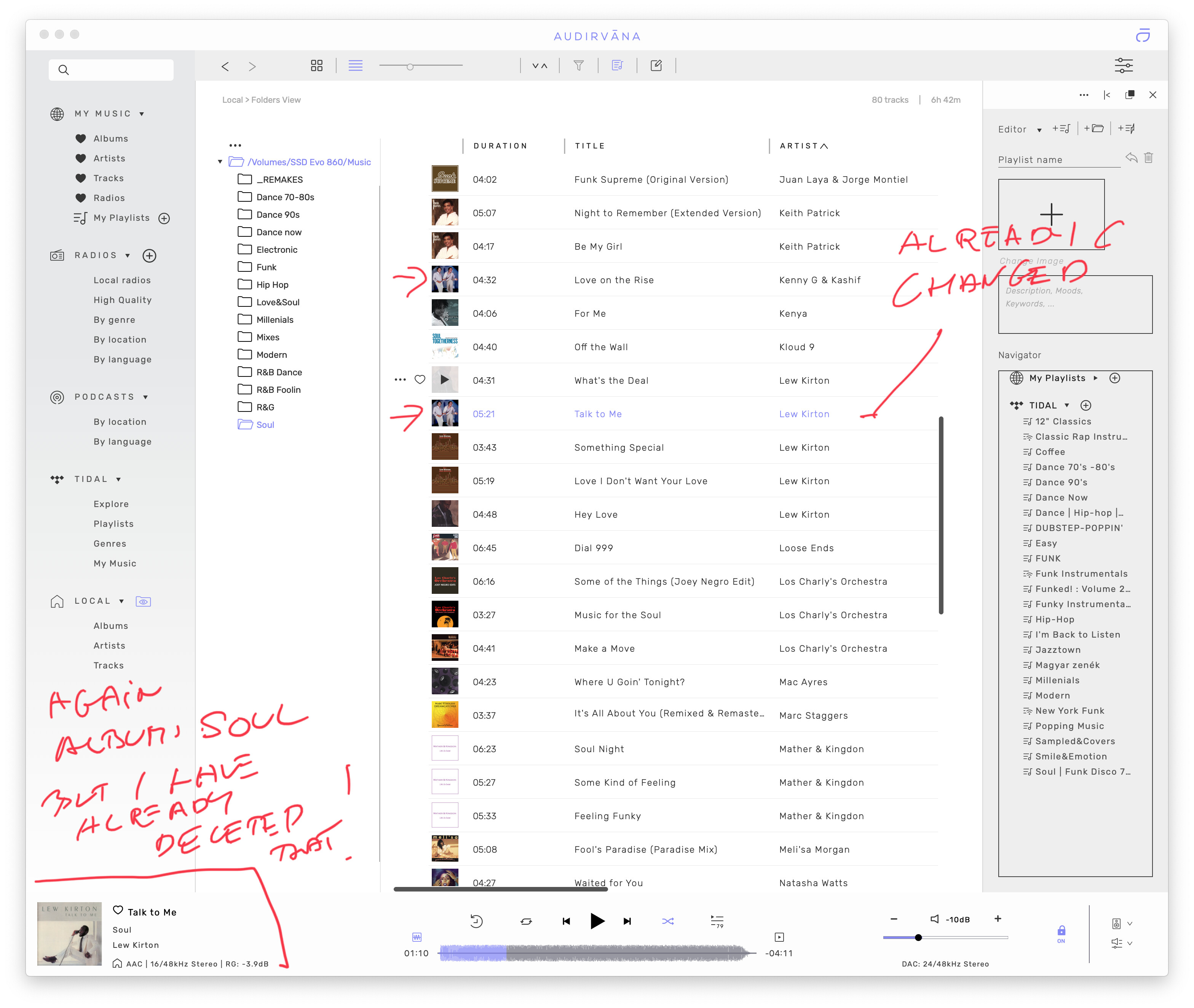
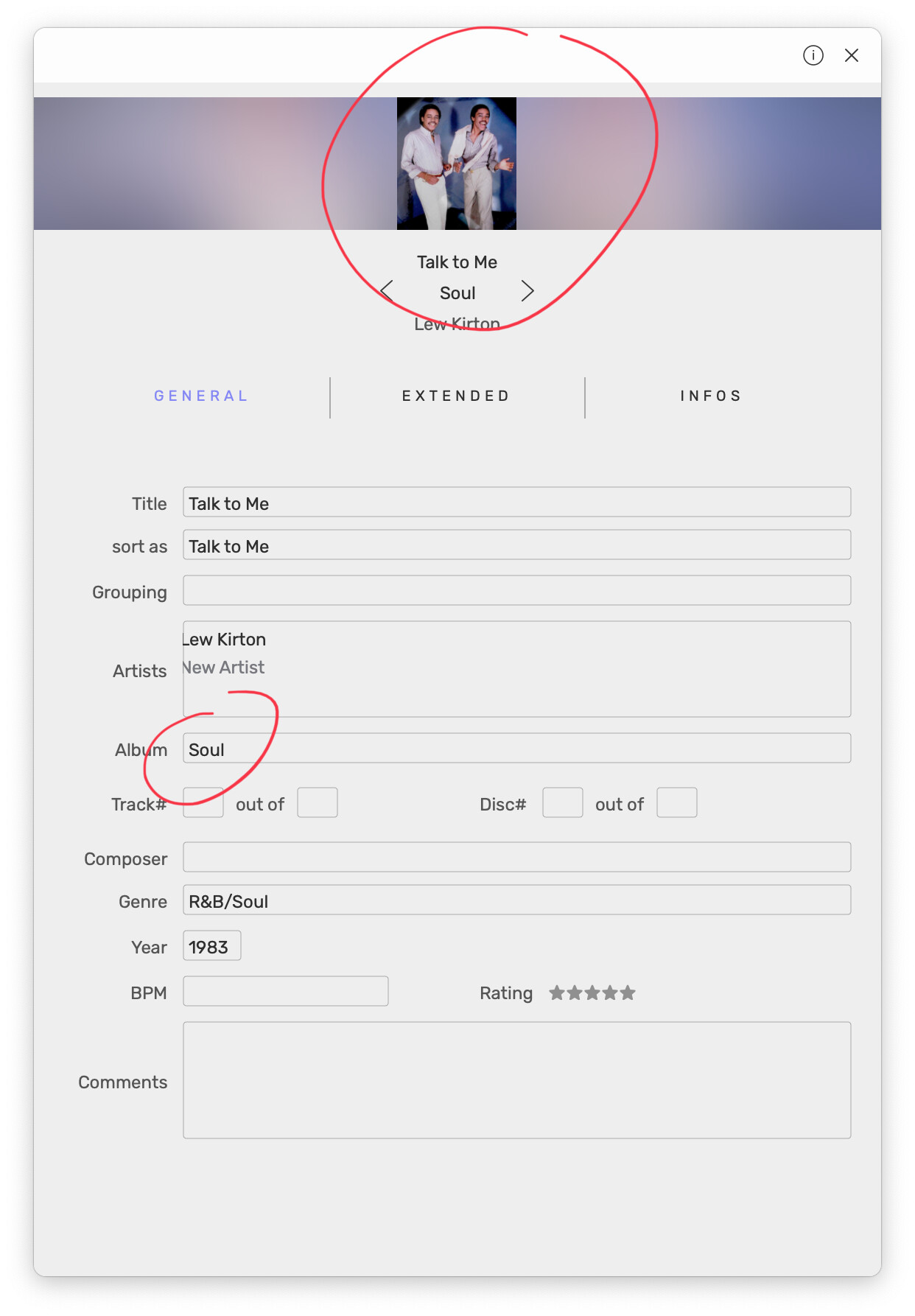
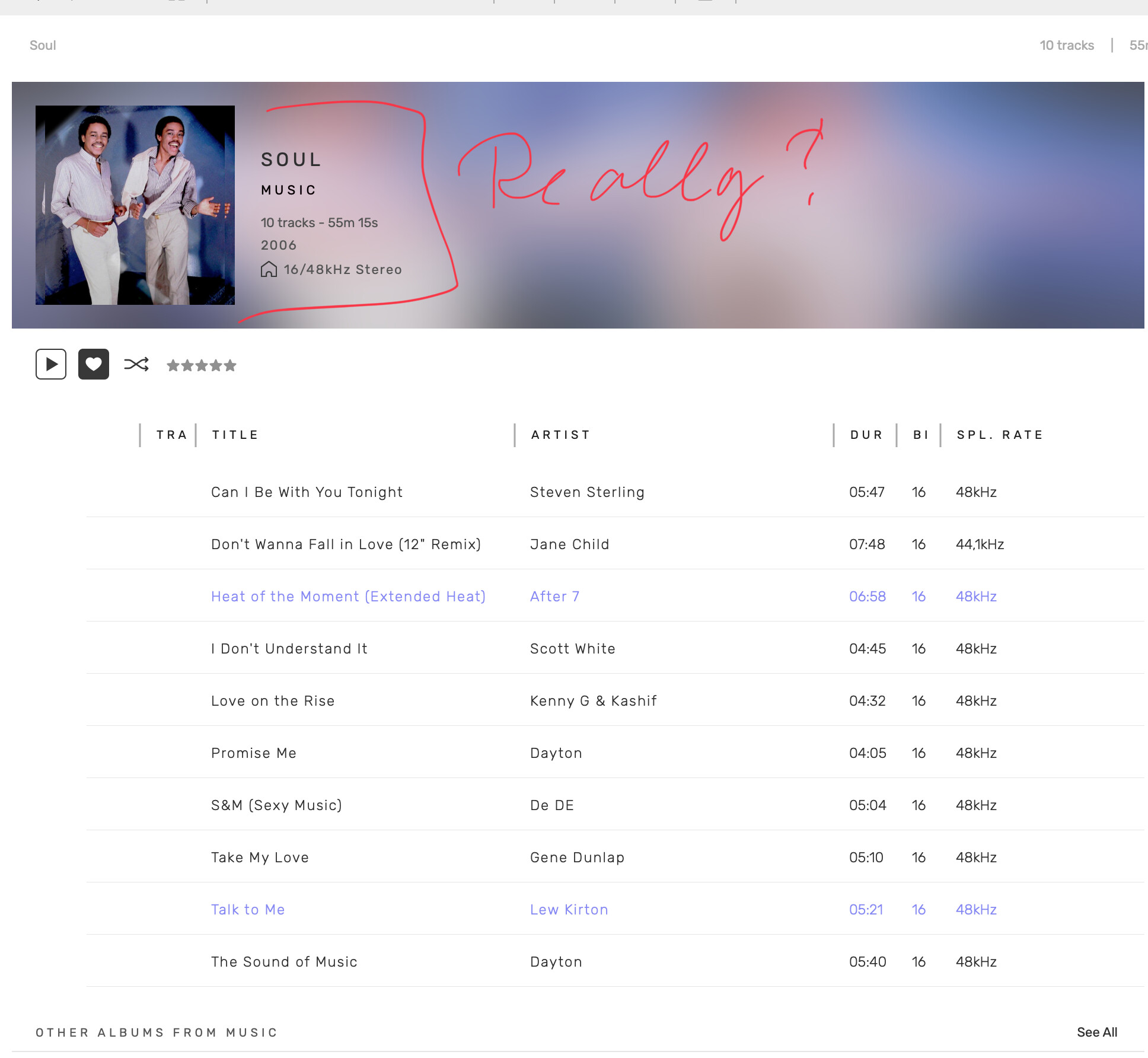
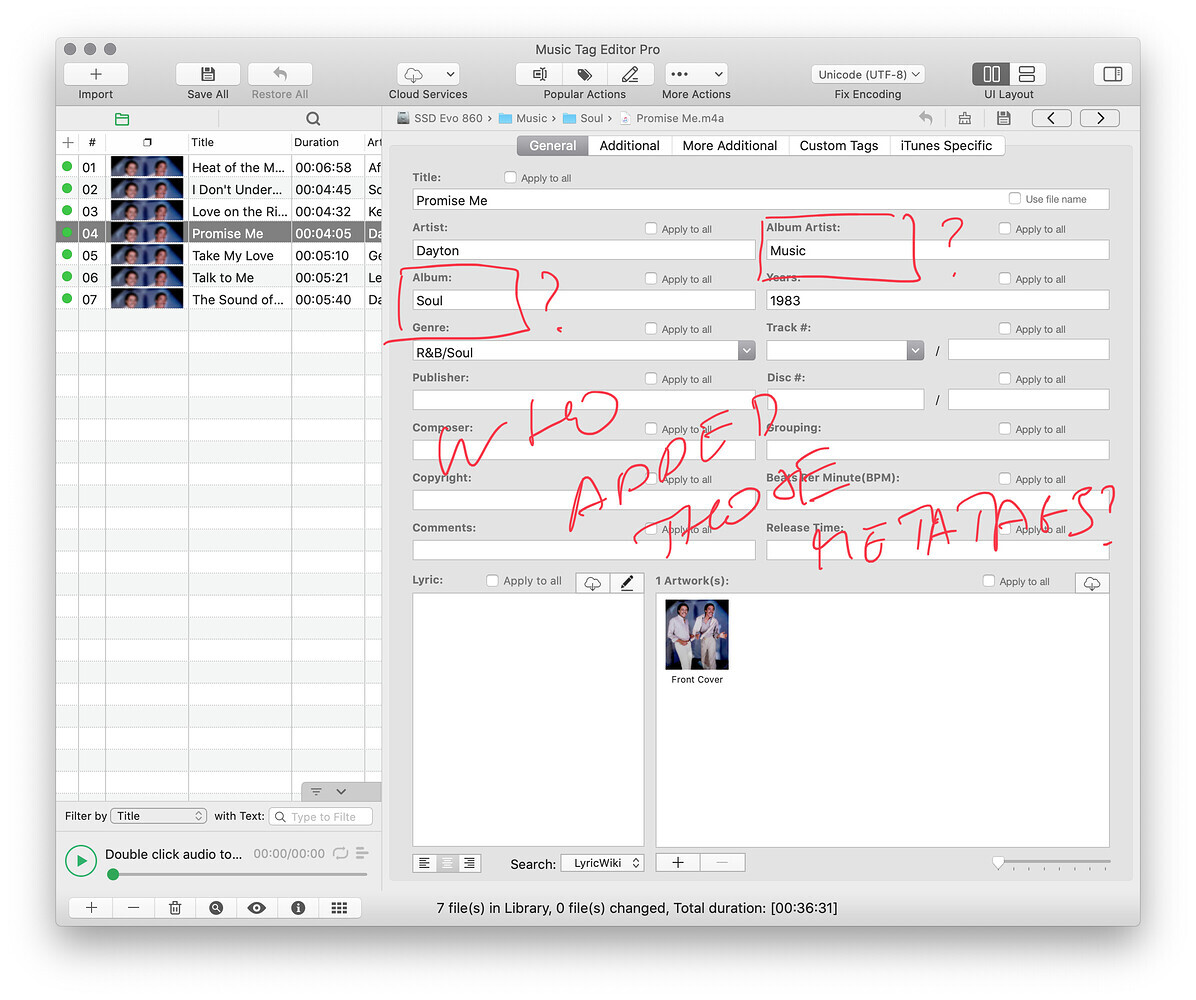
I have made changes outside of Audirvana, with Tag editor Pro, I have took out the extra wrong infos like Album: Soul, Album Artist: Music, I have saved them all, and Audirvana put back wrong shits. Sorry guys, but that is so annoying and I think now you turn! Now, You know all the bug infos to should fix.
When i trash my database this Christmas to start again because of a bug, i start new deleting prefs and database .sqlite
When i reopen Studio it ask for my music folder, i added then looking at artist cover i then see the messed artist added like with musicbrain… i recheck prefs and the first musicbrain prefs was still on
Seems it is on by default for new user, so now i never add music when ask, i stop the setup and go the the preferences and make that prefs off. Quit studio then reopen just to be sure it is still off, then i had my music
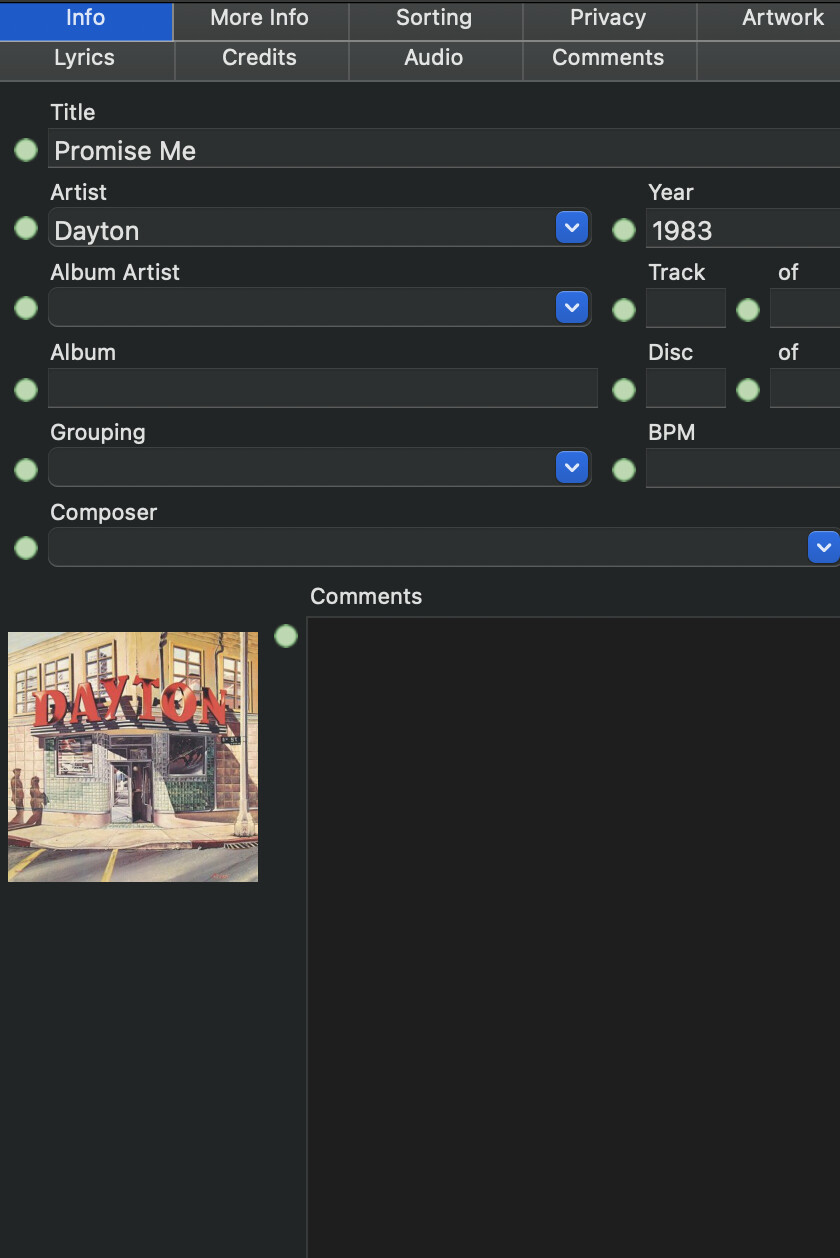
Ok, can you please replace the database you have in your dropbox and replace it with a copy of the one you are using? Also, can you put the track Promise in it me so I can check it on my side?
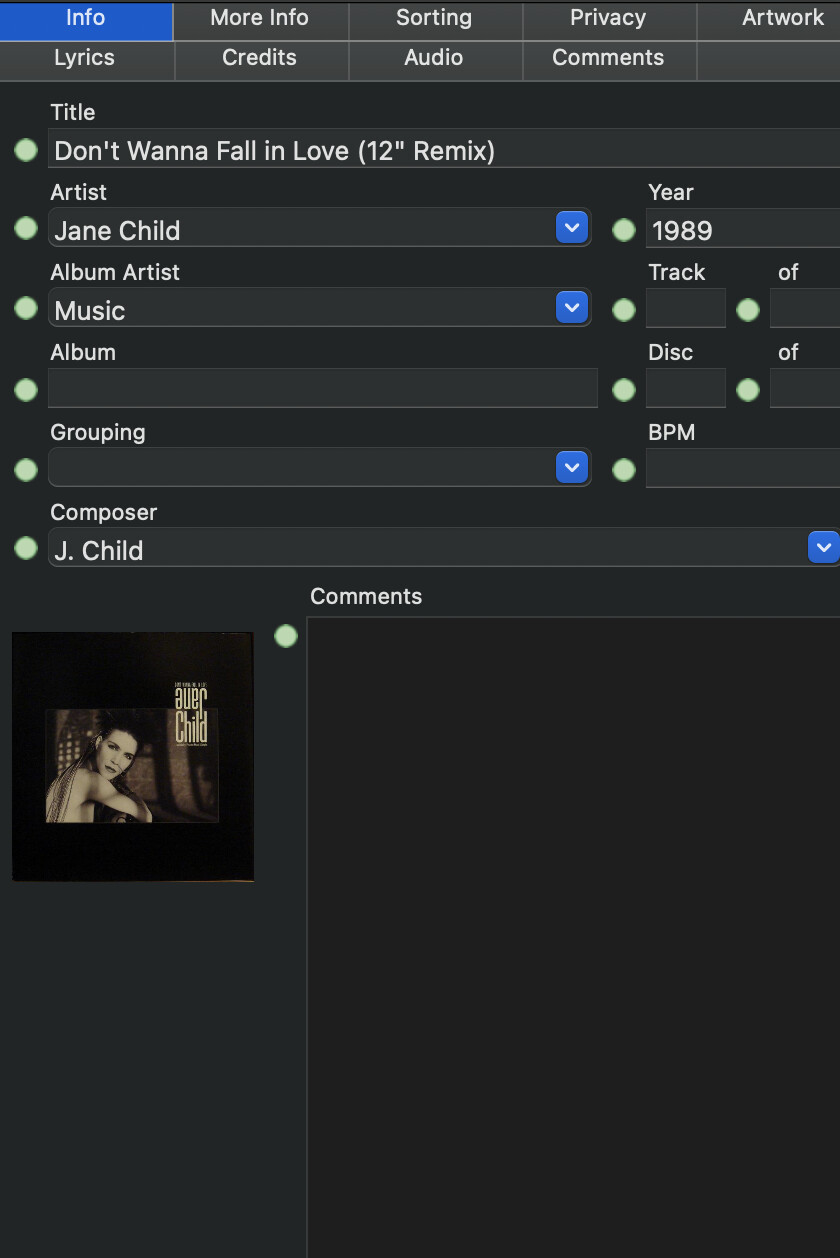
And I can see in Audirvāna Studio database that you still have musicbrainz id in it (which probably why you still have this issue) so here is what you will have to do:
Back-up your Playlists and Favorites by going in the Local section of Audirvāna Studio.
Then remove the AudirvanaDatabase.sqlite file
To go to it with the Finder:
Open its Go menu
Pressing the option (or alt) key, and maintain it pressed. This reveals the Library command in this Go menu.
Click on this Library command
In the Finder window that opens, navigate into Application Support, then Audirvana
You’ll find there the file AudirvanaDatabase.sqlite
After doing this, reopen Audirvāna Studio and check that you have those settings in the local section disabled:
If it’s the case then add your folder again to be synced with Audirvāna Studio. Please check if you still have your issue with those files before restoring your favorites in the local section
Oh Boy, Antonie, that obviously you can not see now nothing extra because I have already changed that! So do you think am an idiot, right? This is an issue of Audirvana! You need to find that and fix it!
Mark,
A long time ago there was an issue with Audirvana Studio changing metadata in files.
I know for a fact that this is fixed a long time ago. There has been a long long long discussion about this on this forum.
Now I am sure that this is fixed. I have tested this over and over again, because it happened to me in tha past also and I was one of the forum members in the discussion. You can ask all the forum members and they will all tell you that Audirvana does notchange the metadata in your music files when you have the toggle OFF anymore.
So there is nothing to be fixed in Audirvana. Please listen to Antoine and try to do what he is suggesting (also what he suggests about the SQLite database). One way or another you must have set the toggle ON (by accident) in the past and this must have caused it. Please follow Antoine’s instructions to fix this. He is only trying to help you. Instead of working against him, try working with him
As said in the past all the forum members had looooooooooooooooooong discussions about this and some where very frustrated, but it really, really, really is fixed. Otherwise you would have seen a lot more angry people on this forum instead of only you
Uninstall AS / delete any remaining files or folders / install again the latest version from website / skip any suggestions and make all settings carefuly / restart / recreate the database, try first with only one folder. I know may be annoying and time consumming but MUST work. That is what I’d do. I’m a Windows user, can’t give Mac instructions but I’m sure this MUST work.
EDIT: I have another idea: In Windows you can make the files read only. You can apply the attribute to all subfolders and files. I’m sure is something similar on Mac. Can take some time if you have a large collection and/or slow speed.
EDIT2: Or set music folders permissions allowing just “read”.
EDIT3: But since you will do what I wrote I don’t think would be necesary. Hope I helped you!
Audirvāna need to have the album title in each track to be able to identify where it can group your tracks in a album. To do that it looks at the metadata of all of your tracks and if some of them do not have a Album title in it, it will take the folder name where they are stored and DISPLAY them like they would be in the same album.
You would probably wonder why it behaves like this and I would tell you that normally, the typical library folder structure is like this: artists, then in each artists will comes their albums.Bbut in your case, it’s different since you have done a folder containing multiple albums from multiple artists.
You can totally do this BUT, all of the tracks that do not have the Album title filled in BEFORE the synchronization of Audirvāna Studio, will be displayed as in the same folder.
So please, can you do a test by removing the synced folder from Audirvāna Studio and then add a Album title to all of the tracks that are in the same folder before sync it again with Audirvāna Studio?
I already did , I have added Album titles, on this way works fine. But I can not agree with need Album titles, because EP (maxi singles) not have Album titles.
If your EP’s don’t have album titles you can always make one up yourself and put it in
Maybe you do not agree, but ff you do not put an album title in the metadata most music player programs will not work properly, because most of them are based on grouping libraries by album title. Audirvana is no exception.
Add only the title of your album/EP/single here, and do not include “album”, “EP” or “single” in the title (since it’s up to us and the music services to decide if your release is an album, EP or single).
If you’re releasing a 1 track single, the release title (incl. version) and the track title (incl. version) must be exactly the same.

 because I have already changed that! So do you think am an idiot, right? This is an issue of Audirvana! You need to find that and fix it!

