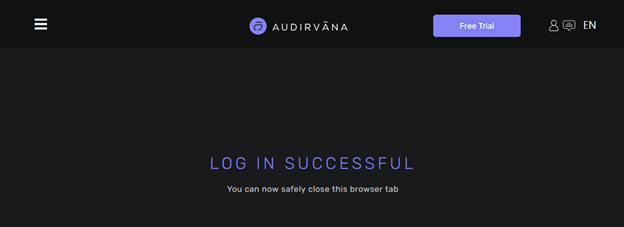
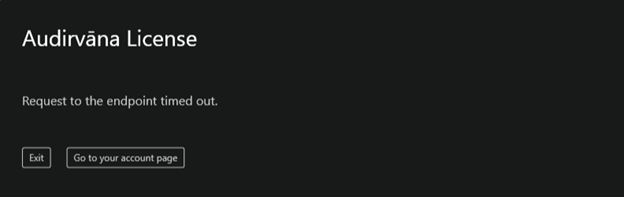
My Audirvana recently stopped working. When I try to open it it tells me I have to log in again. Then after I do it still doesn’t open, but gives me the message “Request to the endpoint timed out.” License is current and nothing about my setup has changed.
Can you remove your .msalcache.bin file? Once you have done this, please reopen Audirvāna and log back into it. Do you still get your issue?
It can be in two different locations :
C:\Users[your login]\AppData\Local\Packages\Audirvana.Audirvana-[… id number that can vary]\LocalCache\Local\Audirvana\Audirvana
C:\Users[your login]\AppData\Local\Audirvana\Audirvana
I am having this same issue. I first attempted to delete the .msalcache.bin file, but was still stuck on the splash screen.
I completely uninstalled Audirvana Studio and reinstalled with the latest version. I was prompted to sign in and taken to the web sign-in portal after which I received the “LOG IN SUCCESSFUL” page but Audirvana never opened.
So, I attempted to open Audirvana from the Start menu but not even the splash screen appeared. However, after about 3 minutes I received the “Audirvana Licesnse Request to the endpoint has timed out” screen.
I once again fully uninstalled, reinstalled and the above repeated. I am unable to open Audirvana. Please help. I have had no issues prior to now.
Here is my latest log file (I was prompted to sign in after each “Need to Sign In” and the sign in was accespted but Audirvana never loaded):
2024-11-03 13:37:31.828 [info]: ============= Started Logging, Audirvana Studio 2.9.3 (20903) Windows x86_64 =============
2024-11-03 13:37:32.341 [info]: Running on Windows 11 (22631)
2024-11-03 13:37:33.756 [error]: Not logged to Audirvana account: need to sign in
2024-11-03 13:37:34.601 [info]: RemoteServer: Server started and advertised on port 65433
2024-11-03 13:43:34.471 [info]: ============= Started Logging, Audirvana Studio 2.9.3 (20903) Windows x86_64 =============
2024-11-03 13:43:34.873 [info]: Running on Windows 11 (22631)
2024-11-03 13:43:35.965 [error]: Not logged to Audirvana account: need to sign in
Thanks! I use Roon at home and love it, but have been using Audirvana when traveling to stream Tidal and Qobuz on my computer or to push to my A&K KANN Alpha as an endpoint. Hopefully, someone will have a fix, or I guess I won’t be renewing.
Can you please check the firewall settings: In Settings > Update and Security > Windows Security > Firewall and Network Protection > Allow an application through the firewall and ensure that Audirvana can access the network.
If the issue persists, please close Audirvāna and remove all the Audirvāna mentioned in your firewall settings. Once you have done this, reopen Audirvāna. You should get a window asking if you want to allow Audirvāna through your firewall. Make sure Private is selected and click OK.
If you are using a VPN, please make sure it is up to date and try to deactivate it.
Restart your WiFi router because it may have a problem transmitting the connection used by Audirvana