I’ve been getting that red exclamation point at all times, and I cannout figure out what’s wrong. Please help.
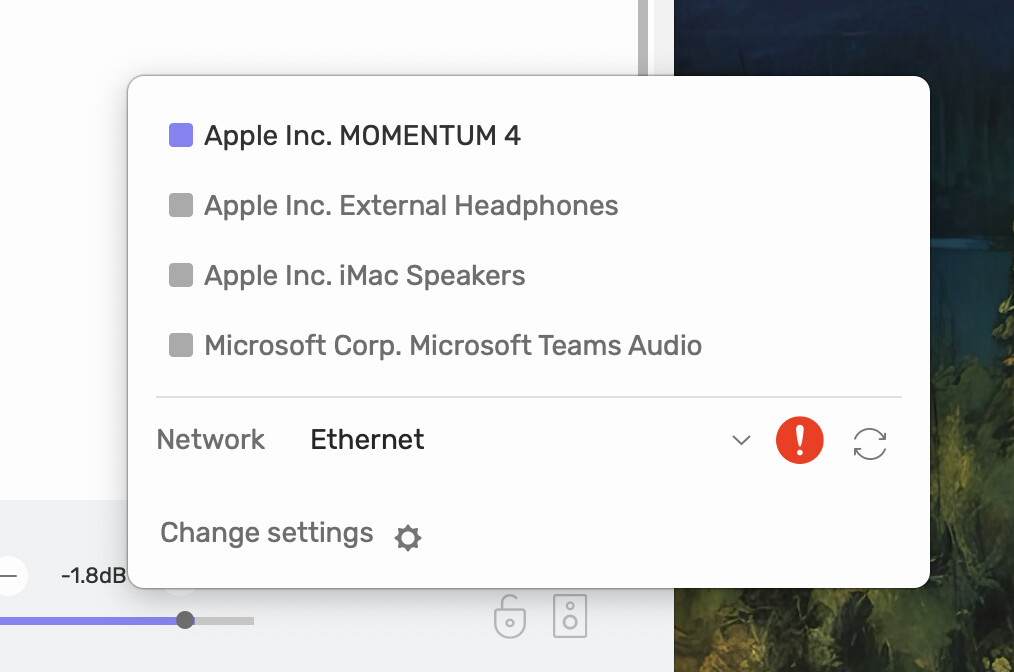
Enable Audirvāna access to find and communicate with devices on your local network:
System Settings → ‘Privacy and Security’ → ‘Local Network’
Also,
- For macOS:
Check the firewall settings: In System Preferences > Security and Privacy > Firewall > Firewall Options > Automatically allow signed software to receive incoming connections. Check that this setting is selected and “Block all incoming connections” is not selected.
You can learn more about it from the Apple guide.


If you click the arrow circle to the right it should reset or reclaim the Ethernet. I find it happens occassionally if another of my UPNP Player Serves have been left on and they claim the connection. If that is so, you may need to close that server, eg Plex, LMS, etc