I have multiple versions of the same album in my local library. For example, a CD rip and a DSD rip from the SACD. I prefer to set the metadata to be the same - I would rather not make the album titles different - ie I don’t want to have to add “[CD]” or something like that at the end of the title in the metadata.
The issue I face is these two albums show as one, with track 1 on the CD followed by track 1 on the SACD.
Firstly, I will ask: Is there a natural way to split these without changing the album title in the metadata?
If there is no way, can Audirvana include a feature to show it as two albums if they are in different physical directories?
Audirvana does have different views into the local library - hi-res, DSD, CD - and also a “Folders View” that shows separate directories/folders separately. Would one or more of these views work for you?
That could help. But it is often the case I own more than one CD version (eg Jean-Michel Jarre’s Oxygene, which I have ripped both from a regular CD and the MoFi versions). I need to check how this looks (I am away now for work).
What would work better for me is to have an option in Audirvana to split albums when the folders are different. Some other mechanism would also work like a version or some similar tag that Audirvana could latch onto to separate. Right now, as far as I can tell, it is the album title alone that is used for grouping.
Understood, but the issue is that I have my music organized by source/album artist/album. So for example I have albums that are in source=CD, SACD, Qobuz. So there’s no way in the folder view to get all albums by Jean-Michel Jarre in a group without the issue of merging the tracks from various sources into one confusing album.
To be honest: there’s a reason Roon is doing it the way they are doing it - it makes sense and it works.
Another thing I would like - but this is much more complicated for Audirvana to implement and I am ok not having it - is to be able to group different versions of albums into one group. But ok, I understand Audirvana doesn’t really have a database in this sense so that’s a difficult feature to implement.
On the desktop there’s a way to prioritize categories so you can have the organization you’re seeking. I know the remote has some ability to prioritize categories, but I’m not sure of the extent, because I haven’t needed it. (I do a simple alphabetical folder organization that follows the way I personally remember particular recordings. So for example while I have folders for the Beatles and Stones, I also have a folder for Beethoven that collects recordings by multiple artists.)
I’ll have a look at the remote, though I doubt I’ll find anything you haven’t.
You could add a space at the end of the album name ? But it’s not an elegant solution I agree.
It’s a limitation of the ID3 tag system I’m afraid. There’s no official catalog number tag (and I really don’t know why). Some editors use a “TCAT” line, outside of the specification, or the “TXXX” field. I’m not a specialist of the ID3 norm so please correct me if I’m wrong.
I usually write the catalog number in the commentary field, but this field isn’t meant to split albums (and that’s fortunate), So I still add something in the album title (like a “•” when that’s the best sounding one).
I guess Audirvana could do it with a separate custom sorting field which would remain in their DB.
Thank you for chipping in, but I don’t think these are good solutions. The way I would do it is to create a custom tag, say ALBUMVERSION, and add information there. But even if I did, Audirvana would have to use it to form an internal combined album name that includes this extra tag so that it can differentiate it.
Is there anything in Audirvana already other than album title alone that would separate albums as I would like to?
I didn’t know if I would be able to say this, but I believe I may have a solution.
There will be a few screenshots here, and what they’re showing is that the remote does indeed have the same ability as the desktop version to use a wealth of different sorting criteria of your choice, prioritized as you like. Among these criteria (besides the usual artist/album) are bit depth, sample rate, and file location. So you can separate not only hi res and DSD from each other and from CD resolution, but also use file location to separate multiple CD, hi res, or DSD versions of a recording from each other. Here’s how to use the remote to do this:
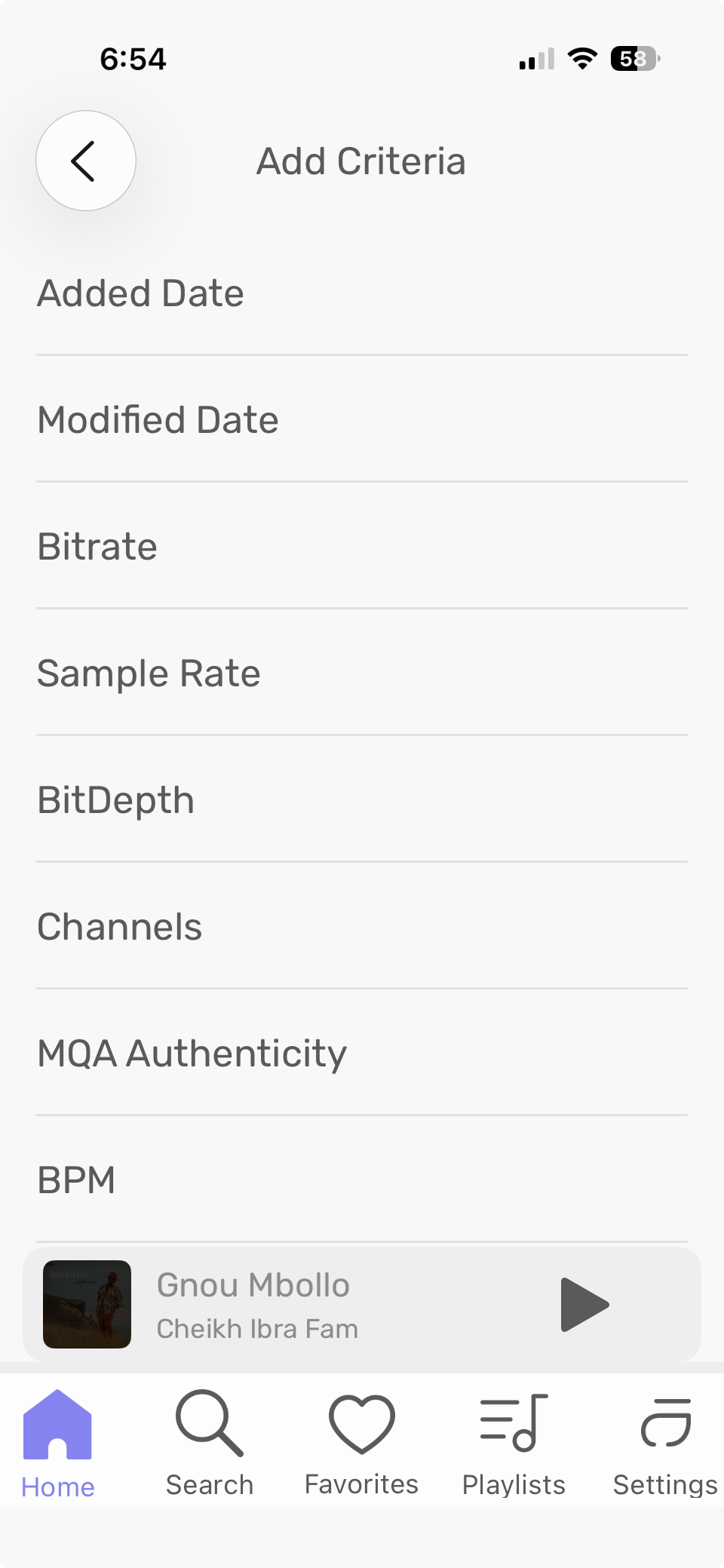
(This is from an iPad so you can see the entire caption, which is cut off on my phone.) As you can see, there are a couple of sorting criteria included by default, and also a place to add criteria. Tap that, and you get a screen like this (truncated because there are so many criteria to choose from):
Once you have added all the criteria you want, you can go back to the sorting screen, click Edit, and move each of the criteria higher or lower in priority. So for example you can sort albums by artist, then by date, then by bit depth, then by sample rate, then by file location. You would then see each artist’s albums in date order, and also separated by bit depth, sample rate, and file location. Here’s a sorting screen after clicking Edit. (This one is for tracks, but the one for albums uses the same format.) The 3-line icon on the right is what you touch and move to change the priority of the criteria.
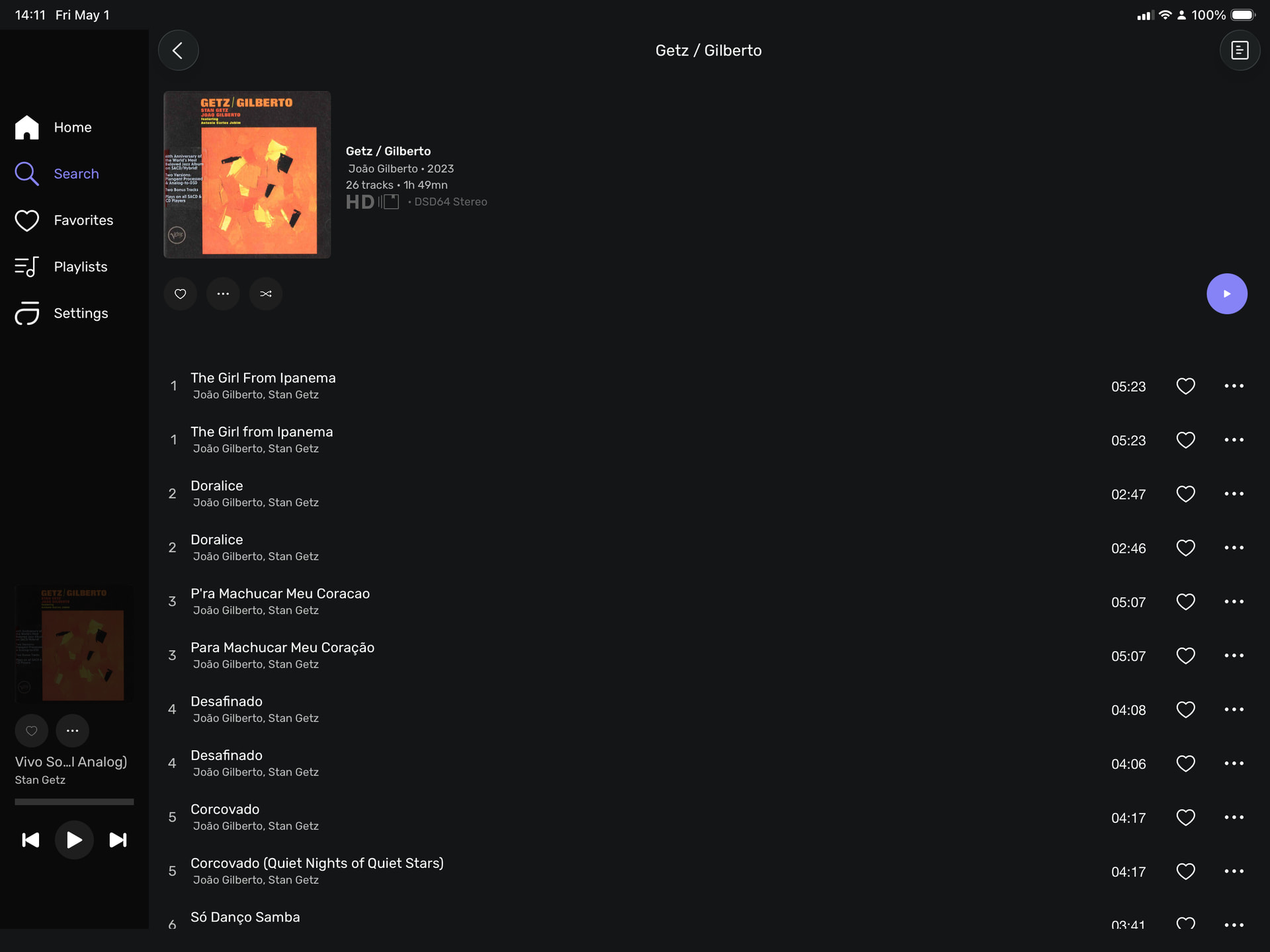
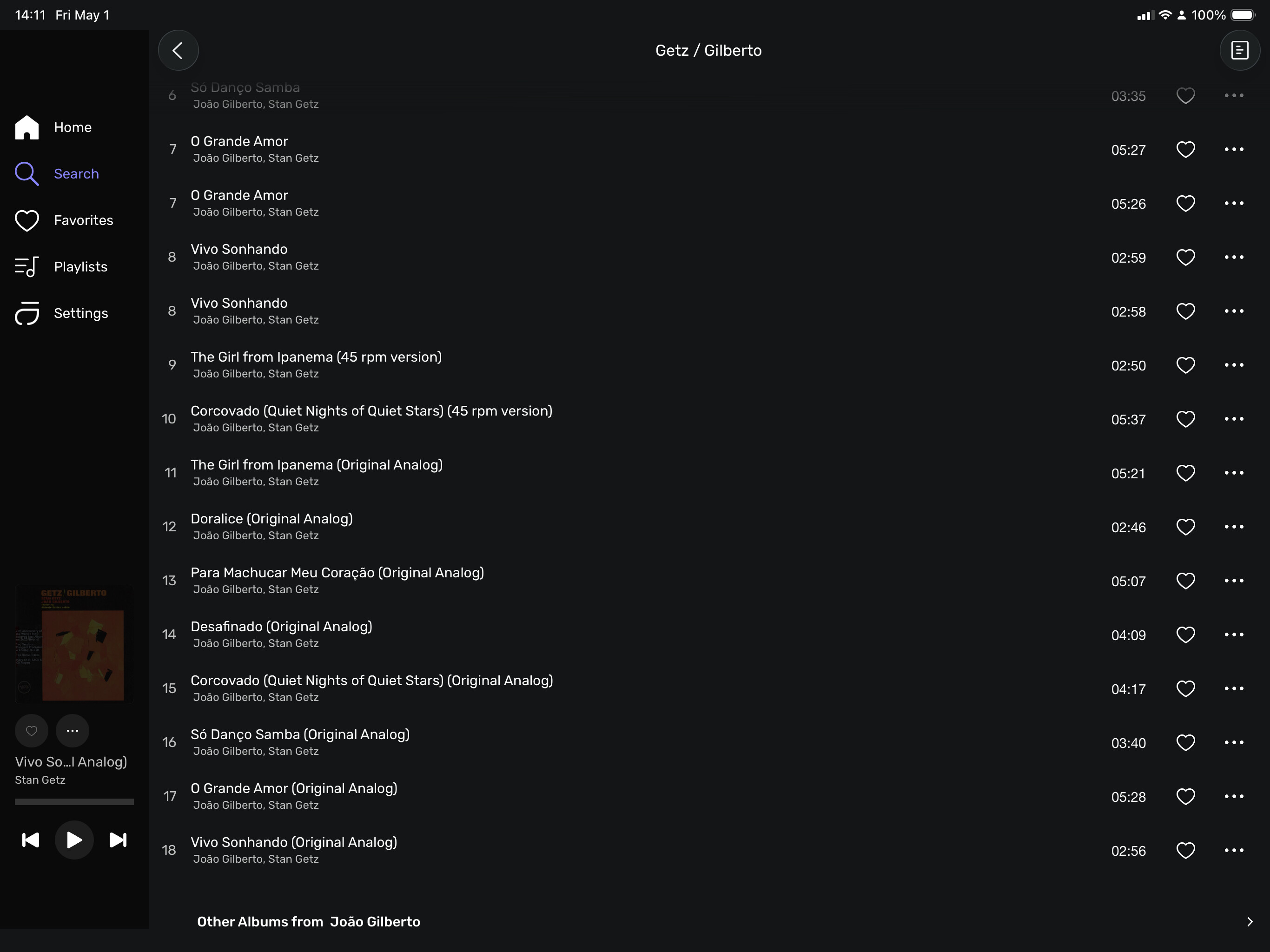
Here you have two albums: The original with 8 tracks, and a newer one with 18 tracks. You can see tracks 1-8 show successively while the rest are by themselves because they don’t exist in the smaller album.
I’ve got mine to behave by moving Audio File Location to top priority, followed by Album Title and Album Artists. I don’t know that this would work for you with the way you have your directories organized. But maybe at least you want file location above album title in the priority list, unless you already do and what you showed me is the result.