Do I have to curate my own metadata?

Hello all,

I am trialling Audirvana and a very pleased with the improvement in SQ compared to Roon.

The potential show-stopper for me is the metadata. The quality of metadata is a major (perhaps the biggest) factor in a positive user experience. I mean if you can’t slice and dice your collection in the manner you want, what’s the point? Better SQ buys you only so much.

Who is responsible for the quality of metadata - the end user or Audirvana? It appears that those that have spent the effort curating data in their flac files prior to importing will be best served by Audirvana. I haven’t needed to do that for 15 years!

There is no consistency in how recording labels populate metadata when authoring a CD or downloadable files. So in Audirvana, I see “J.S. Bach”, “J.S.Bach”, Johann Sebastian Bach" - sometimes as an Artist and other times as a Composer. And that is for those albums that I can see. I have been ripping CDs to .wav files for the past few years and they have no metadata at all!

I have hundreds of albums that were reported as unrecognised after importing into Audirvana.

Even where metadata exists as tags in the file, some data (eg ‘Label’) seems to be rarely populated. That is not good when you want to find your HDTT or DENON recordings.

Roon is outstanding in this regard.
Roon takes the responsibility for metadata. I just drop the album into a watched folder and I’m good to go.
It finds metadata for .wav files.
Its metadata is independent of the metadata tags on the file and is consistent as a result.

So - is there any development work being done (or planned) in this area? My requirement is to be able to drop a folder of files — tagged, badly tagged, or bare WAV rips with nothing at all — and have Audirvana figure out what they are and present them consistently. Like Roon I guess.
Is this likely to happen?

Many thanks
Mark

Welcome…
This is a good place to start…

:musical_notes: :eye: :nose: :eye: :musical_notes:

Both Roon and J River maintain their own database, Roon aggregates data from several sources.Audirvana relies on MusicBrainz which in my experience is not as good, particularly for classical music. With Audirvana I find that most files are identified correctly however to get classical music the way I want it to appear I have to edit the metadata. I do this using Audirvana’s tools so that changes are in the Audirvana database not the file itself. This works for me with a library of only 800 albums. An effort at first and then just the occasional edit on new albums imported.

Roon does a better job but when I import my library to Roon ( I use it seldomly but as a back-up in case of issues with Audirvana) I still find I have to edit maybe 15% of imported albums, particularly classical.

For me sound quality is everything, the metadata is way less important and in Audirvana requires more user intervention. If I was switching to Audirvana for the first time the degree of editing (duplicated when I trash my database and start anew) takes me 4 or 5 hours to get my library, particularly the classical albums (about 150 of the 800), the way I want.

As to whether Audirvana plans at some point to integrate its own database of metadata only they can answer that, but I would not wish to have the significant drain on resources that say Roon utilises with its daily database syncing / maintenance with the mothership.

As always great to have a choice…..

Thanks for your response.
Yes - most of my issues (by far) are with classical music.

I feel less than enthusiastic about the time and effort I would have to put in to get the metadata consistent. On the other hand, the SQ improvements are hard to ignore.

Cheers!

It would be nice if a player’s metadata sources worked the way I thought, but I have never found one with ESP. :wink:

I certainly understand the way you feel - doing that much work is daunting and takes time. (By the way, if you want to add metadata individually to new recordings as you buy them, you can save them as uncompressed FLAC, which accepts metadata, rather than WAV, which as you know does not.)

I long ago decided that no player was going to get it exactly right for me (I remember when iTunes saved half of a Beatles album in one directory and half in another; and yes I have tried Roon and that was not completely satisfactory for me either), so I was going to do two things: (1) Edit metadata for my purchases immediately upon downloading them - that way I don’t have to do a lot of work at any one time; and (2) arrange my folders as I best remembered the recordings, not in strict accordance with metadata.

What does #2 above mean? For example, it means that because I really like recordings by Jordi Savall, I have his Beethoven symphony cycle in my Jordi Savall folder, while I have Beethoven symphonies with people I follow less avidly in a Beethoven folder. This makes it much easier for me to remember where Beethoven symphonies, or similarly any other recordings, can be located than trying to remember the name of a particular performer, conductor, or composer I don’t follow closely.

Audirvana makes this strategy easy for me with its “Folders view.” (If you haven’t tried it, and you think this way of looking through your collection might work for you, please let us know if you need any assistance finding it.) It allows me to find recordings as I’ve arranged them in order to remember them well, rather than forcing me to adhere to any metadata-based system.

Because Audirvana has such nice sound quality, I hope this might help you. If not, then you have a difficult decision to make. :neutral_face:

Hi Jud - thanks for responding. Have I seen you in the PS Audio forums?

90% of my files are FLAC. It’s only in the past couple of years that I have ripped to WAV.

I have found and used the Folder view. Sometimes it’s the only way I’ve been able to locate an album that I want to hear.

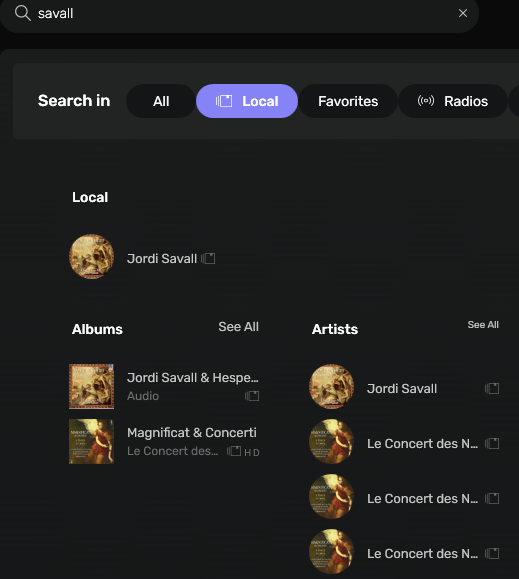
I can show you what I am faced with using your Savall/Beethoven example. In my case it will be Savall/Vivaldi. I see this when I search for Savall in Audirvana:


It shows two albums and four artists. I have three Savall albums - one has gone AWOL :frowning:
I understand there must be a technical reason why there are 4 x artists for Savall (with 3 duplicates!) but that is no comfort to me as an end-user.

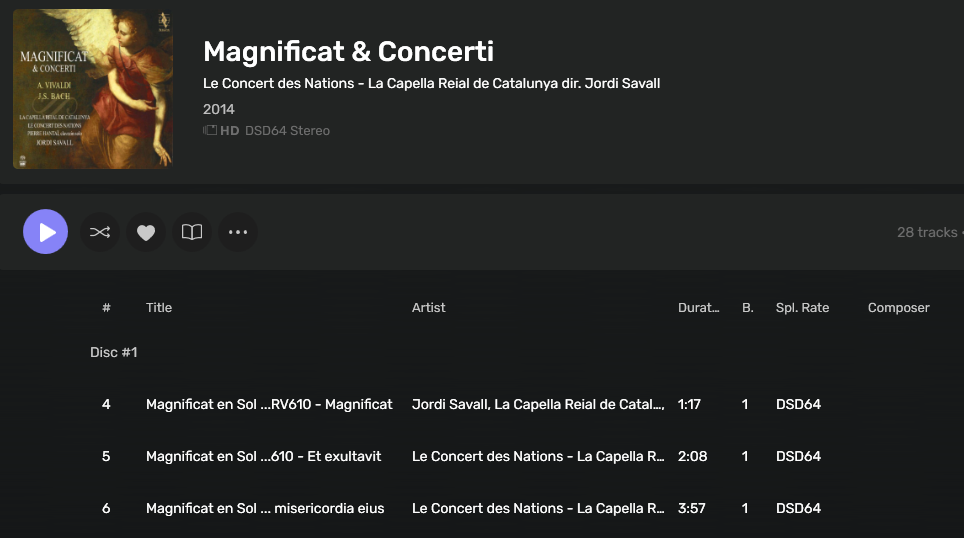
If I search “Savall Vivaldi” in Audivana, I get no results. If I do the same search in Roon, I get the one album I expect. This is the Savall album with Vivaldi’s composition as it appears in Audivana:


No mention of Vivaldi from what I can see.

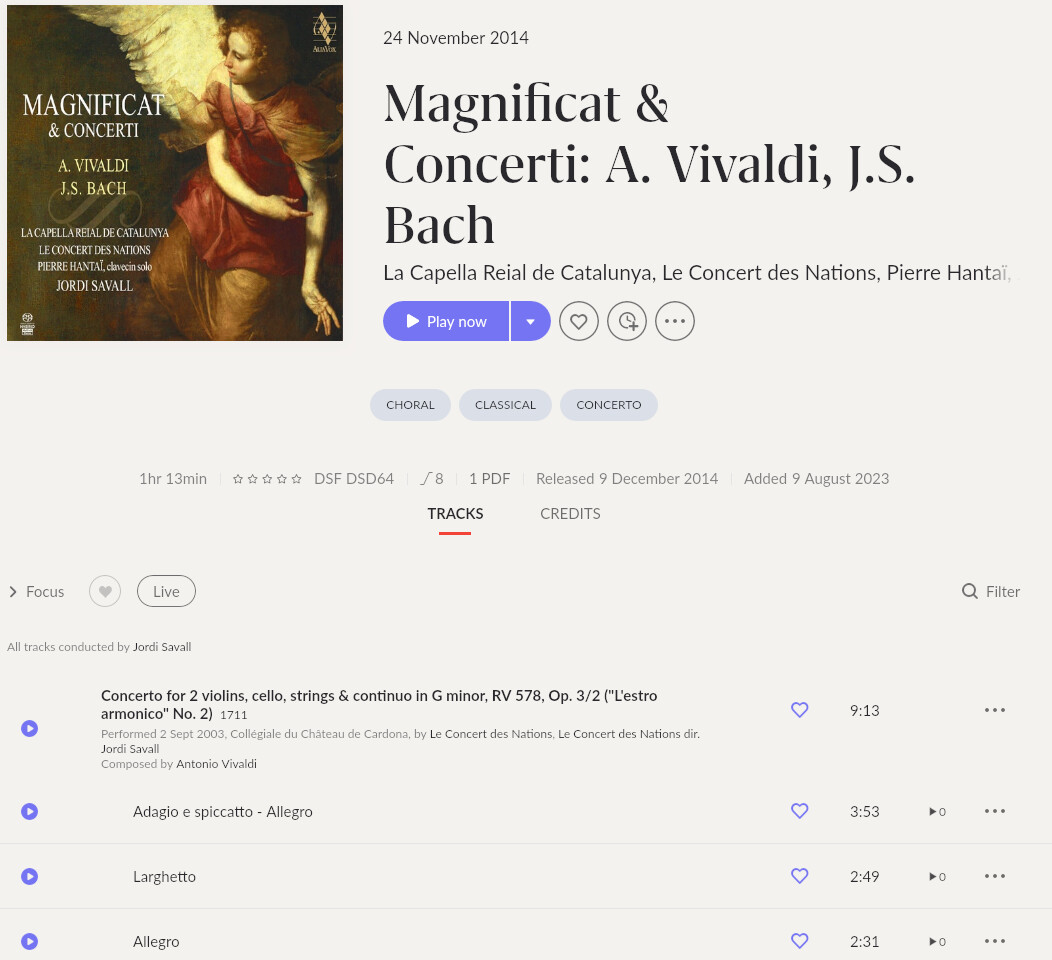
This is what I see in Roon:


Vivaldi is listed in the credits which is why my “Savall Vivaldi” search works. I neither know nor care where that album resides in the file system.

I have 3155 tracks with no MusicBrainz ID. That can’t be good :slight_smile:

I used to take a pass over the metadata after I ripped a CD. Then about 15 years ago, I compared players (JRiver, Jplay, Sooloos and others, but sadly not Audivana) and settled on Sooloos (now Roon). That’s 15 years worth of not caring about the metadata on the albums I drop into a watched folder. Heck - in recent years when I acquire an album from a new artist, I just drop the album folder in the root of my watched directory without caring about folder structure.

I am faced with a lot of work - too much in fact - to get my library in order.
I suspected this would be the case immediately I began my trial. But I posted hoping that officialdom might respond saying that better metadata retrieval is in the works. In which case in would be all in :slight_smile:

Regards and thanks
Mark

Hi Mark,

I don’t recall posting in the PS Audio forums, so I don’t think it was me. I guess I could have posted and forgotten, but unlikely.

I don’t have the Magnificat. Interestingly, when I searched 'Savall Vivaldi" in Audirvana, it came up as a Qobuz selection.

I tried “Savall Bach” and it gave me a local album, Savall’s recording of Bach’s St. Mark’s Passion, along with various Qobuz selections, including again the Magnificat. I didn’t get my local copy of Savall’s recording of the Brandenburg Concertos on DSD, whether because it’s nested in a separate DSD folder, because it’s DSD, because Hesperion XXI are the lead artists, because I wasn’t thorough enough with the metadata…, though again the Qobuz recording was picked up. So yeah, even with some amount of metadata curation, search via metadata doesn’t pick up everything.

Whether allowing MusicBrainz to finish going through all recordings would make a difference for you, I don’t know. I found some of what it did bothered me enough that I don’t use it.

So that’s the state of things at my personal level of knowledge. If other folks have helpful suggestions, that would be great. My apologies I couldn’t be more helpful.

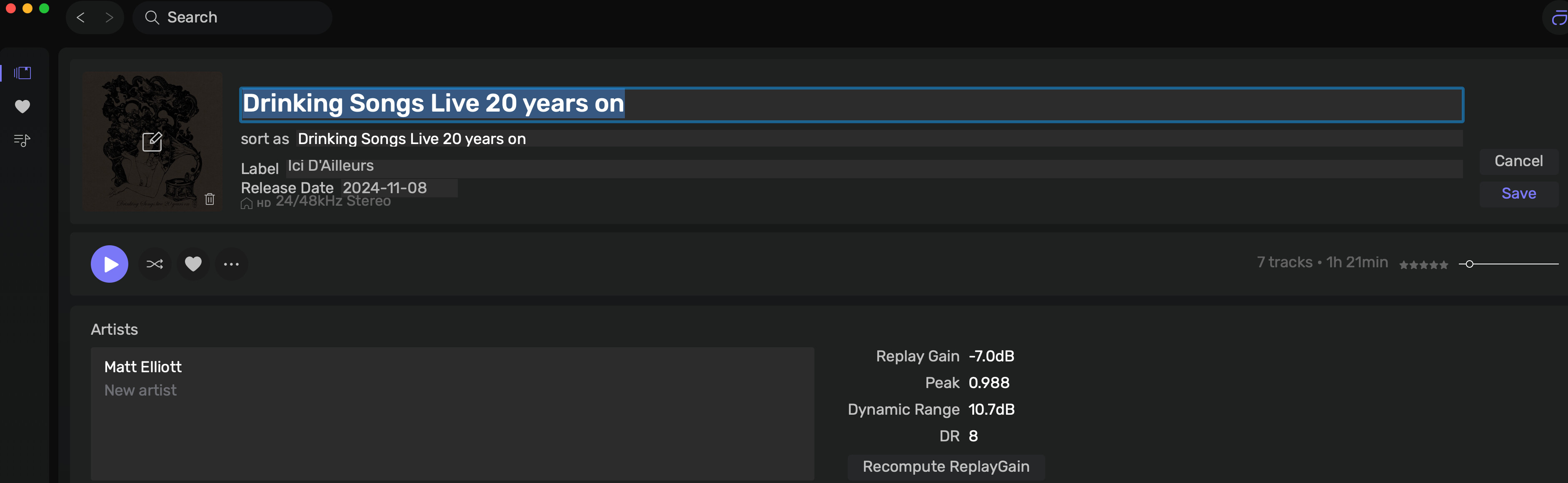
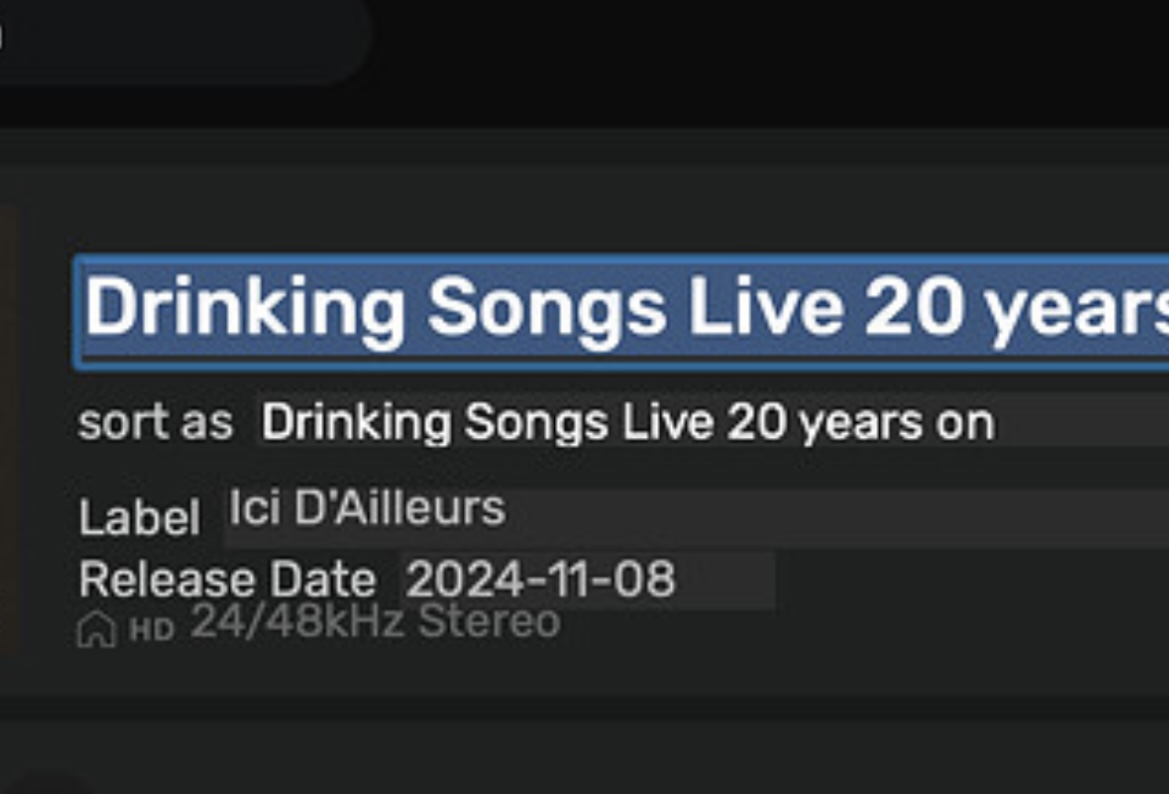
Since the last update, I’m not really sure what I’m being offered, with regards to Metadata.

Is this all there is now?

I much preferred the previous option.

On mac… select all songs from that album and do ‘cmd i’ to get another panel… another good design idea :person_facepalming:t2:

Look also how bad this window looks, so cheap design aligment…