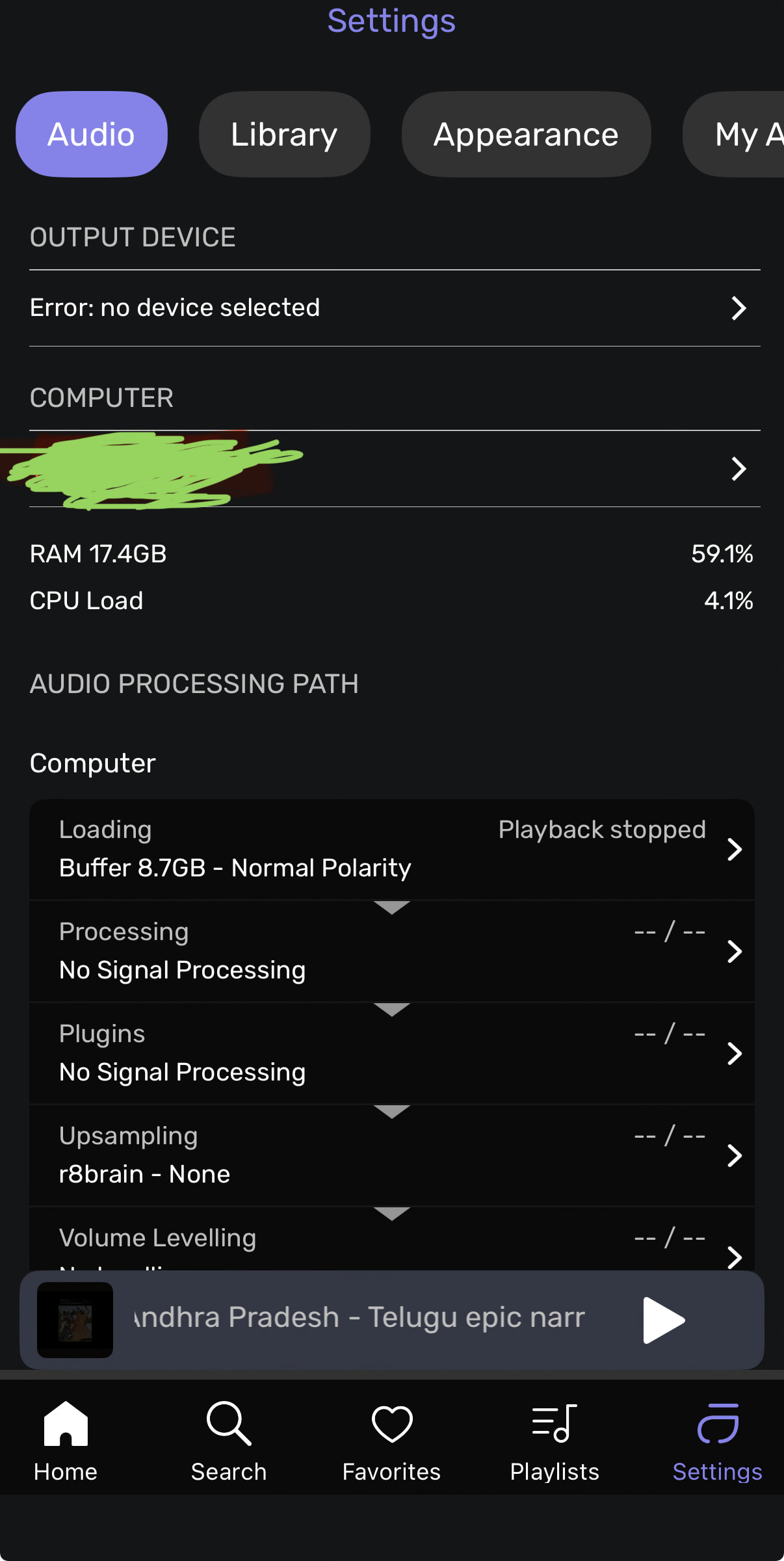
I’ve installed / setup “Core Player” on my “Synology NAS” and installed “Audirvana Remote” using which synchronized all my local / offline Library in NAS.
But, I do not have any " AUDIO Devices connected to My NAS / Local Network "
When I want operate / play songs using “Audirvana Remote” ( All my Library from NAS is visible from remote ) I get the error shown from Screenshot. How do I FIX it ?
I’ve another Query too !!
Can I listen to music from my Mobile wherever I am (Remote Location), moving from place to place Accessing from my NAS Library ?
OR, Does it only PLAY music with Audio Devices which are connected to Local Wifi / Network in room where my NAS Exists ?
The scenario I am trying to establish is, use " Tailscale " on my " Synology NAS " and " Mobile Phone " with " Core Player" and try to play the music from NAS to my mobile.
Looks like these apps are not designed to establish that scenario, This is a limitation.
My question is, how to access / PLAY my OFFLINE / MUSIC from NAS over internet through " Audirvana Apps " in my mobile / iPad ? This is much needed Feature.
Audirvāna uses UPnP. Your mobile phone has to show up as an UPnP renderer. For Android that would be possible with Bubble UPnP and USB Audio Player Pro for example. On iOS that would be probably MConnect.