I’m on a W11 laptop and cannot find any options for KS in the “Audio” tab of Studio 2,2? I thought there were three levels one could choose from? TIA
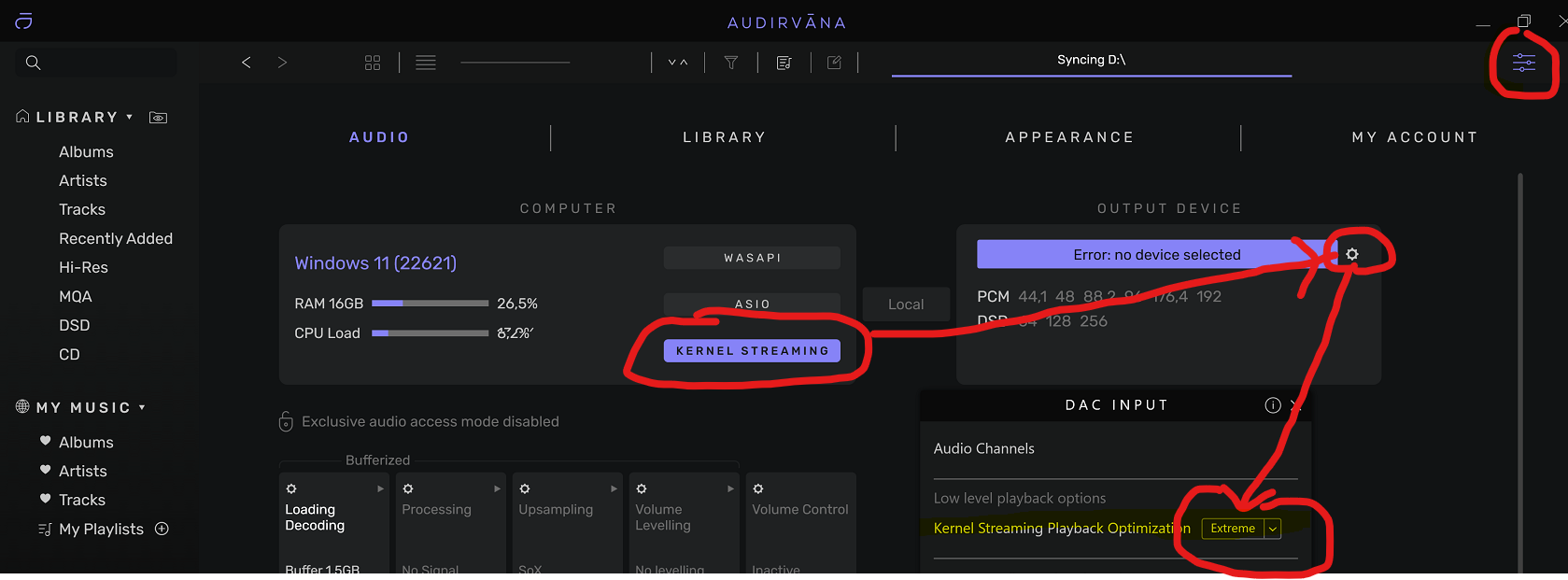
Settings\Audio\Kernel Streaming. Click on the cogwheel as in the picture and there you can choose 3 different optimization settings for Kernel streaming (normal, high, extreme). You can only change this when there is no music playing (to stop the music click on the ‘lock’ icon right bottom of the screen).
1 Like
Thanks Andy. Unfortunately this only works when the output device is “Local”. When I use a UPnP device I do not get any Kernel Streaming options. See pics.
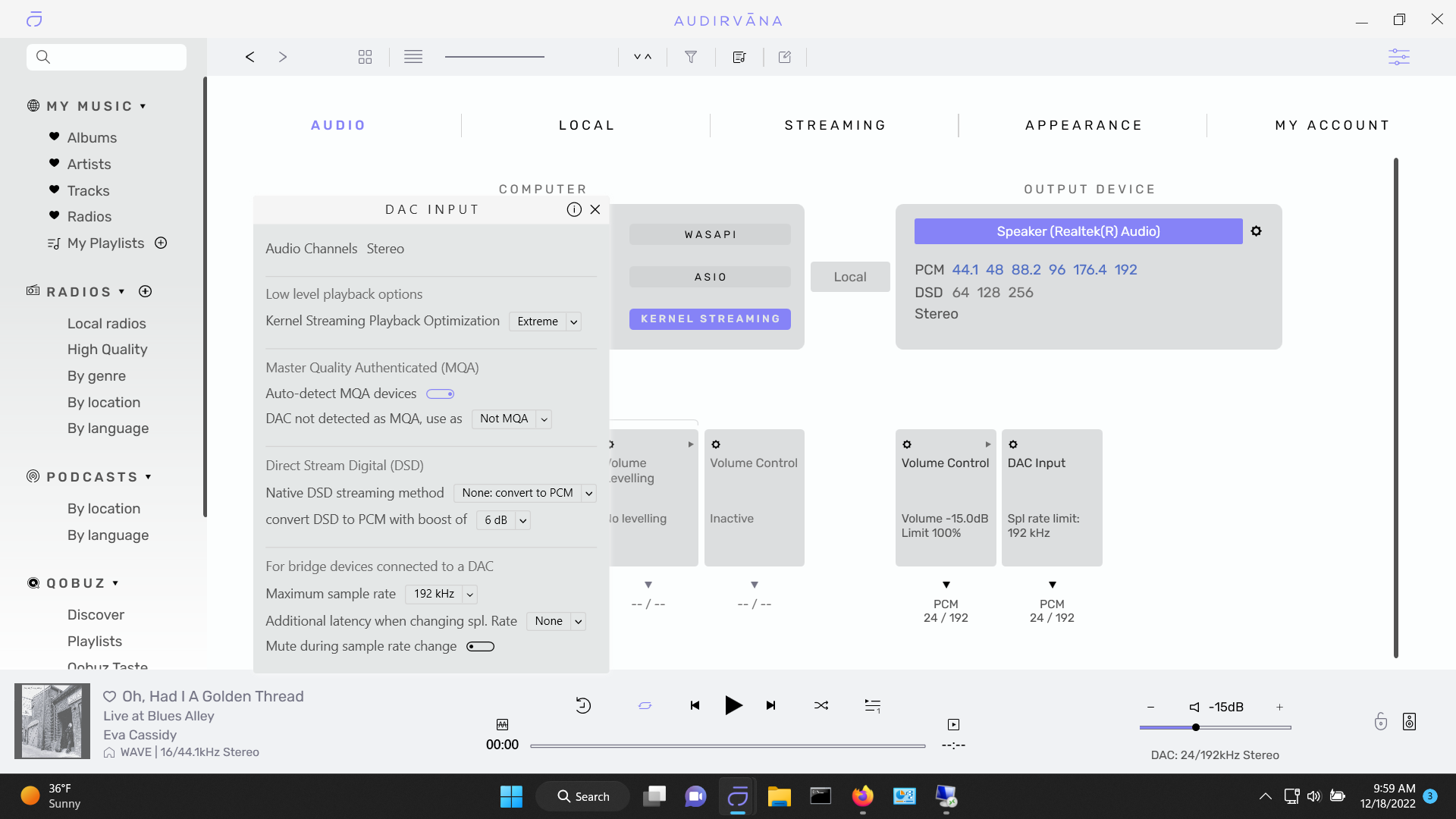
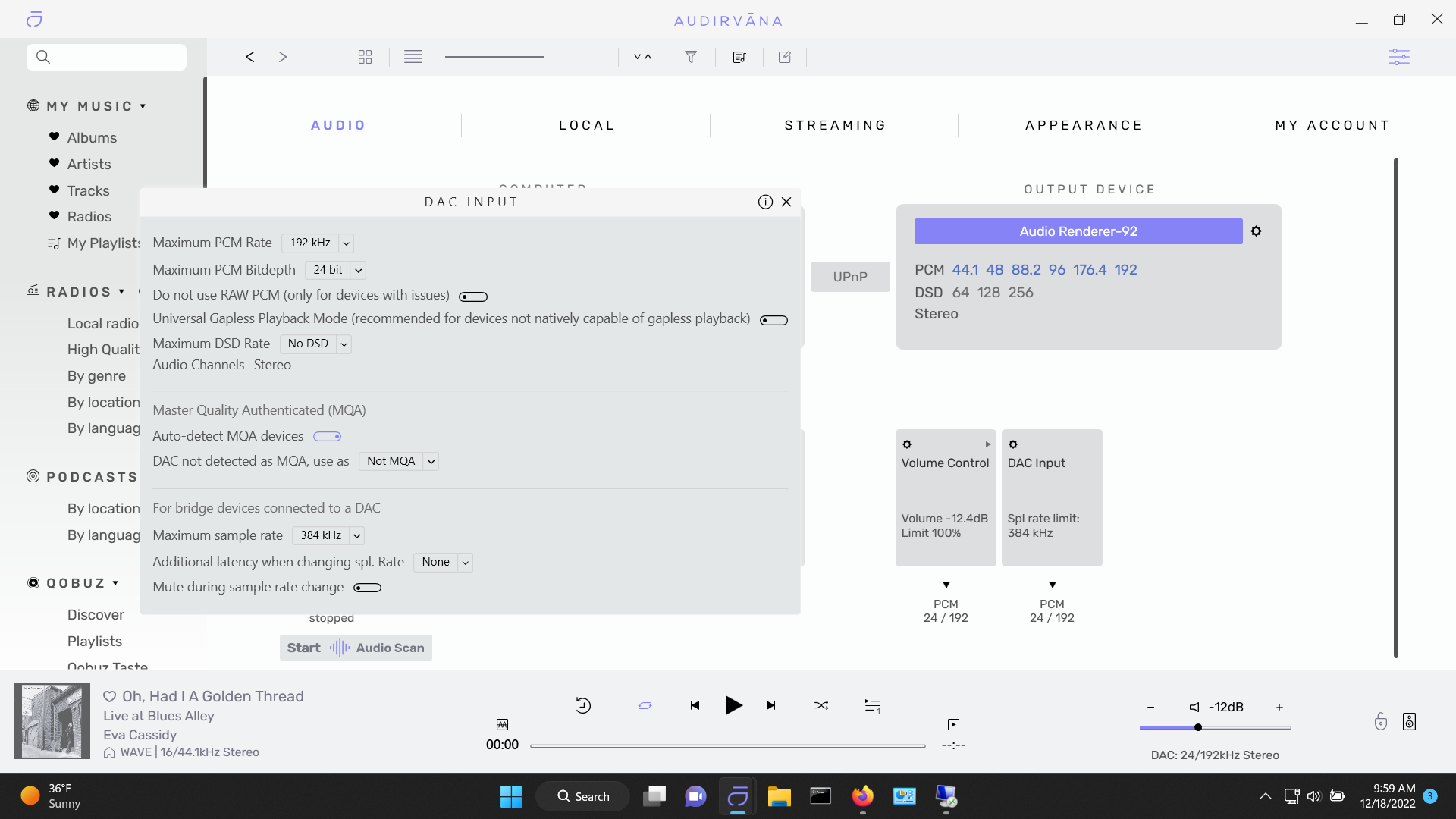
The Optimization setting in Kernel streaming is a new option. Maybe this setting is not available with UPnP for technical reasons? @Antoine can you enlighten us?
What is strange is that when I selected a “Local” device, internal laptop, Kernal Streaming was set to “Standard.” I thought that I read in release notes or marketing that “Extreme” was the default setting? Also, after I selected “Extreme” and then selected a UPnP device the sound changed. So I think the UPnP device is using Extreme and not standard but I cannot tell ( see above post.) Maybe the sound change is just my imagination but I don’t think so. The sound is both more airy (holographic?) and solid as in pinpoint placement of instruments in sound stage. Quite amazing.
WASAPI and ASIO don’t apply to UPnP, so I don’t see why kernel streaming would. WASAPI and KS are Windows, aren’t they? Since the UPnP endpoint doesn’t have to be Windows, but it works regardless, the WASAPI/ASIO/KS setting can’t be controlling the DAC attached to the UPnP endpoint. It’s for directly attached DACs only.
3 Likes
Thanks Jud, but on my windows 10 based server connected to my UPnP Sonore Signature (SPDIF) device, toggling between ASIO, WASAPI and Kernel Streaming changes the sound significantly, with Kernel Streaming sounding best. Are these then anomalies I’m hearing? I have no idea what the relationship is between these windows “sound engines” and UPnP.
They’re hardware drivers that aren’t used with UPnP. (The DAC is attached to the UPnP endpoint rather than the computer, so the computer’s hardware drivers aren’t in use, the endpoint’s are, and those aren’t controlled by the player software on the transmitting computer.)
So whatever you’re hearing doesn’t come from the use of a different Windows hardware driver because that’s not what’s happening.
1 Like
Are you sure, seriously? What then accounts for the sound changes when toggling between them in Audirvāna? I have had several friends verify that they sound different. Frickin’ audio……Anyone in the Philly area that wants to hear the differences should pm me.
1 Like
Nobody is denying that there are no sound changes, but people are trying to explain to you that it is not for the reasons you think it is. I also hear sound differences between a UPnP connection or a direct USB connection. I hear it with Roon, Foobar, JRiver and also Audirvana. I also hear differences between ASIO drivers, WASAPI and Kernel streaming with all those programs. That has to do with lots of variables in a computer/sound chain (network speed, NAS, DAC quality, USB noise, drivers, implementation of software, bit perfect or not bit perfect, upsampling or not upsampling etc. etc.). I also hear a difference in sound between my girlfriends Mac and my own Windows NUC. How and why? Who knows. That is an almost philosopical discussion for another day, much broader than your original question and impossible to answer.
Kernel streaming is Windows specific and not available on Linux or a Mac computer. So if you are using UPnP you are connecting to another system and Kernel streaming may not be applicable. If you like the sound of Kernel streaming more and you want all the Kernel streaming settings, your safest bet is to connect a DAC directly through USB to your Windows computer. Those are the technical limitations you have to live with.
Your original question in this thread was ‘How access different levels of Kernel streaming.’. Is this question answered for you?
1 Like
Seriously, my friend.  There has to be a physical connection for those drivers to be working. (Try uninstalling your DAC’s ASIO driver and then reinstalling it with your DAC connected to a UPnP endpoint instead of physically connected to the computer. Or try updating the DAC’s firmware or software with the same configuration. It doesn’t work because the computer doesn’t “see” the DAC unless it’s physically connected. Also, notice the names of physically connected DACs in Audirvāna, which show the name of the DAC, vs. the names of those connected by UPnP, which show the name of the UPnP endpoint. Same thing, the computer doesn’t “see” a DAC connected by UPnP, it sees the endpoint.)
Thanks all, learned something new but it still makes no sense that said drivers ,when not active but “selected” while using a UPnP device, have an effect on sound.
This topic was automatically closed 90 days after the last reply. New replies are no longer allowed.