How does the metadata get screwed-up like this, where the album tracks are skewed and they are divided by Disc# ??? This is a random thing and occurs out of nowhere on random albums…
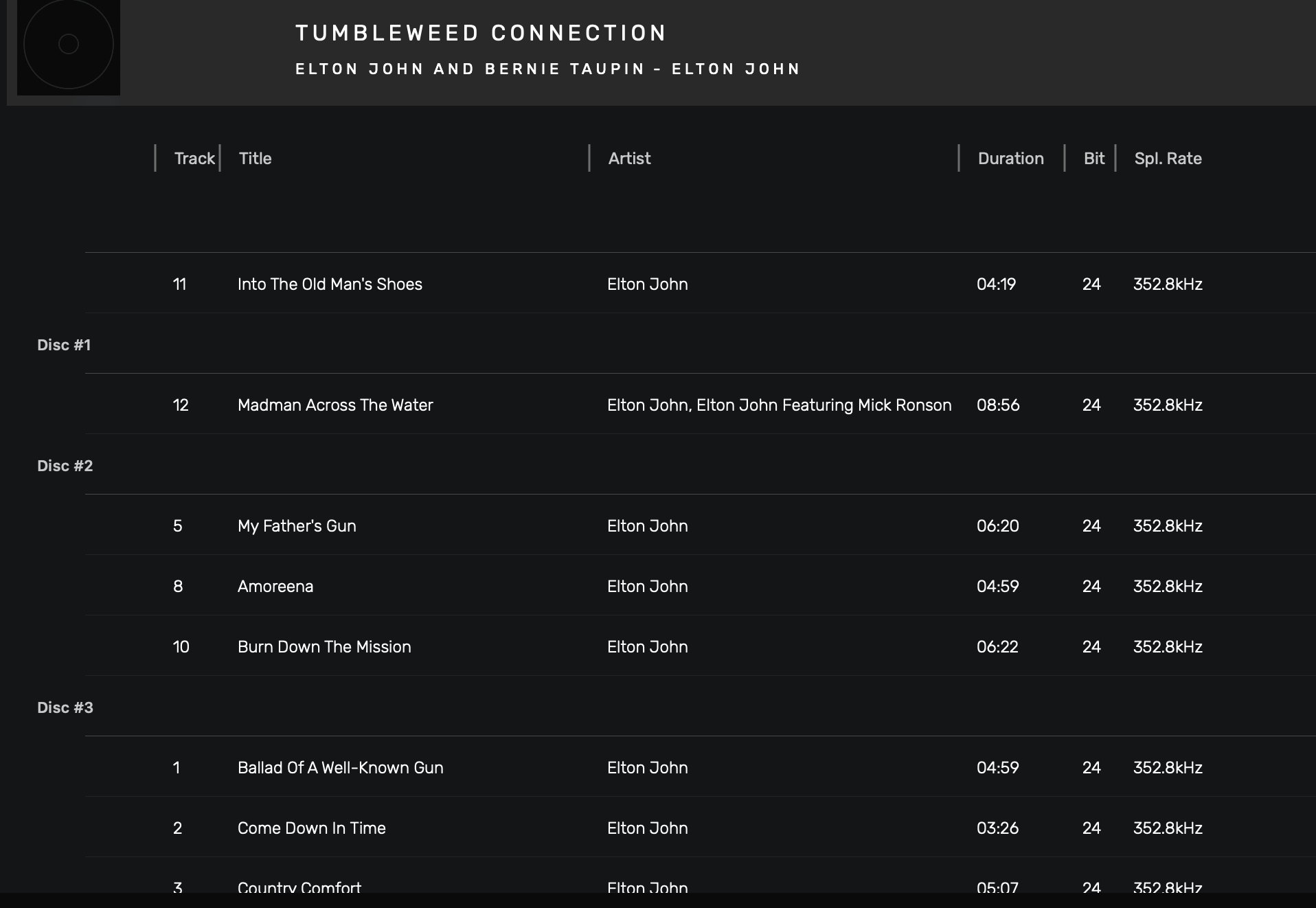


How does the metadata get screwed-up like this, where the album tracks are skewed and they are divided by Disc# ??? This is a random thing and occurs out of nowhere on random albums…
Hi @Agoldnear,
Maybe some of the tracks are not properly scanned by the analyzer and are false positive in a way.
Since this album has 20 different release on MusicBrainz, It’s probably linked to it.
https://musicbrainz.org/release-group/4fed2c09-60cd-36ca-9db1-c9c016bb1f0b
That being said, you can check if whether if it’s the case or not by opening the AudirvanaDatabase.sqlite file and looking at the tracks table. If you can paste the value you see under the mbid column, I would be happy to investigate on this manner.
How do I properly open the AudirvanaDatabase.sqlite… Text Edit does not give me columns?
Thanks for your attention…
Maybe related to my SACD ISO rip the files came from… I doubt it…
You need to install a sqlite viewer/browser. Most of them are free. I am a Windows guy, so I do not know viewers for the Mac. Just Google and you should find some…
Edit: found one:
This topic was automatically closed 90 days after the last reply. New replies are no longer allowed.