I’m trying to organize my playlists in the “Navigator” section of the Editor.
I wanted to move “Playlist 7 Days” just after “Playlist 1 Day”. I got an indication that it might work when I dragged "Playlist 7 Day (see blue line), but then it stayed where it was.
What am I doing wrong?
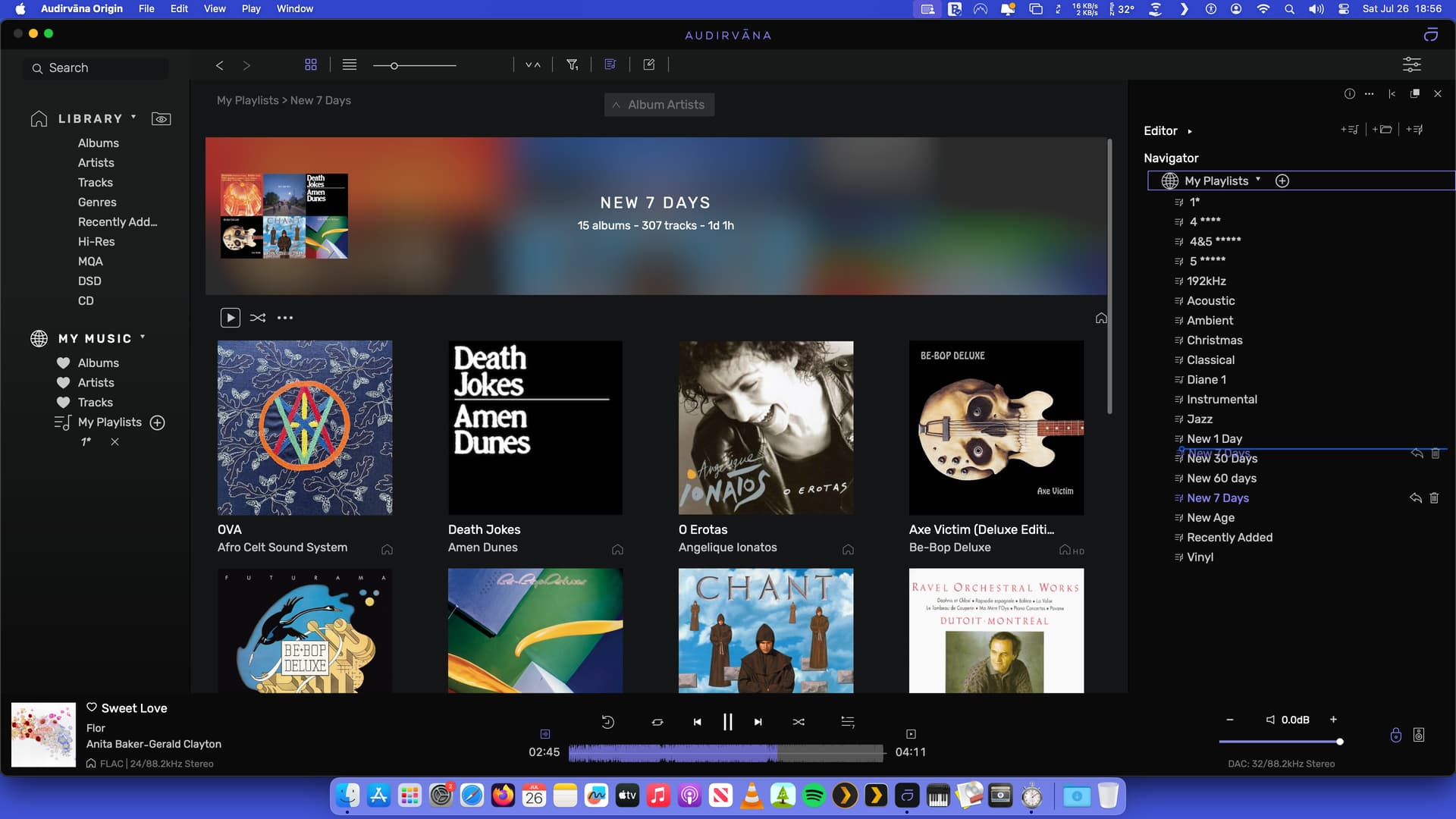
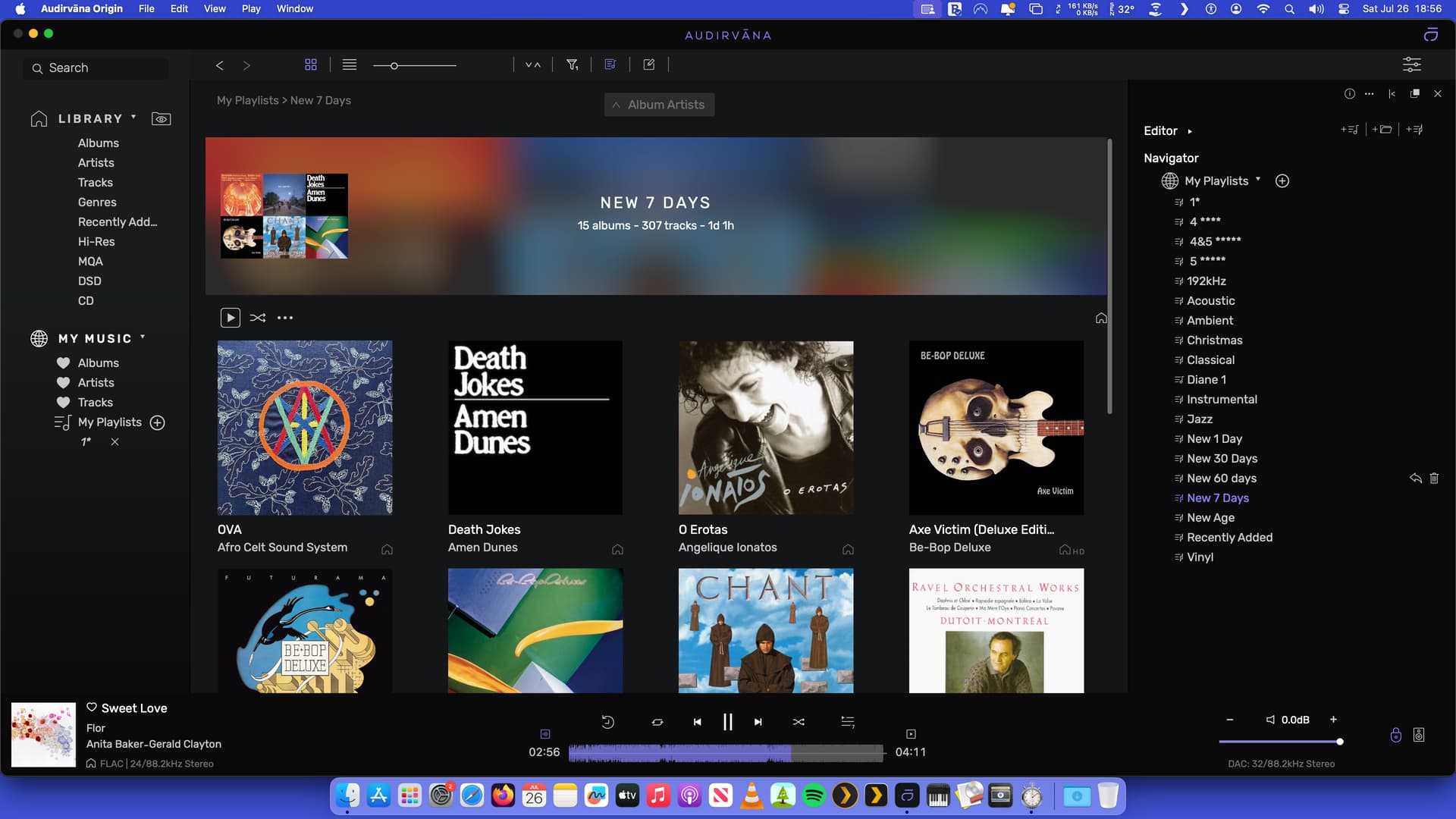




I know it seems to work like in your picture, but, Audirvana seems different logic 
Have you tried to renamed your playlists to:
New 01 day
New 07 days
New 30 days…
Workaround, not solution…
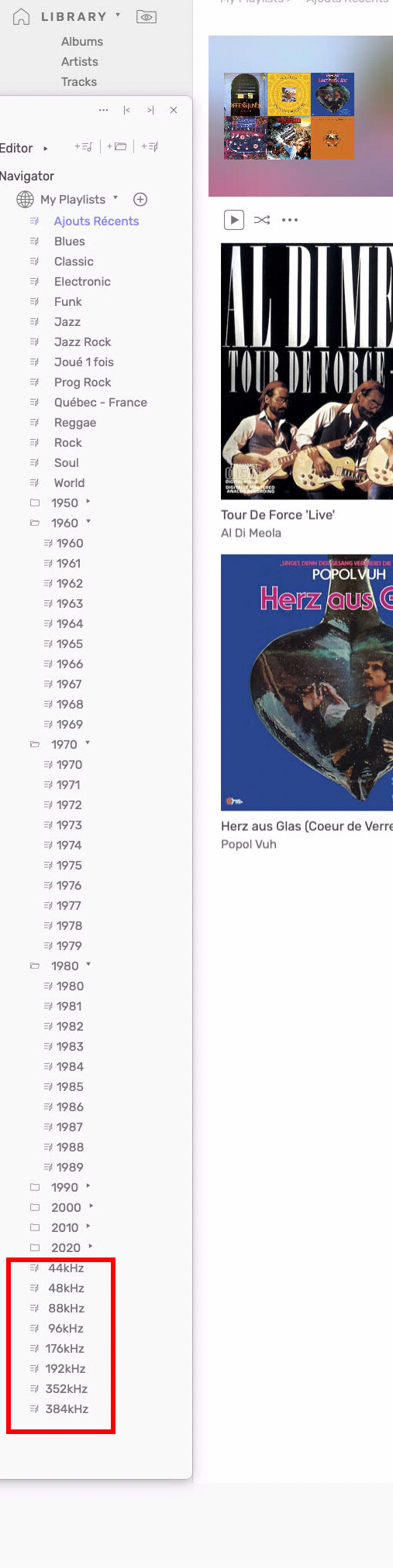
Like in my playlists here (see pict)
had to put spaces before 44, 48, 88, 96 to make them in order
like i want or natural number order for that specifically order…
1 Like
Thanks but this video does not answer my question.
I used the “0” before the number and it works. Thanks once again.
It would be nice though to be able to edit the list to one’s own preference instead of Alphabetically or Numerically.
1 Like