I got a new MacBook and I followed the instructions to uninstall Audiovana from the old Mac. However on my new laptop, whenever I enter the existing license key, I get an error saying “There is no valid license available to continue execution of Audirvana”
I do have the receipt of my purchase as proof. And I had only ever installed it on one computer which as I said I uninstalled before I got my new computer, so there should not be any problem in my using this license key. Could you please check on this and let me know what to do?
Yes in the private message you asked me to upgrade to a new version 3.5 by paying an extra $68. So you are misunderstanding what I am asking. I said I have a fully paid version of Audiovana and I uninstalled it form my old laptop following the directions on your website. And now I have been trying to use that license key on my new laptop since Nov 2019. It does not work.
So I need to know how to get the product that I have already paid to work. I do not need to know nor am I interested in buying or upgrading to a new product and paying your more money.
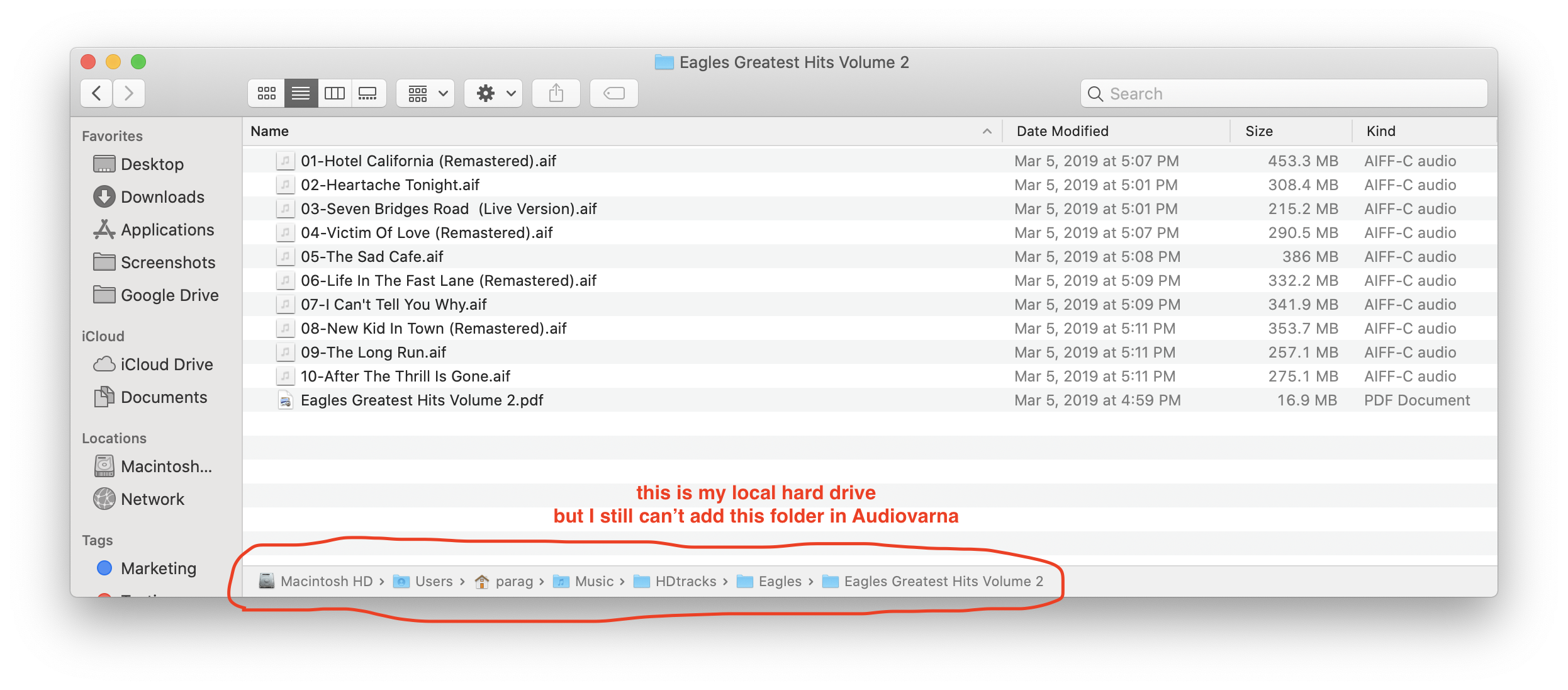
Hello @XtenMan, before you choose one of your folder from your googledrive, have you make sure it was correctly synced in your Computer? I can see on the Eagle folder that you have red dot next to it so you might have a sync error.
Yes the folders are synced to my local hard drive. the Eagles folder red mark, is something I created. I marked it in red to highlight it for you. There is no red mark on the actual folder when I look at it through Finder.
Also note that all the other folders are also synced to my hard dive. Additionally, I moved one folder into my local hard drive, but still nothing