Metadata Issue with update?

I came across this today.
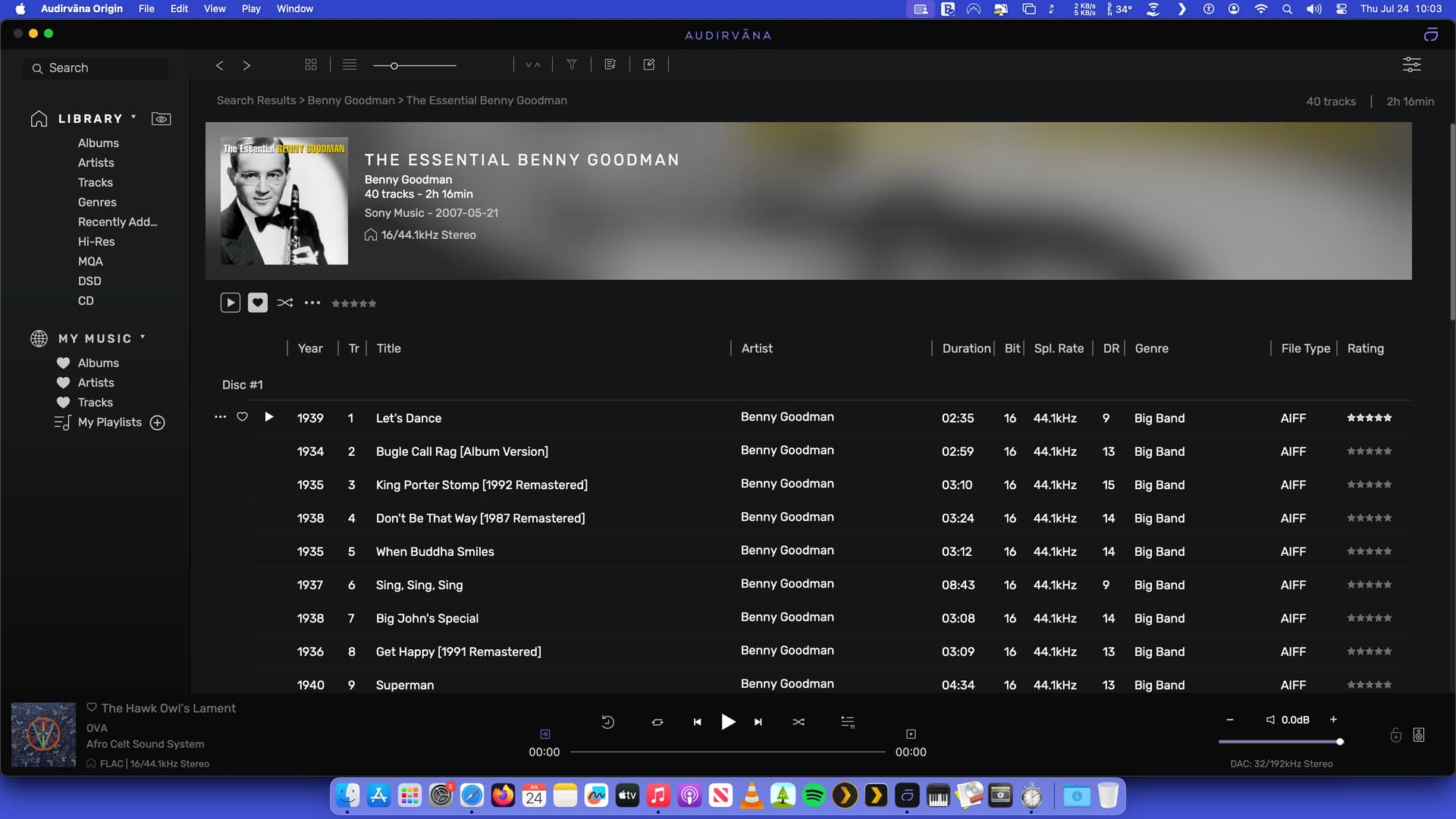
The ARTIST metadata is not always the same when looking at just the album, as apposed to when selecting a song from that album? See track 1 highlighted in second picture.
How can that be?
Shouldn’t these 2 be looking at the same Metadata ID?

Some additional testing seems to show that when I edit metadata using the software META (Apple), it’s not always reflected in Audirvana.
As an experiment, I changed the ARTISTS category metadata in Audirvana and saw that change reflected in my Apple software.
Yet when I changed that same ARTIST category metadata within the software (Apple), the change was not reflected in Audirvana.
Something has gone sour. I don’t recall this occurring before.

Here’s another anomaly. Look at the dates.

Can you please take a look at this file using Musicbrainz metadata editor?

https://musicbrainz.org/

I usually use MusicBrainz Picard first so that it finds data such as “ISRC”, etc.
Then I use META to fine tune.
Attached is screenshots of the same album with both programs.

Meta has a long list and I can only capture in 2 pics.

The other oddity I find is when I add information to the “Grouping” category.
It automatically adds the 1st songs Composer after what I have added???
It’s not something I want displayed and find it clutters up this information.

I know that initially “Grouping” was created for Classical music, but I like to use it in multi CD sets to illustrate the individual discs.

This issue is still driving me nuts. It gets even worse when there is more than one composer…

Before adding data to the “Grouping” category…

After adding data to the “Grouping” category…

It’s not clear to me why the “Composer” info only shows up when I add to the “Grouping” data.
VERY MESSY!!

FYI: I’m adding to the “Grouping” category using the Mac App “META”, not Audirvana.

Yes, since Origin version 2.6.0.
I raised the issue upon its release. Still no option…

@kit, can you sort your library by duration and check if you don’t have a track with a very high value?

You can select the track and open the metadata editor:

Once in the editor, click on the “Infos” tab. Here you will be able to directly open the folder containing your track.

Can you please send me those two files to [email protected]?

Not a problem, if you get this again, you know where to send them :wink: