Just a couple of largely inconsequential graphical issues remaining in version 3
Folder View: When adjusting the width of the folder view pane then going to any other view and back to folder view the folder view pane always returns to the default width. The user adjusted width is not saved.
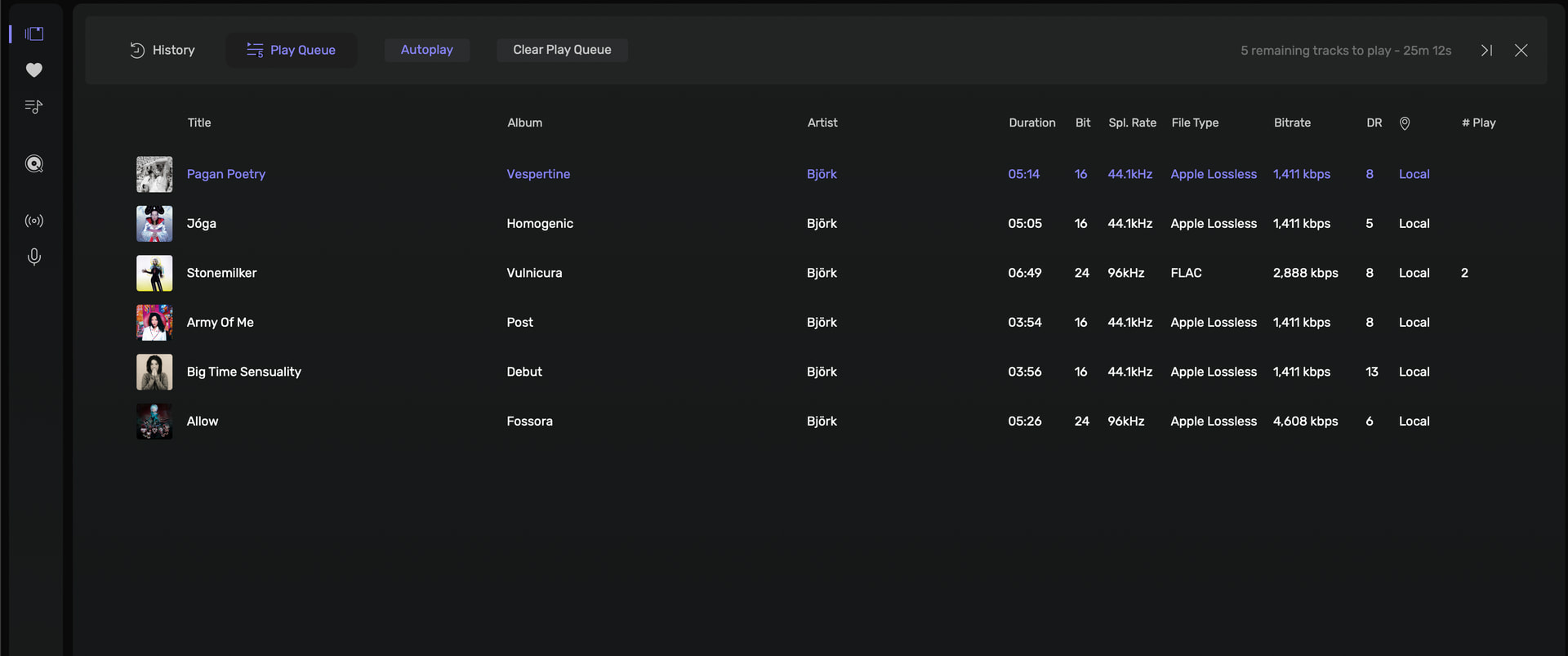
When viewing the play queue expanded across the screen attemting to go back to album view by clicking on the local library icon in the sidebar results in the icon being selected (bar illuminates on the left of the icon and the icon turns lilac colour) however the screen remains on play queue/history. To get back to album view have to use the X on the right or go to any other sidebar icon first before clicking on the local library. See screenshot where play queue is open and have clicked on the local library button in the sidebar but screen remains on play queue (this does not occur 100% of the time but at least 90% for me).
I wanted to share this issue today after seeing a similar thread, as it’s been ongoing since the beta versions but hasn’t seemed particularly urgent due to more pressing problems.
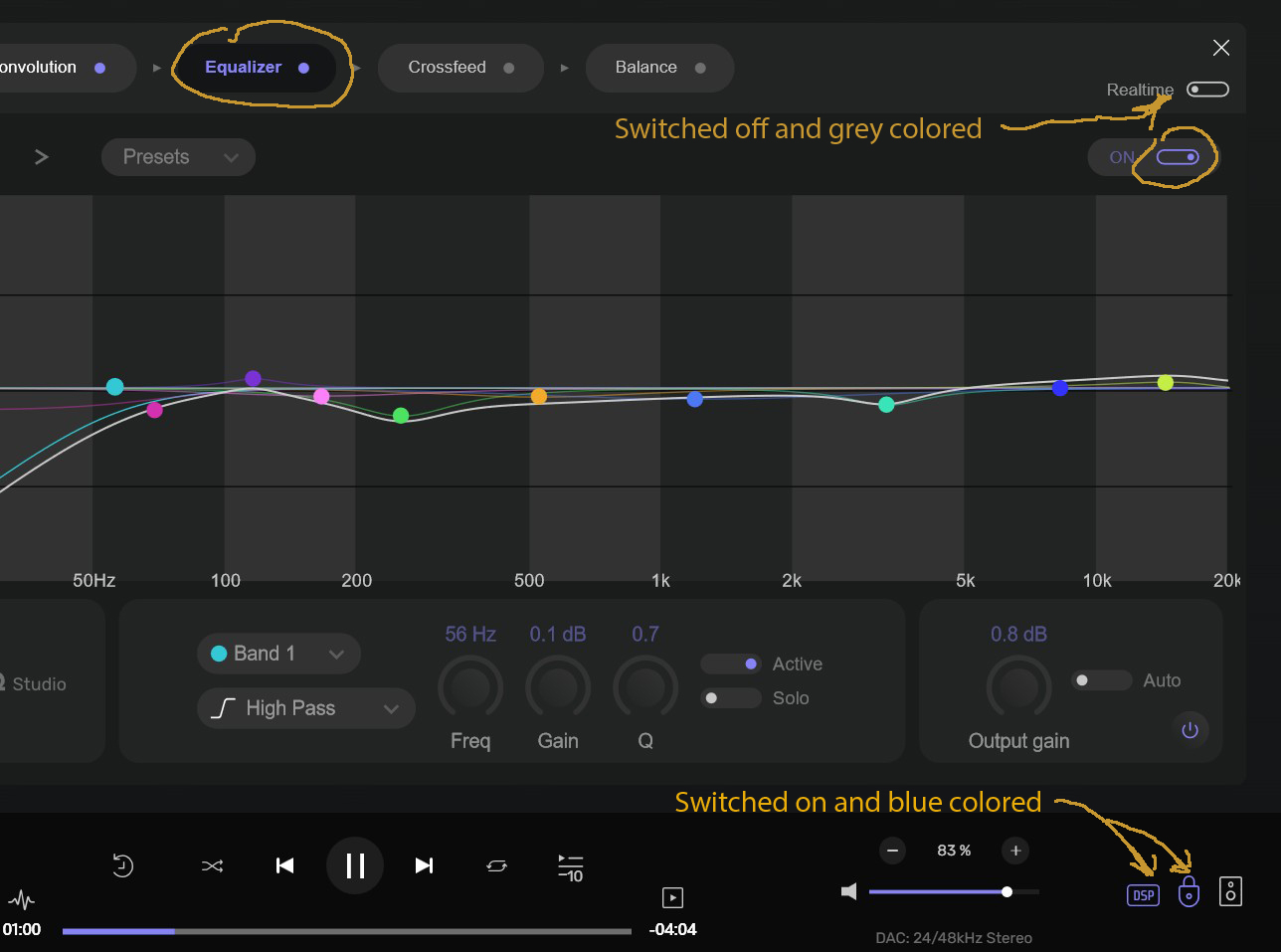
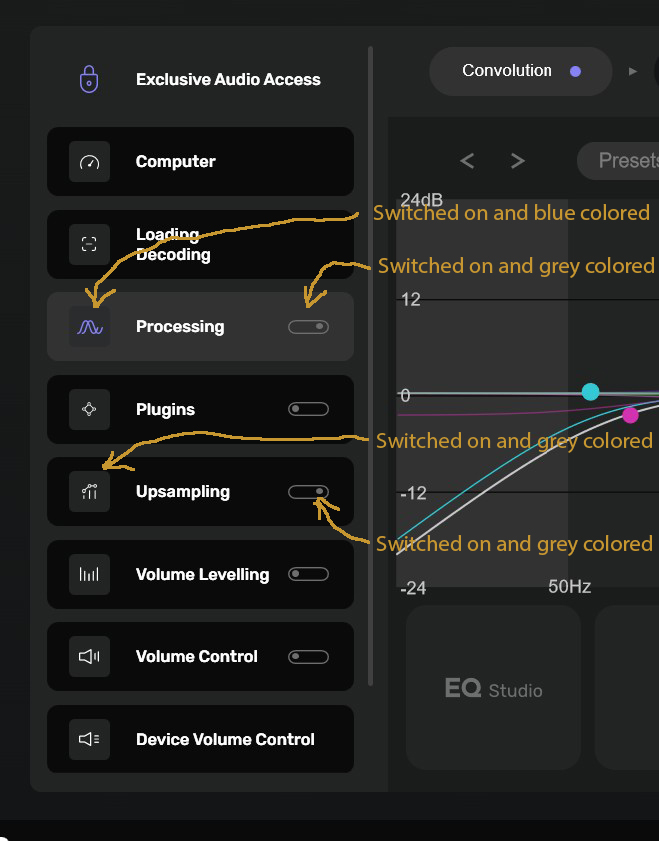
As a general principle in the Audirvana interface, active and switched on buttons are highlighted in blue (or lilac). However, there are some elements in the settings side panel that do not adhere to this principle, and it would be beneficial to fix them.
The two images below will help clarify the issue: the elements in the first image adhere to the blue principle, whilst the side panel in the second image appears to questionable.
@xanthos
What is the behavior when Convolution processing is disabled…? It may be that the highlighting behavior is contextually related to the Convolution processing being enabled or disabled.
Do you see “up-sampling” as one of the ‘Processing’ module functions? … ‘Up-sampling is an independent module. Where r8Brain has a symbiotic relationship in the context of Convolution engine.
I’m having an issue where track names and other metadata are not being displayed. I have to hit the Edit button on the right and then click Save for the tracks to be displayed.
I don’t think my question was properly understood. What I’m saying is that even though ‘Upsampling’ doesn’t have a sub-module like ‘Processing’, why doesn’t highlighted in blue when it’s active?
And to say it again: if even one of the ‘Processing’ sub-modules is active, it means ‘Processing’ is active and should highlighted in blue.
The ‘Up-sampling’ module is not a sub-module of the ‘Processing’ module.
However, the Convolution engine uses r8Brain for sample-rate matching operations…
To get a baseline reference, try disabling the Convolution engine and enable your up-sampling strategy, to observe the behavior of the highlighting strategy after closing and opening Audirvāna.
You’re spending a lot of effort into trying to present a mistake or error as truth, Agoldnear. We could go on writing pages and pages about this. We could discuss the logic of the diagram that’s been set up here, despite its flaws. But I don’t have any more time to devote to this. You’re welcome to keep insisting on your point.
I’m making a suggestion to get a clearer picture on the behavior you are experiencing… You are making the presumptive interpretation that what you are experiencing, is a mistake or error.. I don’t jump to that conclusion… I’m personally interested in the baseline reference, because I do not use the Convolution-engine.