I put that thread in a larger one… Studio thread… Same for Origin sadly.
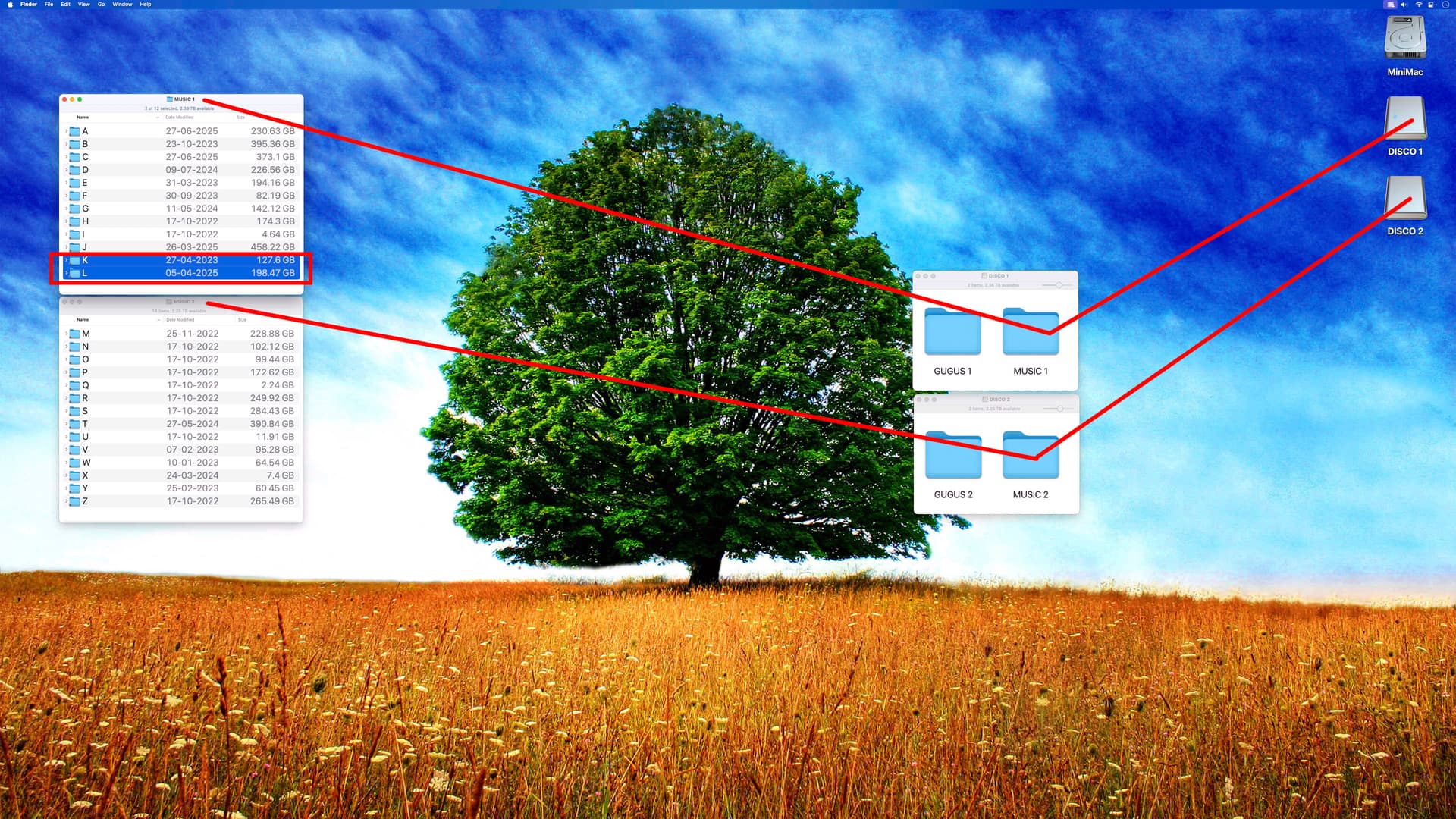
Today i had to move two letters of my A-Z Library on two External drives.
Before it was: Disco 1 (A to J) Disco 2 (K to Z)
Shut down Audirvana, even restart Mac, synced my library, then saved it away.
Moved K and L folders to Disco 1
Now is: Disco 1 (A-L) Disco 2 (M-Z)
As i guessed it, Audirvana See those 2 folders now as all new albums… 341 Albums in K and L.
Lost all my play counts on them (14 days) to play them in a row to regain
at least 1 play count for each albums.
Lost again all the release dates of those albums that were before 1970 and under. i Had to put them all of those again…
At first when i restarted JRiver after the move, i was surprised to see those K and L albums in my JRiver new Albums… But after the sync of the same library… they vanished from the recent albums playlist…
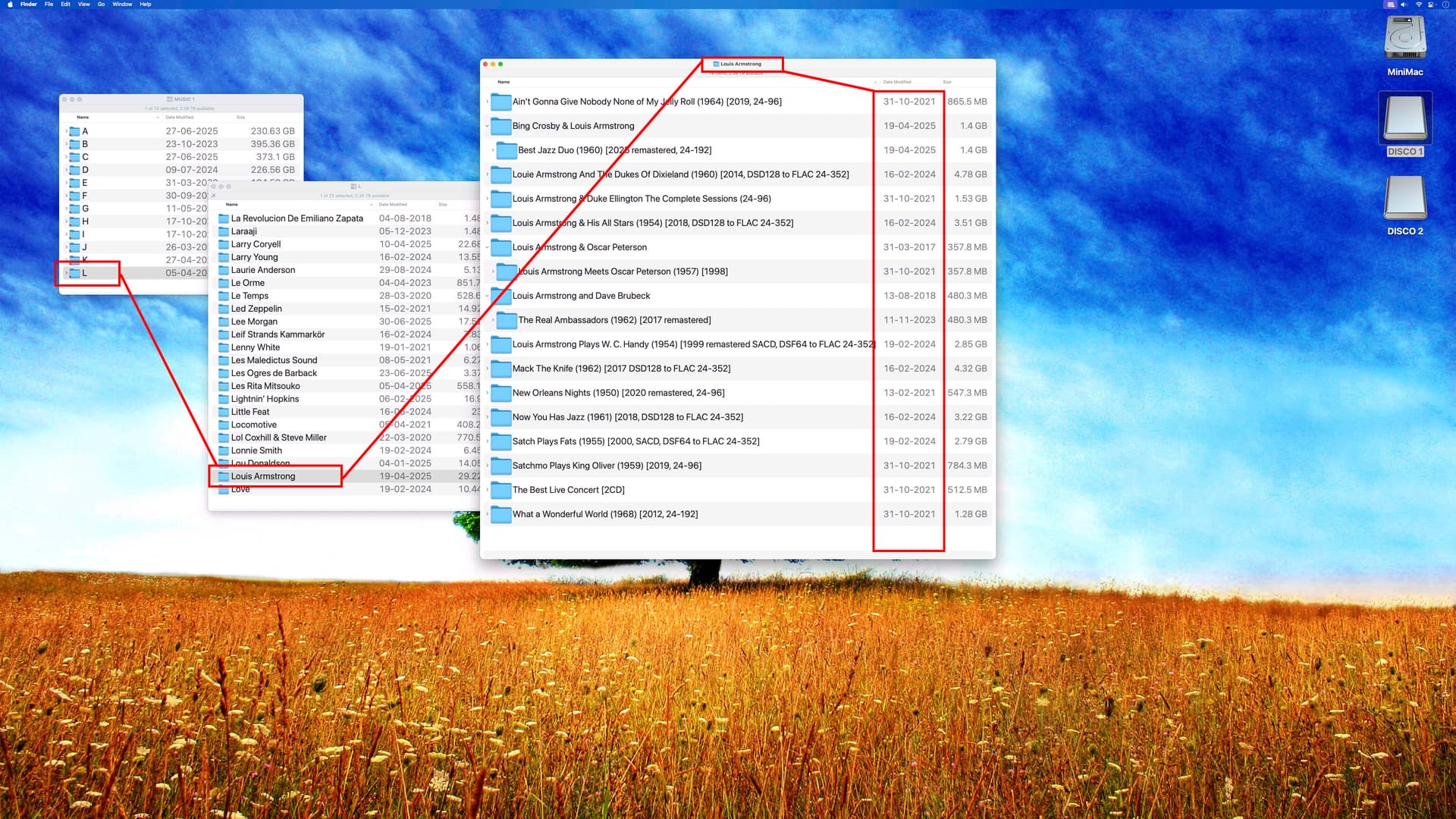
NOW, this is what we want… those albums didn’t change, same dates in the finder, this is what Audirvana should see… How different JRiver see those paths of albums in a computer?
It seems that Audirvana is looking at the first folder in the Path to see changes…
instead of looking at the last folder in the chain to mark it as new,
like i think JRiver do… smarter i think!!
Nothing changed in the ‘What a wonderful world’ of Louis Armstrong folder
Nothing changed in my Louis Armstrong folder…
Nothing changed in All the Groups in the L folder too…
Adding like Artist like Armstrong is in the the year of having to do all is albums release date tag
since mostly all are before 1971
I don’t see the logic of moving files around in folders if the library is metadata driven to begin with.
It seems Audirvāna doesn’t fingerprint files, as some other software programs do. I think you either have to accept that or use software that fits your way of managing your library better.
With a metadata organised program like Audirvana you can fill up your hard drives randomly.
The fact you want to have it organised on disk alphabetical is a choice you make – which is fine – but it is a strong to suggest Audirvana s*cks because it doesn’t follow your organisation method by not retaining usage statistics, because it sees a move as a removal / addition action and not as a file move.
The word s*cks is a bit strong and, in my opinion, not a fair assessment.
You can always open a new request in the User Voice to add fingerprinting and keep usage statistics. Maybe they will honour the request, maybe they don’t.
You have all your music files in one disc with no folders ?
no albums with flac in it or else? try to move your pink floyd album Dark Side into The Beatles… on the same hard Drive… it will be like a new one also…
OK wishing fingerprints !!!,
since it was brought like 3 years ago to Damien, don’t think it will happen.
Like the doubles in the database happening and the ghost files…
i still backup my database DAILY elsewhere, just in case again.
Is it so hard and many programming hours to implement files with fingerprints??
I’m pretty sure he knows how things work (or don’t) around here. He’s welcome to his opinion just as much as you are. He’s helped out more around here than you are apparently aware of. Have a good one @jmtennapel