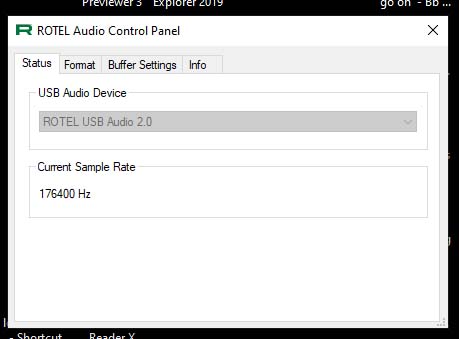
No sound when playe DSD File

Hi, I just bought Rotel 1572 mkII Preamp just for my headphone use. All hi-res flac files from PC are playing smoothly. But no sound when play DSD file. :disappointed_relieved:

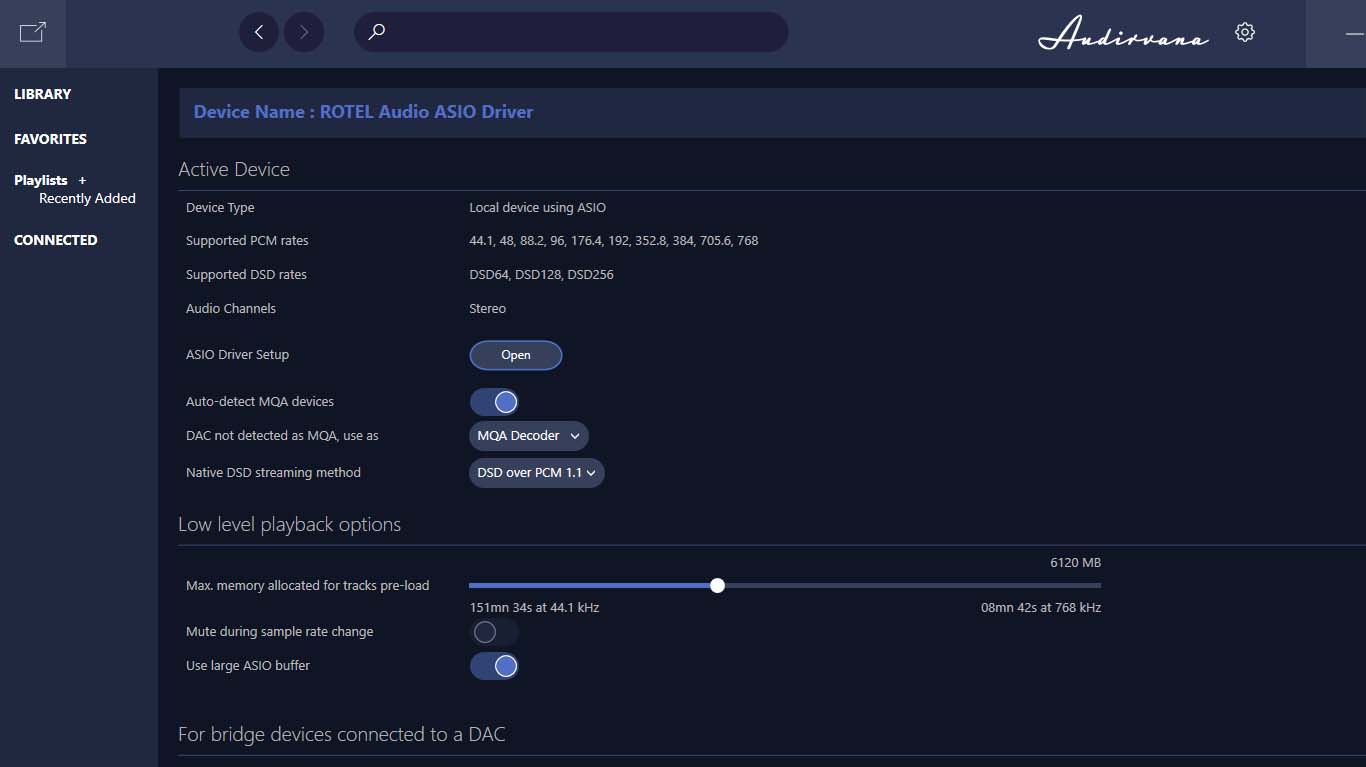
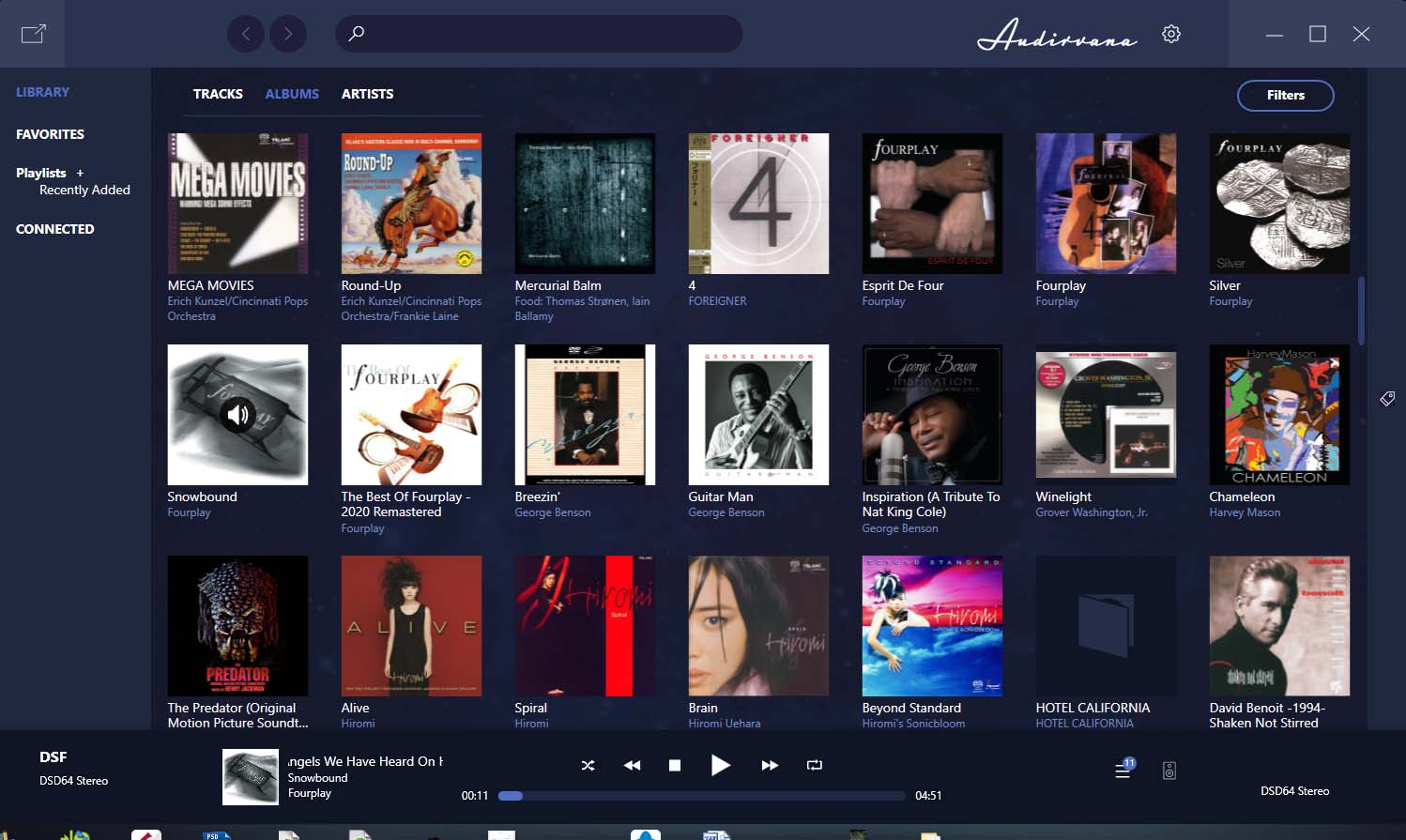
On Audirvana’s browser “DSD” appeared on both input and out put as shown in the photo. But on Rotel 1572 mkII Preamp’s screen nothing happen (normally it would show bitrate/sampling of current song) and no sound on my headphone.

Not sure the problem is from Audirvana or Rotel it’s self.

Anyway I’ve read here, some said disable “Integer” to solve the problem. But I don’t see “Integer” option anywhere on my Audirvana. my platform is Windows and just played file from HDD no online stream yet. Please advice.

Thank you


Audirvana 3.5.46

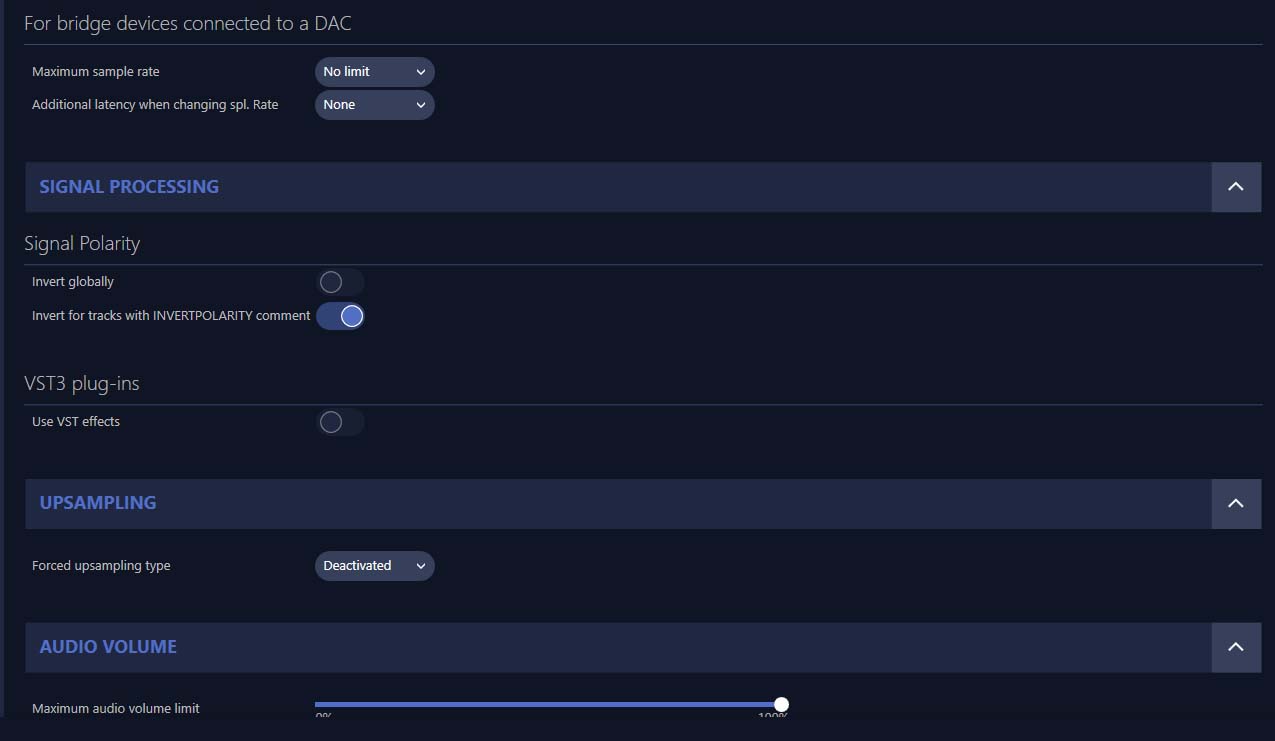
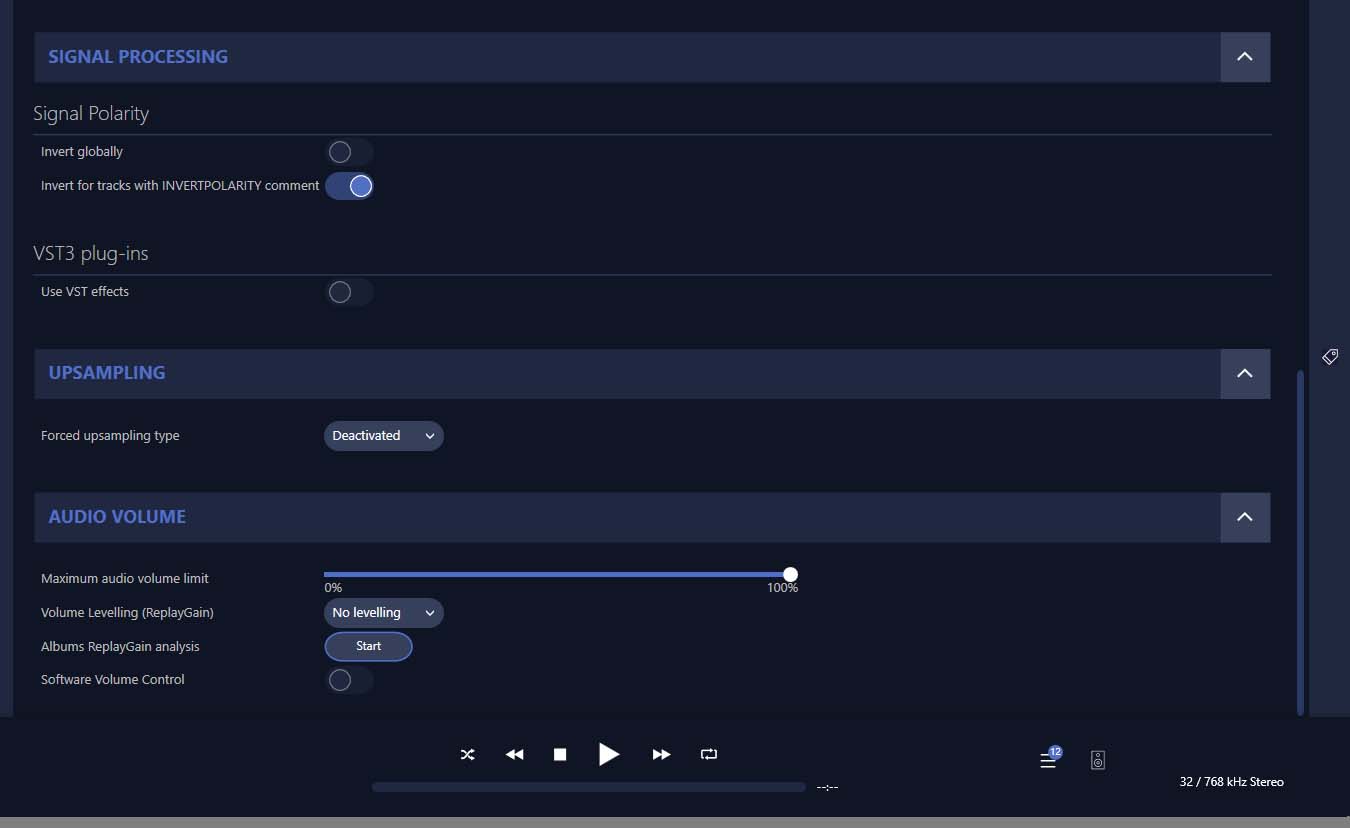
SIGNAL PROCESSING:

Polarity Inversion:
	Globally: OFF
	Per track: ON
Effects plugins NOT ACTIVE

UPSAMPLING:
SoX not in use
SoX filter parameters
Bandwidth at 0dB = 99.5
Filter max length = 30000
Anti-aliasing = 100
Phase = 66

AUDIO VOLUME:
Max allowed volume: 100
Replay Gain: None
SW volume control: OFF

LIBRARY SETTINGS:
Sync list: 4 folders
AUTO: C:\Users\MAD\Music
AUTO: E:\Music\HRA
AUTO: E:\Music\ISOSACD
AUTO: D:\2-Music
Library database path: C:\Users\MAD\AppData\Local\Audirvana\AudirvanaPlus\AudirvanaPlusDatabaseV2.sqlite

ACTIVE STREAMING SERVICES

=================== AUDIO DEVICE ========================

Max. memory for audio buffers: 6108MB

Local Audio Engine:ASIO 2 driver version 1067

Preferred device:
ROTEL Audio ASIO Driver
Model UID:ROTEL Audio ASIO Driver
UID:ROTEL Audio ASIO Driver

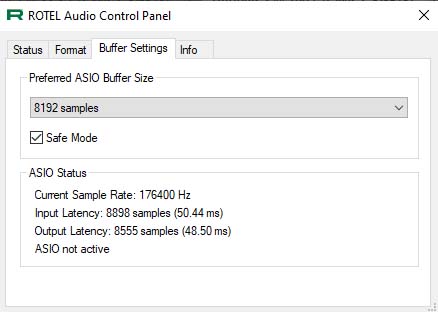
Active Sample Rate: 176.4kHz

Bridge settings:
Sample rate limitation: none
Sample rate switching latency: none
Limit bitdepth to 24bit: OFF
Mute during sample rate change: OFF

Selected device:
Local audio device
ROTEL Audio ASIO Driver Manufacturer:
Model UID:ROTEL Audio ASIO Driver UID:ROTEL Audio ASIO Driver

10 available sample rates up to 768000Hz
44100
48000
88200
96000
176400
192000
352800
384000
705600
768000
Volume Control
Physical: No
Virtual: No
MQA capability
Auto-detect MQA devices: Yes
Not a MQA device, user set to MQA Decoder
DSD capability: DSD via PCM 1.1
Device audio channels
Preferred stereo channels L:0 R:1
Channel bitmap: Ox3, layout:
Channel 0 mapped to 0
Channel 1 mapped to 1

Audio channels in use
Number of channels: 2
Use as stereo device only: No
Simple stereo device: Yes

1 output streams:
Number of active channels: 2, in 1 stream(s)
Channel #0 :Stream 0 channel 0
Channel #1 :Stream 0 channel 1
2 ch Integer PCM 32bit little endian 44.1kHz
2 ch Integer PCM 32bit little endian 48kHz
2 ch Integer PCM 32bit little endian 88.2kHz
2 ch Integer PCM 32bit little endian 96kHz
2 ch Integer PCM 32bit little endian 176.4kHz
2 ch Integer PCM 32bit little endian 192kHz
2 ch Integer PCM 32bit little endian 352.8kHz
2 ch Integer PCM 32bit little endian 384kHz
2 ch Integer PCM 32bit little endian 705.6kHz
2 ch Integer PCM 32bit little endian 768kHz

Local devices found : 3
Device #0: Generic Low Latency ASIO Driver Manufacturer: Model UID: Generic Low Latency ASIO Driver UID: Generic Low Latency ASIO Driver
Device #1: ROTEL Audio ASIO Driver Manufacturer: Model UID: ROTEL Audio ASIO Driver UID: ROTEL Audio ASIO Driver
Device #2: Yamaha Steinberg USB ASIO Manufacturer: Model UID: Yamaha Steinberg USB ASIO UID: Yamaha Steinberg USB ASIO

UPnP devices found : 1
Device #0SONY KD-49X8000H UID: uuid:23456789-1234-1010-8000-94DB567BE088 Location: http://192.168.1.14:52323/MediaRenderer.xml

Have you tried to to select Native DSD as DSD playback method?

Hi, thank you for reply. But I’m not sure how to do that. Please tell me how to :sweat_smile:
Thanks!

Stop playback and in the settings go to the DSD playback method, then select “Native DSD” (if available).

I just found our, Rotel 1572 mkII does not support DSD :disappointed_relieved: :disappointed_relieved:

Support MQA but not DSD.

You can still play DSD files. Just select “Convert to PCM” option.

1 Like

Instead of ASIO, can you try to use WASAPI?

I don’t think ASIO will help. It does not support DSD.
Like Bitracer says, you have to let Audirvana convert the DSD stream to PCM.

COAX/OPTICAL DIGITAL INPUT SIGNALS

LPCM (Up to 24-bit/192kHz)

PC-USB

USB Audio Class 1 (up to 24-bit/192kHz)
USB Audio Class 2 (up to 32-bit/384kHz)*

*Driver installation required

MQA and MQA Studio (up to 24-bit/384kHz )

Roon Tested

1 Like

Yes it convert the DSD stream to 24bit/352.8k PCM. Do you thing this close enough to native DSD? I’ve never listen to native DSD before, want to compare if hear difference. And then I bought the wrong model of DAC :disappointed_relieved: should bought the old model, the one without MkII

"The Texas Instruments DAC does not support DSD or DoP playback. Rotel made the determination that support for DSD would be removed to ensure the new preamplifier realized the improvements from the new DAC and the improved supporting architecture. So those with large libraries of DSD files will need to utilize an external DAC for playback. Rotel has introduced rendering and decoding support for MQA and MQA Studio files in addition to PCM 32-bit/384kHz formats via the PC-USB input in the new preamplifier. "

1 Like

Maybe I’m not the right person to ask this. I don’t care about formats. Most of the available music is available in 16/44.1. Many HiRes, MQA and DSD are conversions.

Niche labels are often native HiRes or DSD, but no guarantees whatsoever.

If you enjoy the PCM on this Rotel then I’d leave it at that, but I do understand the need to give DSD a try :wink:

2 Likes

Quite the opposite you have made no big mistake, You have chosen your computer and Audirvāna to do the heavy lifting. Your final results should be very pleasing , I’d be willing to bet a doughnut !

1 Like

Playing natively to a good DSD DAC would probably be a bit better, but it’s a next best thing. You have to work with what you have.

1 Like

There is still a tool/player around which shows wheter a file is realy hi-res or not. This player shows more or less all important file formats and shows even more important information, like music peak level and much more. I bought it years ago from Xivero (Germany) company, but this software is at the moment “free” to use. Have a try to fond out more about of.

The program is called “MusicScope”.

Best of luck with it, in case of use.

Cheers

1 Like

We were typing at same moment, certainly we “Audiophile “ naturally gravitate to the arm’s race of gear. Better numbers, online and print reviews, ADD & OCD tendencies ( only speaking for myself :wink:)
But unfortunately we have to use our human ears, I guess what I’m getting to is I wouldn’t bet my doughnut on a blind listening test with DSD or i2s……………but as always YMMV

Mollie, that’s good to know Audirvāna Studio has an analyzer built in for similar testing of your files.

This topic was automatically closed 375 days after the last reply. New replies are no longer allowed.