Since last week Naim/Focal are also certified Plays with Audirvāna.
In general (so not just about Naim) I am just curious what manufacturers can do (apart from testing) to make specific devices apply settings that ensure optimal playback with Audirvāna when Audirvāna recognises a certain device (in my case the Naim ND5 XS 2). Does anyone know?
Reason why I ask is that before I could not get the Power of Two play in combination with convolution without running into issues. But now this works flawlessly. And it sounds fabulous.
Of course this could also be due to adjustments and bugfixes by Audirvāna in the later versions since first releasing 3.0…
Thanks. I’ve read these articles.
I’m just curious on how that testing with the manufacturer goes and then applying the best settings for daily use.
Because it was right after the certification of the Naim ND5 XS 2 that all of a sudden I had no issues anymore with playing music using Power of Two upsampling together with convolution for my headphones. Before I had to offer the Naim a constant flow of 96kHz or 48kHz in order to use convolution, otherwise I would have unwanted stops or snippets of music playing in a loop…
Needless to say that having to send for example a 44.1 kHz track in 96 kHz to the Naim was suboptimal. And it was a clear sign that something wasn’t really working great between Audirvāna, the laptop that it’s running on and the ND5 XS 2 .
But now it’s working like a charm 
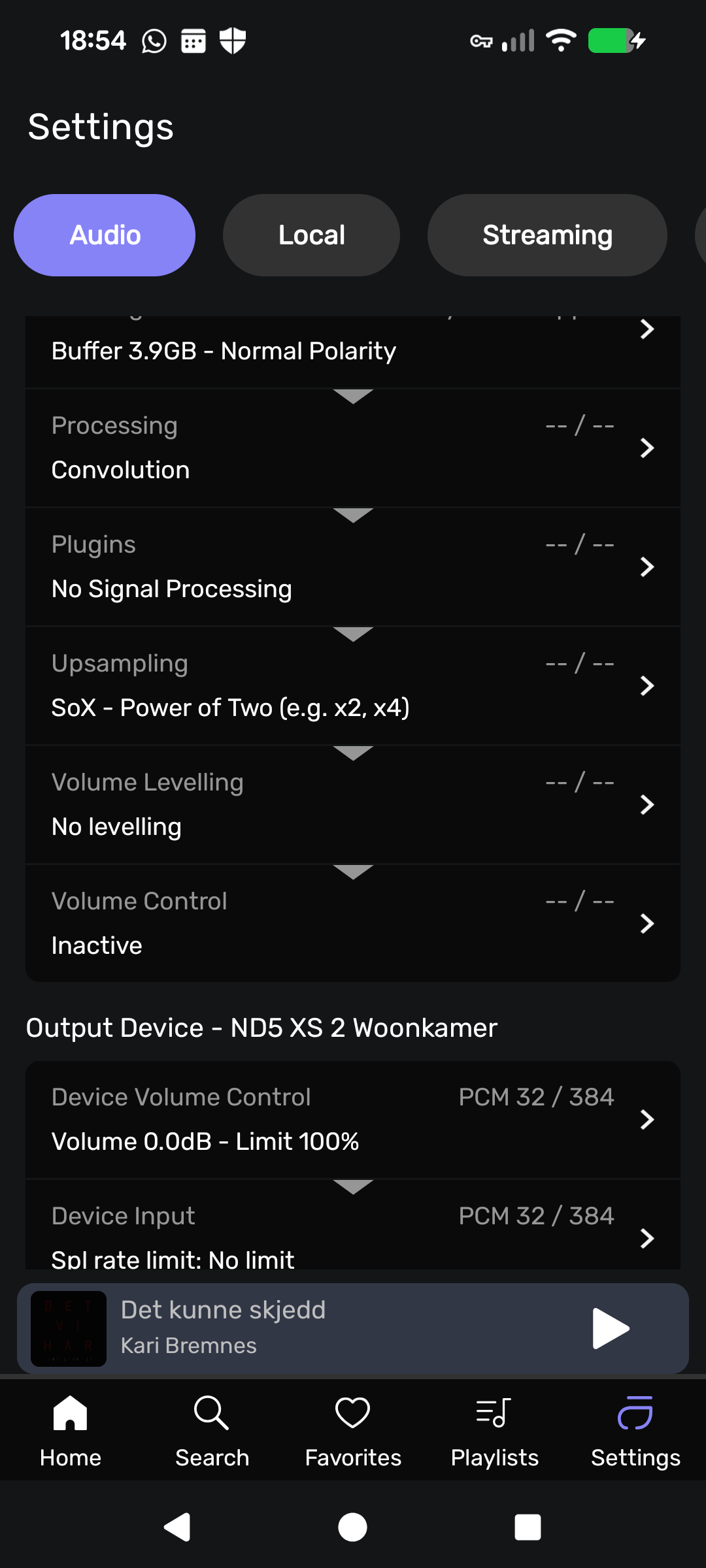
It would be interesting to see a screenshot of the ‘Settings’ signal flow through the DSP modules in your playback scenario… 
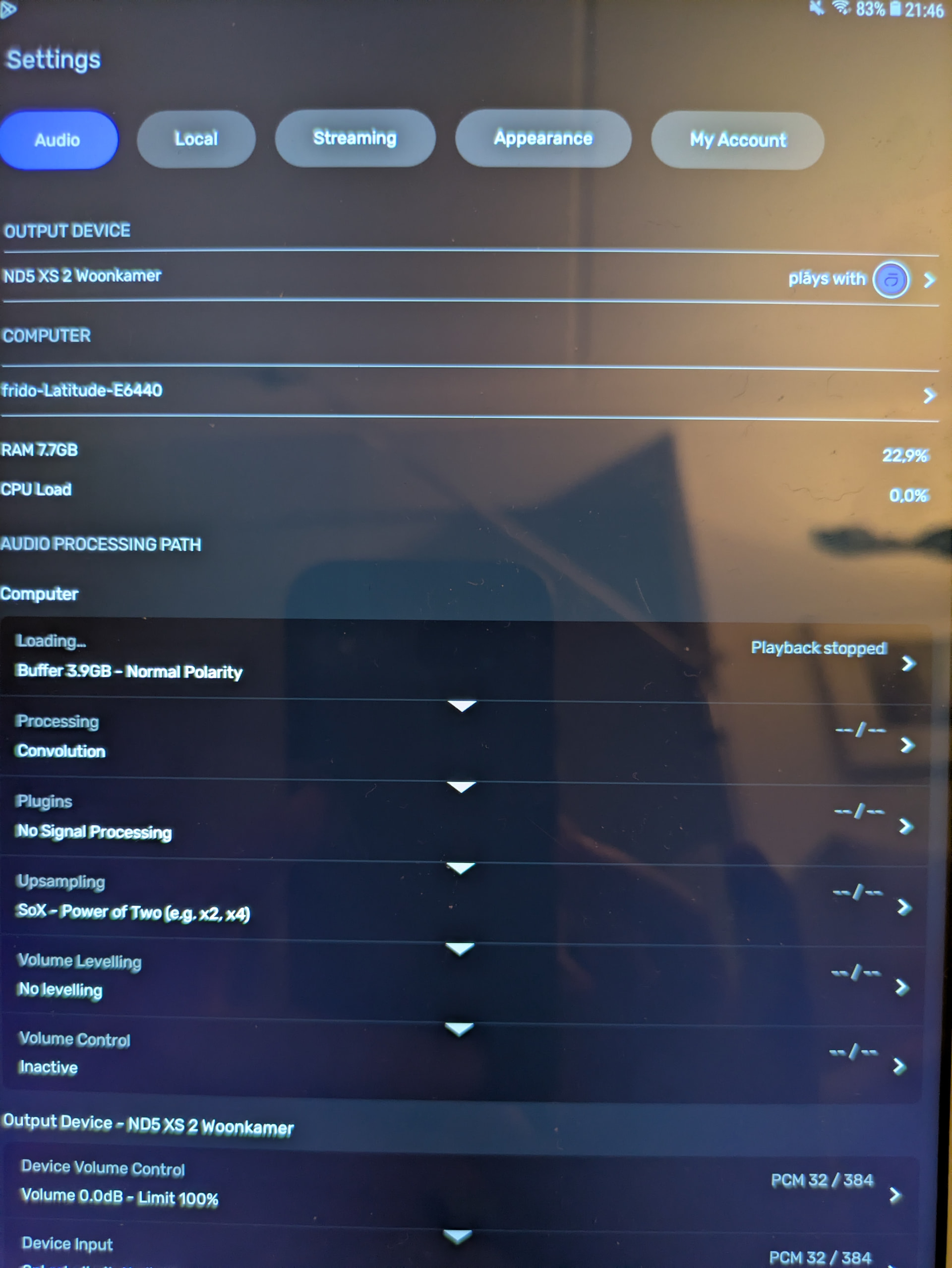
It is difficult to determine the order of the processing with these Remote screenshots… Also it appears you have the ‘Plug-ins’ module enabled but no plug-in inserted… If so, I suggest disabling the module… We see that the output signal is 32/384kHz… I am presuming the input source-file is 24/96kHz and is routed to the Convolution module and then to the Up-sampling module?
The plug in module is not enabled. This is how the Audio Processing Path is shown in the remote. That’s the only thing I can use to see and adjust the settings with the headless Linux Core Player.
Here’s how it looks on a tablet:
And your assumption on the input was right
@Antoine Could you explain the way manufacturers are to test the compatibility of their devices with Audirvāna? And if they can adjust certain parameters on their side to get the devices function optimally?
Because I am really curious after two things:
- With the official release of AS 3.0 I could not play music without issues using convolution and certain ways of upsampling (x2 or power of two). Only by using Custom and creating a stable flow of frequency i.e. 96kHz it would work. This was also the case with Beta.
- With the official release of AS 3.0 I could not play music without issues using r8brain upsampling. This was already the case with AS 2.x…
Now both things work flawlessly. Detailing and soundstage have reached yet another level and I absolutely love it!
I had always made the assumption that the issues were due to my old Dell. Because it was not able to do all the calculations needed in time or whatever.
Since the Plays with Audirvāna certification of my Naim and/or the release of AS 3.1 the issues are solved albeit with the use of the fix toggle for devices with unwanted playback stops. But that fix never did the trick before. Is there something that has changed which helped the issues disappear?
Because nothing has changed on the Dell. That’s still the same old laptop with the same old hardware running on Linux Mint XFCE.
Can you please check if you get your old issue when you switch from 32 to 24 bit for the bit depth used by Audirvāna for your device?
I’m away for the weekend, so I will have to get back to you on that!
Playing now with 24 bit. Still no issues. It plays flawlessly with convolution, upsampling, switching from a track in 44.1 to a track in 192… All this would cause skipping or looping in the past. It’s really a joy to listen to!
Mind you, I got a reply from the side of Naim as well:
“From the Naim side we updated the codebase around the UPnP side to latest code and to a version that another Audirvana certified manufacturer had passed on.”
So that may have solved the issue?