and @mistral …
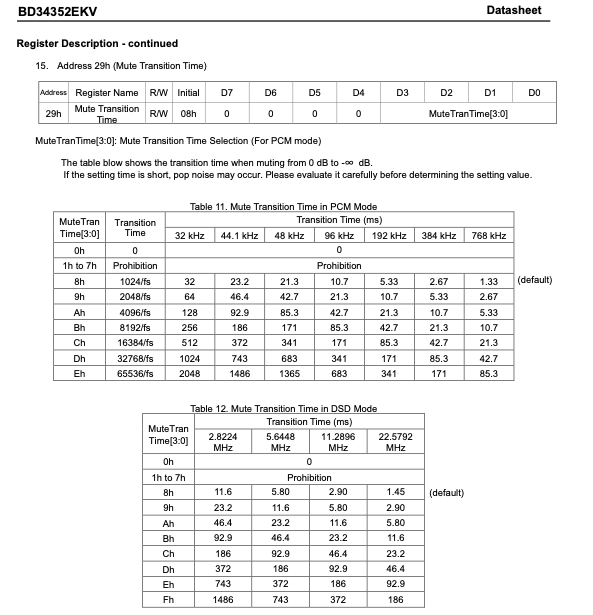
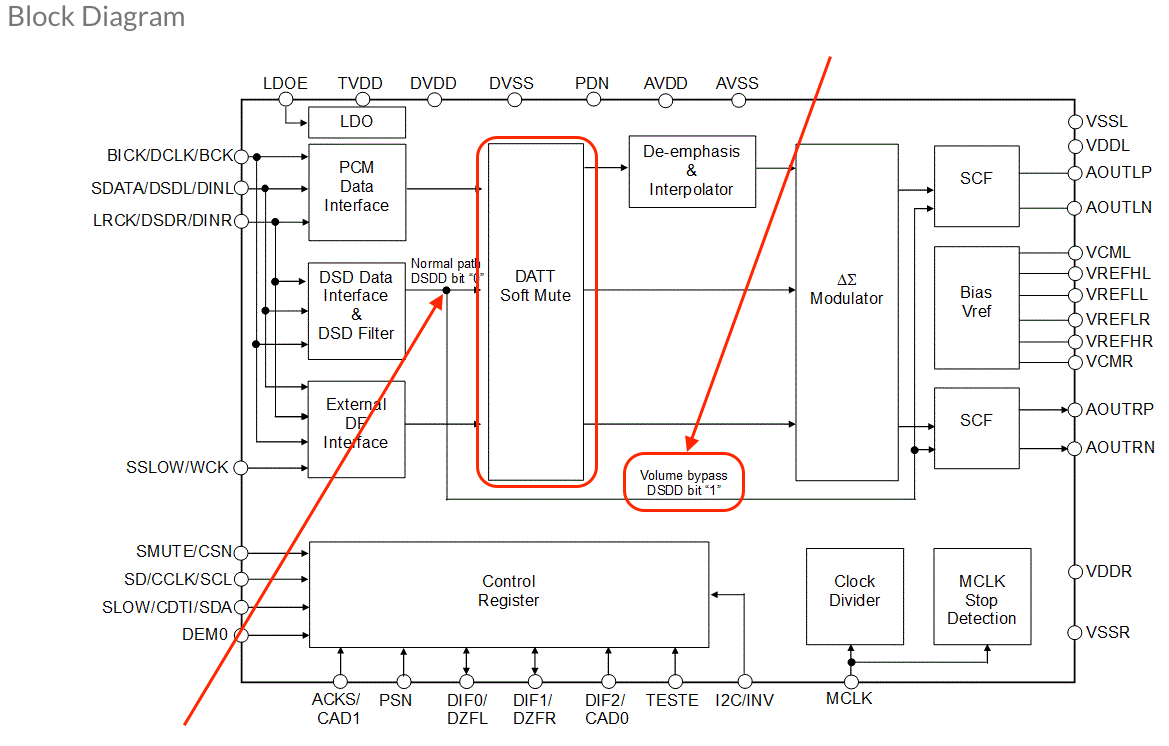
Here is an example of the inherent ‘Mute’ function implementation in the ROHM BD34352EKV chipset used in my DAC.
What do you make of the iFi Audio application note regarding driver settings that I posted above?
It’s not relevant to me. My issue is the same as sotaromi11, it’s only with DSD. When I use an equal PCM sample rate (for example, 768kHz PCM instead of DSD512), no problem. When I don’t use ASIO, but ALSA on Linux, the issue is still there. So ASIO buffer vs. USB buffer is not the problem.
@sotaromi11
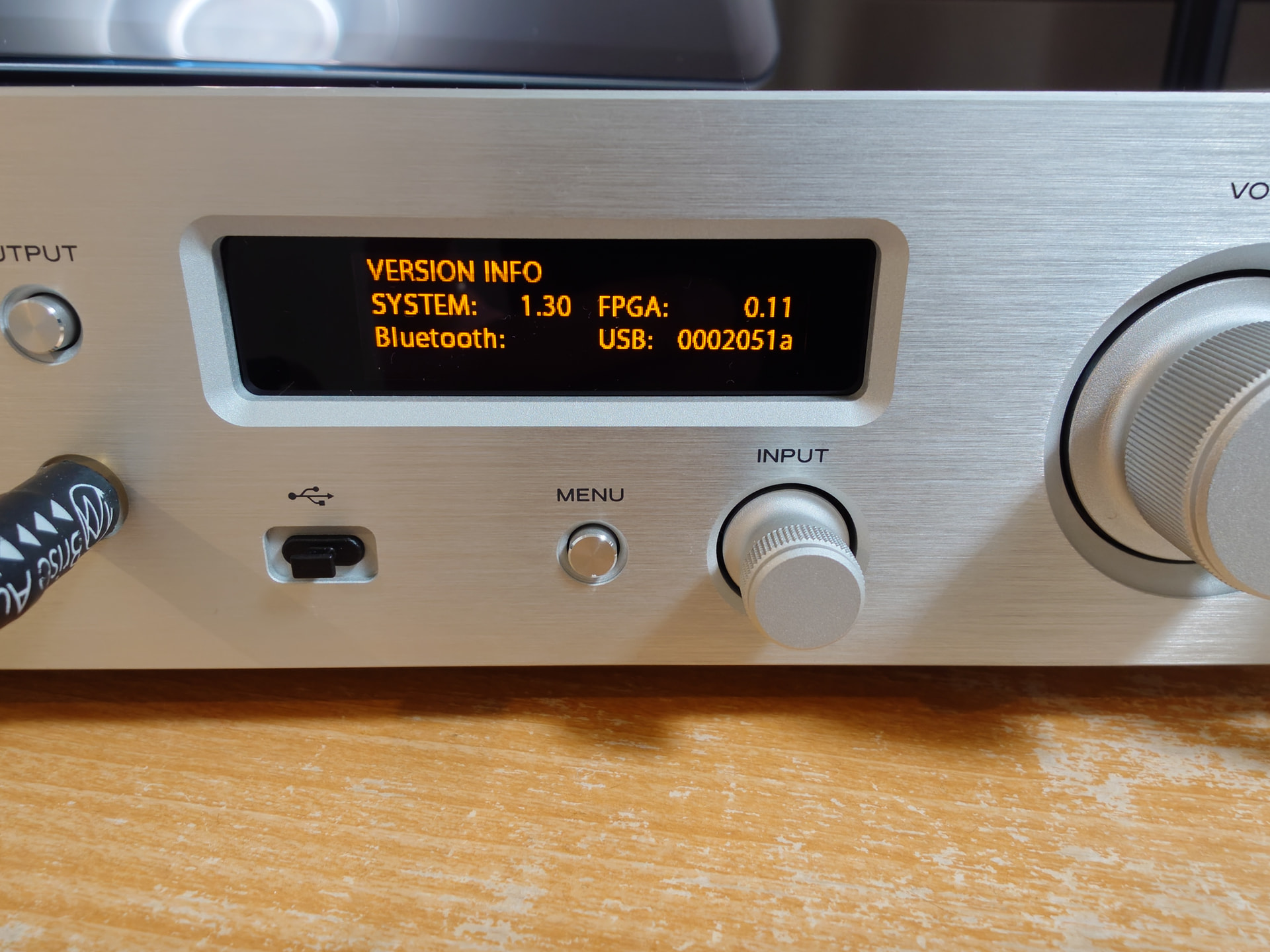
This is the current firmware update for the TEAC UD-507
SYSTEM Firmware V1.30
(June 9, 2026)
https://teac.jp/downloads/products/teac/ud-507/e_ud-507_rn_vb.txt
1 Like
@Antoine Thank you for clarifiying. What’s weird to me is this pop issue doesn’t happen at all with TEAC HR Audio Player with ASIO driver.
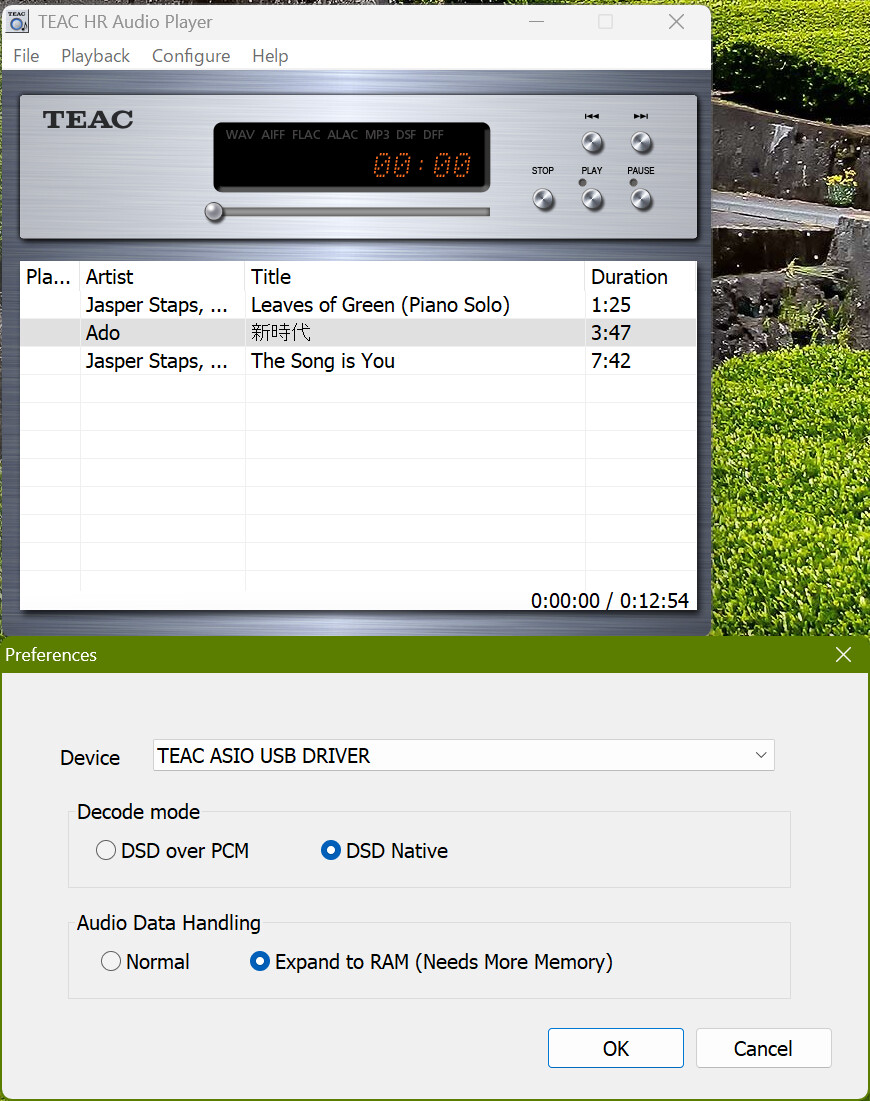
As a music player, Audirvana is far superior to TEAC HR Audio Player and I hope there’d be a complete fix in the future. For now, I’ll stick to DoP.
Here’s my Up-sampling settings when ASIO was selected as an output device.
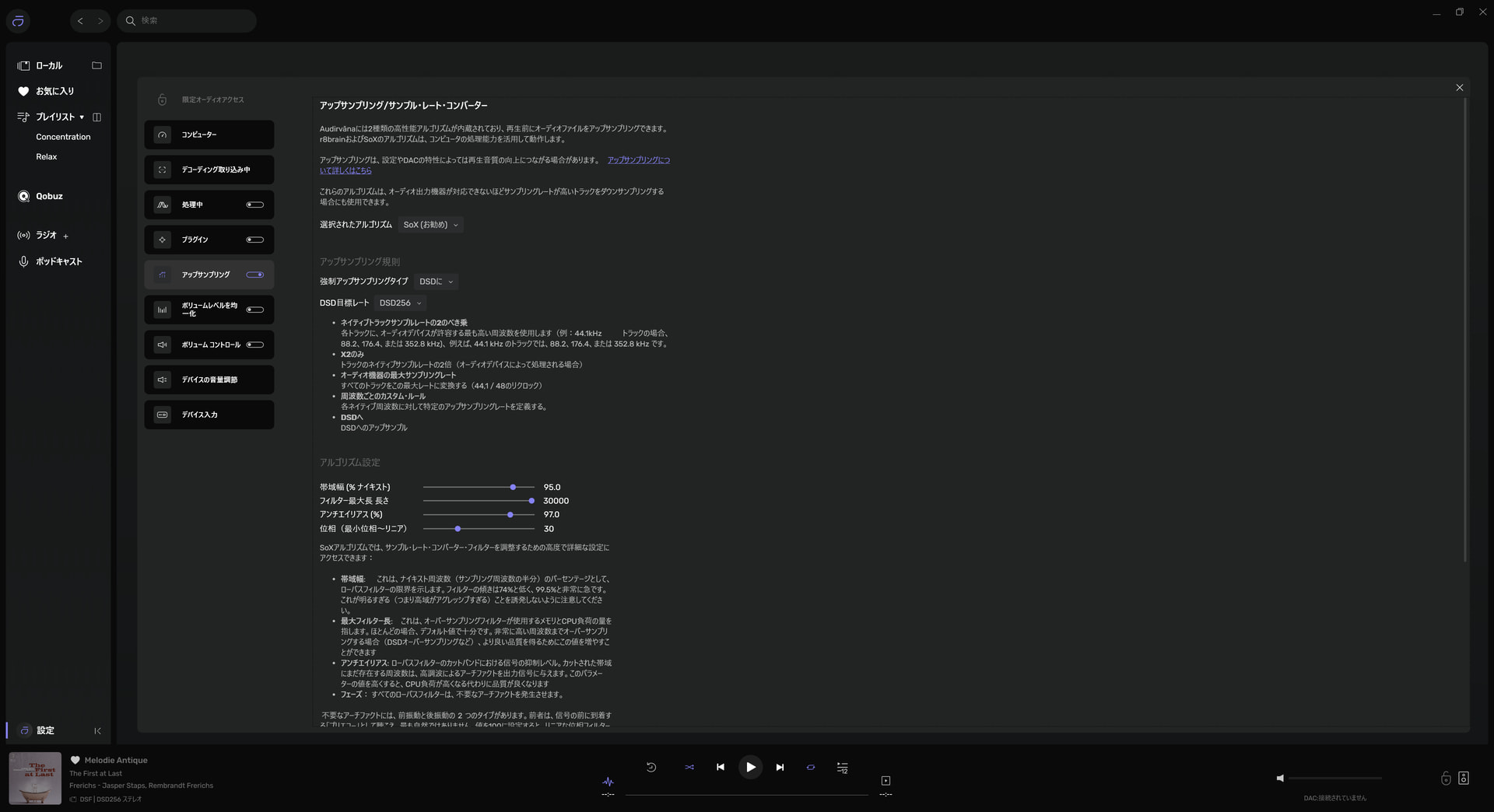
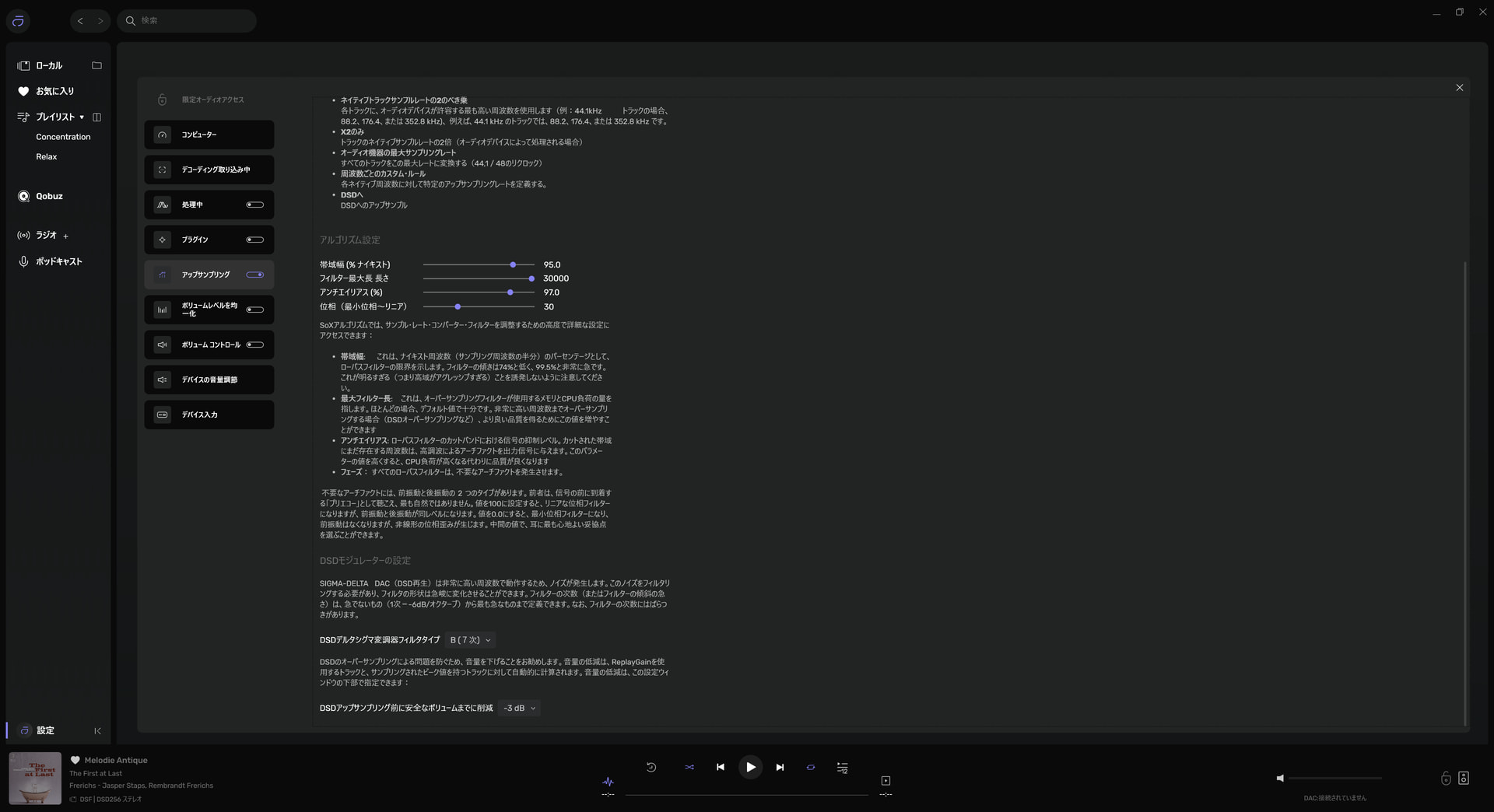
@Agoldnear Thanks! It was up to date, already!
@Agoldnear Yes, it is. You can either choose isochronous or Bulk Pet protocol from the device set up after installing the driver. It’s currently set as Bulk Pet 1. I got the same problem with isochronous or other Bulk Pet modes.
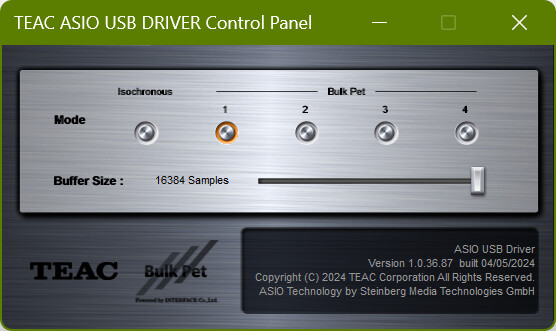
Regarding ASIO… Could this be related to the TEAC ASIO USB Driver Control Panel ‘Buffer Size’ relative to the USB controller buffer size as described in the iFi Audio article: “Recommended driver settings?” linked above?
@Agoldnear I’m not sure. ASIO buffer is currently set at maximum (16,384 samples) and I believe this is the safest setting.
For anyone who has this problem, I wanted to share what I did to resolve it with my hardware, in hopes it might help someone else whose hardware (even if not from the same manufacturer) might be similarly configured.
It’s my office system that had the pop/click problem. That system uses a Topping E30 II DAC and an SMSL PA40 desktop amp. Not only did I have pops and clicks, but occasionally after it happened the system would mute. Everything looked fine, playback progress timer, etc., but no music.
Researching the problem, I found out two things:
-
First, the muting is a function of the SMSL PA40 when it receives a volume overload (thus the mute after a loud pop). It should be cleared by turning off the unit using the switch in back and waiting 30 seconds before turning on again. This worked for me.
-
Second, and possibly more relevant to anyone who doesn’t have an amp that mutes on volume overload, is that the E30 II DAC has a self-mute function for pops or clicks associated with DSD when in preamp-DAC mode, but not when in exclusive DAC mode. So if you have a DAC with preamp included, which you have in exclusive DAC mode, and you are able to switch to preamp-DAC mode, try that and see if it stops the pops. (If you have another volume control, you’ll want to set volume to maximum on the preamp so your DAC doesn’t add its own volume processing. Or if you’re using Audirvana’s software volume control, you may want to start the preamp-DAC setting at a low volume and increase to maximum when you’re sure it’s safe.)
Hope this may help someone in a similar situation.
It looks like the E30II “Standby” is the functional culprit… There should be no reason that DAC mode, which sets the output level to 0dB would have effect…
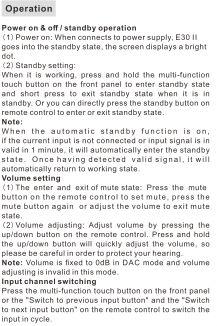
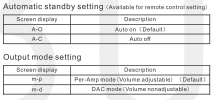
How many of these DACs have you owned? I do not have automatic standby set and the ticks/pops happened when the DAC was not on standby.
In answer to your question, as I explained in my post, the E30 II has an automute function when in preamp mode to mute those ticks and pops, but it is disabled when the unit is in pure DAC mode.
I’m surprised you said you saw no reason for this, since the reason is so simple: If the DAC is in preamp mode it may well be controlling system volume, so of course you would want sudden loud sounds muted. On the other hand, when it is in pure DAC mode, some other piece of equipment is controlling volume and the E30 volume circuitry isn’t operating, so the way the unit is built it would neither have a reason to nor be able to do any muting.
Perhaps you’d like to purchase one of these DACs (it’s not expensive) before opining further.
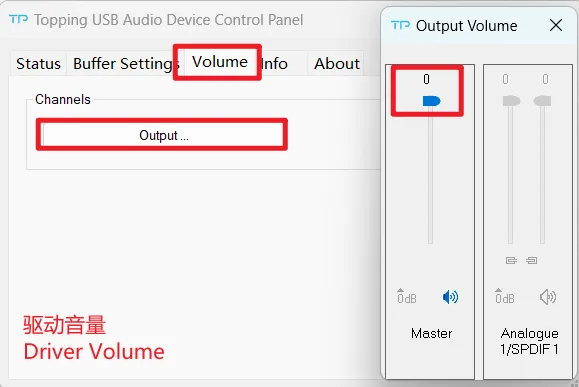
· If the noise appears only when playing DSD files, please check and adjust the computer system volume, music player volume and driver volume to the maximum.
· Check to see if the problem is with the source, downstream equipment and cables.
1 Like
That’s exactly right. You can get rid of the pop/click (or most of it, the auto-mute isn’t flawless, but if it doesn’t eliminate pops or clicks it at least reduces them) by adjusting the volume, which you can only do when the E 30 II is in preamp mode.
Or as the page linked below puts it:
Pure DAC application
In pure DAC mode, the E30 II lets the DSD signal bypass the DATT Soft Mute and ∆E Modulator to provide pure/direct DSD performance.
[Emphasis added.]
What we do know is that no DSP can be applied to the 1-bit signal… so muting is a function of the chipset firmware and volume control would allude to decimation of the 1-bit PDM signal to PCM.
One more trick to get rid of pops and clicks when starting to play DSD, and while this is a bit of a PITA it can totally get rid of them in the situation @sotaromi11 and I have described no matter what DAC you have:
Mute your volume or turn off your amp/preamp (hopefully you have a remote control to do this if you are not in a situation like I am at my desk where the amp is within easy reach) and start Audirvana’s playback of the first track. Press/click pause, then rewind to the beginning of the track. Turn the amp/preamp/volume back on. Since the DAC has already begun playing, we’re not in the scenario where pops and clicks occur, and you can play the track from the beginning and subsequent music without issue.
There is something else at play here in your playback scenario…
I send DSD256 via DoP1.1 from my M2 Max Mac Studio, near flawlessly to my DAC, except for an occasional very, very faint “tick” when jumping around from album track to album track…