Pop/click noise when starting DSD playback or switching from PCM to DSD with TEAC UD-507

Hello,

I would like to report an issue I am experiencing with Audirvana when playing DSD files through a TEAC UD-507.

Whenever I play a DSD file in Audirvana 3.2.0 (30200), there is always a short but clearly audible “pop” or “click” noise at the beginning of playback.

This issue occurs in the following situations:

  • When switching from a PCM track to a DSD track
  • When launching Audirvana and immediately playing a DSD file

The noise happens every time in these cases.

However, the issue does not occur when switching from a DSD track back to a PCM track. It also does not occur when playing PCM files, even when the source sampling rate changes between tracks.

I have tested the same DSD files with other players, such as TEAC HR Audio Player, and there is no noise at all. The problem only occurs with Audirvana.

I have also tried changing various playback and audio settings in Audirvana, but the issue remains unchanged.

I confirmed the issue occurs with both DSD64 and DSD256, so it seems likely that it affects DSD playback in general, regardless of the specific DSD format.

Could you please check whether there may be an issue with how Audirvana initializes DSD playback or switches the TEAC UD-507 into DSD mode?

Thank you.

Additional system information:

  • Processor: Intel(R) Core™ Ultra 9 285K
  • Installed RAM: 48.0 GB
  • Graphics cards: NVIDIA GeForce RTX 5070, 12 GB
  • Storage: 1.01 TB used / 5.46 TB total
  • System type: 64-bit operating system, x64-based processor
  • Edition: Windows 11 Pro
  • Version: 25H2
  • OS build: 26200.8655
  • Experience: Windows Feature Experience Pack 1000.26100.315.0

Welcome…

Please paste your debug information here so to provide the best insight into your computer + Audirvāna configuration synergy (and networking architecture if employed)

**In the Device Input ‘Bridge’ settings
Try adding ‘latency’ when changing sample-rates and ‘mute’ when changing sample-rates.

How to create your debug information (remove personal IP information)…

:musical_notes: :eye: :nose: :eye: :musical_notes:

Here’s the debug info. One thing to add. JFYI, Audivana shows UD-507 is compatible with 705.6kHz PCM and DSD512 but it is able to playback up to 384kHz and DSD256.


Audirvana Studio 3.2.0 (30200)

Running on Micro-Star International Co., Ltd. MS-7E17
Windows 11 (26200) x86_64 with 48GB physical RAM

Connected account of : Sotaro Mizoguchi

NETWORK
Status: available
Available network interfaces:
Intel-RaptorLake ({5d073ffb-0fb7-4fd3-aefe-64cedf47f7ba}) is PUBLIC
Windows Defender Firewall status for this instance of Audirvana Studio
Active profile types: all
Private profile:
Firewall: enabled
Inbound: blocked
Outbound: allowed
Notifications: enabled
Public profile:
Firewall: enabled
Inbound: allowed
Outbound: allowed
Notifications: enabled

REMOTE CONTROL SERVER:
Listening on
2400:4050:3f02:b600:a1ed:9df0:5449:7a64
192.168.10.12
fd5f:b05d:e720:7f5:a82e:8815:9e01:7679
on port 53561

LOADING/DECODING:
Max audio buffer size: 11498MB
Polarity Inversion:
Globally: OFF
Per track: ON

SIGNAL PROCESSING:
Convolver: OFF
Internal EQ: OFF
Crossfeed: OFF
Balance: OFF

PLUGINS: NOT ACTIVE

UPSAMPLING:
SoX not in use
SoX filter parameters
Bandwidth at 0dB = 94.9889%
Filter max length = 30000
Anti-aliasing = 96.9594
Phase = 30%

AUDIO VOLUME:
Replay Gain: None
Volume step size: 1dB
Max allowed volume: 100
SW volume control: OFF

LIBRARY SETTINGS:
Sync list: 1 folders
AUTO: E:\Music
Sync folders at startup: YES
Sort and display order: ja
Library database path: C:\Users\jouss\AppData\Local\Packages\Audirvana.Audirvana-4118-9684-d80dbb7827cd_q3nymrkmej12j\LocalCache\Local\Audirvana\Audirvana\AudirvanaDatabase.sqlite

Local audio files fingerprinting
Tracks with no MBID: 1156

ACTIVE STREAMING SERVICES
Qobuz: Connected as Qobuz Studio

APPEARANCE SETTINGS:
UI theme: dark
Font size: regular
Language: システム言語
Show album covers in tracks list: yes
Source list sorted:
ローカル
お気に入り
プレイリスト
ストリーミング
ラジオ
ポッドキャスト
Startup view: ローカル ライブラリ: アルバム
Show local extended in source list: yes
Use media keys: yes
Use media keys for volume control: yes
Use legacy Bonjour protocol: no
Number of paired remotes: 0
Remote pairing code required: yes
Screen saver disabled: no

=================== AUDIO DEVICE ========================

Active method: Local

Max. memory for audio buffers: 11498MB

Local Audio Engine:
ASIO 2
Driver version 1
Use max I/O buffer size: ON
Current I/O buffer size: 0 frames

Preferred device:
TEAC ASIO USB DRIVER
Model UID:TEAC ASIO USB DRIVER
UID:TEAC ASIO USB DRIVER

Active Sample Rate: 2822.4kHz

Bridge settings:
Sample rate limitation: 384kHz
Sample rate switching latency: 1.5s
Limit bitdepth to 24bit: OFF
Mute during sample rate change: ON

Selected device: TEAC ASIO USB DRIVER
Manufacturer:
Model name: TEAC ASIO USB DRIVER
Model UID: TEAC ASIO USB DRIVER
UID: TEAC ASIO USB DRIVER
Plays with Audirvāna: No
Override manufacturer settings: No

13 available sample rates up to 22579200Hz
44100
48000
88200
96000
176400
192000
352800
384000
705600
2822400
5644800
11289600
22579200

Volume Control
Physical: No
Virtual: No
Max volume alert: Enabled

MQA capability
Auto-detect MQA devices: Yes
Not automatically detected, user set to MQA Decoder

DSD capability
Raw DSD (msb)

Device audio channels
Preferred stereo channels L:0 R:1
Channel bitmap: Ox3, layout:
Channel 0: L
Channel 1: R

Audio channels in use
Number of channels: 2
Use as stereo device only: No
Simple stereo device: Yes

1 output streams:
Number of active channels: 2, in 1 stream(s)
Channel #0 :Stream 0 channel 0
Channel #1 :Stream 0 channel 1
2 ch Integer PCM 32bit little endian 44.1kHz
2 ch Integer PCM 32bit little endian 48kHz
2 ch Integer PCM 32bit little endian 88.2kHz
2 ch Integer PCM 32bit little endian 96kHz
2 ch Integer PCM 32bit little endian 176.4kHz
2 ch Integer PCM 32bit little endian 192kHz
2 ch Integer PCM 32bit little endian 352.8kHz
2 ch Integer PCM 32bit little endian 384kHz
2 ch Integer PCM 32bit little endian 705.6kHz
2 ch DSD 8bit big endian in 8bit chunk 2822.4kHz
2 ch DSD 8bit big endian in 8bit chunk 5644.8kHz
2 ch DSD 8bit big endian in 8bit chunk 11289.6kHz
2 ch DSD 8bit big endian in 8bit chunk 22579.2kHz

Local devices found : 4
Device #0: FiiO KA5 Audio Device
Manufacturer:
Model UID: FiiO KA5 Audio Device
UID: FiiO KA5 Audio Device
Model name: FiiO KA5 Audio Device
Device #1: Focusrite Thunderbolt ASIO
Manufacturer:
Model UID: Focusrite Thunderbolt ASIO
UID: Focusrite Thunderbolt ASIO
Model name: Focusrite Thunderbolt ASIO
Device #2: Focusrite USB ASIO
Manufacturer:
Model UID: Focusrite USB ASIO
UID: Focusrite USB ASIO
Model name: Focusrite USB ASIO
Device #3: TEAC ASIO USB DRIVER
Manufacturer:
Model UID: TEAC ASIO USB DRIVER
UID: TEAC ASIO USB DRIVER
Model name: TEAC ASIO USB DRIVER

UPnP

UPnP network interface
Available Network interfaces:
Wi-Fi

UPnP devices found : 0

Chromecast

Chromecast devices found : 0

I did both but they didn’t solve the problem at all.

1 Like

Hi @sotaromi11 , do you get the same issue using WASAPI?

@Antoine Thank you! I just gave it a try and confirmed I didn’t get the same issue with WASAPI (DoP 1.0/1.1).

Ok, thanks, back to ASIO, if you upsample in DSD 64, do you get the issue when you go to a higher sample rate?

@Antoine I tested this with ASIO again.

First, with Audirvana already running, I set “Forced Upsampling Type” to “To DSD” and “Target Rate” to DSD64. In this case, the pop/click noise occurs even when playing a PCM track, since it is being upsampled to DSD64.

However, if I then immediately change the Target Rate to DSD128 or DSD256 and play music, I do not hear the noise.

I also tested native DSD playback without upsampling. If I play a DSD64 track first (I got a noise) and then play a DSD256 track right after that, there is no pop/click noise either.

So, from what I can tell, the issue seems to occur when Audirvana first enters DSD playback/output over ASIO, but not when switching from one DSD rate to another after DSD playback is already active.

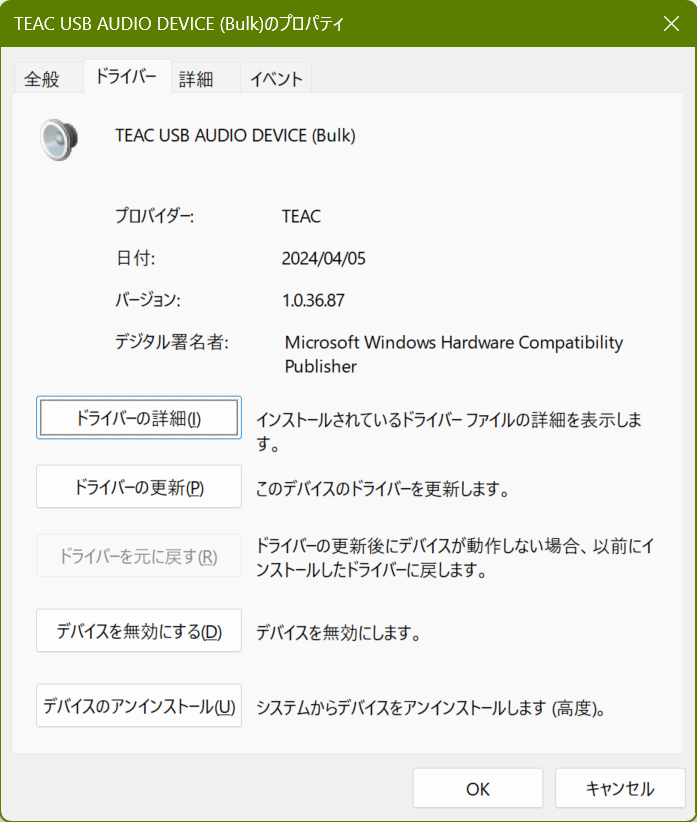
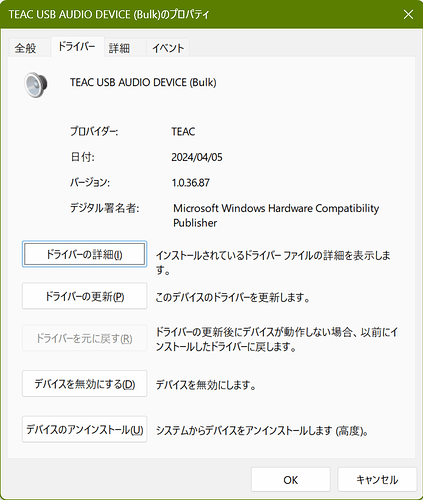
Do you use the latest driver available from TEAC?

@Antoine Yes, I do. Although it was updated two years ago, this V1.0.36 is the latest one. One more thing to add, the same issue occured with FIIO K19 with the latest ASIO driver (v5.74.3). I thought it was because of K19’s hardware issues and returned / refunded it as a result.

This is because the behavior is related to changing sample-rates between DSD and PCM, due to the nature of the 1-bit PDM (DSD) encoding when the signal returns to a zero value when changing to a PCM track… Primarily due to how the DSD file is mastered… You may never completely eliminate the “pop” or “tick” but you will be able to significantly reduce its amplitude.

Try using DoP1.1 to transmit DSD to the DAC.

Please show us a screenshot of your Up-sampling settings

  • Also, do not limit the sample-rate delivered to the DAC.

:musical_notes: :eye: :nose: :eye: :musical_notes:

This is the ‘Bulk PET’ protocol driver… Yes?

:musical_notes: :eye: :nose: :eye: :musical_notes:

I’ve had the same issue throughout the Studio 3 series with a Topping E30 II DAC, and with my previous Pro-Ject Pre
Box S2 Digital. This is both with ASIO on Windows and Alsa on Linux. No settings change in Audirvana seems able to stop it.

This also needs to be addressed in the DAC firmware… some handle these transitions better than others…

This is an issue that has been going on for a very long time on AS, and one that I’ve also experienced. But since no solution has been found, my ears have gotten used to it, and I’ve gotten used to not worrying about it either.
I use the Denafrips Ares II DAC, and when I play music through it via Apple AirPlay at 24-bit/48 kHz (the same settings I consistently use manually on AS), I don’t experience this problem. That’s why I’m not sure how reasonable it is to pin the problem on the DAC.

1 Like

@sotaromi11

AirPlay does not support DSD playback… If you are playing DSD files and transmitting these to your DAC via AirPlay, Audirvāna is decimating the 1-bit file to PCM 24/44.1.kHz .

I personally, understand the nature of the noise in the transition to and from PCM and DSD files and there is always going to be some level of transition noise that is inherent… Some DSD masters have not paid attention to the truncation of the signal.

I personally modulate (up-sample) all PCM files to DSD256 transmitted via DoP1.1 and I can sometimes hear a faint “tick” when jumping around from track to track… I believe this is because Audirvāna defaults to PCM between transitions…
My DAC also supports anti-popping in the DAC chipset firmware…

Yes, I’ve known that for a long time, too.

In my response, I clearly stated that I played both AirPlay and AS at 24-bit/48 kHz under the same parameters. In other words, my point was that it should be clear that the pop/click issue occurs not only when playing DSD but in all formats.

However, this may be also be related to how your DAC handles/mutes sample-rate transitions.

Yes, there’s definitely an interaction. For me the issue didn’t start with the Pro-Ject DAC until Audirvana Studio 3 series, and the pop was quite loud there. It’s less so with the Topping DAC, but still clearly audible. It only happens with my directly connected DACs, not with UPnP. And as I mentioned, it happens both with ASIO in Windows and with ALSA in Linux.