Following 2024-07-02T22:00:00Z 's update of Origin, here is the changelog of the 2.5.13.2 version:
-
Connectivity: Compatibility with Diretta Linux driver to play to a Diretta device
-
Avahi mDNS service: If the Avahi daemon is not started at Audirvāna launch, the Remote server and Chromecast devices discovery are automatically started when the Avahi daemon finally starts
-
Remote settings: pairing code setting removed
-
Other minor fixes
How to update Audirvāna on Synology NAS
First, download your qpkg version depending on CPU architecture:
Login To My Account - Easy Remove Audirvana 3.5 Activation
Access your Synology GUI and open Package Center.
Click on Manual Install:

Click Browse and select the spk file you downloaded. Click Next:
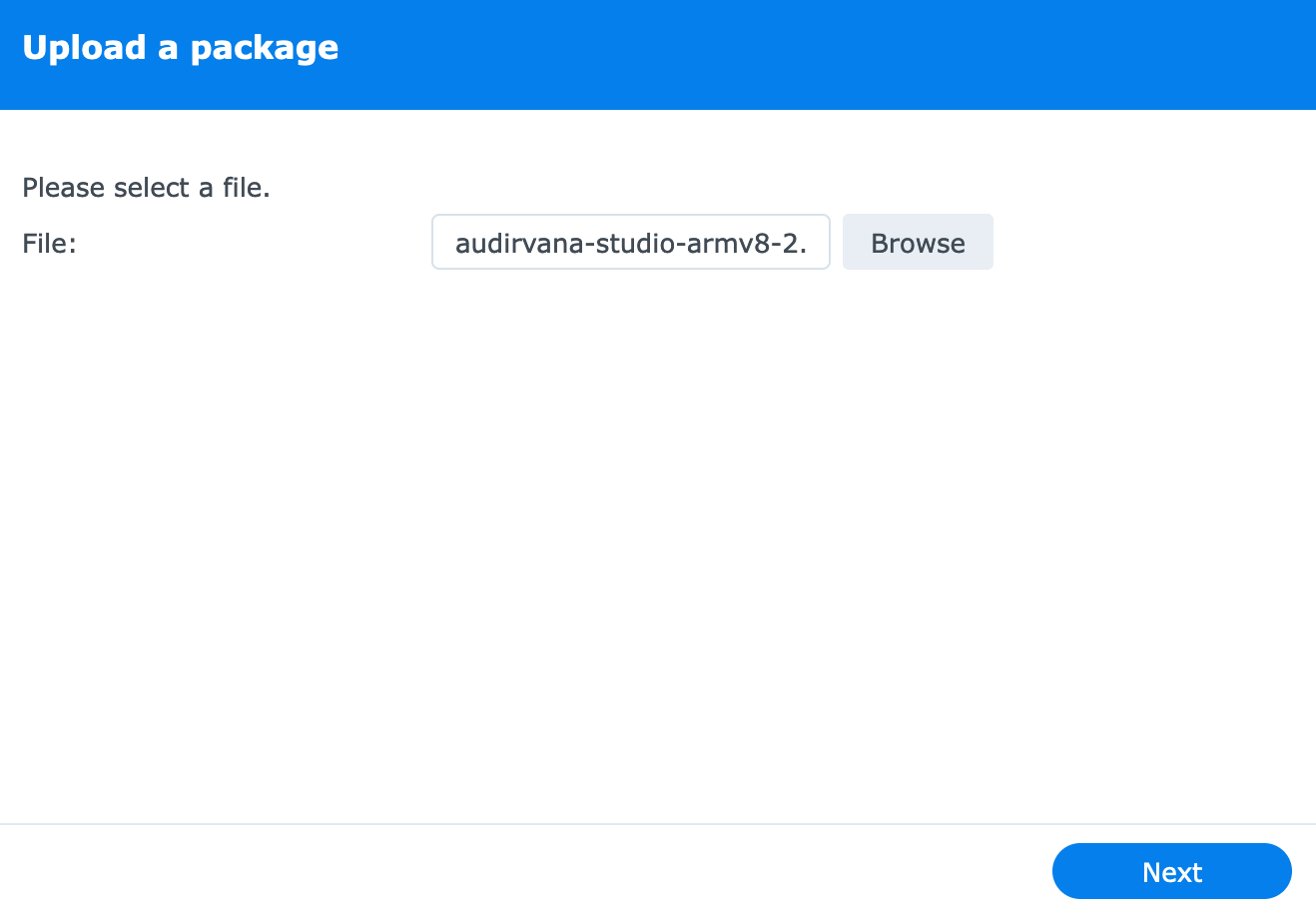
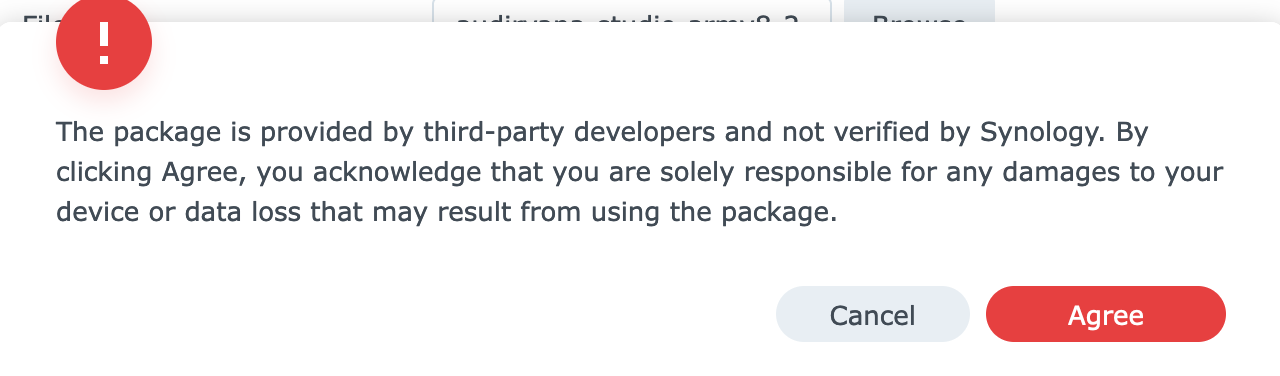
Click Agree:
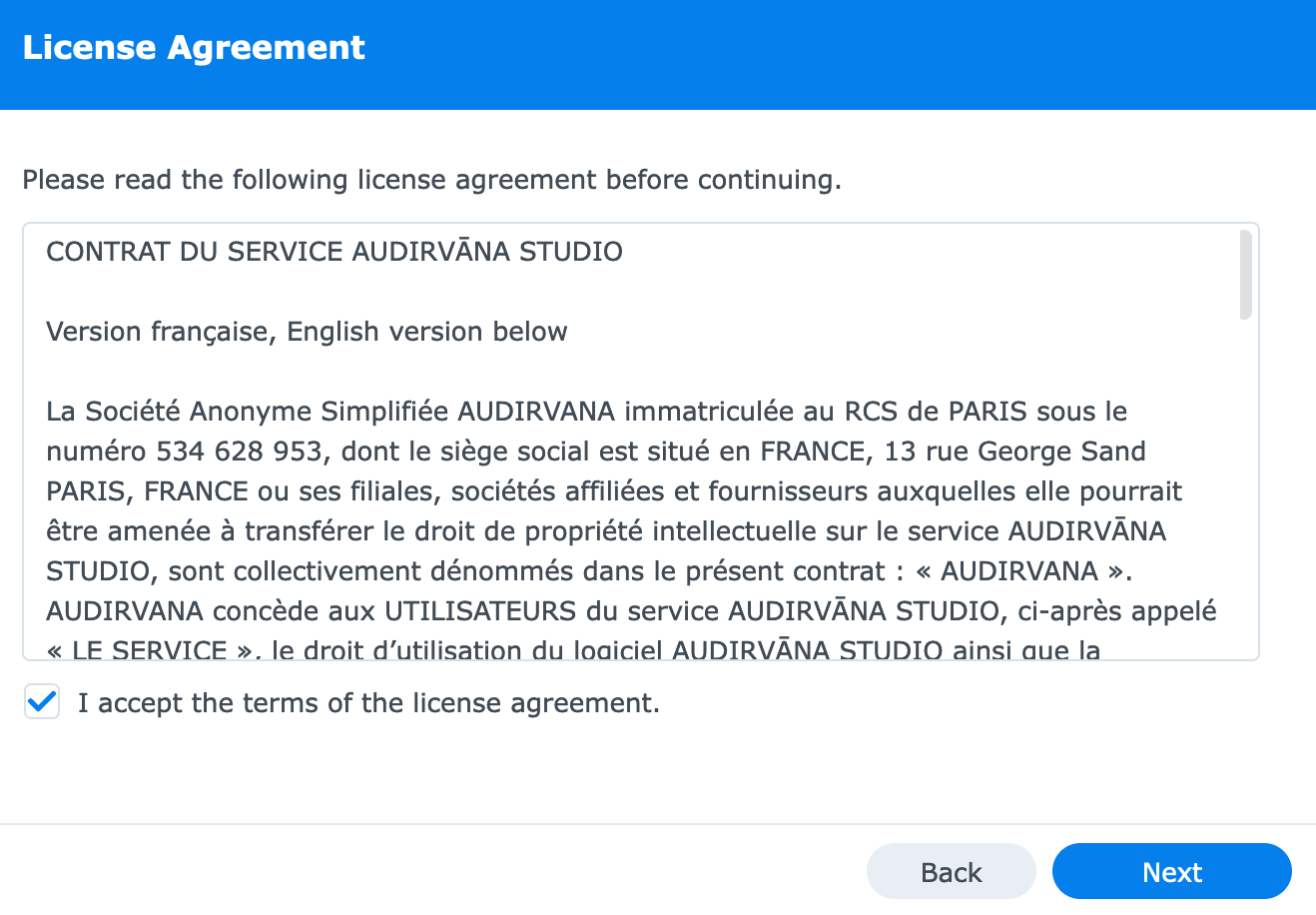
Then, Accept the terms of the license agreement:
Finally, click Done:
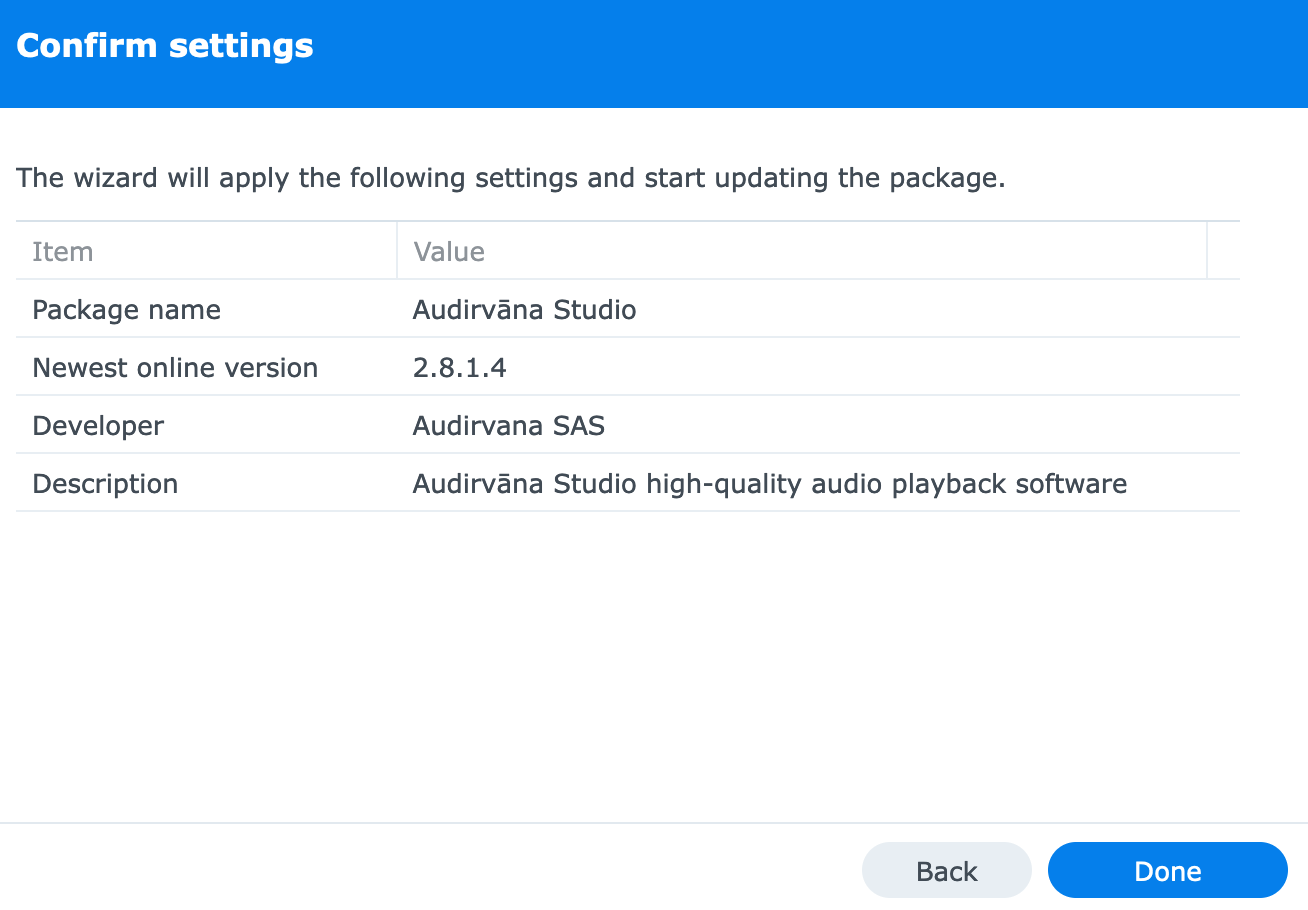
Audirvāna is now updated and started; head over to the Audirvāna Remote app to use Audirvāna! 
If Audirvāna does not start automatically, please ensure you install the right package version.
How to update Audirvāna on QNAP NAS
First, download your qpkg version depending on CPU architecture:
Login To My Account - Easy Remove Audirvana 3.5 Activation
Access your QNAP GUI and open App Center.
Click on the steering wheel:

Ensure the setting “Allow installation of applications without a valid digital signature” is enabled:
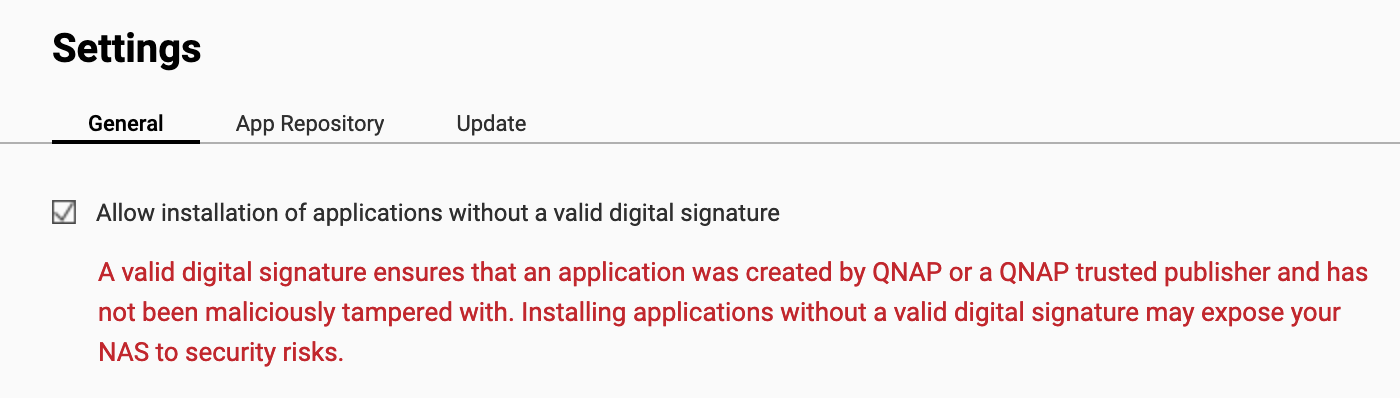
Once done, please click on the + icon:

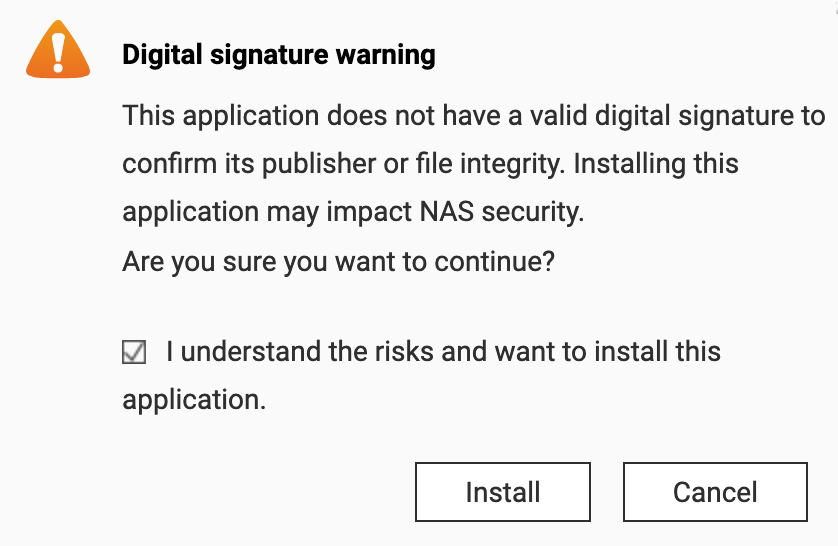
Then click Browse and select the qpkg file you downloaded. Click Install and OK.
Click on “I understand the risks and want to install this application.” then Install:
Audirvāna is now updated and started; head over to the Audirvāna Remote app to use Audirvāna!
How to install Audirvāna on Linux
Use the command line apt-update or dnf update depending on your Linux distro.
How To Add, Remove and Update Software in Linux Using Apt | Tom's Hardware