I would like to verify that if I set “VOLUME LEVELING” to “OFF” on Audirvana Studio, that this replay gain (rg: xxxdB) shown while streaming Qobuz, does nothing.
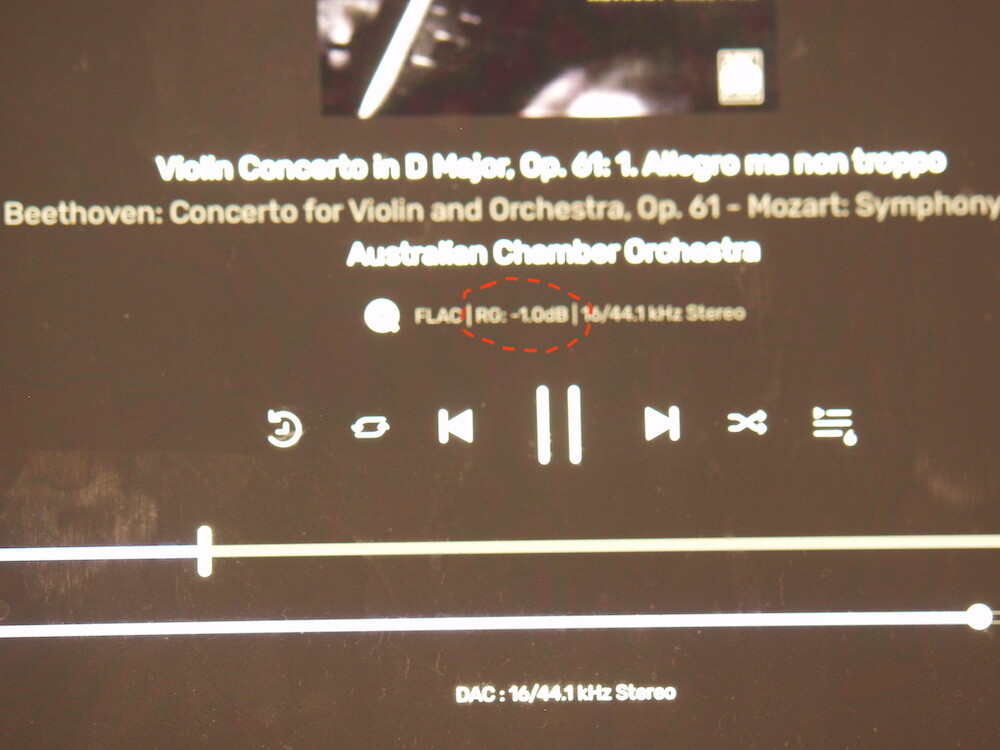
If you don’t see the RG in Audirvāna Studio then it’s disabled. We will need to make a fix for the Remote since it seems it displays the replay gain even if it’s disabled in Audirvāna Studio…
Please keep the RG information even when volume leveling is switched off. For people like me this is valuable information to adjust volume manually.
1 Like
I will see what we will do about it.
Yes, but it is very confusing for everyone else, especially new users of AS / AR.
I think it should be removed, as was the intent on AS.
I perfectly understand that different people will have different interests, influenced on how familiar they are with the software and what they are looking for.
Perhaps Remote is not the best place to display RG when volume leveling is switched off. But keeping the information available at some other place like the desktop’s expert mode player would be nice.
Silly question, but how do you show this extra information on the mini-player (assuming that’s what you’re showing here)? I don’t see file type, bitrate, sampling, etc, at all. Also do not see the DAC statistics, either.
It’s in the Remote app, not in the mini-player of Audirvāna Studio.
1 Like
Ah. Thank you.
Would be nice if this info was in the mini player, too.
You can use the expert mode toggle in the mini-player’s upper left corner to see most of the information you are asking for.
Sure. I just like to leave the regular “mini” player up with larger album art up, and it would be nice to have that file type/quality displayed there, too. I don’t think it would be too much for the minimalistic mini display. I also don’t think it would hurt to show the waveform display for the track position, either.
Yeah, at the end of the day it’s a trade-off between clean design and information density.
This topic was automatically closed 90 days after the last reply. New replies are no longer allowed.