Sometimes I don’t know where you get your theories.
A DSD256 file.
Where is memory and processor missing?
Another thing, the Mac is exclusively for audio, it only has Audirvana installed.
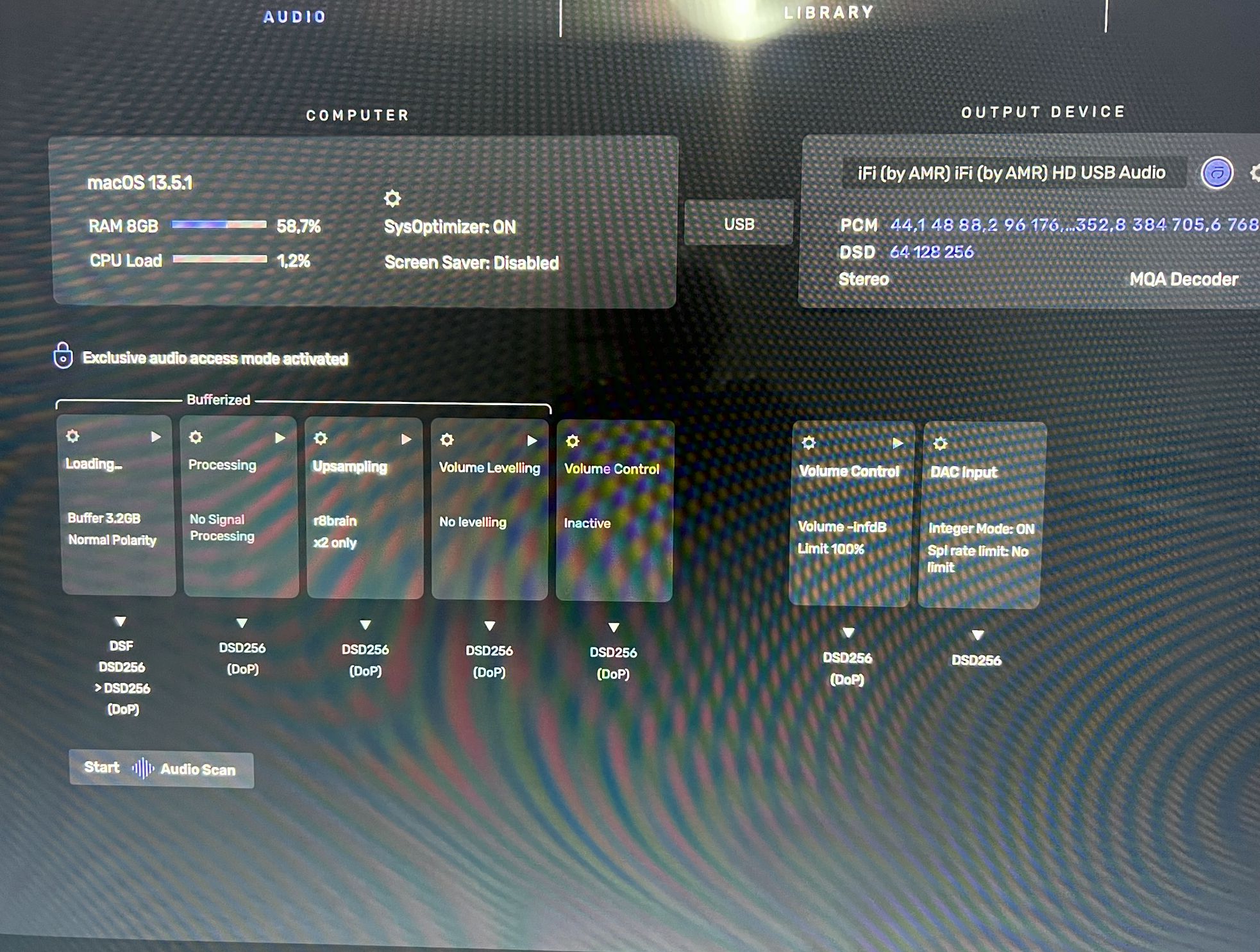
How does it sound when you up-sample PCM 16/44.14kHz → DSD128?
This will tell you more about the system performance… Your current r8Brain settings will have a dramatic influence on the output sound-quality… Have you spent any time tweaking these settings?
58% of your system RAM is approximately 5GB… I’ve read that the MacOS Ventura installer is 12GB in size, and you need at least 24GB of storage-space on the drive… So we can extrapolate that Ventura requires a lot of RAM to run efficiently without Virtual Memory disc-swapping… Virtual Memory disc-swaps will slow down the processor, which has nothing to do with the CPU load… However, the disc-swap interrupts will affect the data-flow through Audirvana and will impact the phase/timing of the output data-stream from Audirvana to the output bus of the computer.
The CPU may be able to manage the calculations with ease, but will be hobbled by the Virtual Memory disc-swaps if in fact this is happening when playing back modulated PCMxxx → DoP DSD256 or up-sampling to other higher sample-rates like DXD 352.8kHz, 705.6kHz and 768kHz.
Checking your RAM performance in the Activity Monitor may also provide insight, if you find modulating 16/44.1kHz → 5.6MHz DSD128 sounds better or does not sound better…
Check if your Mac needs more RAM in Activity Monitor
The Memory pane displays how much memory your Mac is using, how often it is swapping memory between RAM and your startup disk, and the amount of memory provided for an app and how much of it is compressed memory.
When you have free or unused memory, your computer performance does not necessarily improve. macOS obtains the best performance by efficiently using and managing all of your computer’s memory.
- In the Activity Monitor app
on your Mac, click Memory (or use the Touch Bar).The Memory Pressure graph lets you know if your computer is using memory efficiently.
- Green memory pressure: Your computer is using all of its RAM efficiently.
- Yellow memory pressure: Your computer might eventually need more RAM.
- Red memory pressure: Your computer needs more RAM. If memory pressure is yellow, red, or has spikes, check to see if an app is using up memory and causing the memory pressure to increase. If you no longer need to have the app running, you should quit the app.Your computer’s memory pressure is accurately measured by examining the amount of free memory available, the swap rate, and the amount of wired and file cached memory to determine if your computer is using RAM efficiently.
Check if your Mac needs more RAM in Activity Monitor - Apple Support
I’ll say it again, I have no problem for any file type within the DAC’s capability.
I’m showing this.
The computer is not used for anything other than Audirvana.
This Mac mini is an I5 2018 where I can increase the RAM if needed. Since it’s working fine, I left it as it came originally.
If I need it in the future, I’ll increase the memory or change the computer.
The only thing I haven’t tested is the DSD512 because it won’t work with DoP.
The difference is that you are only in the field of imagination, while other people really test.
For my part this matter closed.
What is in question is the perceived difference in appreciable sound-quality that you describe between PCM up-sampled 2x and PCM up-sampled to DSD256… Again, what you think is working perfectly, falls into this interpretation and these things I am describing may be playing into that interpretation of quality of sound between the two up-sampling results.
How does PCM 16/44.1kHz up-sampled to–> DSD128 or DSD64 sound in comparison?
Are you running the MacMini headless?
Asking this question so repeatedly of someone who has repeatedly told you he does not wish to answer seems rather rude.
I think he has something to contribute here with this insight…


Some corollary information…
Some folks here will enjoy this little nugget that I found in my never ending quest to understand what is going on under-the-hood of Digital-Audio components and technologies related to the art of component topology design and A/D encoding, DSP and D/A playback of these signals from an engineering point of view and layman’s perspective as it pertains to today’s Digital-Audio playback systems…
Remember, everything not synthesized or duplicated from another digital-audio source file, has been recorded from an analog source signal and encoded as a digital format… Knowledge is power.
Motorola Digital Signal Processors
Principles of Sigma-Delta Modulation for Analog-to- Digital Converters
by
Sangil Park, Ph. D.
Strategic Applications
Digital Signal Processor Operation
https://www.ece.rutgers.edu/~orfanidi/ece346/sigma-delta.pdf
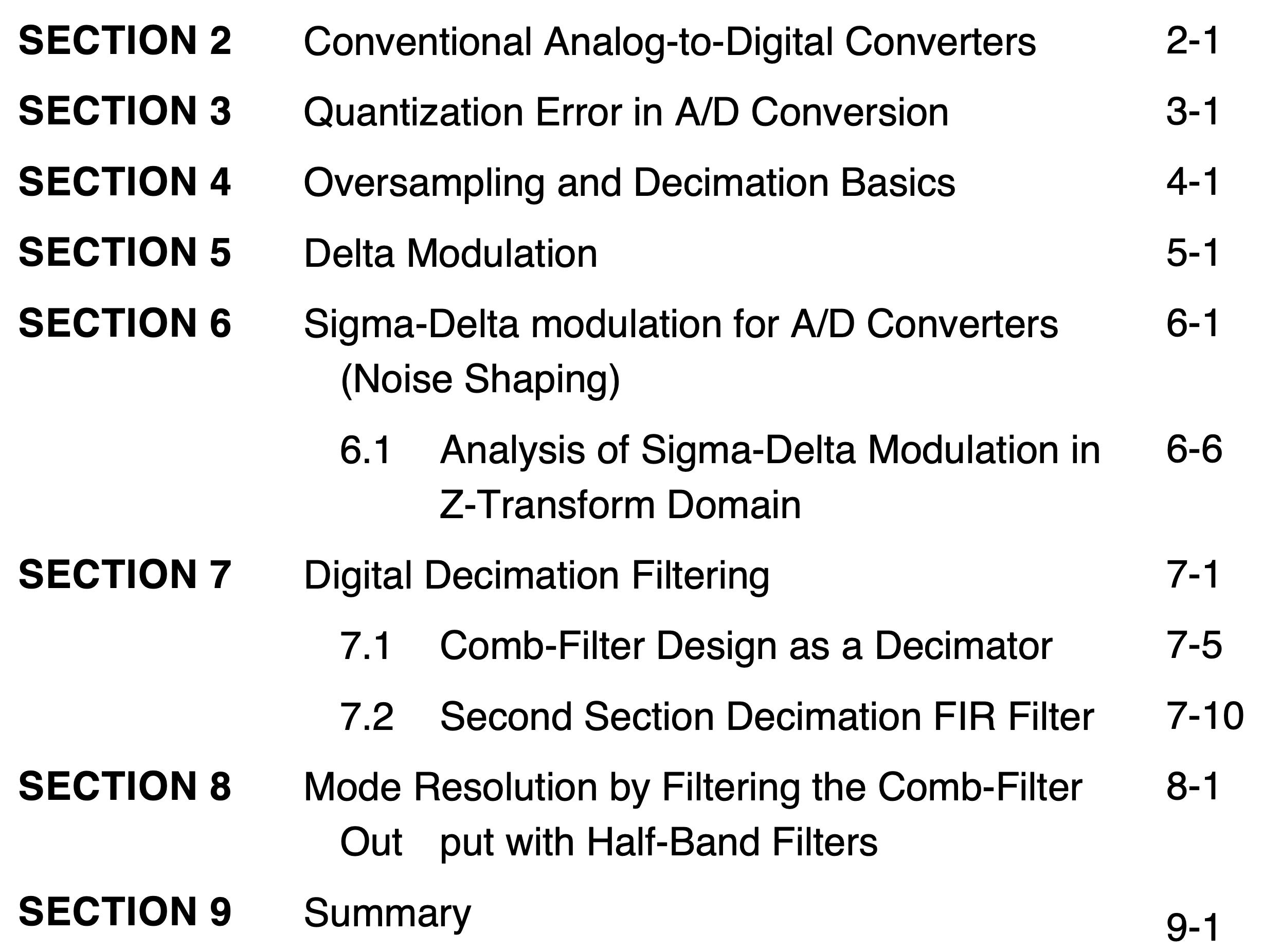
I forgot that I have this in my reference library… This wraps up the rationale for upsampling in general… More corollary insight for some here…
Theory of Upsampled Digital Audio, Doug Rife, DRA Labs Revised May 28, 2002
http://www.mlssa.com/pdf/Upsampling-theory-rev-2.pdf
From the paper:
The Time Smearing Theory
A slow roll-off anti-imaging filter also has another consequence. Because of its slow roll-off rate, its impulse response exhibits less ringing and time smearing as compared to a conventional sharp oversampled anti-imaging filter. Fourier analysis shows that the time resolution and bandwidth of all filters are inversely related. A slow roll-off filter allows more high frequency energy through compared to a fast roll-off filter. Therefore, the slow roll-off filter has better time resolution, or equivalently, less time smearing.
The conventional wisdom as to why gentle oversampling filters sound better than sharp oversampling filters focuses on these differences in the time domain response. The idea is that the since slow roll-off filters show less time smearing this must be the explanation for the subjective improvement in the sound quality of upsampled digital audio playback. There are two serious problems with this explanation. First, we must consider how a CD is made. The counterparts of reconstruction filters used in CD playback, are anti-aliasing filters used in recording and CD production. Unfortunately, the roll-off rate of anti-aliasing filters for 44.1 kHz sampling cannot be made gentle without severely compromising the baseband audio signal. If a sharp anti-aliasing filter is not used during recording at 44.1 kHz or when down-converting a 96 kHz master to 44.1 KHz, folded images of the baseband frequencies will fall right back into the audio baseband instead of being frequency-shifted to ultrasonic frequencies as occurs in playback. These in-band images or aliases are clearly audible even at extremely low levels. To prevent audible in-band images from appearing, the decimating anti-aliasing filter used to down-convert 96 kHz to 44.1 kHz, must be very sharp indeed and must also severely attenuate all frequencies above 22.05 kHz. Thus, anti-aliasing filters as well as decimation filters must introduce time smear at least as severe as that introduced by sharp anti-imaging filters used in playback. What’s more, the time smearing due to the anti-aliasing filters cannot be removed. This is so because the time smearing on CDs is a consequence of the fact that the signal has been strictly bandlimited to 22.05 kHz. Any frequency components above that frequency which may have been recorded on the original the 96 kHz master are gone forever.
In addition to anti-aliasing and decimation filters, the time smearing theory also disregards even more severe time smearing that is routinely introduced by loudspeakers. The sonic improvements of slow roll-off anti-imaging filters are audible through time-coherent speakers but just as readily audible when listening through the vast majority of loudspeakers many of which show relatively poor time domain response. Whatever role time smearing plays in audio quality it is not sufficient to explain the increase in sound quality due to upsampled digital audio. The main reasons are: a) the time smearing of the kind produced by a sharp anti-imaging filter is already present in the digital data on every CD ever made and; b) the time smearing added by the vast majority of loudspeakers is much larger than the time smearing caused by the combined time smearing of both the anti-aliasing and anti-imaging filters.
Ya buy them the books and ya send them to school and what do they do?
More corollary insight for some here…
From the Siemens Community ‘Simcenter-Testing’ topics site, explaining the Gibbs Phenomenon (Aug 29, 2019•Knowledge), among other relevant topics:
The Gibbs Phenomenon
…To describe a signal with a sharp transient in the time domain requires infinite frequency content. In practice, it is not possible to sample infinite frequency content. The truncation of higher frequency content causes a time domain ringing artifact which is often referred to as the “Gibbs phenomenon” or “overshoot”.
In this article, this phenomenon will be explained more in-depth.
Siemens DISW
(A video demonstration of the effects of low-pass filtering on ringing/overshoot on square-wave signals vs sine-wave signals)
I believe this simple overview will be of value to some less knowledgeable here, regarding how the CPU and Audirvana utilize memory assets and how we can extrapolate that potential anomalies in these operations have influence on the computational results presented as a digital-audio file data-signal…
How Computers Work: The CPU and Memory