I’m surprised it showed no errors.
Your suspicion about APFS is correct. Here’s some information:
I’m surprised it showed no errors.
Your suspicion about APFS is correct. Here’s some information:
I don‘t understand either why there were no error messages with the sudo mount -a command. I reformatted the SSD to exFat and strictly kept to the instructions given in
But clearly, Linux seems to be sensitive to file formats.
Warning, I’m a novice. Is there any way you can post step by step what to do. For example, step 2 says “SSH to your raspi.”. How do I do this? I can handle the coding in the terminal, so I think I can make this work probably. I can handle some coding and hit above my weight, lol, but some steps I need some clarification.
Thanks.
Thank you sir.
SSH is to access the Pi from another computer. You need the Pi’s IP address and a program like Terminal (Mac)
There are lots of YouTube videos to help you with this. Just search - SSH Raspberry pi Mac or Windows
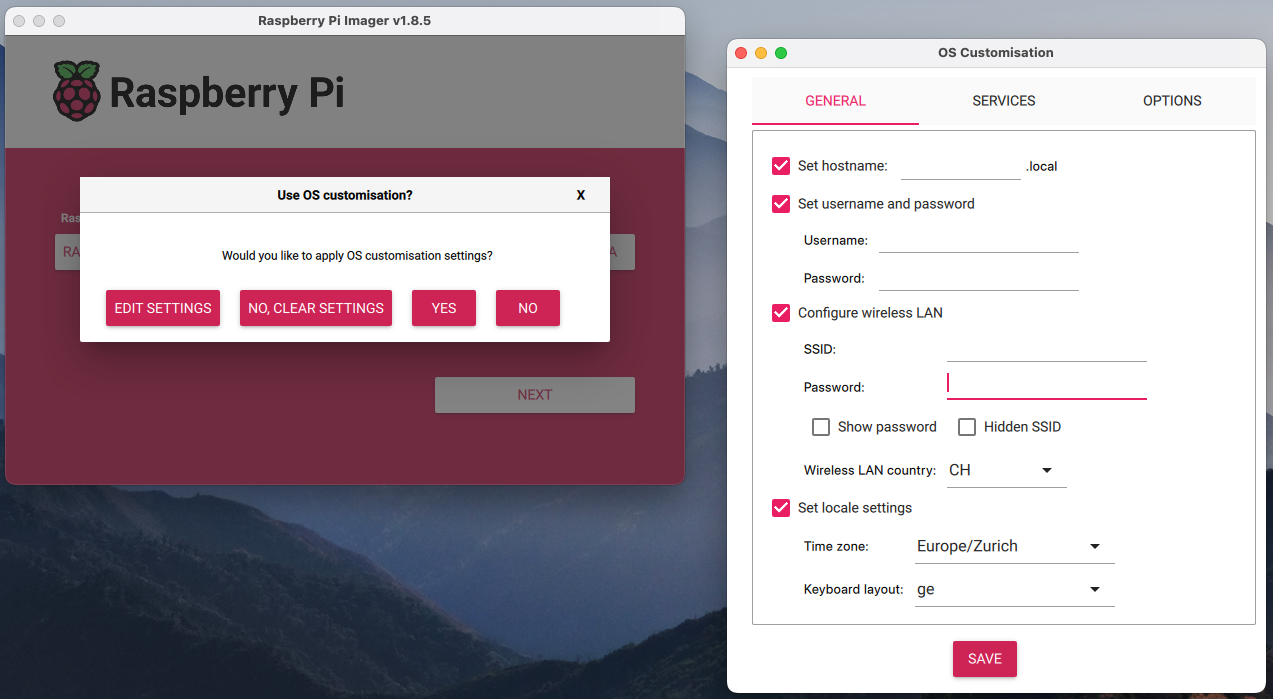
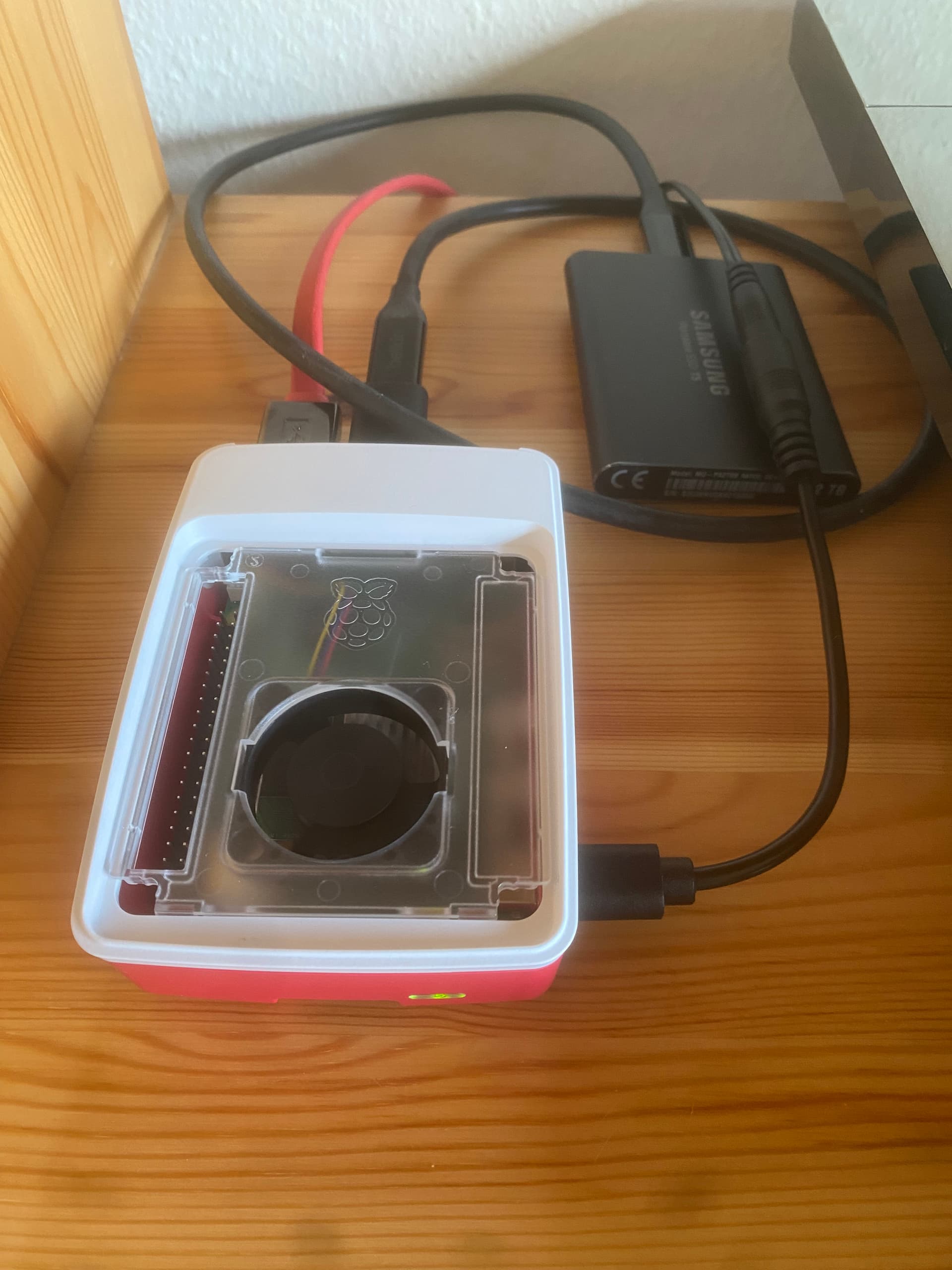
Just installed Audirvana Studio on my new Raspberry Pi 5. I did that via formatting a micro SSD with Raspberry Pi Imager installed on my Mac mini, then downloading Audirvana Studio (ARM 64 (aarch64)) and enabling/starting the setAsService.sh. The Raspberry Pi 5 runs perfectly well from the 5.2V/3A rail of an ols Shanti LPS that I used to feed my previous Raspberry Pi 4B. The Raspi 5 is MUCH faster than the previous Pi 4B, so I am going to try upsampling with r8brain. Will be interesting to see how it works.
Most interesting is how you perceive any difference in sound and the response speed of the remote app.
Soundwise, I don’t think I can hear a difference, perhaps (?) slightly better channel separation, but I wouldn’t bet on it.
The remote is much more responsive, the progress bar that got so many times stuck, seems to work better. And, those nasty ‘request errors’ are much less frequent.
But these are only first impressions. I need to check the app much more thoroughly.
Hi @Sailor, the Raspi 5 is dramatically faster than the Raspi 4 … as a hardware guy, I’m genuinely impressed with it. It’s now available with 16GB of RAM which makes it a practical desktop computer.
Use this with Shanti and RPI5 greatly rise the SQ
You can also use Audiolinux as System for Audirvana on RPI5.
Yeah, I noticed how much faster the RPi 5 is, particularly during boot up.
I haven‘t had much time to listen to music lately but my first impressions were really positive. It scanned my library about three times faster than the RPi 4. But most interesting is that the remote app seems to run more stably with the RPi 5. But these are only first impressions and I have to get more experience with my new toy.
Interesing to know about 16 GB RPi 5. I haven’t come around one here, but shall immediately buy one when available.
Des I noticed! I first had my RPi 5 running from its stock power supply. I immediately noticed a disturbing, nervous, high-pitched background noise. I wasn‘t sure if my Shanti LPS power supply had enough current to support the RPi 5. But it has, and when connected to the LPS, the background noise immediately disappeared and the sound was as good as with the RPi 4/LPS combination.
Thanks for the Ian Canada link. But it seems Not to be reachable from Switzerland.
I tried Audio Linux but I vastly prefer Audirvāna. Audio Linux has so many cryptic menus that drove me bunkers. Also, it didn‘t run very stably, so after a short time I gave it up.
Audirvāna now has the optimal balance between simplicity and reliability. I do wish, though, that the Linux version will be further developed.
IAN CANADA UCCONDITIONER PRO Conditionneur de Signaux à Supercondensateurs 5V - Audiophonics
But Audirvana run on Audiolinux 
I know.
I don‘t have experience with the latest Audiolinux versions, but back in the day when I tried it, it was indeed unstable, at least in my environment. I just don‘t see the advantage of using a ,Container‘ to run Audirvāna. To me, the simplest approach is the route I am taking.
I know there are many Audiolinux afficionados out there!
IAN CANADA UCCONDITIONER PRO Conditionneur de Signaux à Supercondensateurs 450F 5V
OK, in fact it depends the level of optimisation you want from the system layer, but Audiolinux is arch linux, you could indeed prefer more simple distrib.
I have been running my Raspberry Pi 5 for 10 days with Audirvana and so far it’s behaving perfectly reliably. Not a single dropout, no reboot necessary, nothing. I must say, I am impressed with this tiny box!
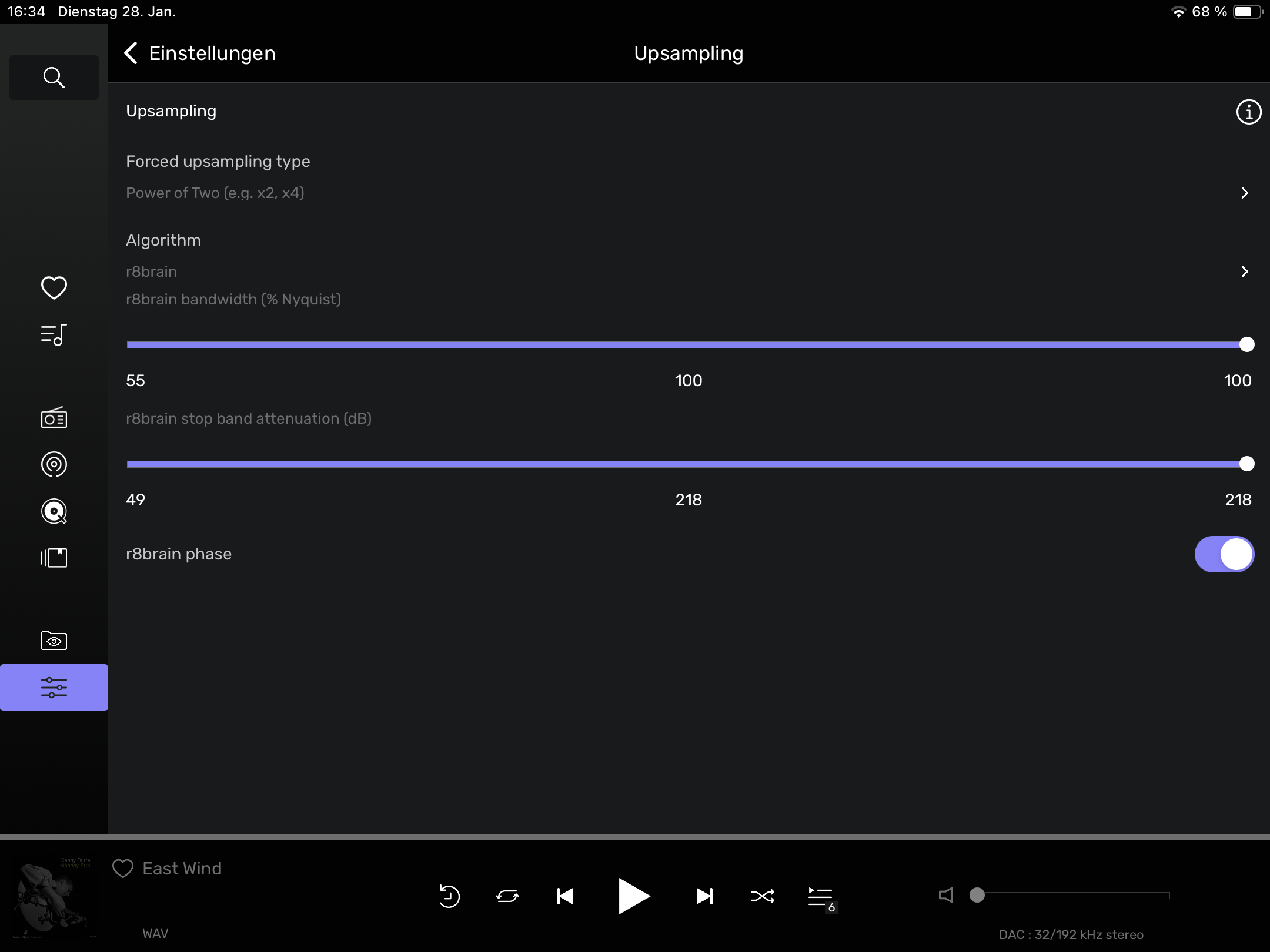
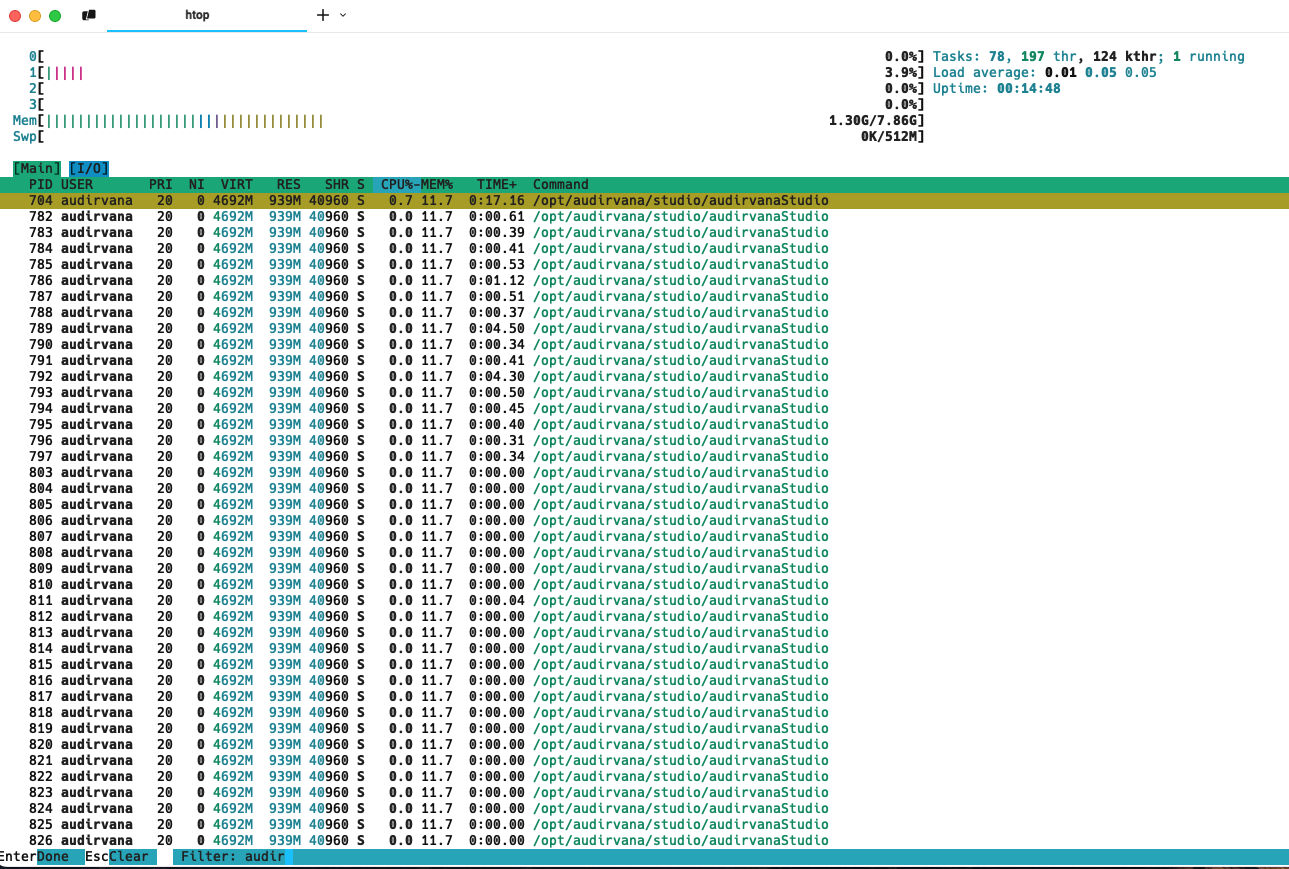
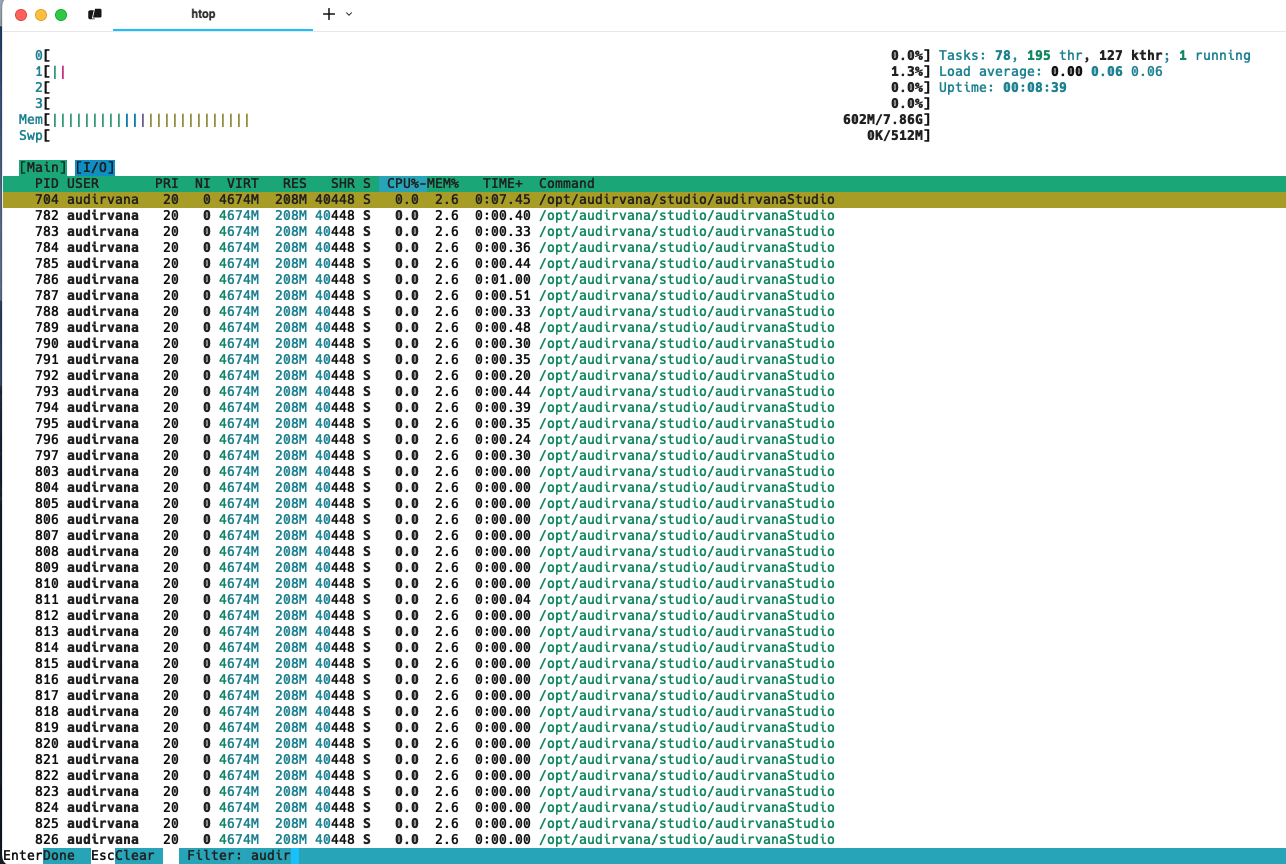
Since yesterday I started to experiment with r8brain upsampling, starting with Power of Two (x2, x4) with the default parameters. I first checked system resources without upsampling and then with. Upon upsampling, memory usage went from around 600 M to 1.3 G, hardly affecting average load of the CPUs. Also, when monitoring the temperature, it went up from 47.7 degs to 47.7 degs when running upsampling for 15 mins. So hardly any stress for the Raspi 5 
I must say, I am, for the first time, impressed by the upsampling process. The sound is a little more vivid and a bit more detailed. Though not with all recordings, but the effect is best noticeable with newer recordings, as if the last bit of detail is teased out of the recording.
I might try upsampling to DSD 64 (that’s what my Devialet understands), but this might be pushing the poor Raspi to its limits.
It’s fun playing around with this little box.
I don’t know that DSD64 will give you much more than PCM upsampling is doing for you now. You are already using Audirvana rather than the DAC for the most critical initial upsampling step. The measurements I’ve seen regarding upsampling to DSD show best noise and distortion performance at DSD256 and DSD512, But may as well try and see if you like it.