Hi. Ok I have got sorted some issues with getting the app going and all is settled.
Have to say it sounds awesome. I don’t understand it. I always believed that an app was an app was an app regards sound quality . I was wrong.
However good apps shine and frankly the app for iOS is not great.
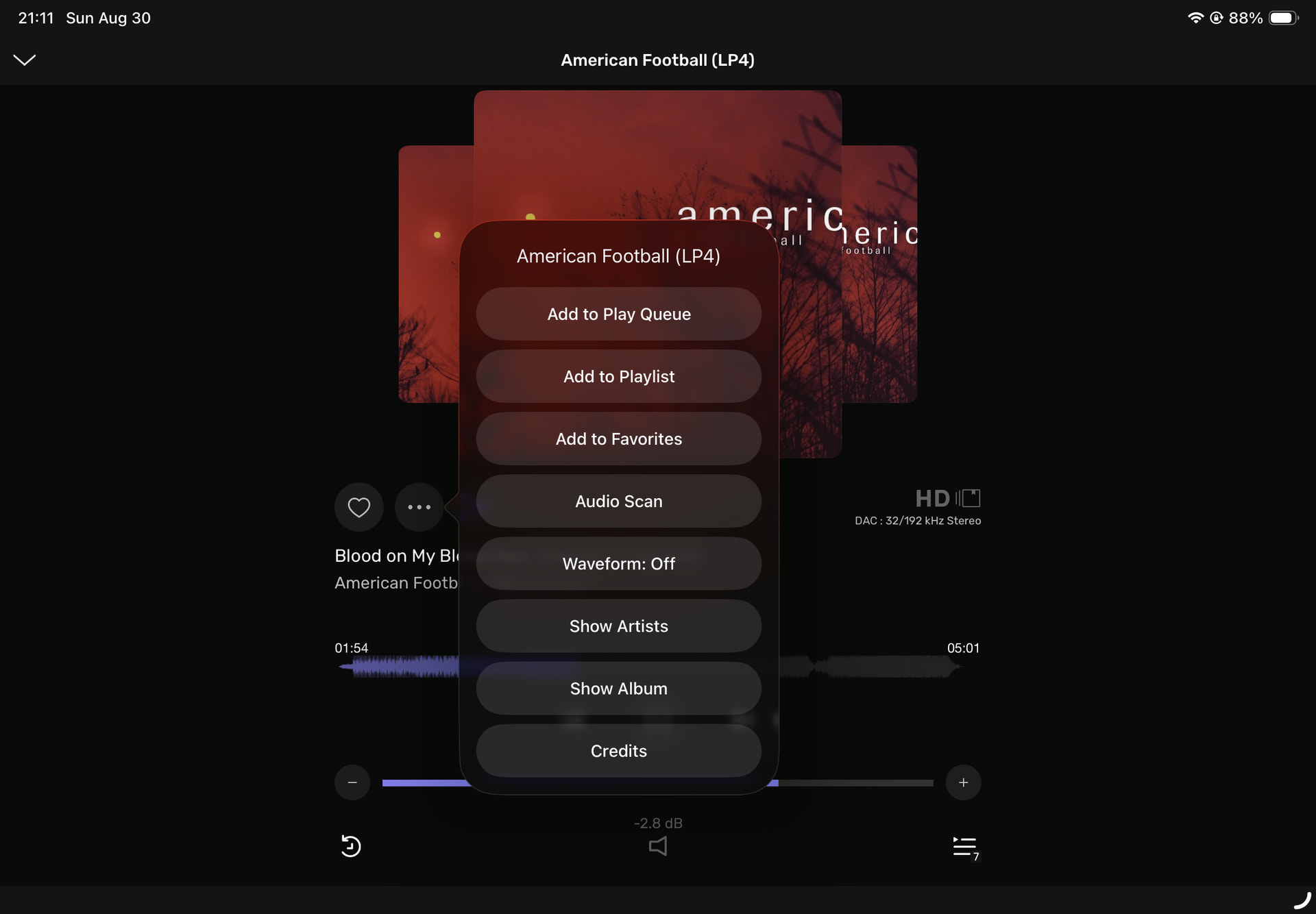
The main issue and its massive as far as I am concerned. I am trying to build a playlist for the night selecting tracks to add to the queue. About every 5th one i swear, I click the 3 dots on the right and instead of pulling up the menu , it just plays the track, in the mean time killing the queue I had going. I am careful with my fingers but even if I accidentally hit the name rather than the dots the behaviour should not be this. Frankly that whole track name should be the button for the pull up menu with one of the choice being ‘play now’
Really bad design, sorry to say please consider changing this behaviour
Well, the remote app shouldn’t make any difference regarding the sound quality.
The Audirvāna Studio software for Windows/Mac/Linux however is of course an app(lication) for these systems but the software really plays a big part in how the device is handling things. It is aiming at reducing as many processes as possible and utilize the processing power of the device it is installed on. Usually the processors on a PC are far more powerful than those in audio equipment as they are developed for much heavier tasks.
It means that for example in my set up that my laptop with Linux Mint (optimized for audio with Audirvāna) does a great deal of the processing with these powerful processors in the whole chain that my streamer (Naim ND5 XS 2) would normally do itself. By taking these processes away from the Naim that device has a (much?) easier task in converting the digital data to an analogue signal. And when machines have an easier job, the sound quality benefits.
Just trying to explain why the sound may well benefit from the use of software like Audirvāna.
Your complaints (no judgement here) regarding the remote app may better be addressed in that specific subject on the forum or maybe under the section Users Voice. But Audirvāna support usually follows the discussion on the forum, so it probably will come to their attention here anyway.
Hi. I have used roon for 7 years at this stage. The difference between the two is substantial. However the difference between the user experience is also substantial.
What I am going to do is try an android device, I have a few lying about and see if the remote app runs any better on there, because its a disaster on iphone frankly.
I may also review the hardware that audivarna server is running on, its an ancient computer but I do have more modern stuff I could implement. I suspect this may help things, perhaps the commands from the remote are not being implemented in a timely fashion on the server side, who knows.
I want to give this every opportunity as it sounds remarkable. The GUI and remote app though. Well its a shame is all I can say at this stage.
I’ve started out with Roon as well. But that was only for about a year. The soon I heard Audirvāna I was hooked.
I totally agree on your UI remarks but I also have to admit that once I got used to Audirvāna (and to its quirks…) and learned to live with it, it became less annoying. As a matter of fact when I tried Roon again earlier this year, I wasn’t so keen on that UI anymore. I guess that’s due to what people are used to. Roon had disappeared out of my physical system…
Doesn’t change the fact though that there’s room for improvement on Audirvāna side.
Where it comes to hardware it’s wise to try things indeed. My old Dell laptop (2013) has its limitations but it simply delivers the best sound quality. Tried a MacBook, another Dell and a HP laptop but the old Dell delivers best by far. It showed me that even the hardware on which Audirvāna runs can make a vast difference. So I’m curious where you will get to in the end.
Please paste your debug information here so folks can provide insights into your playback configuration in the context of your playback scenario…
*The iOS Remote app is only a remote control for the Audirvāna GUI…
There is a reason you hear a distinct difference in playback quality in Audirvāna as compared to Roon… Roon is bloated by the computational overhead of trying to be all things for every user… This is not the foundational premise of Audrivāna… Audiophiles like myself never want to have the audio-engine performance compromised as we have come to appreciate, by superfluous bells and whistles that have nothing to do with the playback sound-quality… Otherwise, just stick with Roon… Ask yourself this question…Do you want to listen to your music from a superior audio-engine or not? If you are not an active listener type audiophile, there are other options… However, be patient… If there are functional improvements that can be implemented without compromising the performance of the audio-engine on a broad spectrum of playback platforms, we will see them come to fruition as long as they serve the greater user community and are not superfluous notions…
To be clear the iOS app has a pretty major bug. When I click the three dots of a track it’s a 50% chance I will get the pop up menu or the track starts playing clearing the playlist.
I find placing your finger (between the and the dots) it is more consistent… however, not perfect… no interface is perfect for everyone… My mode of playback in a listening session is similar to yours, but most of the time I just play the next album or track when the file playing ends…
Therefore the point I made in the original post I think has legs. Rather than pressing the track and it simply starts playing, it should always pull up the menu with the first option being to play now. Remove the three dots.
This stops this problem in its tracks
I have installed it on an android tablet. Will see how that goes.
Obviously you’ve found an irritating bug in the iOS remote. (I don’t use that particular function, so I hadn’t run across it.)
Regarding the remote UI in general, I suppose it’s horses for courses. I never much liked Roon’s UI, too much like having to do a Google search for whatever you want to hear. Certainly there are a great many folks who like that; I just don’t happen to be one of them. Audirvana’s remote somehow better fits the way I look for and listen to music.
As the remote UI is improved, I hope that it appeals to you a bit more without losing too much of what I like about it.
It’s not perfect, but it’s come a long way since I joined. Stick with us.
When I add to my playlists or 5***** ratings, I usually do it from this page. (I can’t remember what they used to call this page) The 3 dots seem more reliable.
I can also make changes to my 5***** rating’s on the CREDITS page and the META DATA page. Very happy that I can now see my 5***** rating’s on the ALBUM page on the iPad!. iPAD working pretty good for me.
I would say the opposite is true for me. Not being able to see my artists or albums in one unified space is a bit jarring. But not the end of the world.


 and the dots) it is more consistent… however, not perfect… no interface is perfect for everyone… My mode of playback in a listening session is similar to yours, but most of the time I just play the next album or track when the file playing ends…