Hi @ antoine. Debug Info as requested below.
Audirvana Studio 3.3.1 (30301)
Running on MacBook Pro (16-inch, M5 Max), Apple M5 Max
macOS 26.5.1 ARM64 with 48GB physical RAM
Connected account of : David Moore
NETWORK
Status: available
Local network access: allowed
REMOTE CONTROL SERVER:
Listening on
en0 IPv6: fd01:8280:ff5a:4d8a:c0c:f4:adf7:e3c1
en0 IPv4: 192.168.50.162
on port 49693
LOADING/DECODING:
Max audio buffer size: 8172MB
Polarity Inversion:
Globally: OFF
Per track: ON
SIGNAL PROCESSING:
Convolver: OFF
Internal EQ: OFF
Crossfeed: OFF
Balance: OFF
PLUGINS: NOT ACTIVE
UPSAMPLING:
r8brain not in use
r8brain filter parameters
Bandwidth = 99.5%
Stop band attenuation 218dB
Phase linear
AUDIO VOLUME:
Replay Gain: None
Volume step size: 1dB
Max allowed volume: 100
LIBRARY SETTINGS:
Sync list: 1 folders
AUTO: /Users/David/Music/Audio Library
Sync folders at startup: YES
iTunes/Music library synchronization: not synchronized
Sort and display order: en
Library database path: /Users/David/Music/Audirvana/AudirvanaDatabase.sqlite
Local audio files fingerprinting
Tracks with no MBID: 693
ACTIVE STREAMING SERVICES
Qobuz: Connected as Qobuz Hi-Fi Sublime+
APPEARANCE SETTINGS:
UI theme: dark
Font size: regular
Language: System language
Show album covers in tracks list: yes
Source list sorted:
Local
Favorites
Playlists
Streaming
Radios
Podcasts
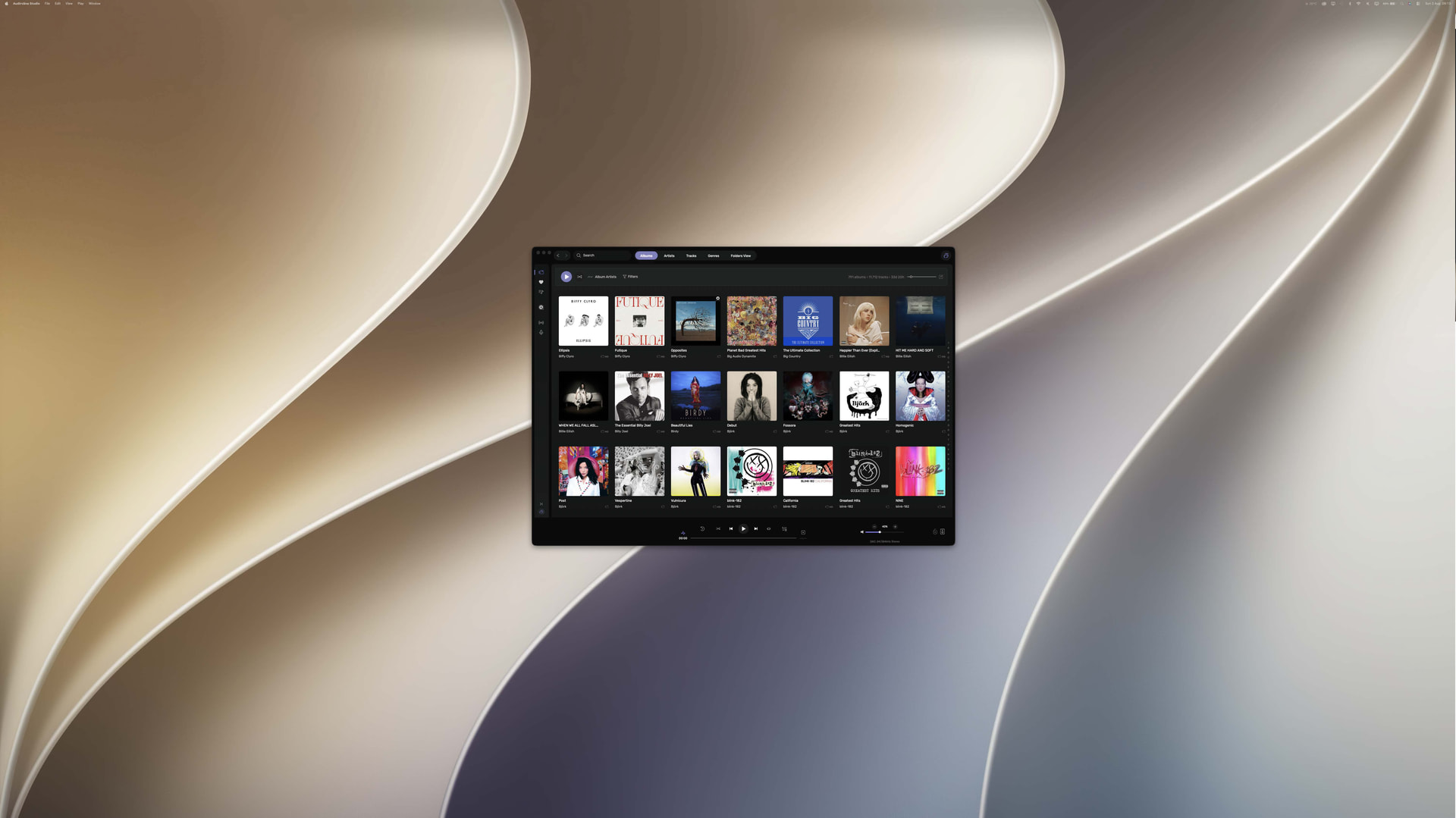
Startup view: Local Library: Albums
Show local extended in source list: yes
Use media keys: yes
Use media keys for volume control: yes
Use Apple Remote: yes
Number of paired remotes: 0
Remote pairing code required: yes
Screen saver disabled: yes
=================== AUDIO DEVICE ========================
Active method: UPnP
UPnP network interface
Available Network interfaces:
Wi-Fi
Preferred device: [UPnP] Devialet Phantom Ultimate Duo Model UID:Devialet Phantom Ultimate 98 dB UID:uuid:77450871-29b0-4af5-82d3-5427a7363b75
Currently playing to UPnP device at 24 bits 88.2kHz
Selected device: Devialet Phantom Ultimate Duo
Manufacturer: Devialet
Model name: Phantom Ultimate 98 dB
Model UID: Devialet Phantom Ultimate 98 dB
UID: uuid:77450871-29b0-4af5-82d3-5427a7363b75
Plays with Audirvāna: Yes
Override manufacturer settings: Yes
UPnP device at http://192.168.50.235:16500/77450871-29b0-4af5-82d3-5427a7363b75.xml
ID 0x0
6 available sample rates up to 192000Hz
44100
48000
88200
96000
176400
192000
Volume control: Yes
Max volume alert: Enabled
MQA capability
Auto-detect MQA devices: Yes
Not automatically detected, user set to not MQA
DSD capability
Unhandled (PCM conversion) with boost gain of 6dB
Device audio channels
Preferred stereo channels L:0 R:1
Channel bitmap: Ox3, layout:
Channel 0: L
Channel 1: R
UPnP set capabilities
Maximum PCM frequency set: 192000Hz
Maximum PCM bitdepth set: 24
Not native DSD capable
Number of channels: 2
Avoid RAW PCM streams: No
Universal gapless playback active: No
Unwanted playback stop workaround: Yes
UPnP capabilities
DLNA 1.5: Yes
Service versions:
AVTransport: v1
RenderingControl: v1
ConnectionManager: v1
Native gapless playback: Yes
Missing events workaround: No
Can play native DSD: No
Volume control: scalar
Output configuration
Number of channels: 2
Use as stereo device only: No
Output streams: 1
Active channels: 2, in 1 stream(s)
Channel #0: Stream 0 channel 0
Channel #1: Stream 0 channel 1
Stream ID 0x0 0 channels starting at 0
12 virtual formats:
2 ch Non-mixable linear PCM Interleaved 16 little endian Signed Integer 44.1kHz finite length
2 ch Non-mixable linear PCM Interleaved 24 little endian Signed Integer 44.1kHz finite length
2 ch Non-mixable linear PCM Interleaved 16 little endian Signed Integer 88.2kHz finite length
2 ch Non-mixable linear PCM Interleaved 24 little endian Signed Integer 88.2kHz finite length
2 ch Non-mixable linear PCM Interleaved 16 little endian Signed Integer 176.4kHz finite length
2 ch Non-mixable linear PCM Interleaved 24 little endian Signed Integer 176.4kHz finite length
2 ch Non-mixable linear PCM Interleaved 16 little endian Signed Integer 48kHz finite length
2 ch Non-mixable linear PCM Interleaved 24 little endian Signed Integer 48kHz finite length
2 ch Non-mixable linear PCM Interleaved 16 little endian Signed Integer 96kHz finite length
2 ch Non-mixable linear PCM Interleaved 24 little endian Signed Integer 96kHz finite length
2 ch Non-mixable linear PCM Interleaved 16 little endian Signed Integer 192kHz finite length
2 ch Non-mixable linear PCM Interleaved 24 little endian Signed Integer 192kHz finite length
0 physical formats
Current device state
Transport info:
CurrentTransportState: PLAYING
CurrentTransportStatus: OK
CurrentSpeed: 1
Media info:
NrTracks: 1
MediaDuration: 0:07:55
CurrentURI: http://192.168.50.162:49152/audirvana/audio_f_0.wav
CurrentURIMetadata:
dc:titleTransatlanticism</dc:title>
dc:creatorDeath Cab For Cutie</dc:creator>
upnp:artistDeath Cab For Cutie</upnp:artist>
<upnp:author role=“Composer”>Benjamin Gibbard</upnp:author>
upnp:genreAlternative & Indie</upnp:genre>
upnp:albumArtURIhttp://192.168.50.162:49152/audirvana/artwork_0_0.jpg</upnp:albumArtURI>
upnp:albumTransatlanticism</upnp:album>
upnp:originalTrackNumber7</upnp:originalTrackNumber>
upnp:classobject.item.audioItem.musicTrack</upnp:class>
http://192.168.50.162:49152/audirvana/audio_f_0.wav
	nextURI:
	nextURIMetadata:
	PlayMedium: NETWORK
	RecordMedium: NOT_IMPLEMENTED
	WriteStatus: NOT_IMPLEMENTED
Transport actions: Pause,Stop,Previous,Seek
UPnP / DLNA supported protocols :
http-get::text/xml:DLNA.ORG_PN=DIDL_S
http-get::audio/vnd.dlna.adts:DLNA.ORG_PN=HEAACv2_L2_320
http-get::audio/x-ms-wma:DLNA.ORG_PN=WMAFULL
http-get::audio/x-ms-wma:DLNA.ORG_PN=WMABASE
http-get::audio/3gpp:DLNA.ORG_PN=HEAACv2_L2_320
http-get::audio/mp4:DLNA.ORG_PN=HEAACv2_L2_320
http-get::audio/l16;rate=48000;channels=1:DLNA.ORG_PN=LPCM
http-get::audio/l16;rate=48000;channels=2:DLNA.ORG_PN=LPCM
http-get::audio/l16;rate=44100;channels=1:DLNA.ORG_PN=LPCM
http-get::audio/l16;rate=44100;channels=2:DLNA.ORG_PN=LPCM
http-get::audio/mpeg:DLNA.ORG_PN=MP3
rtsp-rtp-udp::text/xml:DLNA.ORG_PN=DIDL_S
rtsp-rtp-udp::audio/vnd.dlna.adts:DLNA.ORG_PN=HEAACv2_L2_320
rtsp-rtp-udp::audio/x-ms-wma:DLNA.ORG_PN=WMAFULL
rtsp-rtp-udp::audio/x-ms-wma:DLNA.ORG_PN=WMABASE
rtsp-rtp-udp::audio/3gpp:DLNA.ORG_PN=HEAACv2_L2_320
rtsp-rtp-udp::audio/mp4:DLNA.ORG_PN=HEAACv2_L2_320
rtsp-rtp-udp::audio/l16;rate=48000;channels=1:DLNA.ORG_PN=LPCM
rtsp-rtp-udp::audio/l16;rate=48000;channels=2:DLNA.ORG_PN=LPCM
rtsp-rtp-udp::audio/l16;rate=44100;channels=1:DLNA.ORG_PN=LPCM
rtsp-rtp-udp::audio/l16;rate=44100;channels=2:DLNA.ORG_PN=LPCM
rtsp-rtp-udp::audio/mpeg:DLNA.ORG_PN=MP3
http-get::audio/wave:
http-get::audio/3gpp:
http-get::audio/vnd.dlna.adts:
http-get::audio/ogg:
http-get::audio/x-wav:
http-get::audio/x-m4a:
http-get::audio/vorbis:
http-get::audio/wav:
http-get::audio/m4a:
http-get::audio/flac:
http-get::audio/l16;rate=44100;channels=1:
http-get::audio/l16;rate=44100;channels=2:
http-get::audio/x-aac:
http-get::audio/x-aiff:
http-get::audio/mp4:
http-get::audio/aac:
http-get::audio/x-ms-wma:
http-get::application/ogg:
http-get::audio/l16;rate=48000;channels=1:
http-get::text/xml:
http-get::audio/l16;rate=48000;channels=2:
http-get::audio/mpeg:
http-get::audio/x-flac:
http-get::audio/aiff:
http-get::audio/mpegurl:
http-get::audio/x-mpegurl:
http-get::video/mpegurl:
http-get::video/x-mpegurl:
rtsp-rtp-udp::audio/wave:
rtsp-rtp-udp::audio/3gpp:
rtsp-rtp-udp::audio/vnd.dlna.adts:
rtsp-rtp-udp::audio/ogg:
rtsp-rtp-udp::audio/x-wav:
rtsp-rtp-udp::audio/x-m4a:
rtsp-rtp-udp::audio/vorbis:
rtsp-rtp-udp::audio/wav:
rtsp-rtp-udp::audio/m4a:
rtsp-rtp-udp::audio/flac:
rtsp-rtp-udp::audio/l16;rate=44100;channels=1:
rtsp-rtp-udp::audio/l16;rate=44100;channels=2:
rtsp-rtp-udp::audio/x-aac:
rtsp-rtp-udp::audio/x-aiff:
rtsp-rtp-udp::audio/mp4:
rtsp-rtp-udp::audio/aac:
rtsp-rtp-udp::audio/x-ms-wma:
rtsp-rtp-udp::application/ogg:
rtsp-rtp-udp::audio/l16;rate=48000;channels=1:
rtsp-rtp-udp::text/xml:
rtsp-rtp-udp::audio/l16;rate=48000;channels=2:
rtsp-rtp-udp::audio/mpeg:
rtsp-rtp-udp::audio/x-flac:
rtsp-rtp-udp::audio/aiff:
rtsp-rtp-udp::audio/mpegurl:
rtsp-rtp-udp::audio/x-mpegurl:
rtsp-rtp-udp::video/mpegurl:
rtsp-rtp-udp::video/x-mpegurl:
Device description (live, downloaded from device)
<?xml version="1.0"?>
1
0
QPlay:2.1
urn:schemas-upnp-org:device:MediaRenderer:1
Devialet Phantom Ultimate Duo
Devialet
http://www.devialet.com/
Phantom Ultimate 98 dB
http://www.devialet.com/
U23A30371LP51
uuid:77450871-29b0-4af5-82d3-5427a7363b75
image/png
120
120
24
/LibRygelRenderer-120x120x24.png
image/png
48
48
24
/LibRygelRenderer-48x48x24.png
image/jpeg
120
120
24
/LibRygelRenderer-120x120x24.jpg
image/jpeg
48
48
24
/LibRygelRenderer-48x48x24.jpg
urn:schemas-upnp-org:service:ConnectionManager:1
urn:upnp-org:serviceId:ConnectionManager
/xml/ConnectionManager.xml
/Control/LibRygelRenderer/RygelSinkConnectionManager
/Event/LibRygelRenderer/RygelSinkConnectionManager
urn:schemas-upnp-org:service:AVTransport:1
urn:upnp-org:serviceId:AVTransport
/xml/AVTransport2.xml
/Control/LibRygelRenderer/RygelAVTransport
/Event/LibRygelRenderer/RygelAVTransport
urn:schemas-upnp-org:service:RenderingControl:1
urn:upnp-org:serviceId:RenderingControl
/xml/RenderingControl2.xml
/Control/LibRygelRenderer/RygelRenderingControl
/Event/LibRygelRenderer/RygelRenderingControl
urn:schemas-tencent-com:service:QPlay:1
urn:tencent-com:serviceId:QPlay
/xml/QPlayDescription.xml
/Control/LibRygelRenderer/QPlay
/Event/LibRygelRenderer/QPlay
http://192.168.50.235:80/
DMR-1.51
Device description (cached from discovery)
<?xml version="1.0"?>
1
0
QPlay:2.1
urn:schemas-upnp-org:device:MediaRenderer:1
Devialet Phantom Ultimate Duo
Devialet
http://www.devialet.com/
Phantom Ultimate 98 dB
http://www.devialet.com/
U23A30371LP51
uuid:77450871-29b0-4af5-82d3-5427a7363b75
image/png
120
120
24
/LibRygelRenderer-120x120x24.png
image/png
48
48
24
/LibRygelRenderer-48x48x24.png
image/jpeg
120
120
24
/LibRygelRenderer-120x120x24.jpg
image/jpeg
48
48
24
/LibRygelRenderer-48x48x24.jpg
urn:schemas-upnp-org:service:ConnectionManager:1
urn:upnp-org:serviceId:ConnectionManager
/xml/ConnectionManager.xml
/Control/LibRygelRenderer/RygelSinkConnectionManager
/Event/LibRygelRenderer/RygelSinkConnectionManager
urn:schemas-upnp-org:service:AVTransport:1
urn:upnp-org:serviceId:AVTransport
/xml/AVTransport2.xml
/Control/LibRygelRenderer/RygelAVTransport
/Event/LibRygelRenderer/RygelAVTransport
urn:schemas-upnp-org:service:RenderingControl:1
urn:upnp-org:serviceId:RenderingControl
/xml/RenderingControl2.xml
/Control/LibRygelRenderer/RygelRenderingControl
/Event/LibRygelRenderer/RygelRenderingControl
urn:schemas-tencent-com:service:QPlay:1
urn:tencent-com:serviceId:QPlay
/xml/QPlayDescription.xml
/Control/LibRygelRenderer/QPlay
/Event/LibRygelRenderer/QPlay
http://192.168.50.235:80/
DMR-1.51
UPnP devices found : 4
Device #0: ID 0x0 : Devialet Phantom Ultimate Duo
UID: uuid:77450871-29b0-4af5-82d3-5427a7363b75
Location: http://192.168.50.235:16500/77450871-29b0-4af5-82d3-5427a7363b75.xml
Manufacturer: Devialet
Model name: Phantom Ultimate 98 dB
Device #1: ID 0x0 : Naim Uniti Atom HE
UID: uuid:a0b8ec64-b323-423d-a876-0b73a3d3fe12
Location: http://192.168.50.81:43086/a0b8ec64-b323-423d-a876-0b73a3d3fe12.xml
Manufacturer: Naim Audio
Model name: Uniti Atom HE
Device #2: ID 0x0 : LS50 Wireless II
UID: uuid:8cfe32cf-ad5c-4738-b6d7-6fa05f64e756
Location: http://192.168.50.7:16500/8cfe32cf-ad5c-4738-b6d7-6fa05f64e756.xml
Manufacturer: KEF
Model name: LS50 Wireless II
Device #3: ID 0x0 : Chord 2Go:Hugo2
UID: uuid:a9b833c0-66ec-ed70-8036-00602f070564
Location: http://192.168.50.48:49152/uuid-a9b833c0-66ec-ed70-8036-00602f070564/description.xml
Manufacturer: Chord Electronics
Model name: 2Go
Local
Max. memory for audio buffers: 8172MB
Local Audio Engine:
CoreAudio
Actual I/O buffer frame size: 0
Local devices found : 1
Device #0: ID 0x47 MacBook Pro Speakers
Manufacturer: Apple Inc.
Model UID: Speaker
UID: BuiltInSpeakerDevice
Model name: Apple Inc. MacBook Pro Speakers
Chromecast
Chromecast devices found : 2
Device #0: Devialet Phantom Ultimate Duo
ID: 7862aac0956c02028b3b3ed08b48b3da
Model name: Phantom Ultimate 98 dB
Device #1: LS50 Wireless II
ID: d00a5cd65aac697380965408f5d1662a
Model name: LS50 Wireless II