OK - but for me the opposite - MacOS often freezes without any reason when Windows is stable. On the other hand, the hardware of old Macs is actually better than PCs - but only old ones…
Meuh… An entry level M1 Mac has more power computing than PCs that cost 3 times its price.
Ok so found the charger for this Macbook Air and am using it now. Feels a bit weird, and if I had no PC experience I would probably be staring blankly at the screen lol. So far I’m just using intuition to navigate my way around. Wish the screen was a bit bigger, and I prefer to use a mouse but hey ho. Have loaded up AS Studio and it’s playing away contentedly. What I need to find is some kind of guide out there on the web that teaches the basics of a mac book in a few hours lol.
If there are things that you don’t know how to do, we will give you online assistance. 
Download AS and try it on the MBA.
1 Like
Cheers, already have it downloaded. Playing away fine.
One quick question, does Apple have good anti virus etc built in, or should I use 3rd party like McAfee?
Here is something basic
1 Like
Superb, thank you
I might be the minority here, but I would not bother.
Just don’t go installing weird stuff off the internet.
Or follow up on phishing email re you know. enlargements. 
2 Likes
Lol, cheers. Yeah will just use for music, pretty much going to just be a server. One thing I noticed when I used my daughters login was there was an option to log on as a guest user which would be preferable. Does this give full access to the mac book, or just limited access like email, web etc?
When you login as a guest, and then log out all the data for that session is erased.
You’d want to log in as a regular user.
So either use your daughters account, or add another user account via the System Preferences app, Users & Groups.
Or you can wipe the Mac and start fresh and make it yours only.
1 Like
You don’t need an anti-virus on Mac. But you can do like me and install a free anti-virus from the App Store. I’m using Intego Virus Barrier Scanner. It scans my Mac once a day. It takes it some ten minutes to do it, and it does not prevent you from using the Mac normally.
1 Like
Cheers, I might add via System Preferences then. Cant wipe Mac as daughter will kill me lol, she’ll use it when she comes back to house. She works on a cruise ship so is away for most of year but does come back every so often, and obviously was home more recently for obvious reasons.
In this case, it might be better to create your own session on the Mac. When you do it, give to it administrator privileges, so you could use all the features of the computer.
1 Like
On YouTube search for ‘paul mcgowan mac mini’ and watch the video for a starter using mac mini for audio
1 Like
Thank you - I didn’t pay attention to it.
I checked the spec of my daughters Macbook and it seems pretty reasonable. When I checked “about this mac” it says it is Mac book AIR 2017 - macOS High Sierra, version 10.13.6. 1.8ghz Intel core 5, 8GB memory and 128gb storage.
I’m guessing that I wont be able to use the new Apple Lossless/Hi Res service on this Macbook Air? Is it only available on newer models? Apples website says you need macOS 11.4 for lossless/HI Res. I checked to see how to do software update and there is no icon for Software Update after I go in to System preferences. I have tried under my own login, and also using my daughters login as she is the admin but cannot see it. Any idea where Im going wrong?
The model of your daughter can have a macOS upgrade not only to Big Sur, but also to the next macOS 12 that will be released by September. I’ll post you screenshots to show you how to prceede.
1 Like
Thank you, much appreciated.
You should be in a session with administrator privileges. Then select the Apple menu, like in my screenshot, and select System Preferences (in my screenshot it’s in French).
The window that will display shows all the system settings. You should click on the icon that I marked.
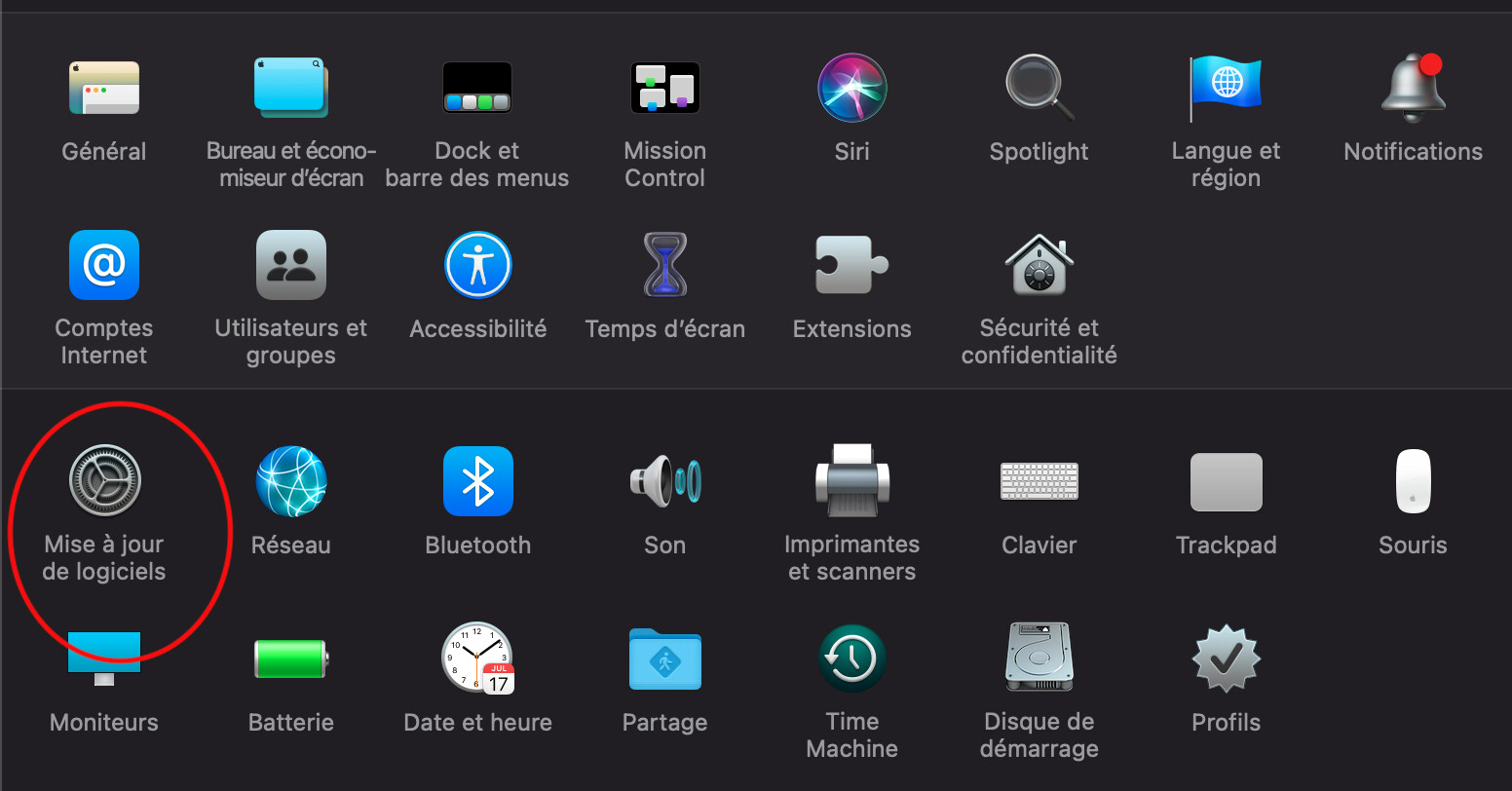
The window that will open will allow you to make your Mac download an upgrade of macOS
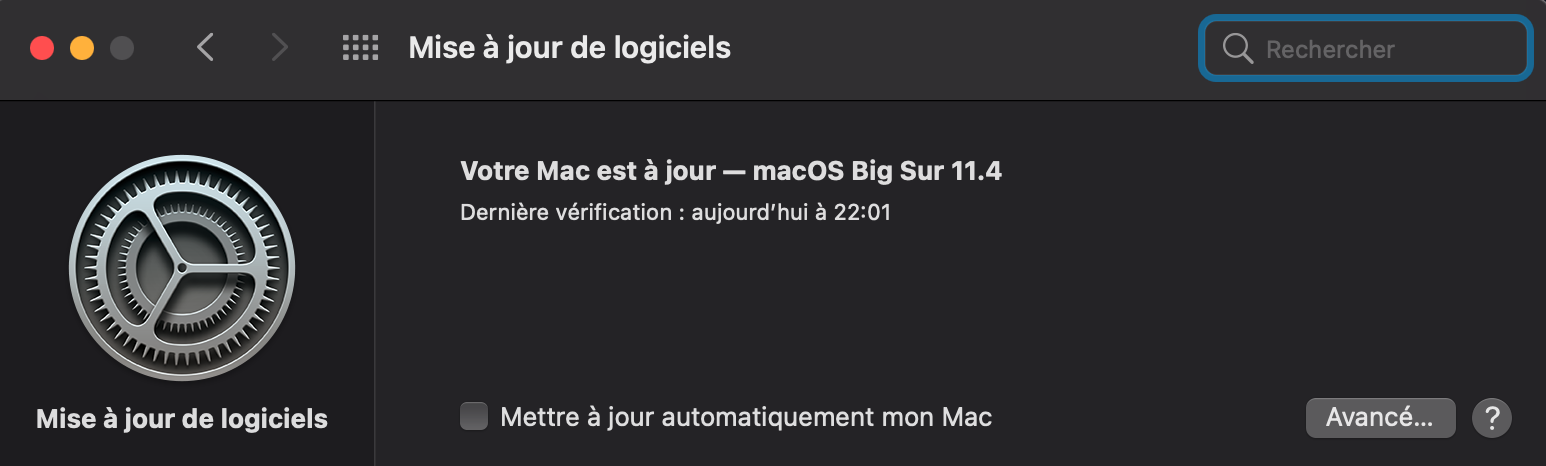
As you have to upgrade through several OS upgrades (starting from 10.3.6 up to 11.4) I don’t know exactly what will happen. You may need to make more than one OS installation. But your Mac will guide you all along the steps. And if you don’t know what to do, just ask, and we will try to help you.
Thank you, will do this tomorrow. I’ve been on quite a learning curve today so time to relax now lol. Many thanks to you and all the others who have provided advice and assistance and recommendations. It is very much appreciated.
1 Like