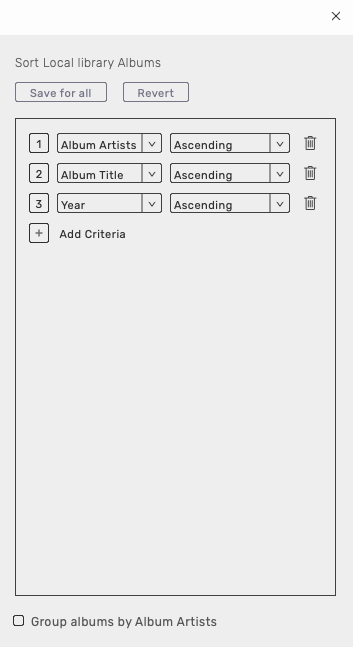
Sorting criteria in the screenshots attached. Is this what you mean?
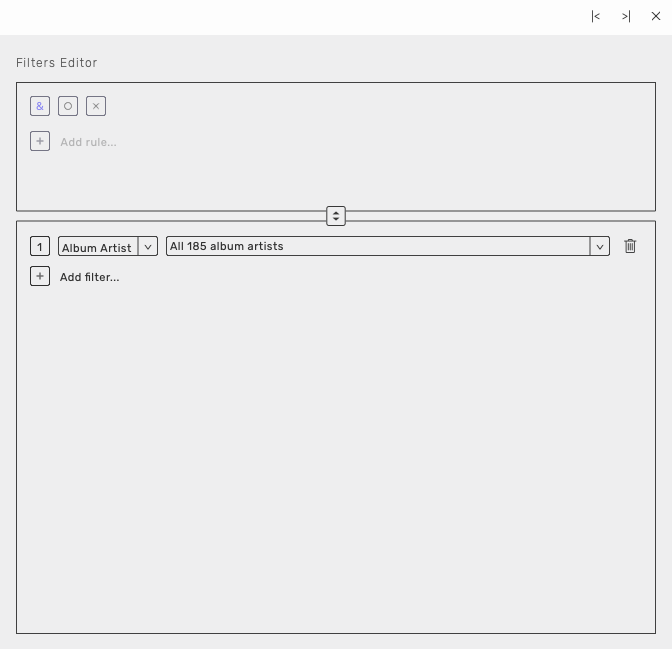
This is the filters Editor, you need to click on the icon at the left of the filters Editor:

We don’t display twice the same album. By default we add a picture to each artist which is the first album cover we see this artist. Does it is what you have an issue with?
Can you send me your audirvanadatabase.sqlite file with the link i sent to you previously in private message?
The issue is that AS doesn’t separate correctly the artists.
It leaves a space before the name of the artist, and that creates a mess.
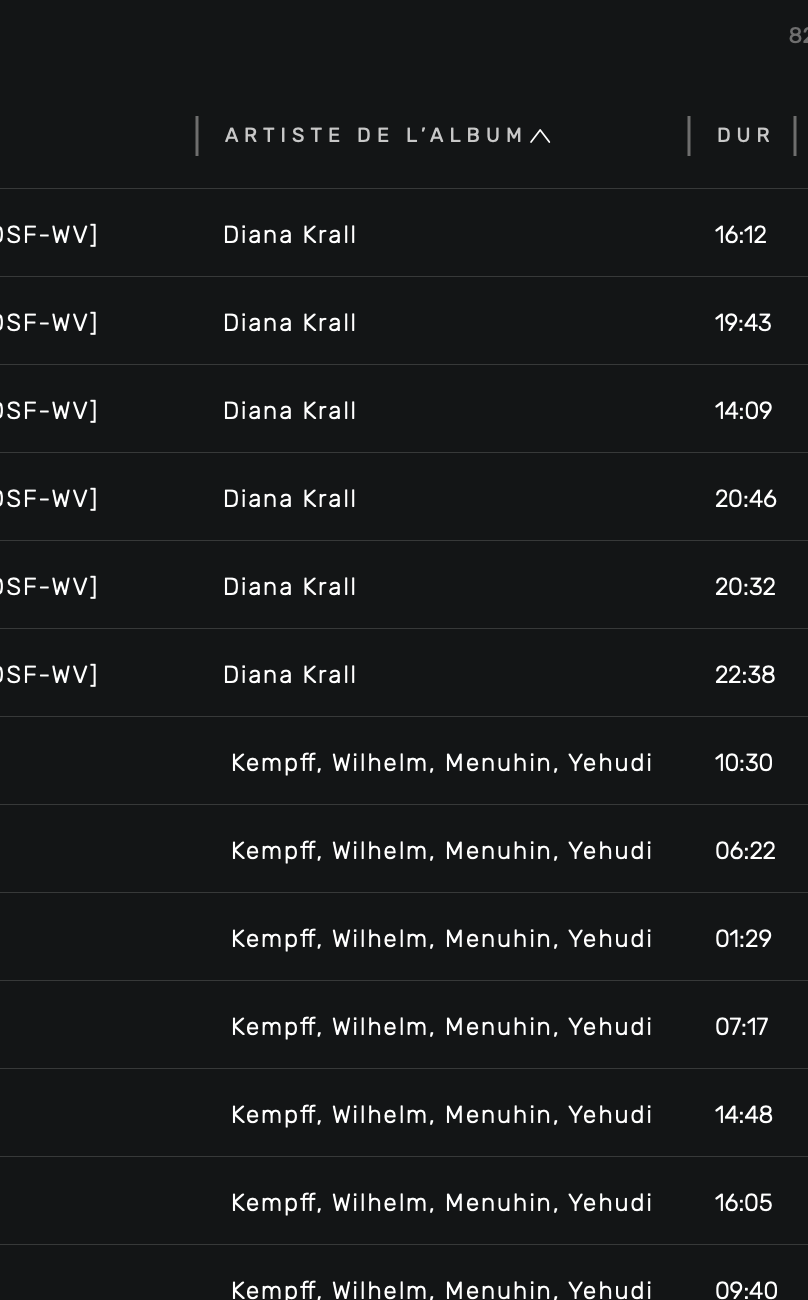
For instance, in “Tracks view”, the album of “Menuhin and Kempff” appears with a space before its name as “Kemp and Menuhin”.
And in addition, despite the space that was created in the beginning of its name, it appears after “Diane Krall” that has no space added to her name.
In which path is the sql file in?
Shouldn’t you put Year in the second field and then Album Title ? To have them list by year…
1 Like
Well, some users may have several issues of a given album, and may wish to rank them by album name/year, rather than what you suggest, which is perfect for someone who wishes to display an artist’s albums in chronological order.
OK, I seem to have a problem in finding the sql database.
According to the preferences menu in AS, it should be under Users/pauljenoe/Library/Application Support/Audirvana/AudirvanaDatabase.sqlite
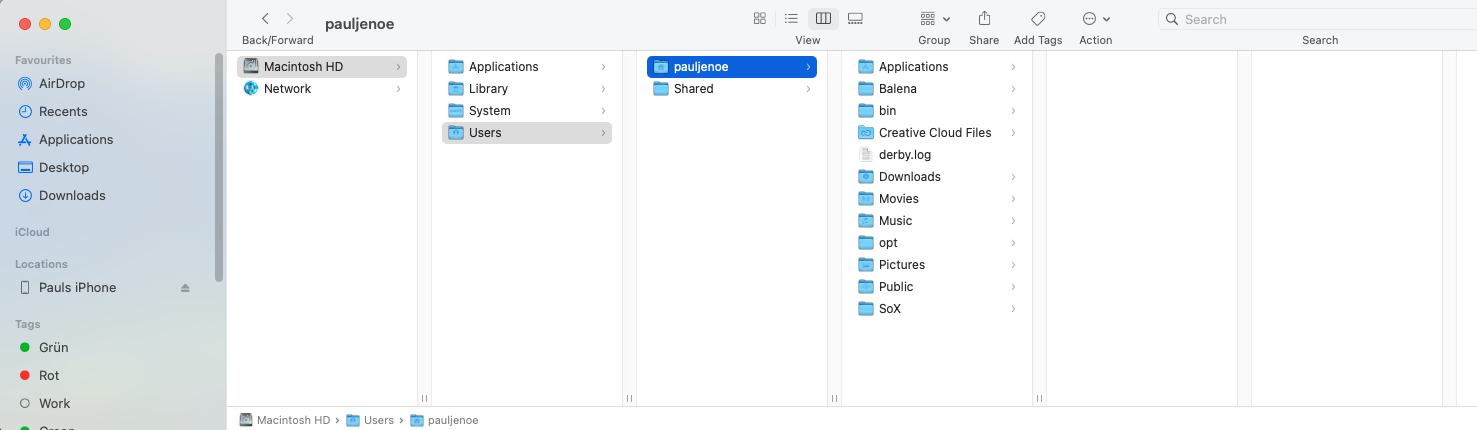
But looking through the path, I have no Library folder in the Users/pauljenoe path, and no Application Support folder.
Do I have a database at all?
I had a similar problem.
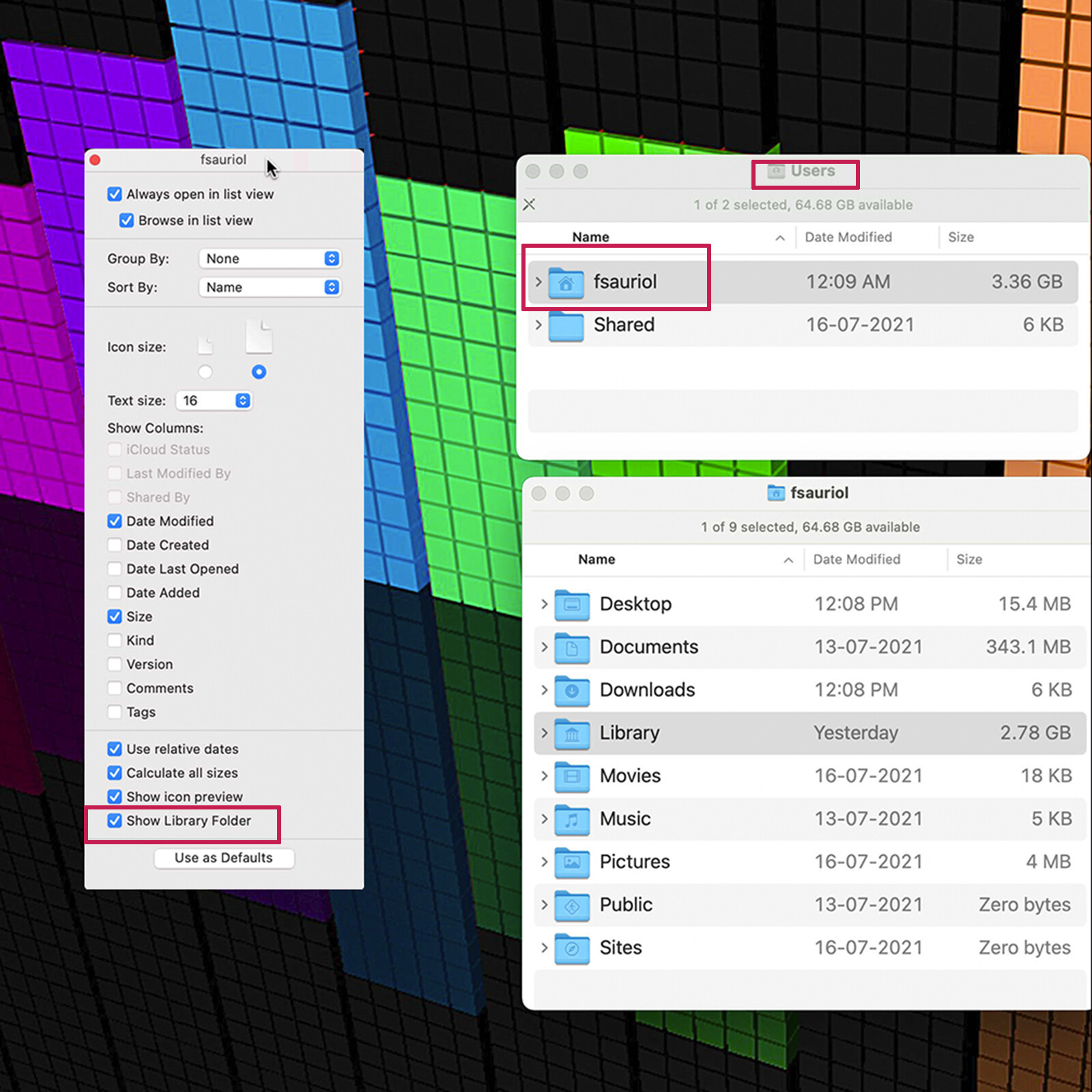
Have you ‘unhidden’ any hidden folders?
Whilst in Finder, press Command + Shift + . (full stop at end)
Fantastic, @Ironz! It worked, thanks for your input!
But I see two versions, maybe AS gets confused.
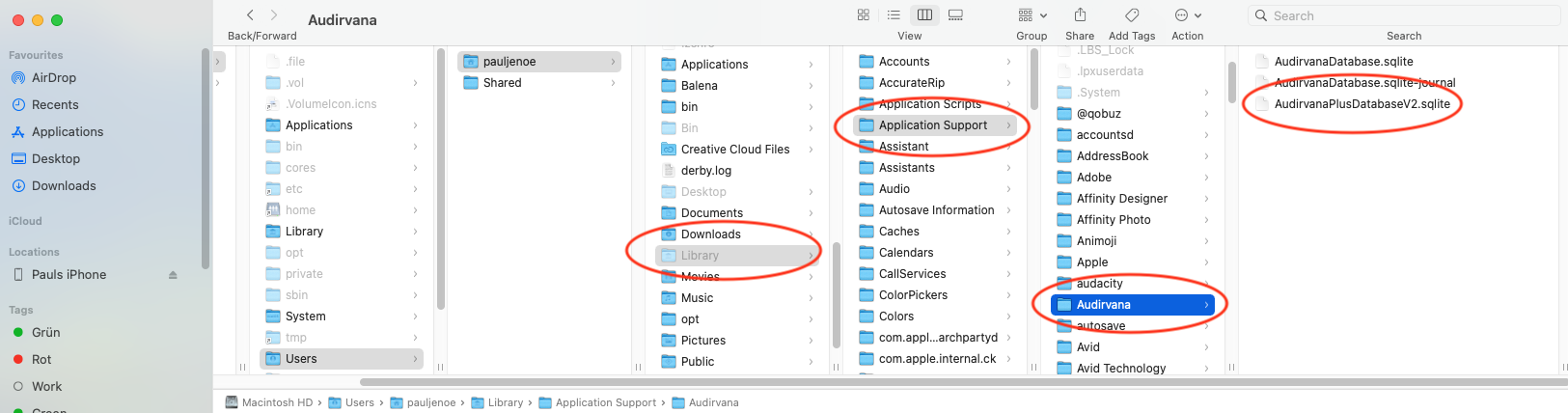
V2 is for 3.5.46
the journal one is because you have Studio open now
2 Likes
With the good help of @Ironz I managed to locate the sqlite. From whatever reasons, I have two files, maybe one from Audirvana 3.5?
Glad if you have a look at them.
Br, Paul
you can have your library always showing doing that:
just change your view to icon view for doing it
Glad to be of assistance Paul 
Hi Paul.
As @RunHomeSlow has mentioned, the file AudirvanaPlusDatabaseV2.sqlite is from your Audirvana 3.5 installation.
The file AudirvanaDatabase.sqlite is from your Audirvana Studio installation.
Each version has it’s own database, so all’s good
Good to know @Ironz! Very helpful infos here. Great user forum!
I removed the space in your database that you gave to me and they are sorted correctly. In fact it took me 3 minutes to do it with all of the artist/composer that have the issue.
You need to go on the artist section, click on one of the artist with the space before it’s name and open the metadata editor:
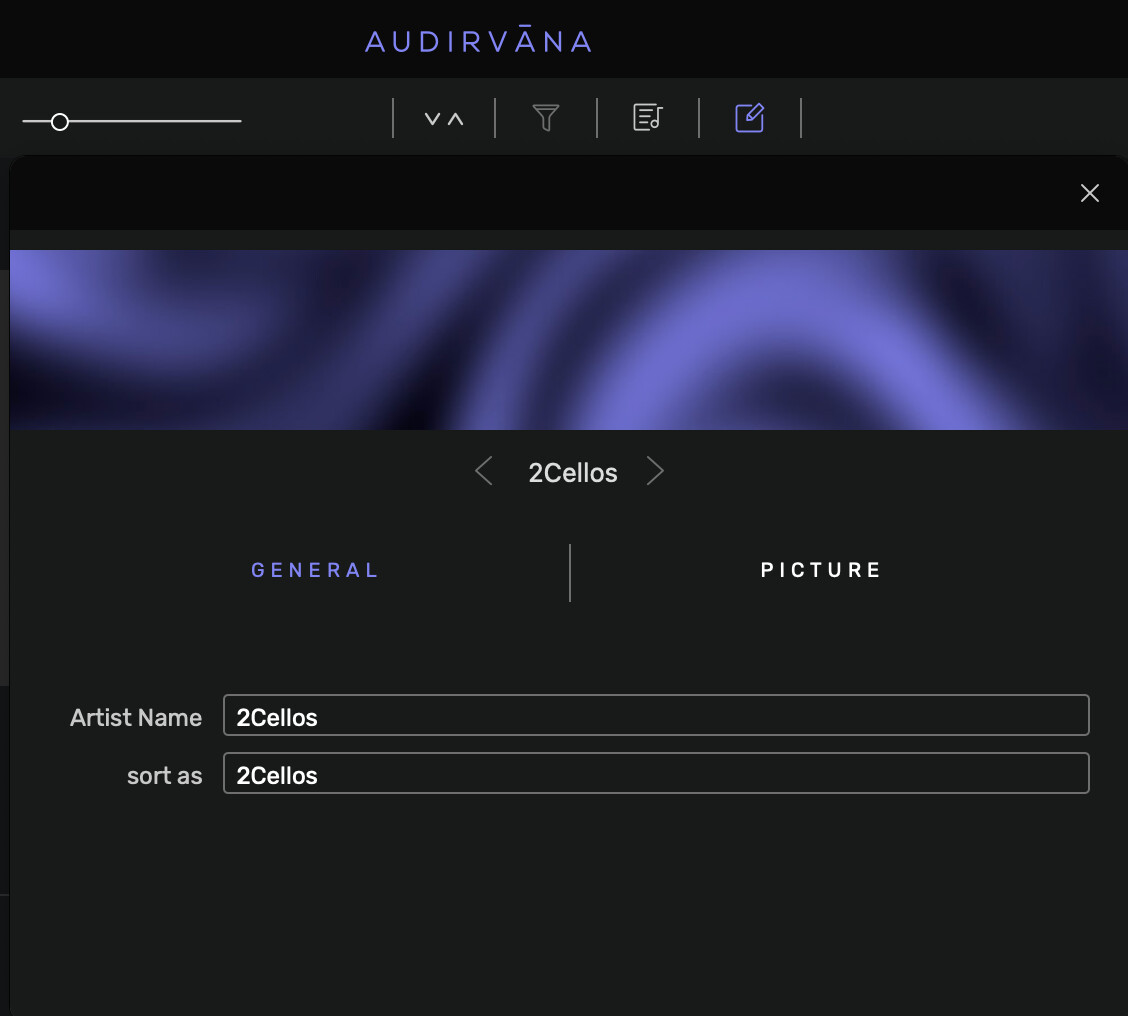
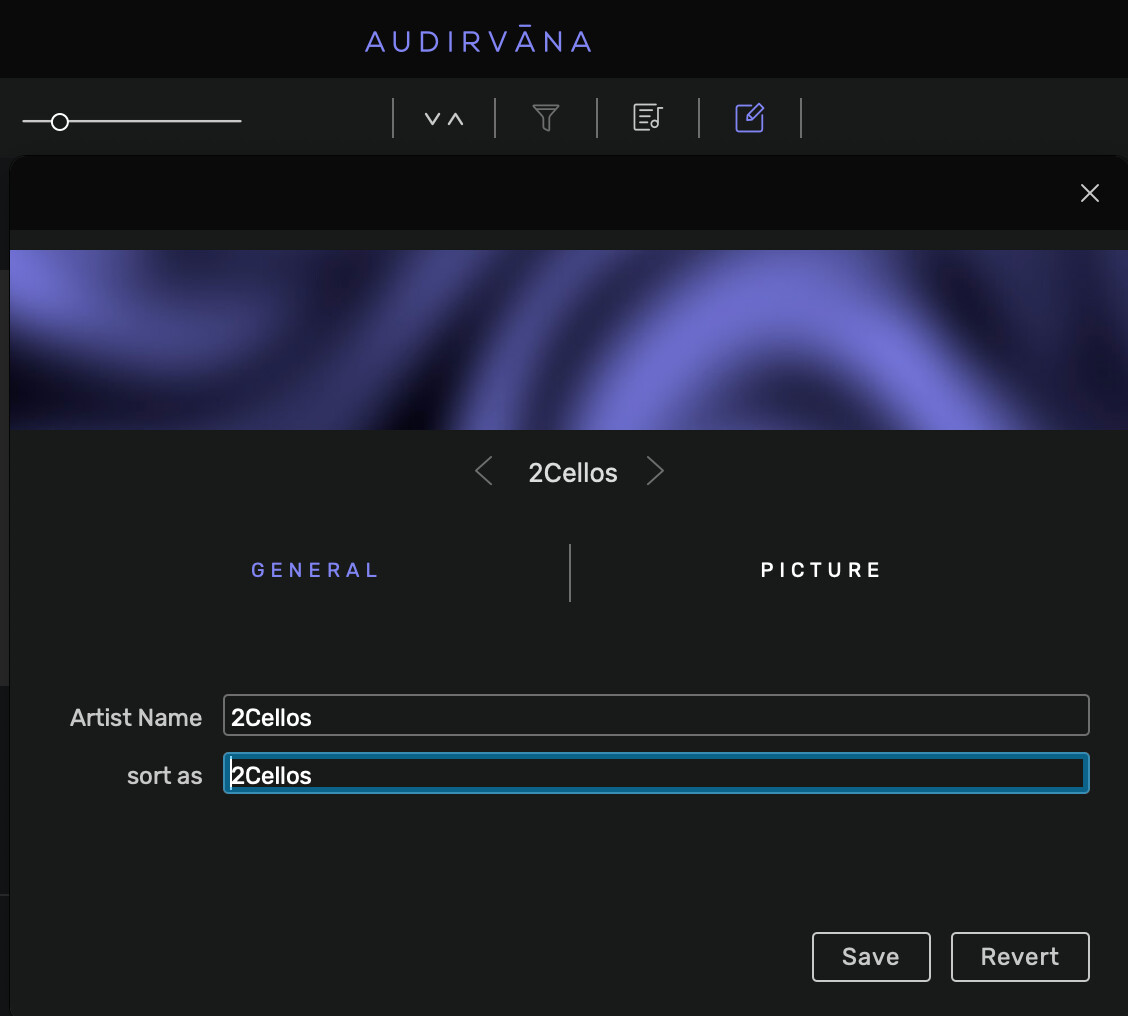
Save the change and leave the editor open. Go back to the artist section and do this again to another artist. Actually its quicker than you think to do this change.
Thank you, Damien, for your reply.
But I loaded only some 50 albums to AS for the trial.
The problem is that my collection counts thousands of albums of classical music that are all tagged the same way, with “; + SPACE” to separate multiple artists and multiple composers. If I’ll load all my musical collection to AS, your solution won’t be workable.
Regarding the artist “2Cellos” from your screenshot. I have two albums of this artist in the library, and there’s no space in the beginning of its name. I don’t understand why on your copy of the library this artist has a space.