Is there a way to link an artist’s aliases in Audirvāna studio? For example, if one artist is credited as “Artist A” on one album and “Alias B” on another, I want to search for “Artist A” and still see albums (with album cover image) from “Alias B.” How can I achieve this?
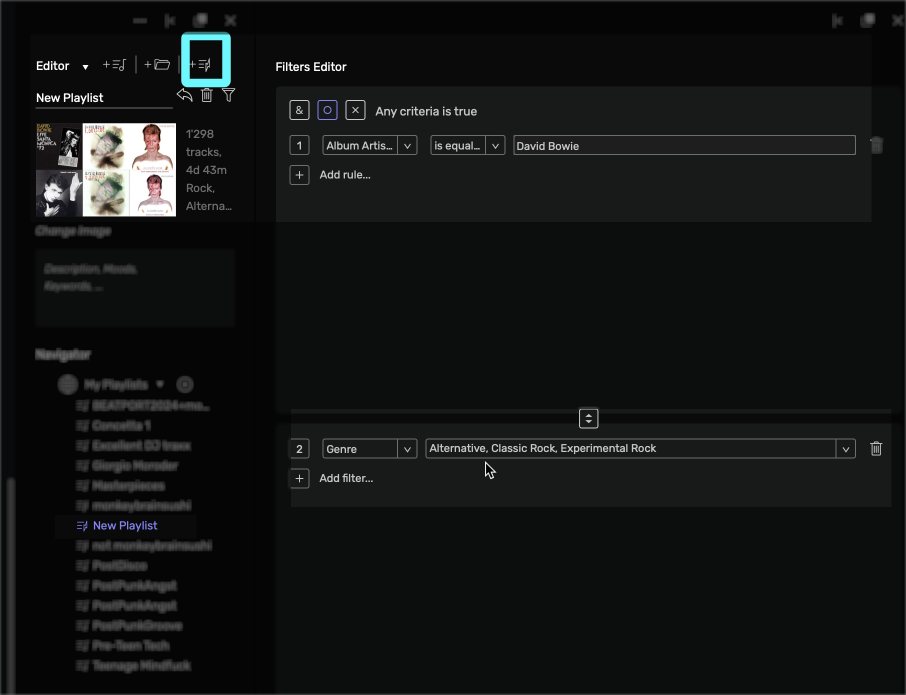
You could use the Album Artist tag for that I guess, though in Audirvana at this point it is a little obscure (for now… see link… seems it’ll get implemented in a more straight-forward manner soon)… I often tag my files that way (very useful for extremely prolific artists like JG Thirlwell  ).
).
@ianstudio thanks for your advice.
If some prolific artists have albums, EPs, singles, and soundtracks, as well as releases under different aliases, how can we display these works by their respective categories? Have you encountered similar situations before?
@ianstudio Thank you for the clarification. What I mean is to organize the content by separating each section for albums, singles, compilations, and other categories, similar to the screenshot of my Mac Music app that I’ve attached. Do you have any thoughts on this approach?
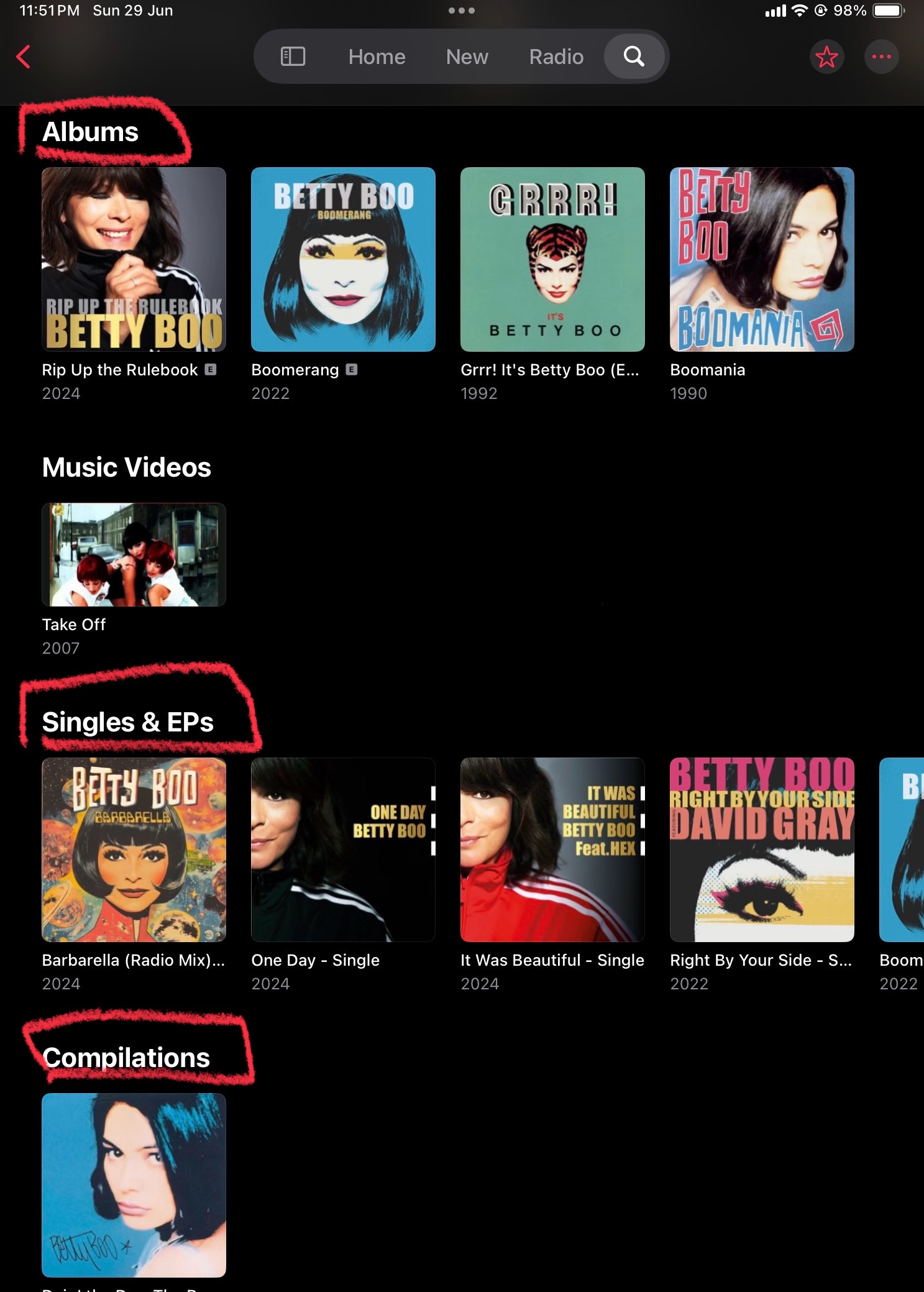
Oh no, but I wish I could get that granular. Right now I see everything as Albums, but I’d definitely love to separate things that way, I have loads of remixes, singles etc. I don’t even know how you tag things to create Singles 
Exactly. Me too. With tones of singles, remixes, artists’ alias projects, and collaboration works… etc. 

The real question there would be how do you tag an Album as a Single? Regarding compilation, I know Apple have a button for it in the metadata editor.
How to tag an Album as a Single/EP under the same album artist?