


when i click “show play queue” it shows the PLAYLIST (not the queue) from the beginning, i need to scroll all the way down until i find the track its currently playing, very annoying specially when im playing long playlists. Make it so it shows the current track at the top and the remaining tracks down after that. Makes no sense to show the whole list when there is a show playback history button….
When you use the ‘Time’ inversion button (the circular arrow with the hands of a clock) in the Play Queue, is this not satisfactory? ( I don’t know what that button is called…)
Summary
Audirvana Studio 2.99.15 (29915)
Running on Dell Inc. Inspiron 7573
Windows 11 (26200) x86_64 with 20GB physical RAM
Connected account of : Nico
NETWORK
Status: available
Available network interfaces:
Charlie-5G is PUBLIC
Windows Defender Firewall status for this instance of Audirvana Studio
Active profile types: all
Private profile:
Firewall: enabled
Inbound: blocked
Outbound: allowed
Notifications: enabled
Public profile:
Firewall: enabled
Inbound: allowed
Outbound: allowed
Notifications: enabled
REMOTE CONTROL SERVER:
Listening on
LOADING/DECODING:
Max audio buffer size: 10240MB
Polarity Inversion:
Globally: OFF
Per track: ON
SIGNAL PROCESSING:
Convolver: OFF
Internal EQ: OFF
Crossfeed: OFF
Balance: ON
in realtime mode
PLUGINS: NOT ACTIVE
UPSAMPLING:
r8brain with device max frequency upsampling
r8brain filter parameters
Bandwidth = 99.5%
Stop band attenuation 218dB
Phase linear
AUDIO VOLUME:
Replay Gain: None
Max allowed volume: 100
SW volume control: OFF
LIBRARY SETTINGS:
Sync list: 1 folders
AUTO: D:\Musica
Sync folders at startup: YES
Sort and display order: en_US
Library database path: C:\Users\nicol\AppData\Local\Packages\Audirvana.Audirvana-4118-9684-d80dbb7827cd_q3nymrkmej12j\LocalCache\Local\Audirvana\Audirvana\AudirvanaDatabase.sqlite
Local audio files fingerprinting
Tracks with no MBID: 186
ACTIVE STREAMING SERVICES
Qobuz: Connected as Qobuz Studio
APPEARANCE SETTINGS:
UI theme: dark
Font size: regular
Language: System language
Show album covers in tracks list: yes
Source list sorted:
Streaming
Favorites
Playlists
Local
Radios
Podcasts
Startup view: Local Library: Albums
Show local extended in source list: yes
Use media keys: yes
Use media keys for volume control: yes
Use legacy Bonjour protocol: no
Number of paired remotes: 1
Remote pairing code required: no
Screen saver disabled: no
=================== AUDIO DEVICE ========================
Active method: Local
Max. memory for audio buffers: 10240MB
Local Audio Engine: ASIO 2
Driver version 1354
Use max I/O buffer size: ON
Preferred device:
FiiO ASIO Driver
Model UID:FiiO ASIO Driver
UID:FiiO ASIO Driver
Currently playing in Integer Mode:
Device: 2ch 32bits Integer, 8 bytes per frame 384kHz
Active Sample Rate: 384kHz
Bridge settings:
Sample rate limitation: none
Sample rate switching latency: 1.5s
Limit bitdepth to 24bit: OFF
Mute during sample rate change: ON
Selected device: FiiO ASIO Driver
Manufacturer:
Model name: FiiO ASIO Driver
Model UID: FiiO ASIO Driver
UID: FiiO ASIO Driver
Plays with Audirvāna: No
Override manufacturer settings: No
11 available sample rates up to 11289600Hz
44100
48000
88200
96000
176400
192000
352800
384000
2822400
5644800
11289600
Volume Control
Physical: No
Virtual: No
Max volume alert: Enabled
MQA capability
Auto-detect MQA devices: Yes
Not automatically detected, user set to not MQA
DSD capability
Raw DSD (msb)
Device audio channels
Preferred stereo channels L:0 R:1
Channel bitmap: Ox3, layout:
Channel 0 mapped to 0
Channel 1 mapped to 1
Audio channels in use
Number of channels: 2
Use as stereo device only: No
Simple stereo device: Yes
1 output streams:
Number of active channels: 2, in 1 stream(s)
Channel #0 :Stream 0 channel 0
Channel #1 :Stream 0 channel 1
2 ch Integer PCM 32bit little endian 44.1kHz
2 ch Integer PCM 32bit little endian 48kHz
2 ch Integer PCM 32bit little endian 88.2kHz
2 ch Integer PCM 32bit little endian 96kHz
2 ch Integer PCM 32bit little endian 176.4kHz
2 ch Integer PCM 32bit little endian 192kHz
2 ch Integer PCM 32bit little endian 352.8kHz
2 ch Integer PCM 32bit little endian 384kHz
2 ch DSD 8bit big endian in 8bit chunk 2822.4kHz
2 ch DSD 8bit big endian in 8bit chunk 5644.8kHz
2 ch DSD 8bit big endian in 8bit chunk 11289.6kHz
Local devices found : 2
Device #0: FiiO ASIO Driver
Manufacturer:
Model UID: FiiO ASIO Driver
UID: FiiO ASIO Driver
Model name: FiiO ASIO Driver
Device #1: Realtek ASIO
Manufacturer:
Model UID: Realtek ASIO
UID: Realtek ASIO
Model name: Realtek ASIO
UPnP
UPnP network interface
Available Network interfaces:
Wi-Fi
UPnP devices found : 0
Chromecast
Chromecast devices found : 0
Edited my full name out and ip/port because i dont want to have that info public. Somehow balance feature and mute feature i talked about are working alright atm…. not sure what happened…. maybe it took a while for them to work after i closed roon server process?!?!?
no because then it shows me the songs that have been already played not the queue… if i click the show queue button i want to see the song currently played and the remaining ones… If i want to see the history i click the “show playback history” button (the one with the hands of a clock), right now i need to scroll all the way down until i find the current song being played. Annoying. Just make it so that the current song shows on top and the remaining ones down below. If you want you can leave the played songs on top of current song being played so if i want to scroll back i can find a particular song or whatever. Thats not annoying. Problem is having to find the current song being played with the remaining songs below if i want to skip a few or check whats left etc.
Just a suggestion to make the player more intuitive.
audirvana has the potential to dethrone roon for me, it just need to be more intuitive and have multiroom service somewhere in the future, and not be as expensive. I think MANY users will leave roon for audirvana if it can have a better user experience. The main condition you need to achieve to make sure the user experience is great is that everything needs to feel “obvious” and easy (be as accesible as possible). For example if i click show queue the obvious thing is that it should show me the QUEUE (not the whole playlist!) with the current song on top 

like when you click the audio scan button… and you have a button Start, before starting it, why?
1 Like
or when i click the album cover to have displayed only the current song/album being played but it goes to a windowed window and audirvana main window disappears….
i dont want to see the desktop with icons or other stuff behind the player when i’m listening to music… but then i click full window and everything goes away and only the album cover shows…. then i need o move the mouse over the album cover for controls etc to appear, but then theres no audio scan…. so complicated and convoluted. Thats not easy and intuitive. It should be full window from the beginning with audio scan included (and maybe add an icon to go to windowed like windows normally do), and the current full window icon should be SHOW COVER ONLY icon (with hover controls included if you want). Something like that.
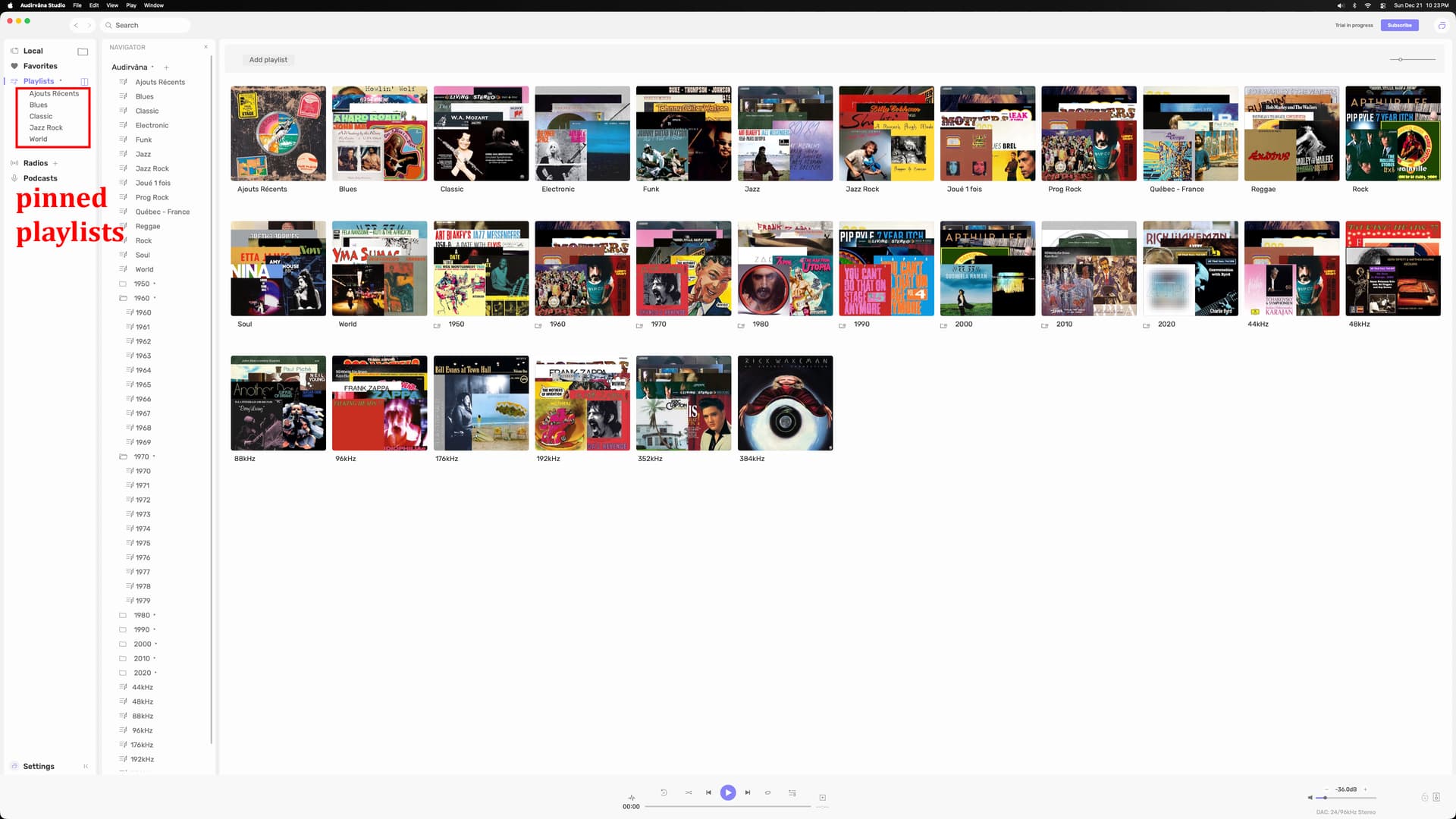
Please make the playlists panel to be moved like before where we want!! Why removing things that were OK before curing bugs??
Like removing Launchpad on macOS and adding steps to launch whatever soft you want and saying it is more productive?? In a damn small window, pfff.
Screen sharing on iMac 2020 27’’ 5K,
Screen 3840px by 2160px
or watch from Sony flat screen 4K TV
My playlist panel… perfect, no, not perfect by itself, i managed to get it OK on top of your default bar…
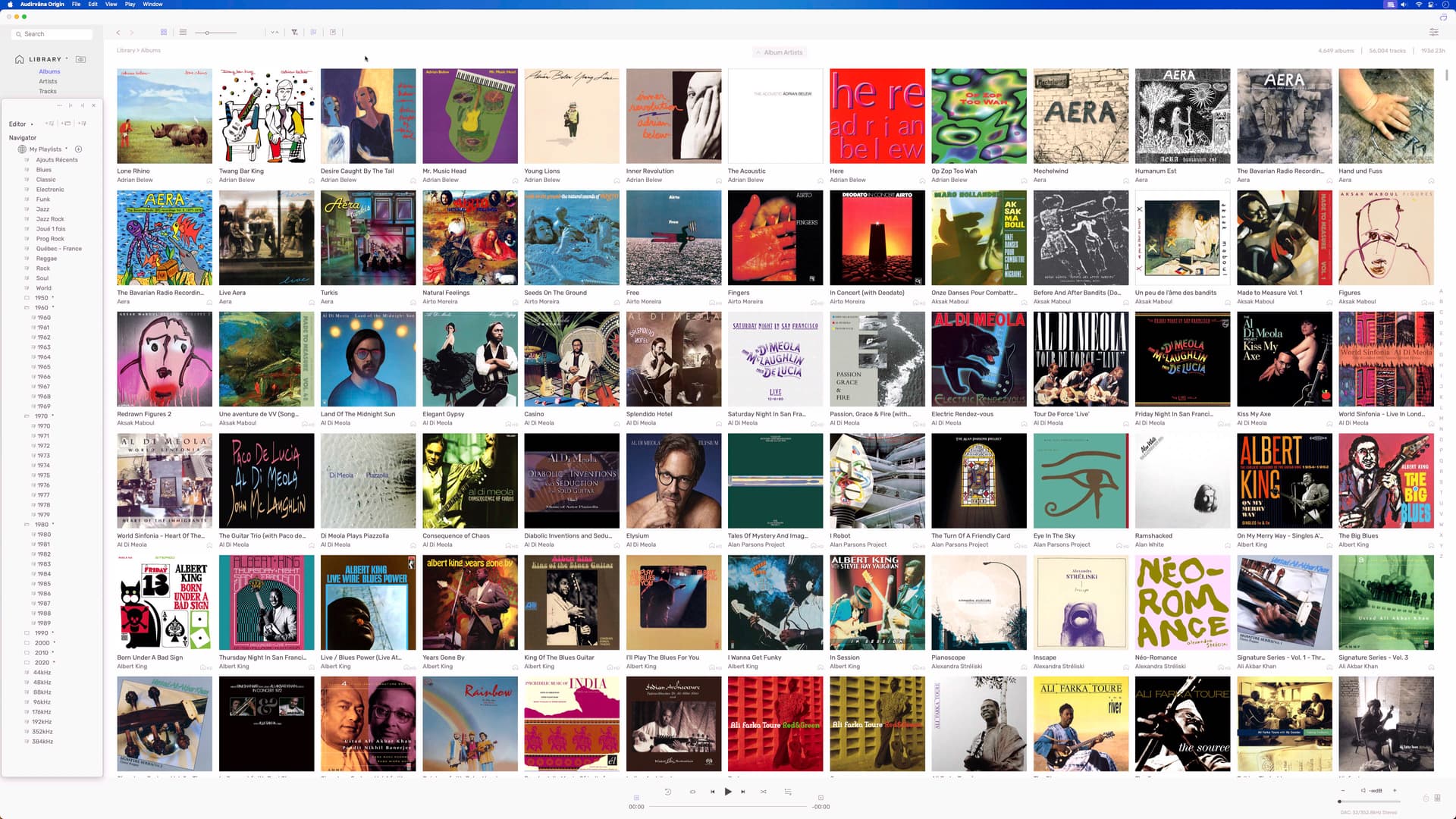
your playlist losing space for nothing… at least i have a big screen… imagine small screen users
but again i don’t want to lose space for nothing, window size don’t stay in place also, revert to default… At least if you want to keep your new look, let us ADD more than 5 pinned playlists….
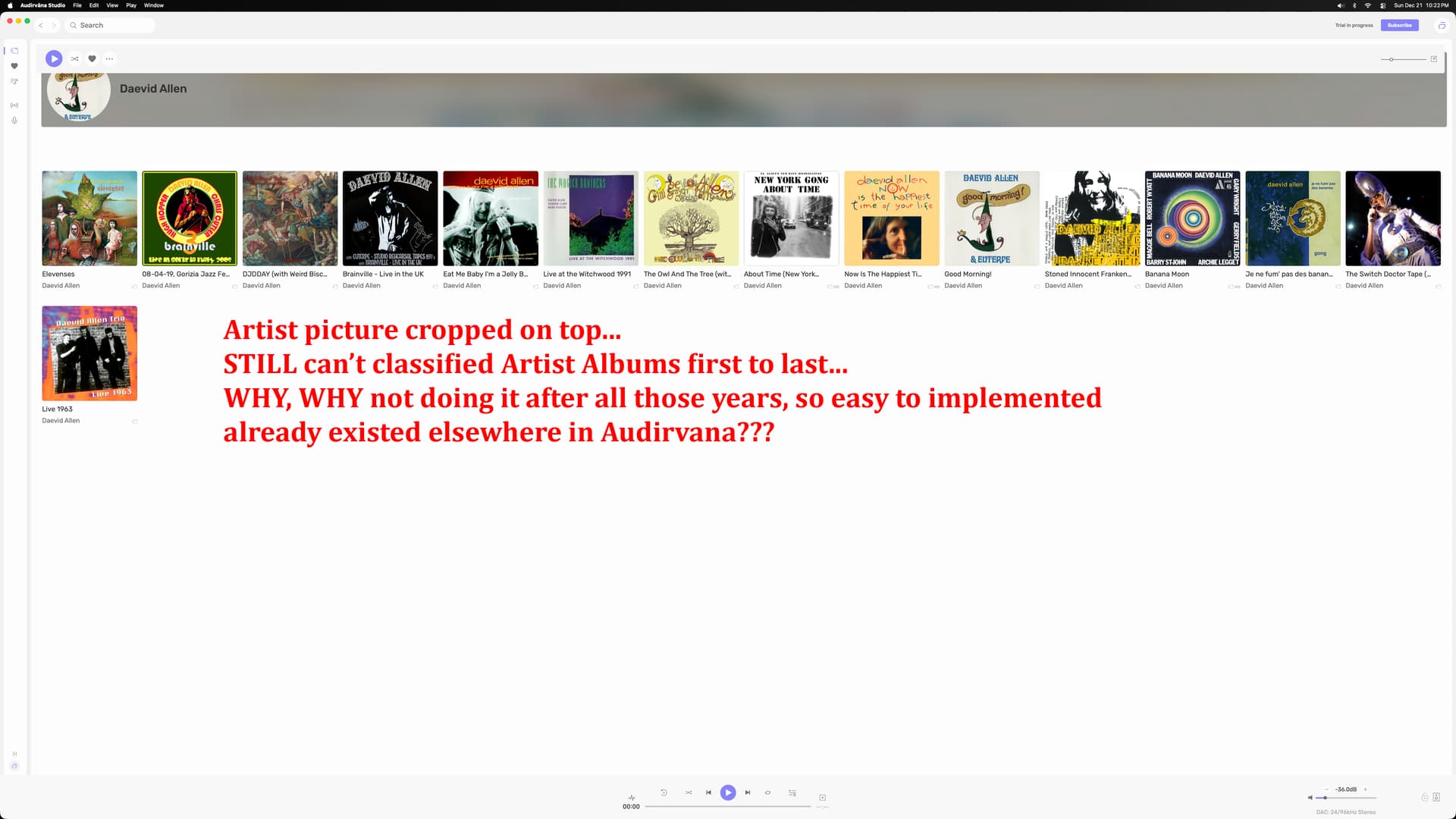
STILL can’t classified Artist Albums by First to Last year…
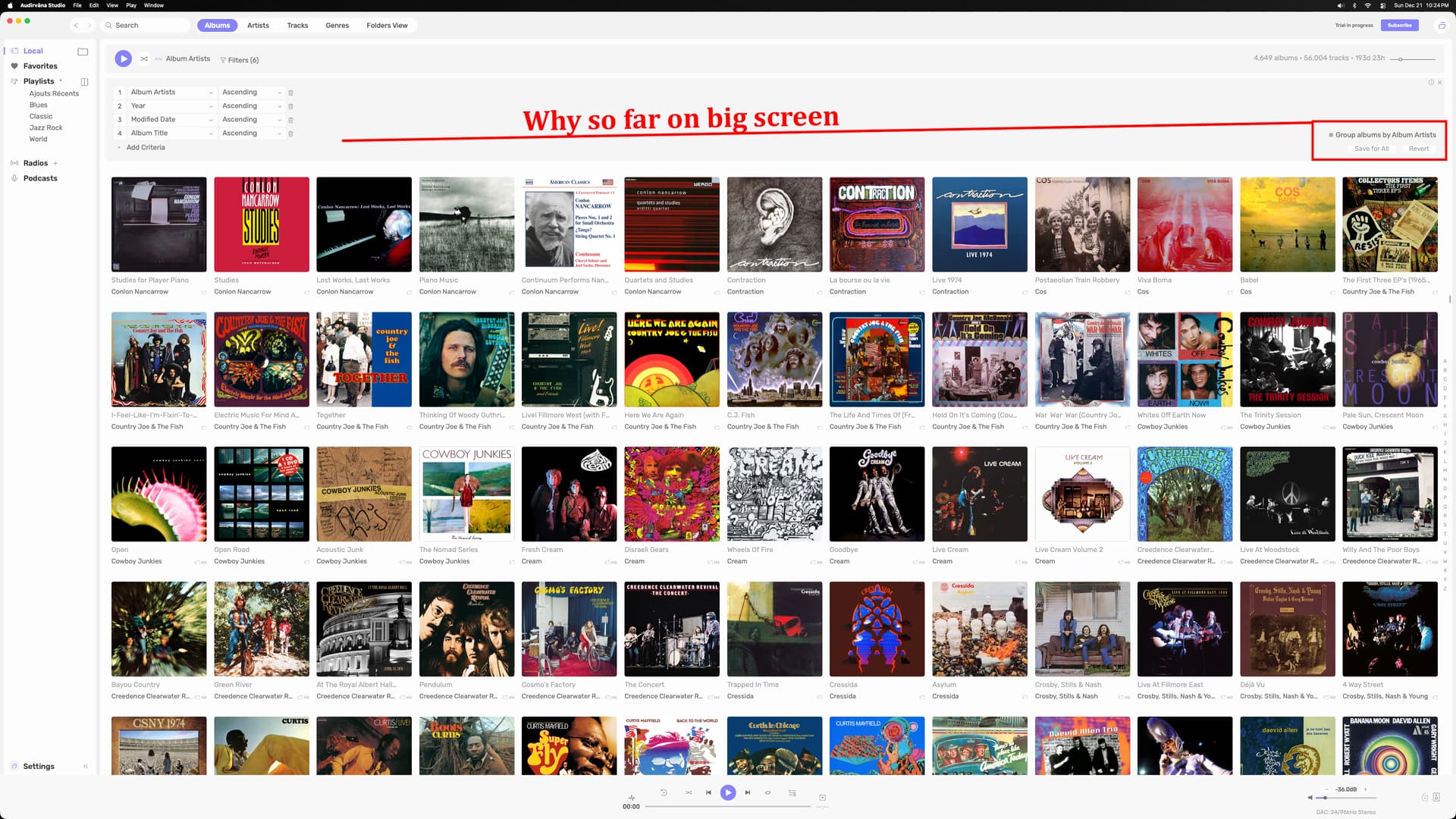
Damien buy a used 27’’ iMac to test with your small 13’’ laptop for designing your soft… and watch that on your flat screen TV after… clearly made for small screen, or not tested elsewhere.
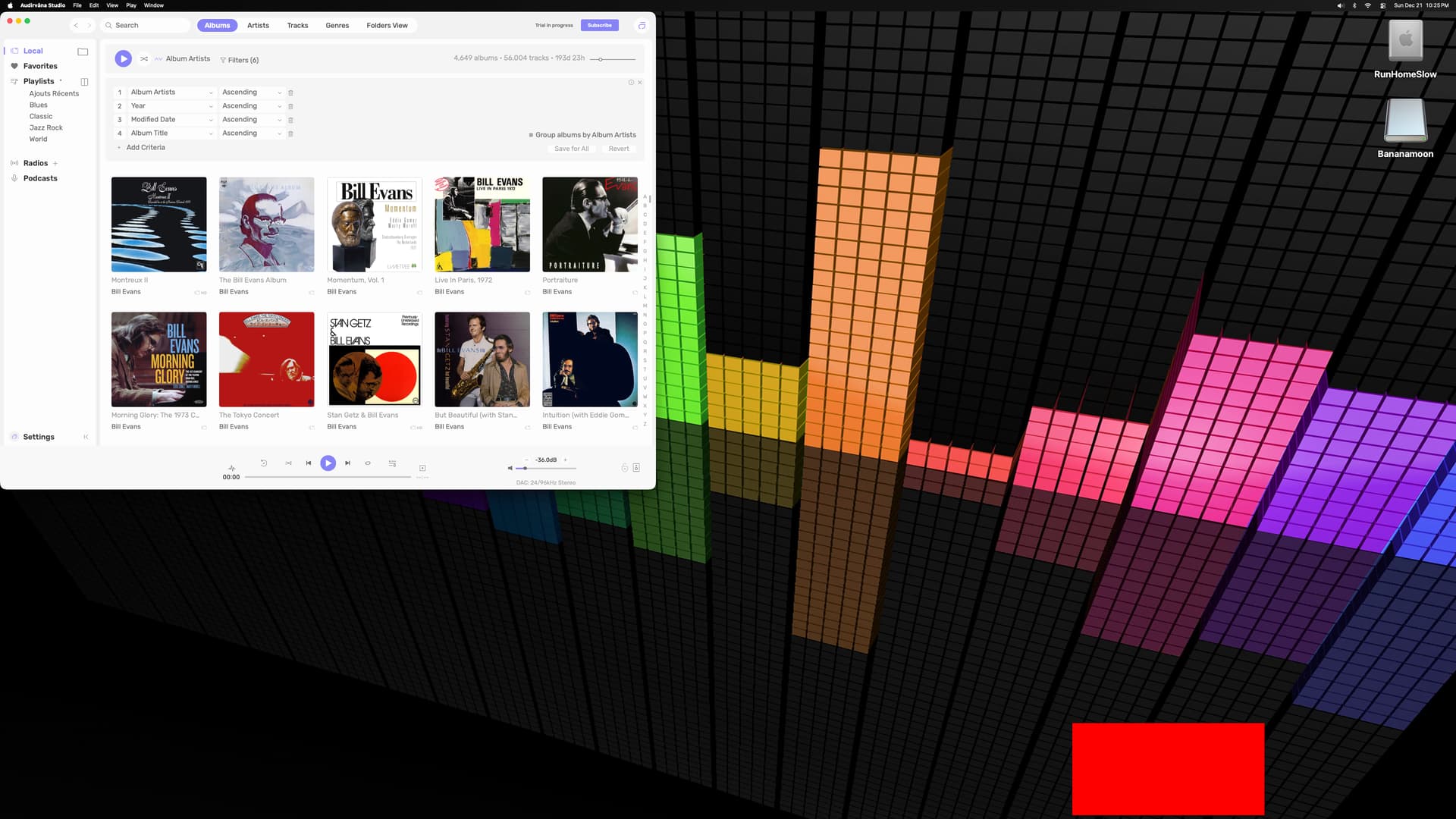
What about that buggy YEARS still not cured…
1970 and under not sticking when new imported CDs, come on!!
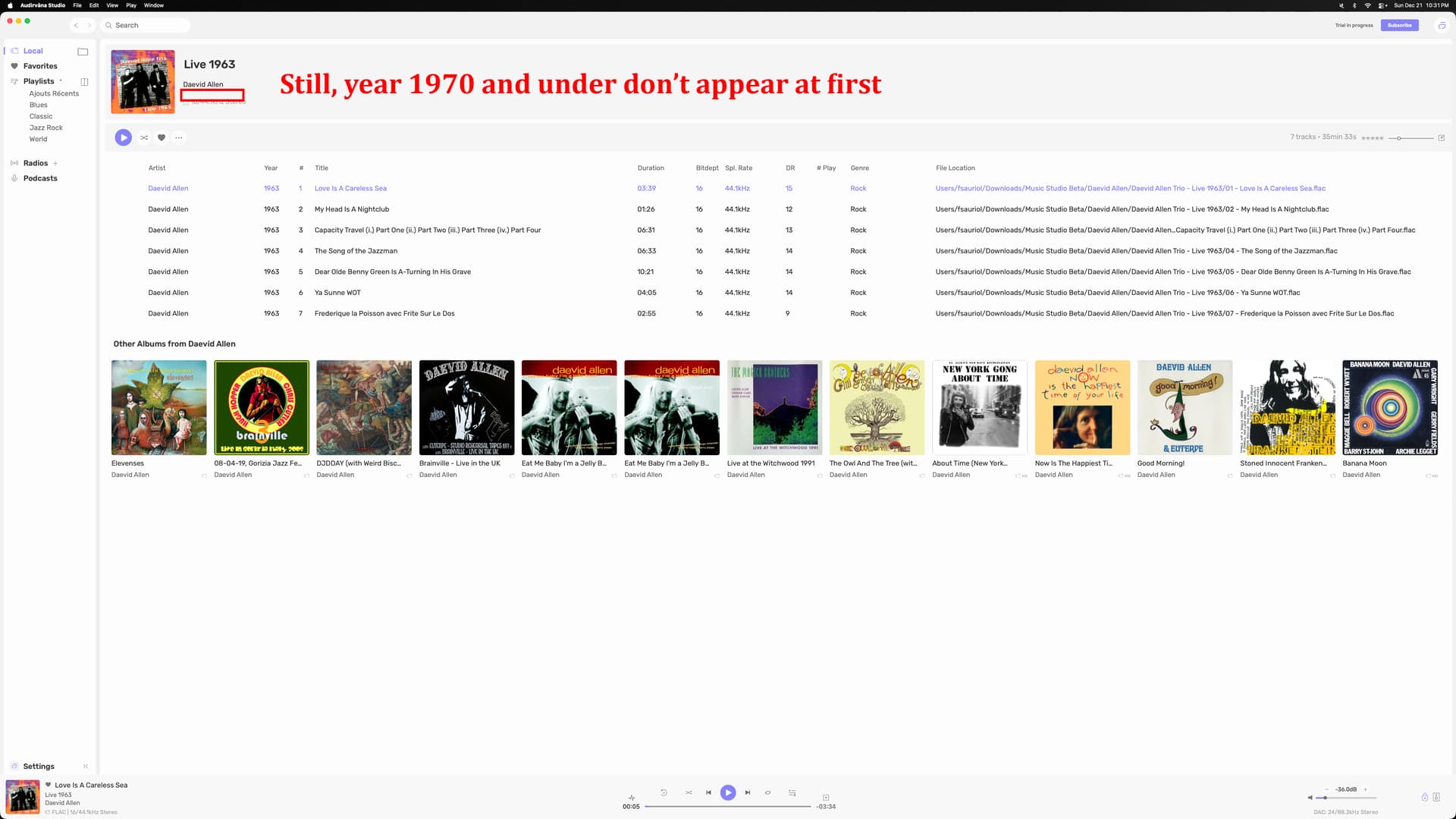
What about ghost files appearing once in a while?? that big bug managed in V3?
After searching for an artist, the “show all“ returns a blank screen on any choice… Happens searching local or searching Qobuz…
1 Like
There appears to be some cropping of artist images taking place in Artist view. In the first screenshot you can see Buckingham Nicks, Cyndi Lauper and Damien Rice, and several others have been cropped on width. When then going into one of the cropped artists the image appears normal (second screenshot). (I have shown with light mode on to show this issue more clearly)

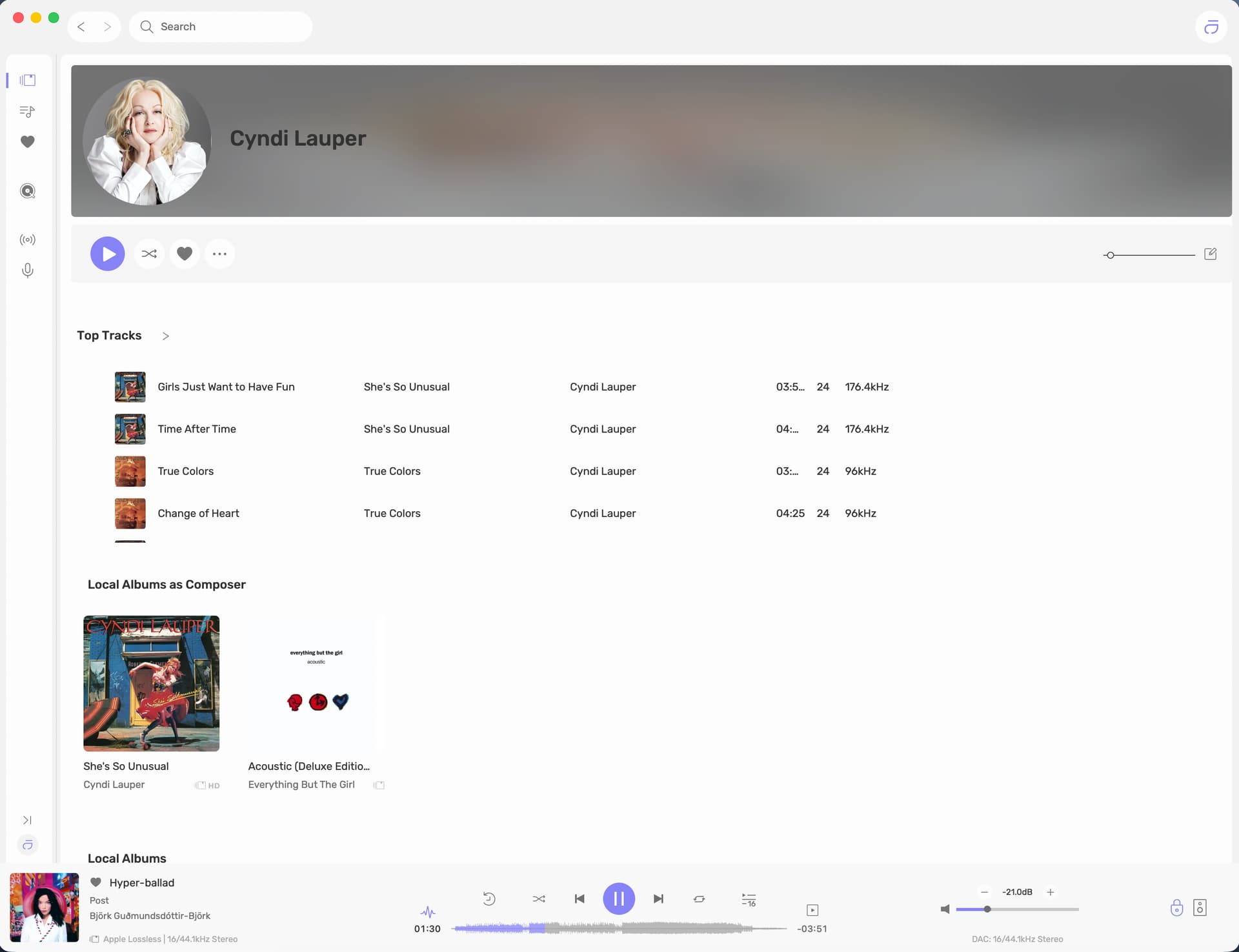
In addition some artist images are cropped in height (see screenshot 3). It appears that artist pictures cropped in this manner do not revert to normal when going to the artist in question. This cropping looks intentional as the cropped area is shown in a similar colour to the image.
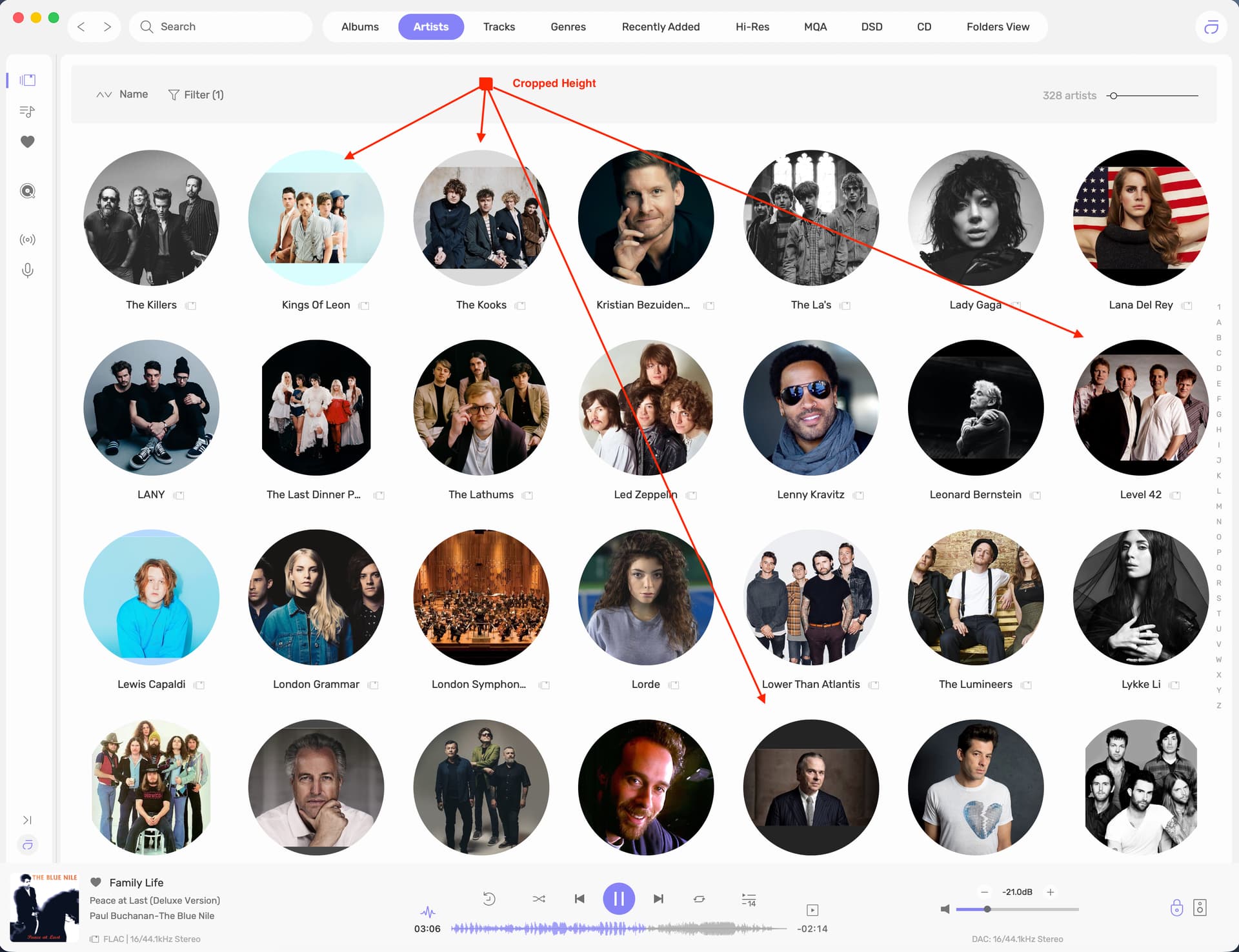
Needless to say this cropping did not occur in version 2.xx.x Appears to be something akin to a little AI going on with images to show all faces in the circular frame, but in common with other forms of AI aggregation of data it sometimes gets it wrong…
Edit…; for reference screenshot of Artist view in 2.11.5 with no issues
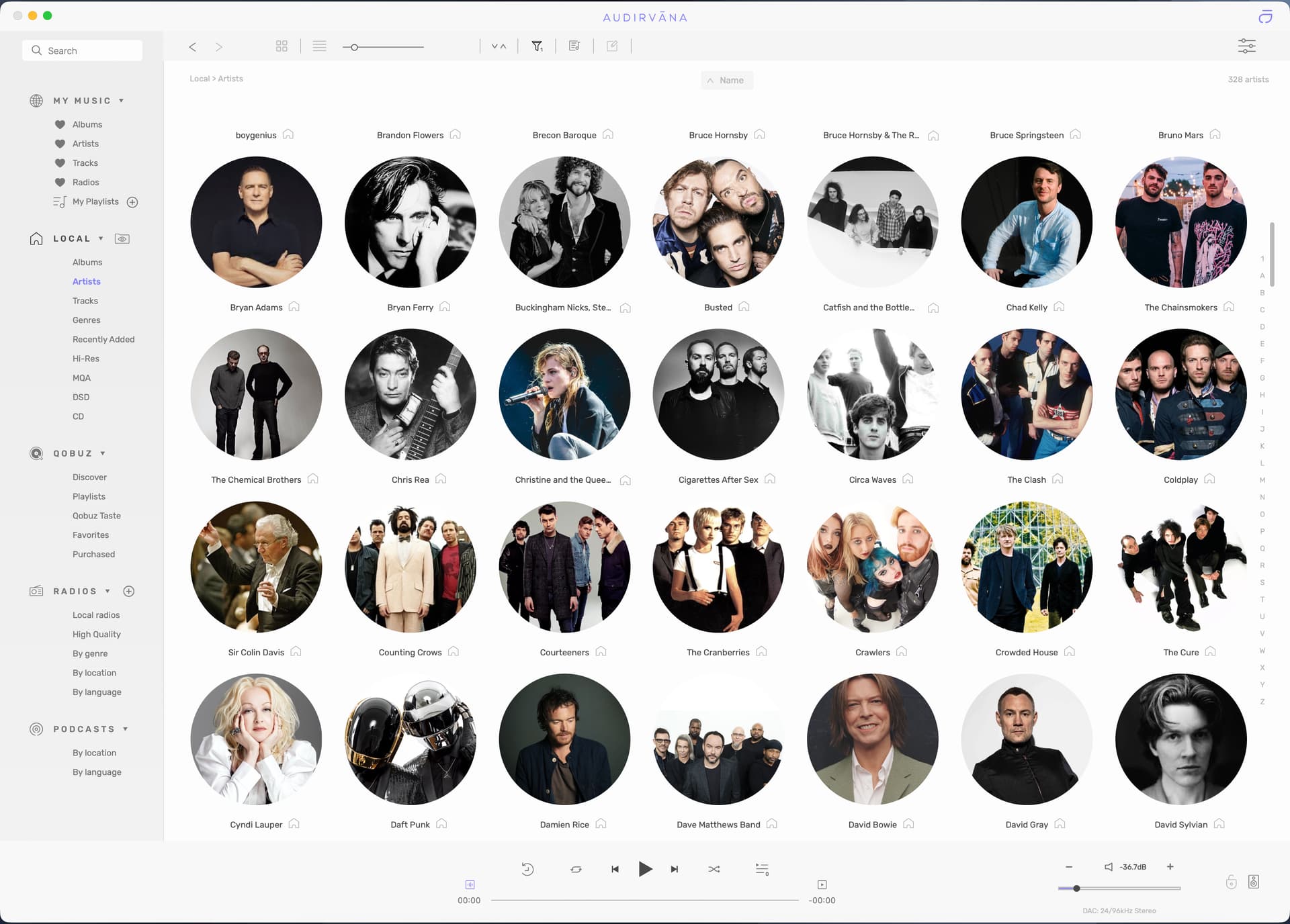
2 Likes
So in the Play Queue window, when I select the ‘Playback History’ window view, I see the track that is currently playing at the top of the order, and then I re-select the Play Queue window, to view the tracks that have played, in the order they were played, and the current playing track…
The main condition of superior sound-quality is the foundational keystone to the success of Audirvāna, not computational bloat and a rationale to appease every user’s desire(s)… This is the fundamental reason folks migrate from Roon and other players …otherwise why not just stay with Roon or whatever.
Configuration utilisée :
-
PC de bureau sous Windows 11 64 bits – version 25H2 (26200.7462)
-
Écran 27” – 2560 × 1440
-
Intel i7-8700 @ 3.20 GHz
-
64 Go de mémoire RAM
-
Carte graphique NVIDIA GeForce RTX 3050
 Interface & ergonomie
J’adore la nouvelle interface : elle est moderne, intuitive et aérée. La navigation est claire et agréable, ce qui rend l’expérience utilisateur encore plus fluide qu’auparavant.
Un point très important pour moi :
 la reprise automatique des réglages de l’ancienne version.
Tout est conservé correctement, sans bug, ce qui évite de devoir reconfigurer son système audio. C’est un énorme gain de temps et un vrai confort pour l’utilisateur fidèle.
 Qualité audio
Côté audio, rien à redire :
 le son reste TOP, toujours fidèle à la signature sonore d’Audirvāna.
La qualité est au rendez-vous, précise, musicale et parfaitement maîtrisée. On retrouve ce qui fait la force du logiciel depuis ses débuts.
 Améliorations souhaitées
Pour aller encore plus loin, voici trois évolutions majeures que j’aimerais voir arriver :
-
Plus de plateformes de streaming
- L’intégration d’autres services comme Spotify (et éventuellement d’autres) serait un vrai plus pour élargir les usages.
-
Intégration domotique / Google Home
-
Étant utilisateur de domotique, une compatibilité avec Google Home permettrait de piloter la musique à la voix, sans télécommande ni smartphone.
-
Ce serait une avancée majeure en termes de confort et de modernité.
-
-
Lecture multicanal UPnP
- La prise en charge du multicanal via UPnP serait très attendue par les utilisateurs de systèmes Home Cinema et audio évolués.
 Conclusion
Continuez clairement dans cette optique d’évolution et de qualité.
Audirvāna est un maillon essentiel de mon système audio, et cette version 3.0 bêta montre que le logiciel reste au plus haut niveau, aussi bien sur le plan technique que musical.
Bravo à l’équipe, et vivement les prochaines évolutions 
1 Like
My comments on Audirvana Studio 3.0 beta
Very nice new interface, generally more readable, while also integrating more features and information. Sound quality is still top.
Note: the album text presentations or the artist biographies are now after the tracks, where they are harder to find; I prefer the old layout.
Crossfeed is a great feature for headphone listening; the ability to activate/deactivate/adjust “live” is very convenient.
Minor audio glitches were noticeable for me when adjusting the crossfeed in “virtual LR + C” mode.
Several crashes when trying to deactivate crossfeed!
Equalization: very comprehensive with good ergonomics; it still lacks the display of the active preset. It would be nice to be able to export/import presets.
The booklet display is now improved; it is readable even for booklets with dense text in small print. To exit the booklet display, a “return” button or else a “x” to close would be better than the “<” button, which isn’t immediately visible and therefore may lead to use the general “x” button and close the program.
For selecting output devices, in the bottom right corner of the screen, it would be nice to be able to select WASAPI / ASIO / Kernel outputs directly (as in the Qobuz app) without going through the Settings/Audio menu ; it would be nice to be able to disable outputs that are never used, such as bad quality monitor speakers.
Bravo, Audirvana !
Hmm because why not merge both aspects. Top notch sound with top notch user experience. Then you have the perfect product and hence business growth. Roon is not bloated, roon provides a really good user experience with really good sound. A software that doesn’t feel “in your way” but that rather facilitates your music listening.
Right now what I and many others feel with audirvana is that it gets in your way as a software, great sound but a bit of a struggle to use, I am trying to help you to ged rid of the struggle so it feels intuitive and easy and fluid to use.
1 Like
Yeah but queue should be a queue not the “order in which they were played…” it’s called queue for a reason. If I click the button “show queue” I want to see the queue not a different thing (in this case the whole Playlist or album track list or whatever). Let the queue be a queue and the history be a history and a play list be a playlist. That way the user experience will be clear, straight forward and intuitive. You know what I mean?
Right now if I click show queue and your software shows me the whole Playlist instead, forcing me to scroll down to actually see the queue my user experience is that the software is getting in the way of what I want to do with it. That’s the point.
And this particular point is what happens with many other aspects of audirvana. It isn’t straightforward, clear, logical and intuitive enough.
Take the first iPhone as an example… it completely revolutionized the electronic business not just the phone business. Why? Because it was insanely easy intuitive and organic to use. Everything felt obvious and natural. Using a touch screen instead of buttons felt organic, they made everything insanely simple to use. And it felt like such an obvious software that literally everyone copied them and it’s the standard model today for most electronic devices that have a screen. .
That should be the north with audirvana, build a software that feels obvious, straightforward, easy and clear to use but that has the ability to allow you to do whatever you want to do as a listener. So very complex behind curtains but very simple, clear and straightforward for the user to use and intuitive (obvious).
1 Like
Maybe my Mac is to old for new version? Who knows?
I use Roon on an M1 test MacBook Air. The various Roon apps use typically 3-4 GB RAM in bit perfect mode have significant Roon Server to Mothership interaction and when syncing library with the mothership metadata repository can use significantly greater CPU cycles when analysing the library. Roon has much greater functionality but this comes at the price of overhead.
AS playing the same local library bit perfect uses about 0.5 - 1GB ram, minimal CPU cycles and very limited internet activity outside of streaming downloads.
Whatever the cause of my brains interpretation of better sound quality with AS. I would still select this route for the reduced overhead. Roon has some great functionality but I don’t use most of it. As such whether you believe increased load on the computer affects SQ or not. Wasting resources if you don’t use the functionality is pointless.