C’était ma question 
Re. Genre:
It’s both number and display.
The number of main genres in ‘Radios/By Genre’ is 20. The number of genres in ‘Local/Genres’ is over 200. The former is too little, the latter is too many for an initial view (granted: these also include sub-genres and similar genres written differently).
There could be a better middle-ground, slightly more balanced.
For instance: where would I get easy access to Rock (and sub-genres), or Blues (and sub-genres)?
I understand and see the second screens with sub-genres (Classical with 17; Country with 3; Electronic Dance with 16; Hip-Hop/Rap with 3; Jazz with 11, etc. etc.), but the division is not entirely clear. Also: I understand this could be a never-ending debate about genres, but I am merely saying that, based on what is available today, the presentation could be enhanced.
FYI: Qobuz offers a very limited genre filter of 12 on desktop (grouping, for instance, Blues, Country, and Folk as 1, and Soul, Funk, and R&B as 1). And an extended genre filter of 34 on mobile (including as main genres: Rock, J-Pop, Afrobeat, Indie, Trance/Techno).
Re. Country Flag Pins:
Fair enough. Understood. I did not consider that.
Re. Control Bar in Content Panel:
I understand the logic for not having the control bar in content screens that have no use for it. I’m only saying it makes for a more homogenous and consistent UI/UX to keep interface objects in place.
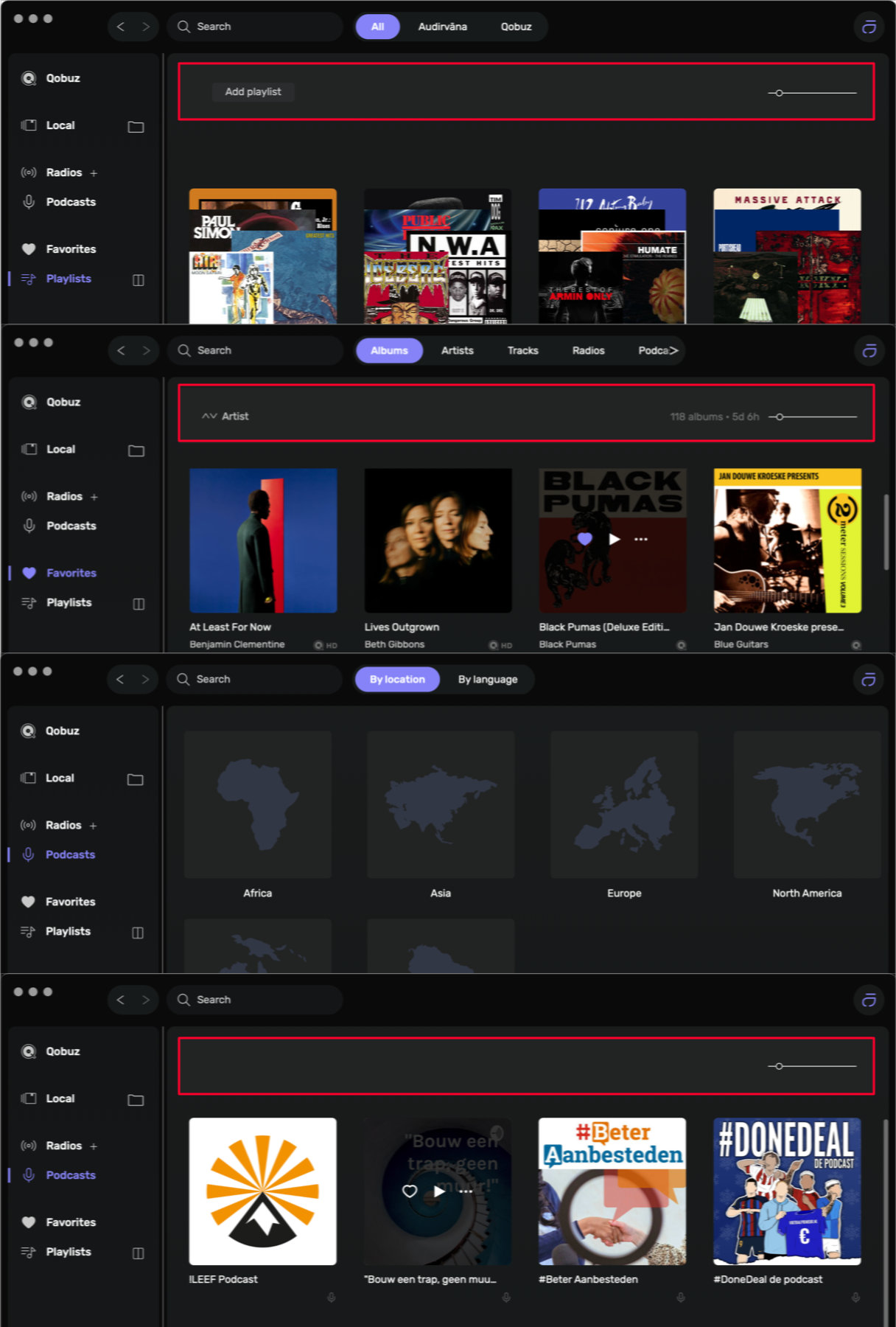
While capturing the screens for this, I also noticed that there is no filter/sort function for podcasts.
Re. Qobuz:
Correct. If the layout/grouping of a streaming platform is mirrored, it offers the familiarity of that platform, and allows for easier navigation.
My personal perspective (just FYI): I use the Qobuz apps alongside Audirvana across different platforms (macOS, iOS, iPadOS, Windows, HEOS). I feel that if a 3rd party offers an embedded view of the streaming service and incorporates their content, it should be mirrored, or at least have the same navigational structure.
Maybe switching to a view like the local genre would be better?
And I totally understand your point here.
This may change in the future, but I can’t guarantee this.
Got your point 

Can you send me a screenshot of how it’s displayed in the Aurender app? Are you able to edit it?
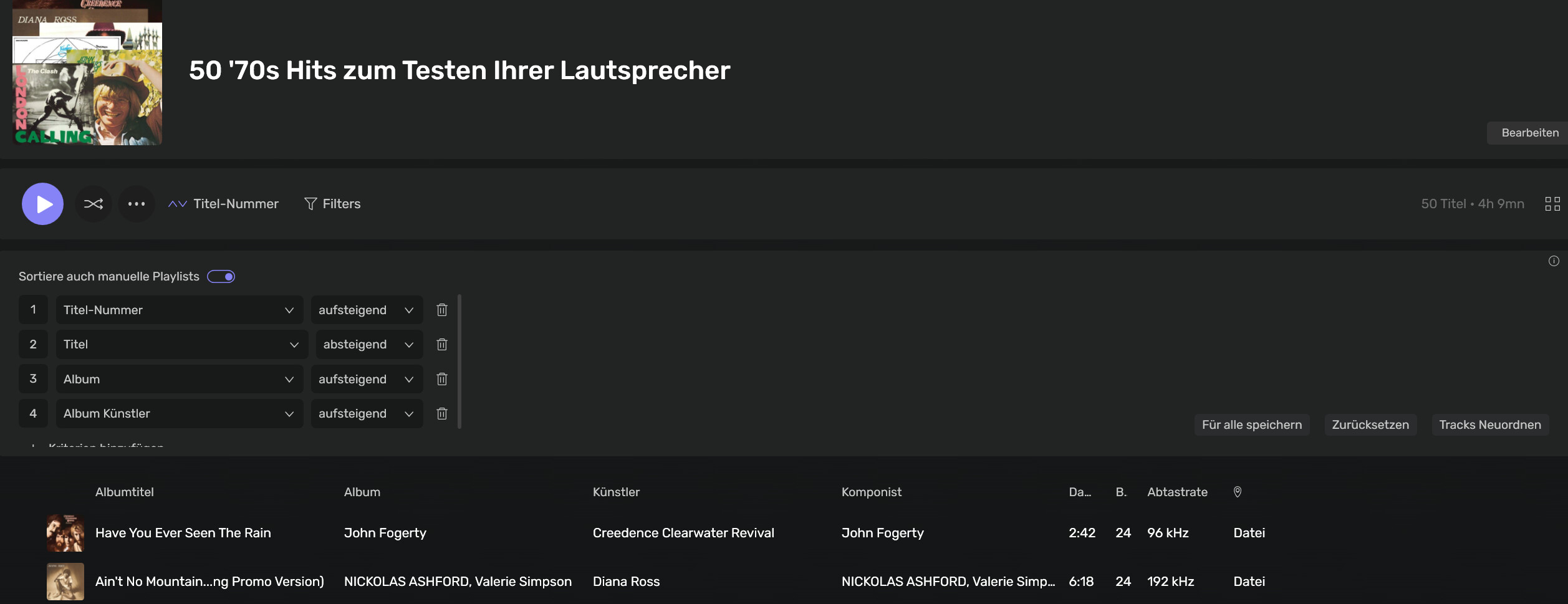
Hello, this setting of “sort streaming owned playlist” is not activated in Audirvana 3.5.51.
However i cannot find this setting in Audirvana 2.99.15 (29915) ?
Thanks for clarifying where i can find this setting?
Open a playlist you created in a streaming service, then open the sorting criteria, and you will see the options.
Hi Antoine, Unable to provide a screenshot, but what I found via a google search will give you an idea:
The Aurender Conductor app lets you view album front and back covers by tapping the album icon during playback and flicking left or right; you can also add or change covers within the app using its built-in tools to search the internet or take photos, saving them as front or back art, with specific filenames like cover.jpg recognized by the software.
Viewing Covers in the App
-
Tap the Album Icon: While music is playing, tap the small album icon located just below the playback controls.
-
Switch Views: Flick your finger left or right on the screen to switch between the front cover, back cover, and other album information.
Adding/Changing Covers
-
Using the App’s Tools: The Aurender app (or its accompanying ACS software) allows you to:
-
Search the Internet: Find and select new cover art.
-
Take a Picture: Use your device’s camera to capture a cover and assign it.
-
Assign Front or Back: Choose whether the image serves as the front or back cover.
-
2 Likes
Bonjour Antoine,
I completely stopped ROON on my machine, reset the connection to my NAS (By ejecting it from the folder), I restarted AS Beta but still nothing happens when I add a new set of files into one of my audio folder.
When I switch back to AS 2.11.5 release, just after the file copy begins, AS starts syncing.
Could we have a kind of conflict between the two versions where AS Beta cannot put audio folders on watch as they already have been put by the other version.
I could try to close AS, reboot it, and start AS Beta first to see what happens.
I imported a self-created playlist (m3U) into Audirvana. Unfortunately, it is not displayed correctly. Instead of the album name, an artist is shown. In another program, everything is displayed correctly. What can I do?
P.S.
I just noticed that it only affects playlists with various artists as the creator.
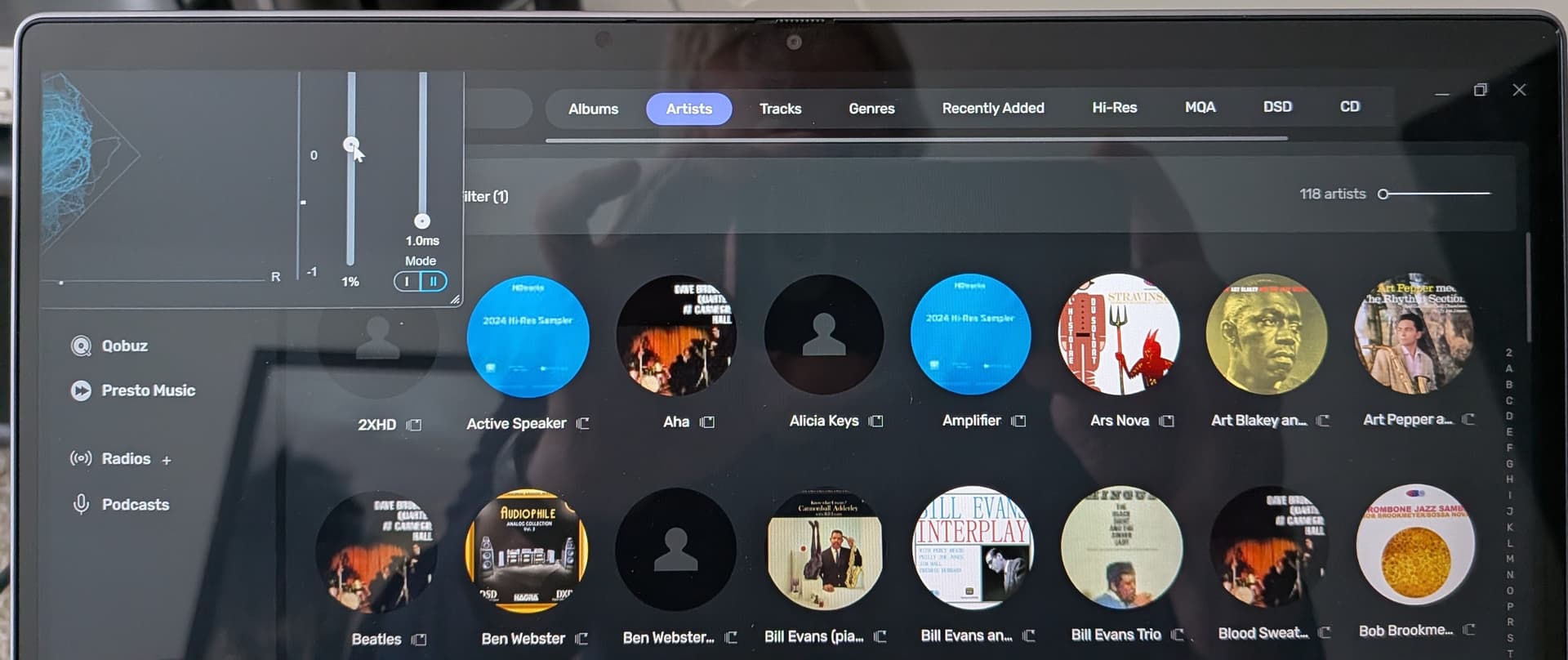
Tried several vst3 plug-ins with the same result. The plug-in only shows about a quarter of the program, no way to enlarge it to see the entirety of it’s content.
here are the settings im using
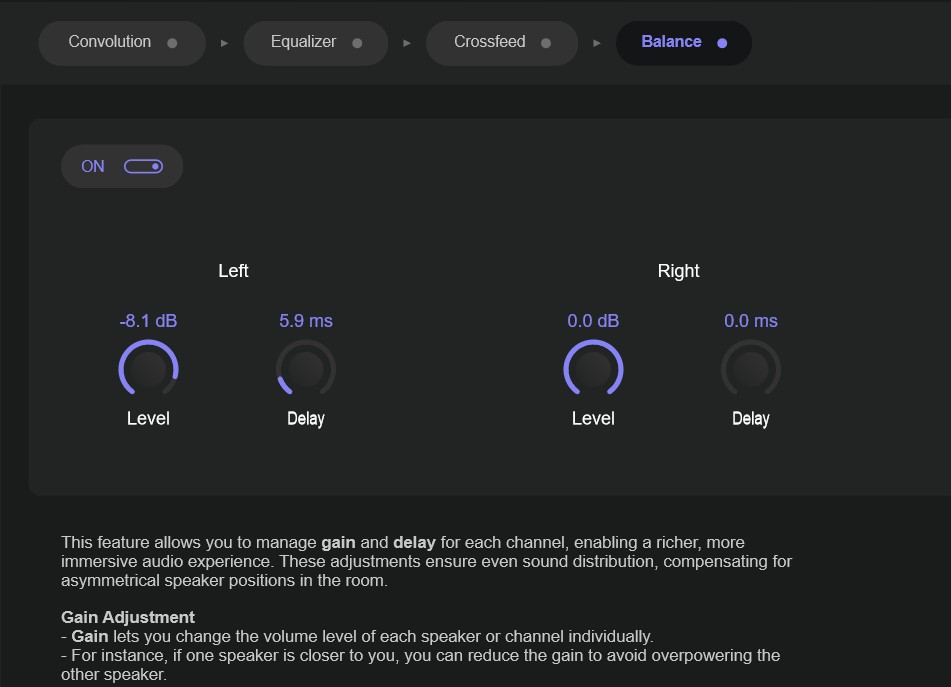
another thing i commented earlier that i think is insanely important is that i should be allowed to stay in my library when i want to search or look for stuff and not be forced to deal or see anything outside my collection on tidal, qobuz or drive. It is extremely annoying otherwise. And forces extra useless clicks. Separate browsing own library and browsing new stuff completely (roon implemented it perfectly). Please.
I am very satisfied with the look. But this my issue because i love the convolution eq with my setup.
BTY this was not a joke… Is it normal for AU plugins to malfunction, cause run-a-way cpu which makes it impossible to regain control of Audirvana, eventually leading to a full system restart… Upon restarting Audirvana the signal chain is reordered/out of order… I never saw this kind of behavior with the previous non-beta version…
1 Like
update: balance feature doesnt work with plugins enabled (I am using fab filter pro Q4 and black box HG-2MS)
here are the settings i am using… on my system these settings sound amazing. This plugin really bumped up my sistem a whole lot. It gave more instrument separation sound feels mor spacious and with more character. Like the bass is less flat, everything feels more lively, defined natural and spacious.
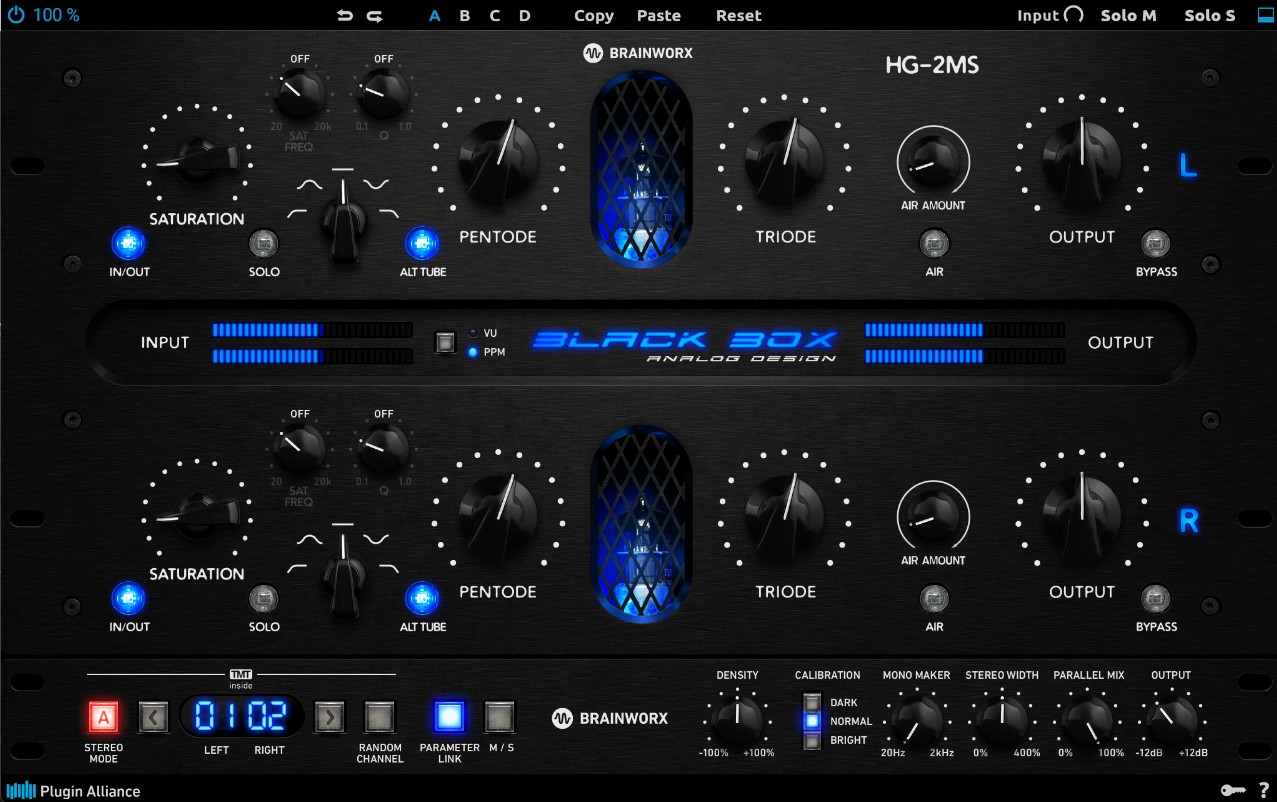
its better if you study what each setting does so you know what youre doing though…. good luck!
I have also seen this behavior as well as small windows that are blank… Also, non functional controls with the plugin, and freezing of Audirvana… Not able to get back to the desktop to Force Quit can only regain control of the OS with a Hard Reset…
Agreed, have also experienced everything you mentioned.
1 Like
We will need to investigate this matter, as I do have something like this on my Mac.
Can you send me the playlist at [email protected]?