Even if you select a different plugin and then play the window stick again in this corner?
Which you can do, when you search, you can filter and use only the Local content of Audirvāna.
Do you get this, whatever kind of track you play?
Can you please name the plugins you used?
Can you send us a copy of the "Debug Info“ when you have your plugins enabled? You can get it in Audirvana Settings>My account.
Nouveau problème
AS se met soudainement à solliciter le cpu sans raison (pas de scan des fichiers ni rien qui pourrait expliquer ca)
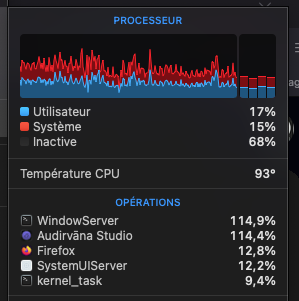
La valeur de pourcentage que vous avez indique-t-elle un seul cœur de votre CPU?
Les 4, le ventilo se met à souffler grave, je sais bien que la machine n’est pas récente mais quand même…
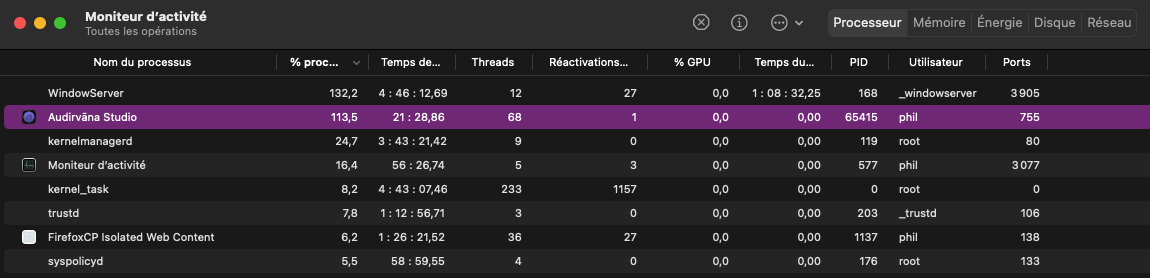
J’ai relancé AS sans lancer un morceau et même “à vide“ ca remonte à plus de 100%, j’ai regardé sur le moniteur réseau et pas d’accès autre que le morceau en cours…
J’ai relancé Roon avec les mêmes morceaux et le cpu ne s’emballe pas autant
Les mêmes morceaux mais depuis Qobuz avec AS et pareil cpu > 110%
En plus de AS WindowServer est bien trop haut pour une app en mode réduite dans le dock
Obligé de repasser sur Roon le temps de trouver d’ou ca peut venir (le bruit de ventilateur gâche tout)
Dommage je venais de souscrire pour 12 mois, en souhaitant qu’avec la prochaine version ca ira mieux… 
Identifiant du modèle : Macmini6,2
Nom du processeur : Intel Core i7 quatre cœurs
Vitesse du processeur : 2,3 GHz
Nombre de processeurs : 1
Nombre total de cœurs : 4
Cache de niveau 2 (par cœur) : 256 Ko
Cache de niveau 3 : 6 Mo
Technologie Hyper-Threading : Activé
Mémoire : 16 Go
Je peux installer la version “normale” sans supprimer la version beta ? (et sans perte de données) pour voir si le pb cpu persiste ?
Nota: la conso cpu semble être depuis que j’ai effectué une reconnexion à mon compte (à la base pour supprimer la limitation au niveau audioscan)
Je me réponds à moi-même :
-j’ai installé la version 21105 en // avec la version beta
-j’ai lancé la 21105 rien à signaler sauf une mauvaise gestion d’un répertoire et la non prise en compte du contenu d’un autre ??? (parfaitement reconnus par Roon)
-j’ai lancé la version beta et dès que je lance une synchro ca met le cpu et le processus windowserver > 100% comme s’il était dans une boucle infinie
Voila…
Bon @Antoine j’ai trouvé le bug
1 Like
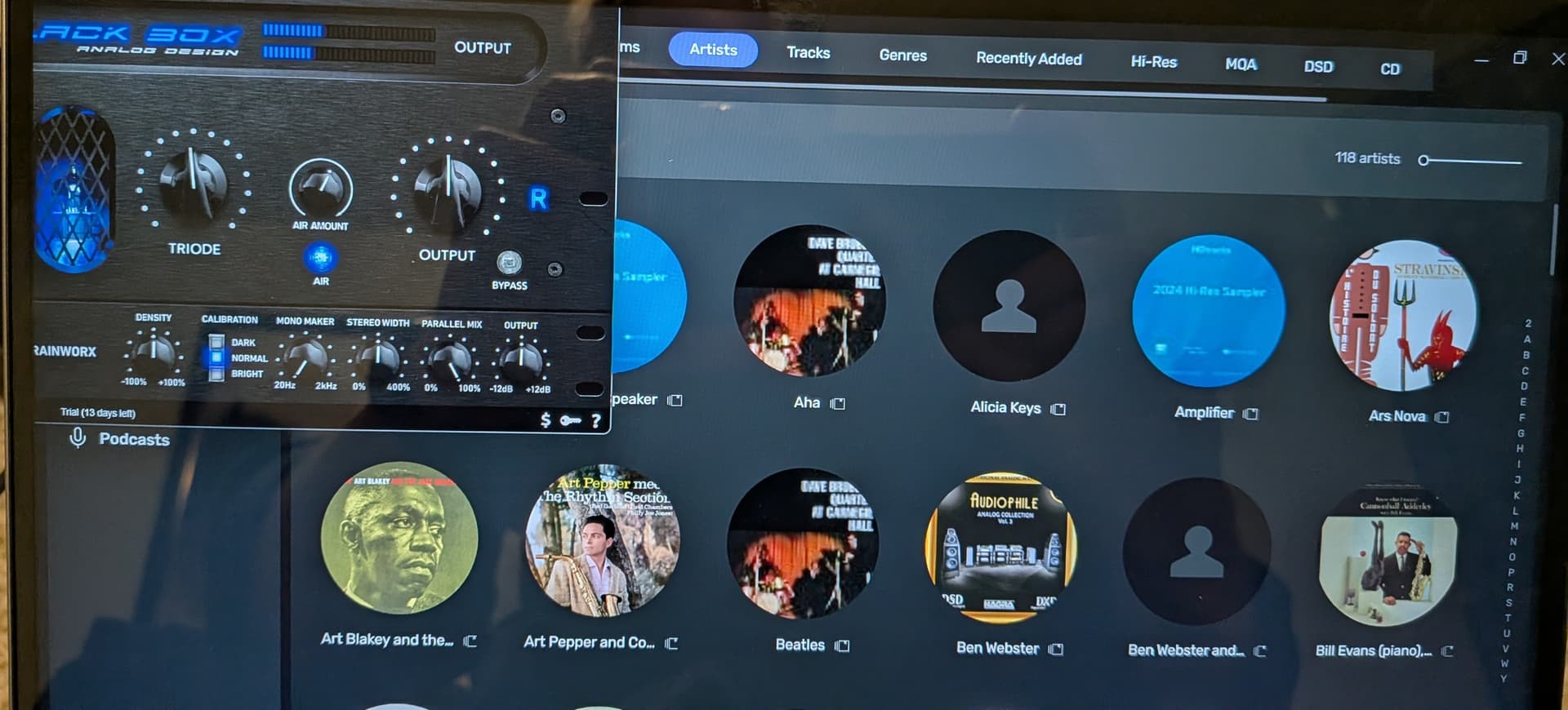
I have tried vst3 plug-ins from home audio fidelity room cleaner, home audio fidelity x-talk shaper, and black box analog design hg-2 ms, all with the same issue.
1 Like
But first I need to click those damn filter options whiscj is annoying. And everytime I want to search something it starts with search everything as default. Awful.
the best option would be to remeùmebr the filter you set when you come back to the search
Honestly I would just separate things, on one side browsing own library on the other discover or search new stuff, sort of like roon does. Way more intuitive and less cumbersome…
Try to reduce clicks as much as possible so the ui feels easy and accesible to use. Music is something extremely personal, like clothes. Let me stay at my own library at my leisure for as long as I want and keep new stuff away from me… I will go there if I need to. That’s the idea.
Can you send a pick of this?
Of course not at my pc right now but will do in an hour or so
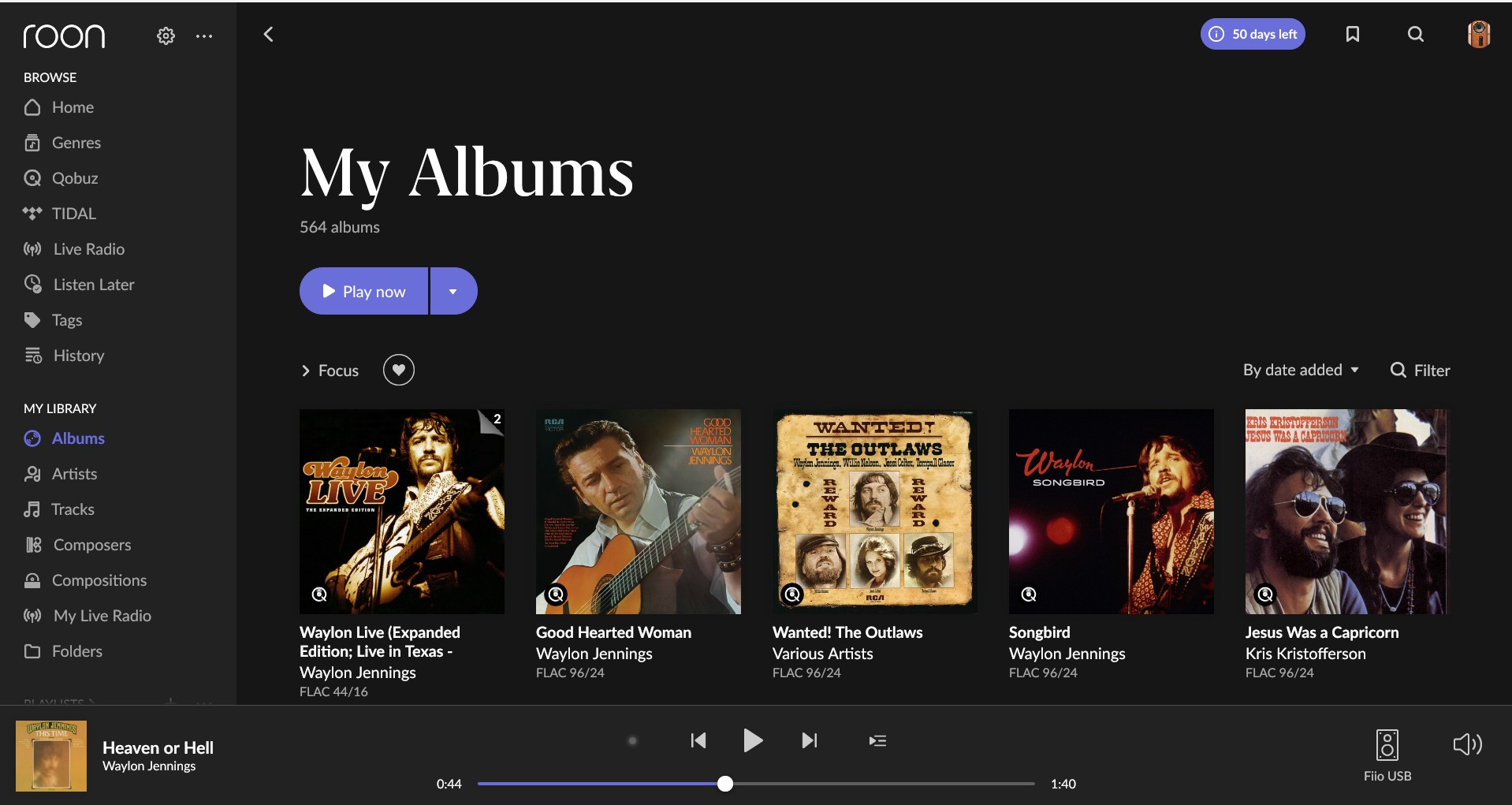
there you go. both aspects completely separated, browse above, own library below. very intuitive and considerate. 
1 Like
I use three wav files from autoeq. For 44 kHz, 48 kHz, 96 kHz
The files played are different. They are DSD or FLAC with 16 or 24 bits, 16-192 kHz.
The playlist plays track 1, track 2, then we have a loop consisting of approx. 2 to 3 seconds of track 2. The counter in the playlist is set to track 3.
The loop is endless. The timeline for track 3 runs to the end and then jumps to track 4.
It can only be cancelled if the audio interface is stopped.
OK, the problem with displaying additional colums and changing location seems to be solved.
The programs remembers the changement.
Thanks Antoine for solving that problem.
1 Like
Here is a clip of the Navigator column resizing own its own when I go to different pages.
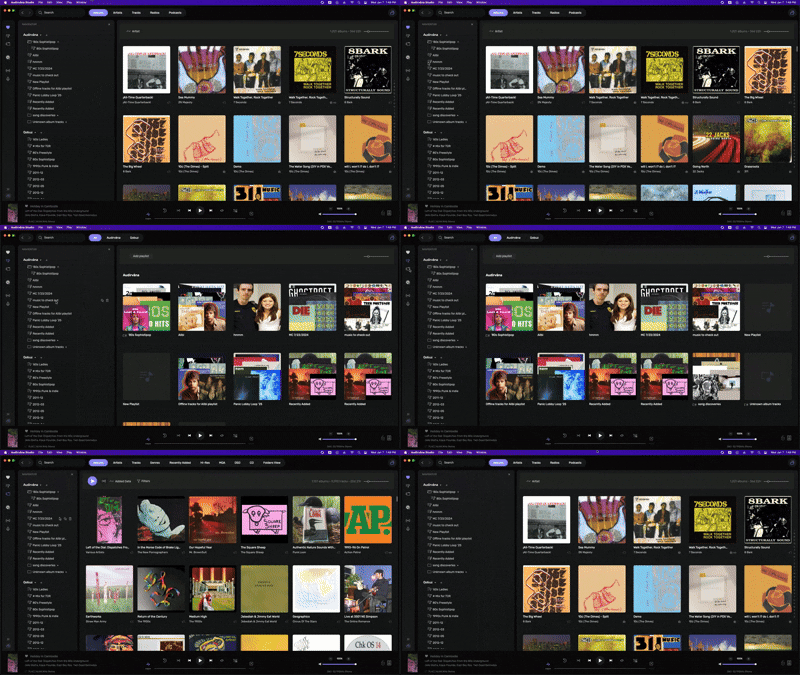
I had mentioned that I’m seeing various shades of grey on some of the pages, and you indicated that you’re not seeing them on your end. I’m running AS v2.99.15 on a Mac mini (Late 2014) with macOS 12.7.6.
2 Likes
Requested Debug Info sent to you via messages…