Does ‘IP Connection to Your Computer‘ mean that you can choose to not rely on multicast communication (Bonjour / Avahi ), but a direct connection?
1 Like
How hard would it be to get album art/info to look like this? Not looking to get copyright enfringments, just looking to get the best look and information in front of us.  We’re so close to perfecting the new release!

My expectations for this new release, is that the primary focus is to maintain and/or improve on the playback sound-quality experience for all users, given the myriad of potential system configurations… I am opposed to superfluous activity that may impinge on the primary focus.
I appreciate this statement found in the Audirvāna Knowledge base:
Ultimately, you should trust your judgment to determine if you prefer the music played through Audirvāna to other methods.
Audirvāna does not tweak the sound to improve it. Instead, the goal is to preserve the integrity of the data and audio signal without compromising other hardware functionality. The digital playback process is at the heart of Audirvāna’s proprietary technology. It prioritizes the music on your computer by minimizing processor activity during playback and always following the shortest possible software path to the audio output.
Audirvāna achieved this quality in particular through:
- Direct and exclusive DAC access
- Upstream processing (buffering before playback)
- Kernel-level programming (using the lowest-level software language possible for each OS)
- System optimization
- (if applied) Internal upsampling using the computing power of the chipset vs DACs
Over the last ten years, continuous improvements ensure the best digital audio playback performance from a computer, server, or NAS: Mac and PC (with the new KERNEL STREAMING mode), native compatibility with Apple Silicon and Windows 11, and Linux with ALSA.
Why does Audirvāna sound better?
Within that statement, we find the implementation of digital-audio signal processing is left to the prerogative of the user, and it is safe to presume that these processes are integrated so to reinforce the primary premise of sound-quality.
Moving forward, my expectation is for any non audio-file playback operational function being implemented within the architecture of Audirvāna Studio, will not impinge on the quality of sound that many of users have come to expect, and have high-regard for, as being the rationale for Audirvāna being their preference and reference for state-of-the-art digital-audio file playback on a computer platform.
To the development team… Thank you for your continued focus on sound-quality performance and providing the potentials for any given user playback system, to realize a transparent reproduction of the musical and artistic intentions imbued in the master encoding.


1 Like
14 posts were split to a new topic: Quad 3
Hi everyone,
2026-01-22T23:00:00Z, we have released an update to the Audirvāna Studio beta, which adds the Linux version for the beta! 
Here is the release note for the 2.99.16
-
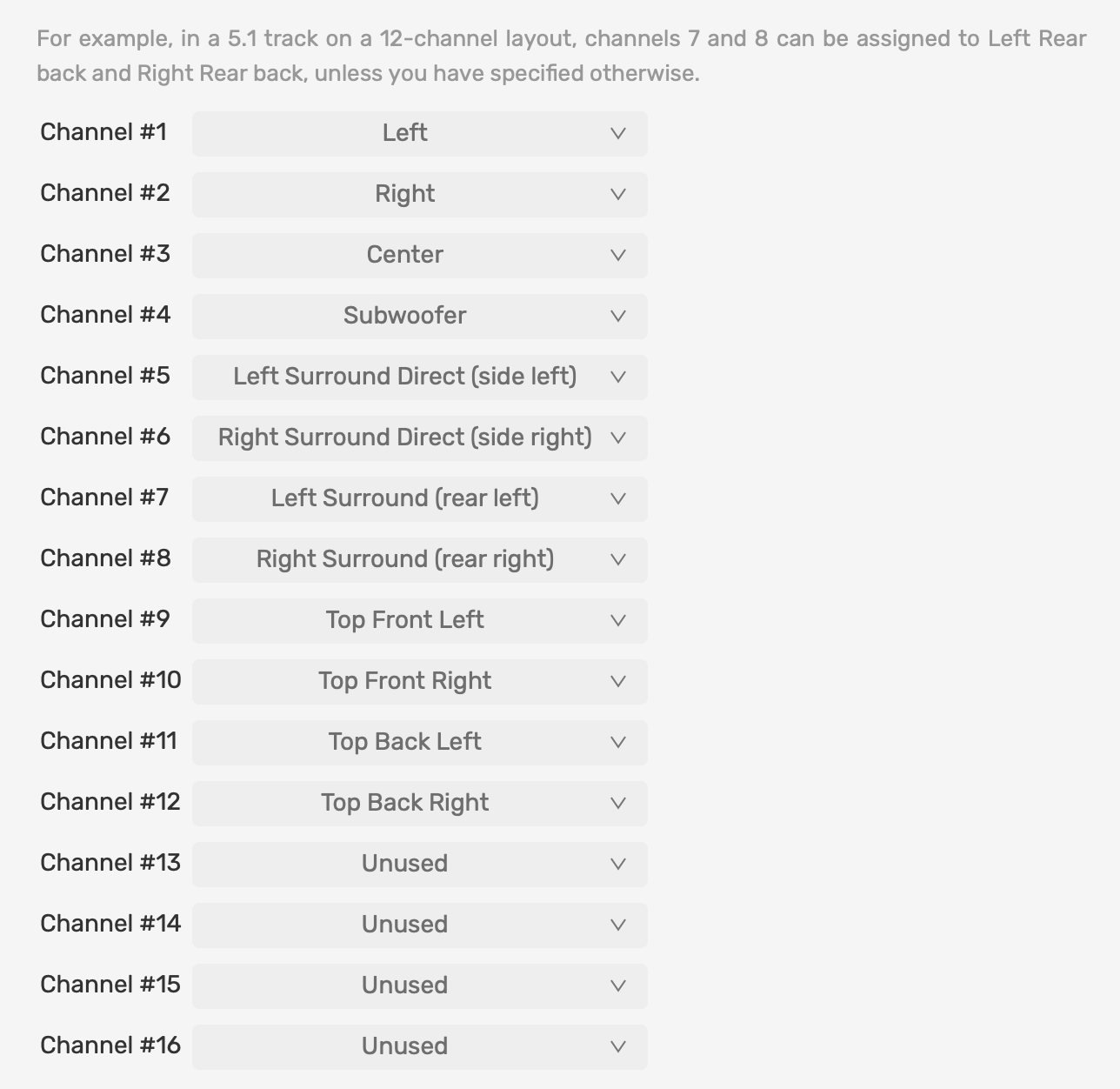
Multichannel: defaults to Dolby Atmos channels mapping for 7.1.4 audio files
-
Metadata editor for artist, album, track
-
Other minor fixes
4 Likes
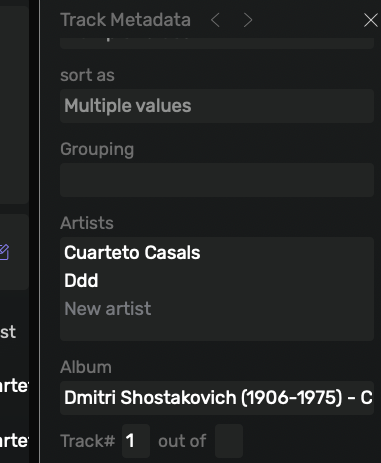
Super vous avez laissé tombé le pop-up pour les Metadata 
Definitely a much simpler and easier metadata tool. Nice work!
Audirvanna 2.99.16
Mac OS 26.1
1. New album (sometimes) not automatically added. Need to manually Sync folder or close and open Audirvana.
2. PDF Booklet button does not work.
Regards
Phil
Nothing happens when you click the button?
A little pulse occurs but no booklet opens. Am I the only person with this issue?
It looks like it is only me.
I now use the updated Remote for reading pdf booklets. It’s not ideal but it works.
Phil
PS. I open Origin. Open booklet. Close Origin. Open Studio Beta 3,and booklet is open. Close booklet. Still cannot use Studio Beta to open booklet.
No problem with PDF booklets on my Windows 11 system. So it could be a Mac thing.
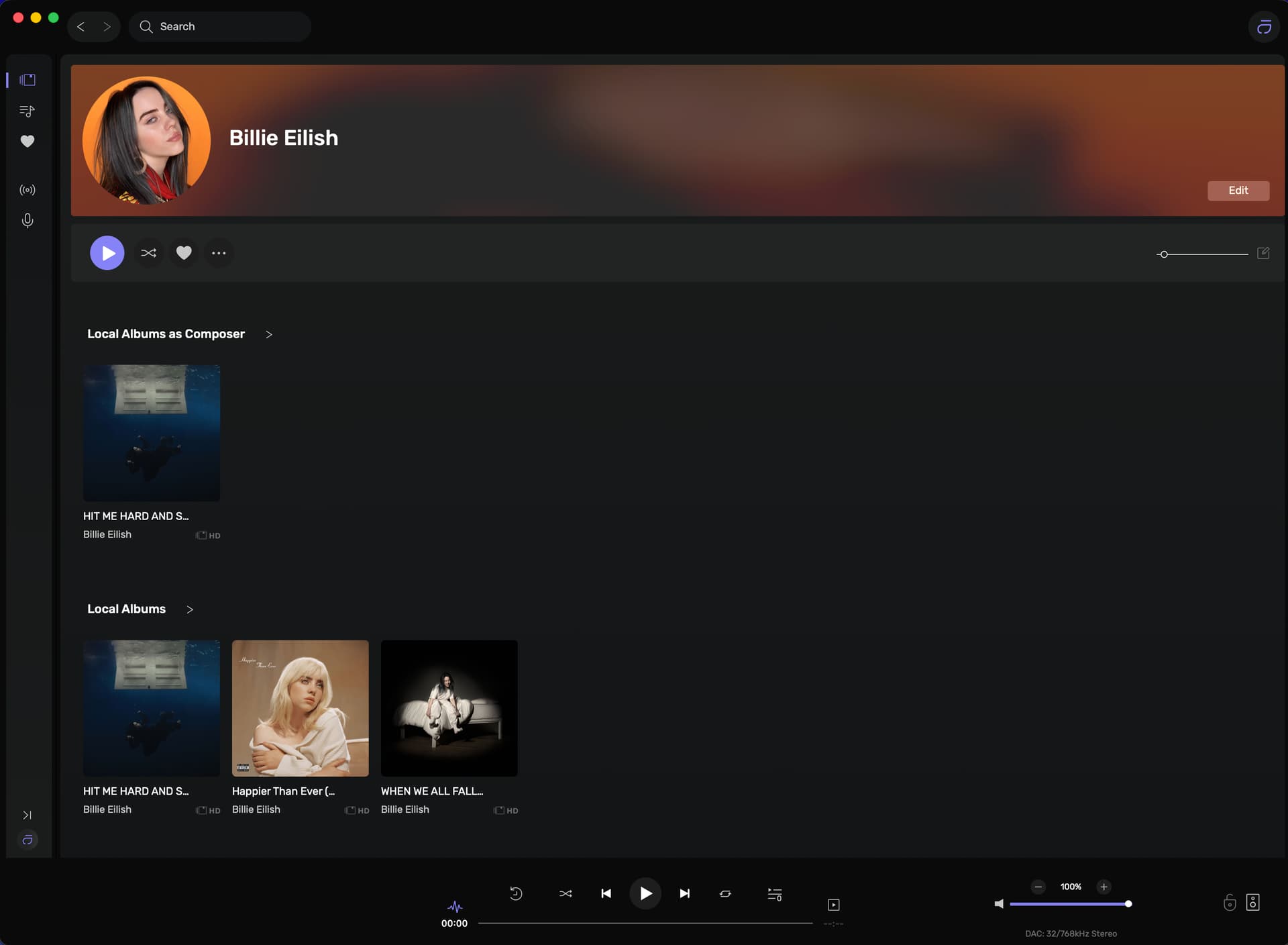
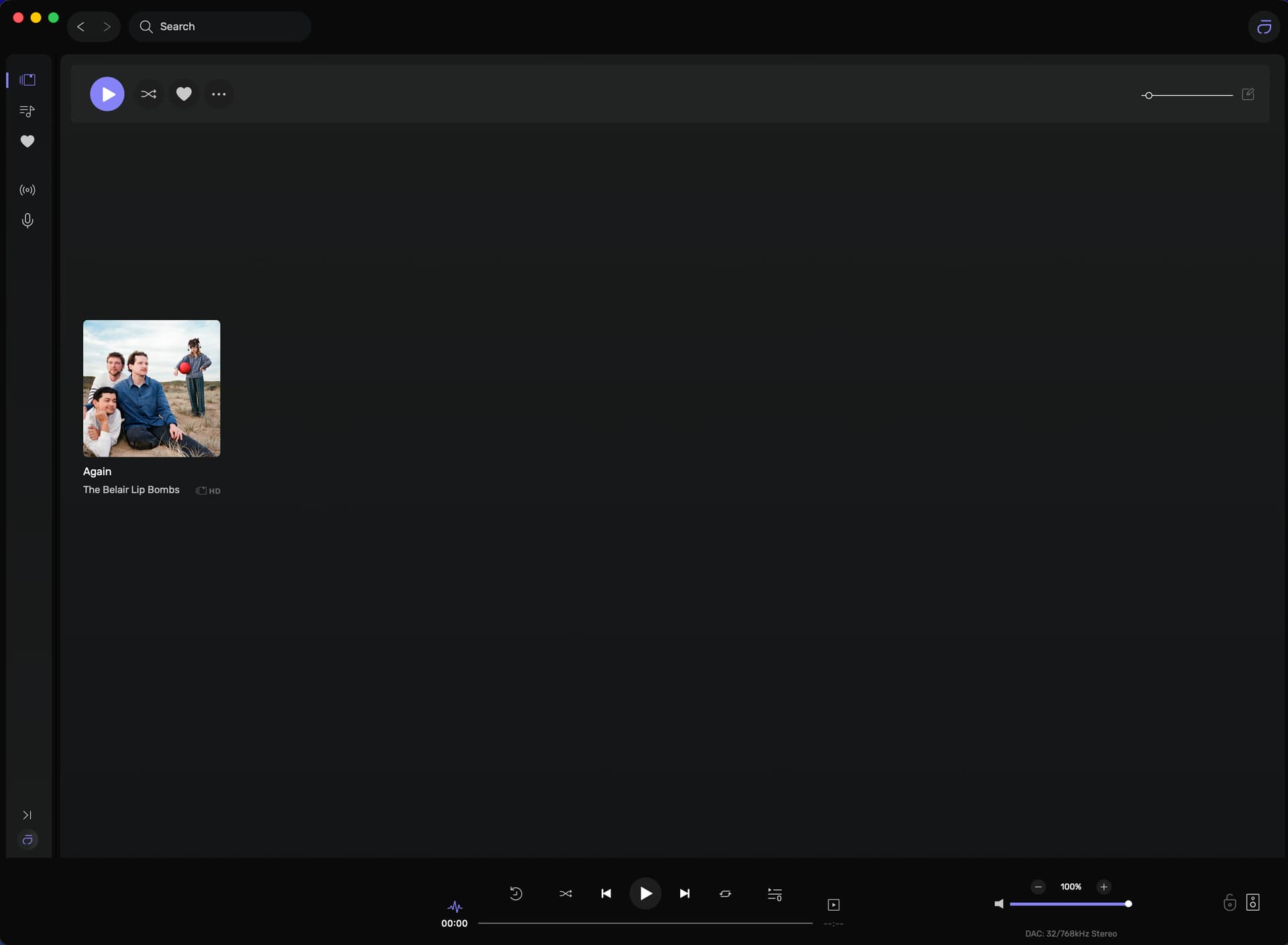
New bug introduced in viewing artists in 2.99.16 on MacBook Pro (Tahoe 26.2).
When going into artist view the main page looks OK. Then when going in to a specific artist sometimes is OK as per Screenshot below;
However when going to many artists the artist details at the top flash for a second and disappear off screen as per second screenshot below.
Attempting to get the artist heading box back by dragging the windows downwards is only partially successful and sometimes is significantly messed up. See screenshot below
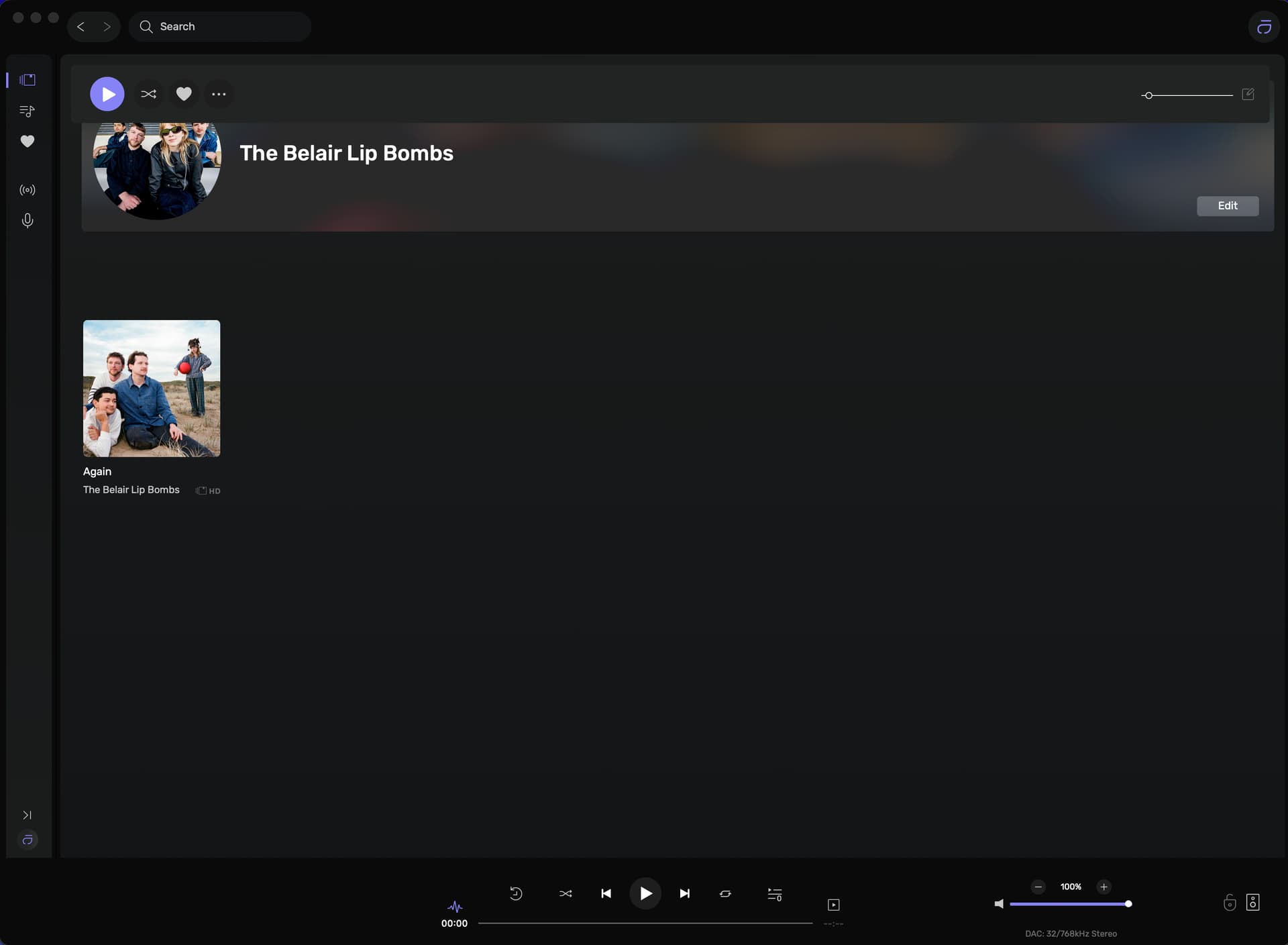
Or no picture and local albums appearing at the top as per screenshot below.
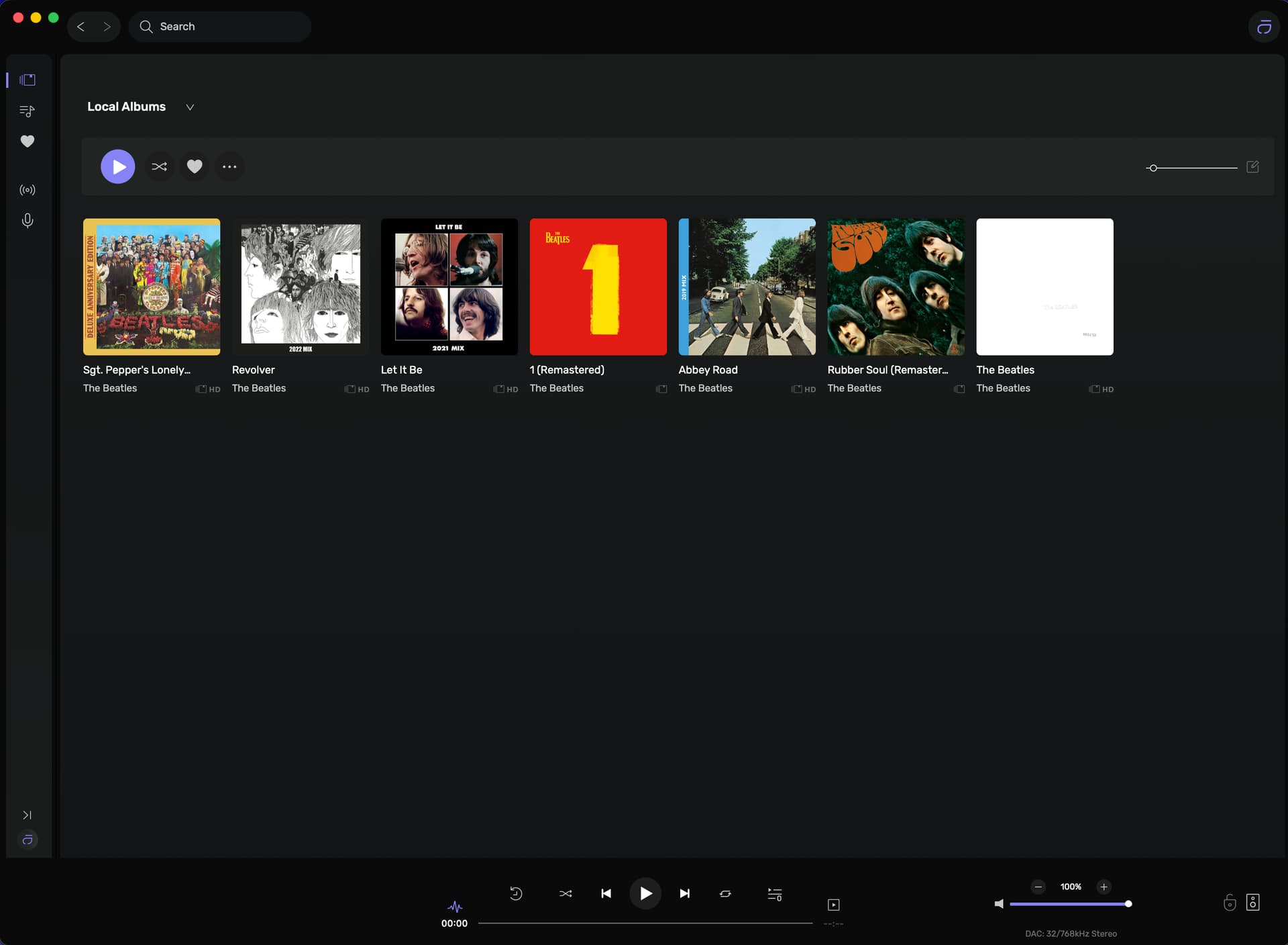
This seems to occur only when an artist has no “local albums as composer” If the artist does have “local albums as composer” the artist page appears OK as per Bruce Springsteen below. and Billie Eilish at the top.
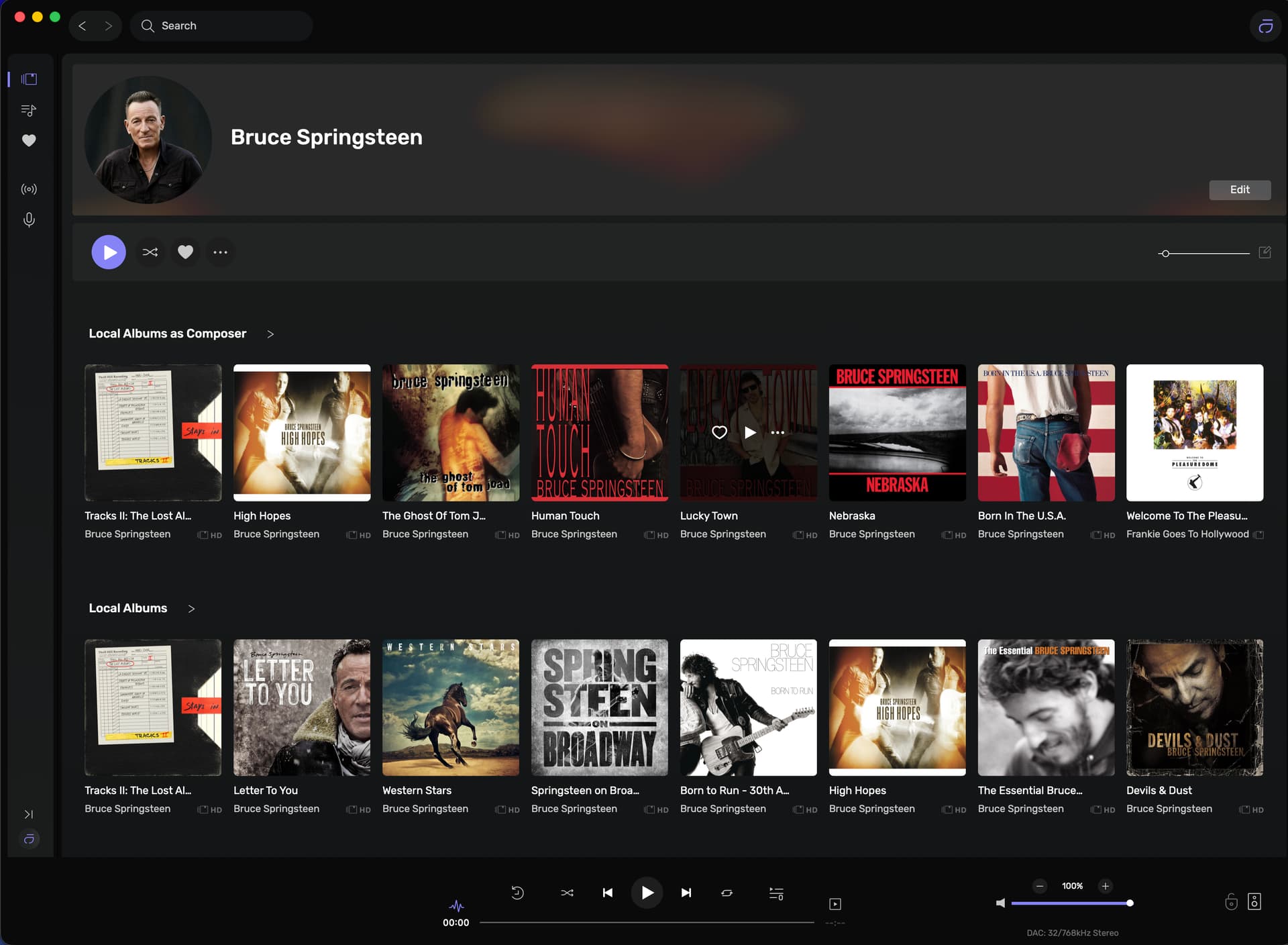
I can reproduce this behavior; something isn’t properly set up in this specific scenario. Thank you for pointing this out.
1 Like
Hello!
Not sure whether it’s already been reported, but the beta crashes the PC if something else is using the audio stack and you try to start playing something.
In my case, I’m on Windows 10 and say I’m playing a game of Solitaire. Solitaire has audio and therefore uses the Windows audio stack. If I then start Audirvana Studio beta and hit play on any track, it crashes the computer and restarting is the only solution.
If I start Audirvana first and start playing a track, I can use Solitaire no problem.
macOS 26.2
Audirvāna Studio v3 Beta (2.99.16)
Still unable to open Waves Audio ‘Abbey Road Studio 3’ and Waves ‘NX’ and 112dB’s ‘Redline Monitor’ plug-ins… Clicking on ‘configure’ does not launch the plug-in..
Also, (as was the case in the previous release..) The top insert slot window display is partially obscured when first opening the “Plug-ins” configuration window, until a plug-in is inserted. After a plug-in has been inserted, the slot displays as expected.
1 Like
I’ve installed the Beta Linux Core Player this afternoon. With Convolution I have this loop behaviour as well. I only tried two simple FIR files (wav) from AutoEQ for my Sennheiser HD650 and for my B&W Px8. When playing as should it sounds awesome. But that loop behaviour is spoiling the pleasure.
Edit addition: The remote acts as if the next song is playing but you only hear the last seconds of the earlier song in a loop.
I break the loop by jumping to the next or previous song but it doesn’t make for a really relaxed fun listening session.
This is over UPnP connecting to a Naim ND5 XS 2.
I’ve sent a log session @Antoine
2 Likes
@Antoine I’ve tried some things with the help of AI (ChatGPT). It even adjusted the IR files as they were not exactly 1.00000000 sec and not exactly 48,000 Hz. It tried to figure out what causes the loop behaviour. I used Power of Two first with 192 kHz max, so adjusted it to 96 kHz overall. Hopefully you can make something out of it. End conclusion that ChatGPT came up with that these settings and this set up created an engine deadlock which causes the loop. I have no clue on these things, but maybe this all makes sense to Damien and you .
Environment
Linux Core Player (beta) on Linux Mint 22.3 XFCE
Output: UPnP → Naim ND5 XS 2
DSP: SoX custom upsampling (fixed 96 kHz) + convolution (mono IR, 65536 samples)
Issue
On track end, audio output sometimes gets stuck looping the last buffer indefinitely.
UI advances to the next track, but audio remains in a permanent loop.
Requires manual stop/restart to recover.
Notes
Occurs even with constant sample rate (96 → 96)
More reproducible with tracks that have long fades / low-level endings and shuffle play.
Not resolved by buffer increases or power-of-two IR length
Does not occur when convolution is disabled.
2 Likes
I forgot to mention. This issue only occurs when not connected to a streaming service. I noticed this AM that it does not occur when connected to my Qobuz account.
1 Like