We’re tired of you, Agoldnear. Whenever there’s even the slightest criticism or suggestion about Audirvana, you jump in with “There’s no such problem.”
Any chance we might see HQ Player Desktop integration?
@xanthos
It is what it is…
Show us your GUI issue… 


Don’t make a false equivalence and reframe the semantical context of my statements…
This is my statement and the context of that statement:
1 Like
Why?
I don’t know what any of that means, but I have texted Harry to see if he knows any reason RoPieee on RPi4 would cause this continuous looping at the end of every track using his implementation of UPnP.
@Jim_F, Does this looping sound happen even if you directly connect your computer to your DAC via USB? That should rule out UPnP being the cause…
Or even try using the computer’s own system speakers… Not using UPnP there either…
I think the only time it doesn’t happen is playing directly out the Dell speakers, but I need to test it some more. That still leaves a lot of possible causes I suppose.
1 Like
That at least gives you a starting point…
Actually, I think it’s my end point.
EDIT: I’ve tried everything AI and I can come up with. I think it’s up to @Damien to figure this out, not me.
I understand @Jim_F … I personally feel that Devo really dropped the ball by not prioritizing fixing legacy issues and instead focus on things like “the metadata editor”… And hey, what do I know with only 40+ years of professional computering experience…
I do think you were on the right track, since the behavior you’re talking about is clearly shown in the logs. Yes, I’m guessing it’s some interaction between Audirvana and RoPiee.
Can’t recall now, but I’m supposing you’ve toggled the Fix for devices with unwanted playback stops and Gapless playback buttons with no joy?
1 Like
Yes, I did. I also think I’ve tried every other possible setting. I’m really tired of fooling with it, so I once again put a stop to my scheduled January 25 annual renewal. I think if Audirvana wants my money, they can make some sort of effort.
I am sure they will @Jim_F Early days in this beta, we all have to expect issues, some serious enough that renders our individual use case impossible. Only thing we can do is reproduce it, noting the system in use and the steps to reproduce it, capture the relevant logs and notify the developer of the issue and that you have logs to assist identification.
Fortunately my use case (no DSP) means the beta has UI bugs but nothing that interferes with playback.
Have been beta testing macOS since they first issued developer beta’s many years ago and have suffered some pain, and on one occasion a bricked machine that even the Apple Store geniuses could not revive (gave me a replacement)
In a worst case we all can downgrade to the production release and wait for future beta’s. At the end of the day Version 3.0 should be judged on its production release, never the beta’s it took to get there…….
4 Likes
Some people seem to forget that this is a BETA version and that they are not obliged to use it; the normal version is still available…
Passion occasionally leads to excesses, but Long live music!
4 Likes
I can tell you it’s been done in the version I have on my phone 
3 Likes
Autre bug:
Si on fait un clic droit sur la biographie d’un artiste ca sélectionne le texte et si on fait un clic gauche sur le texte ca donne ca :

Merci pour l’information, j’arrive à reproduire le problème.
1 Like
A minor graphical glitch? 1st screenshot shows AS on a Pro XDR display running in full screen mode. When I go into mini player mode by double clicking on the album art I get screenshot 2 full screen but no track/album info or playbar etc just a volume percentage at the bottom, audio scan and favourite buttons etc. If I then double click on the album in this view it goes back to windowed mode, double clicking on the album art again takes me back to full screen mode but this time with all track/album info and playbar/volume bar.
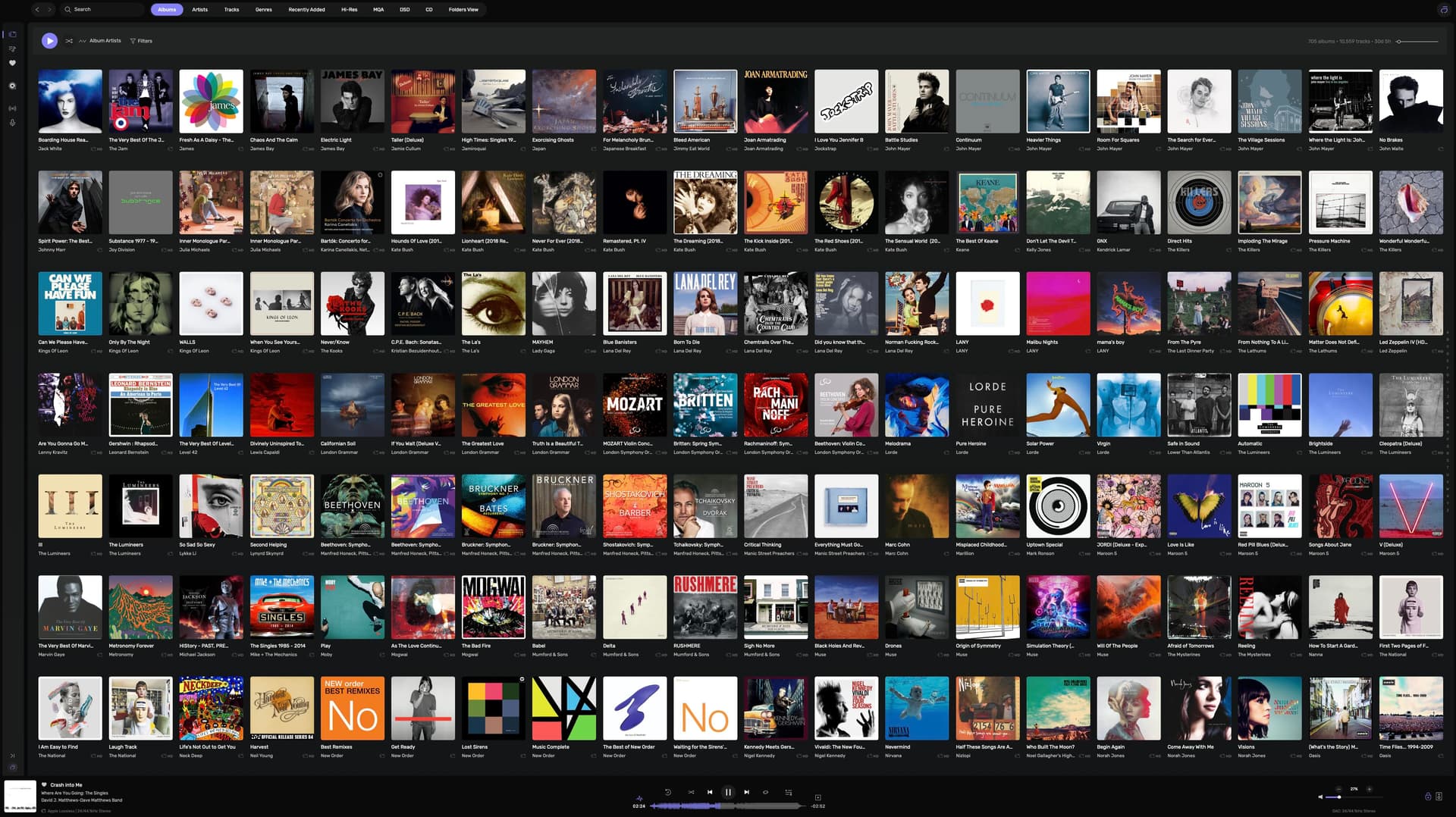

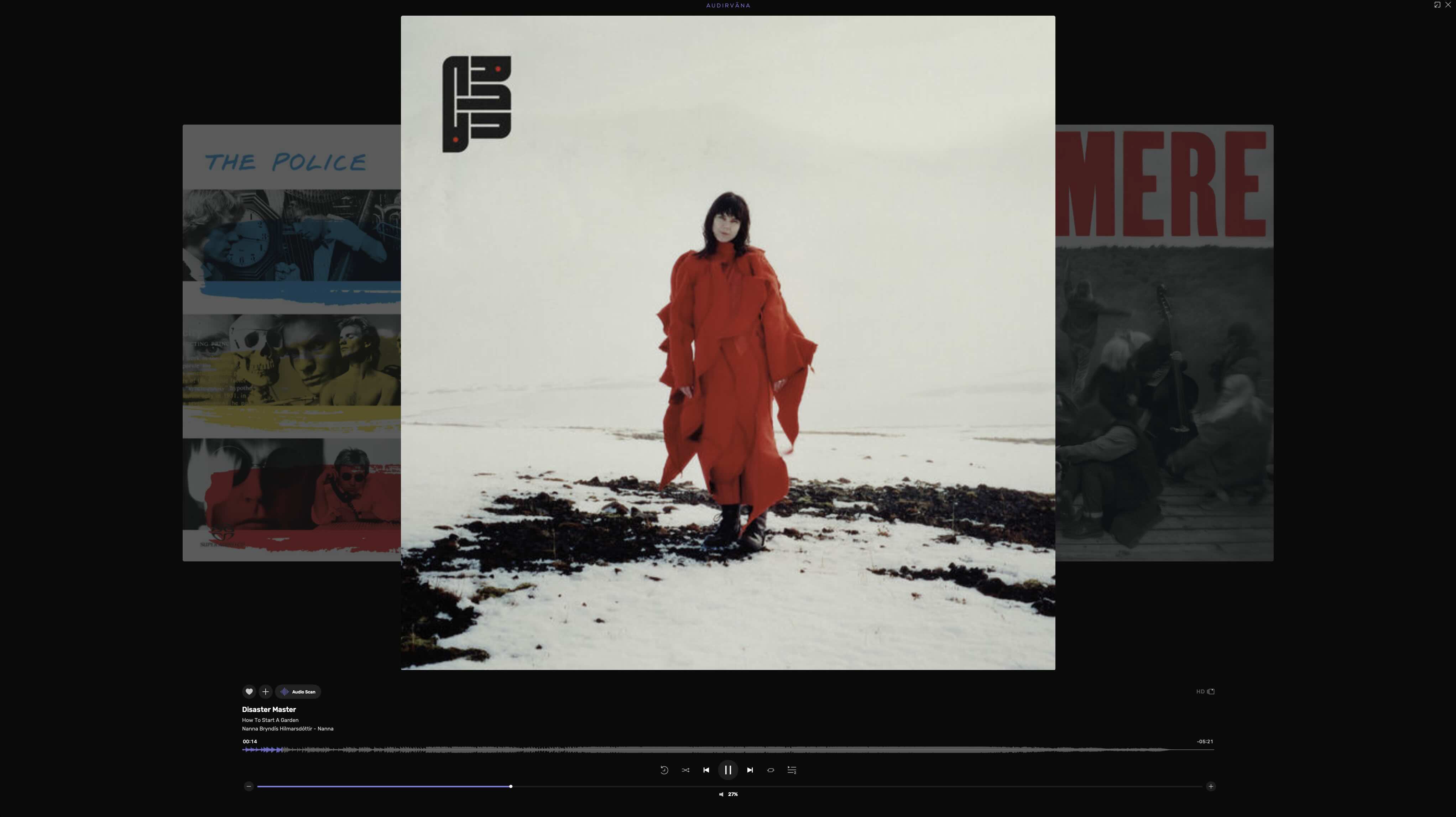
Hi @Djm1960 , I could reproduce this, I will pass the info to Damien
Hi guys, just for info 
1 Like