Don’t think so, I have a Mojo 2 and could quite happily play DSD256 files DoP from my Mac to it without issues. Suggest the issue lies elsewhere in the chain.
2 Likes
Yup. Doesn’t make a difference. Also restart the Mac doesn’t make a difference. I did not have this problem before. Not with the normal software, and not with the earlier Bèta version.
I shall take a look in Mac OS if there’s something weird happening I didn’t know? I always have to ‘wake-up’ AudirVana (remote) when I want to listen music in the morning.
So, I got it working OK and the correct Mojo 2 colors showing up to 768 and DSD 128. It won’t play at DSD 256 and gives message unable to switch to integer mode. However, I still get some noise from my laptop using a direct USB connection so I will never use this connection.
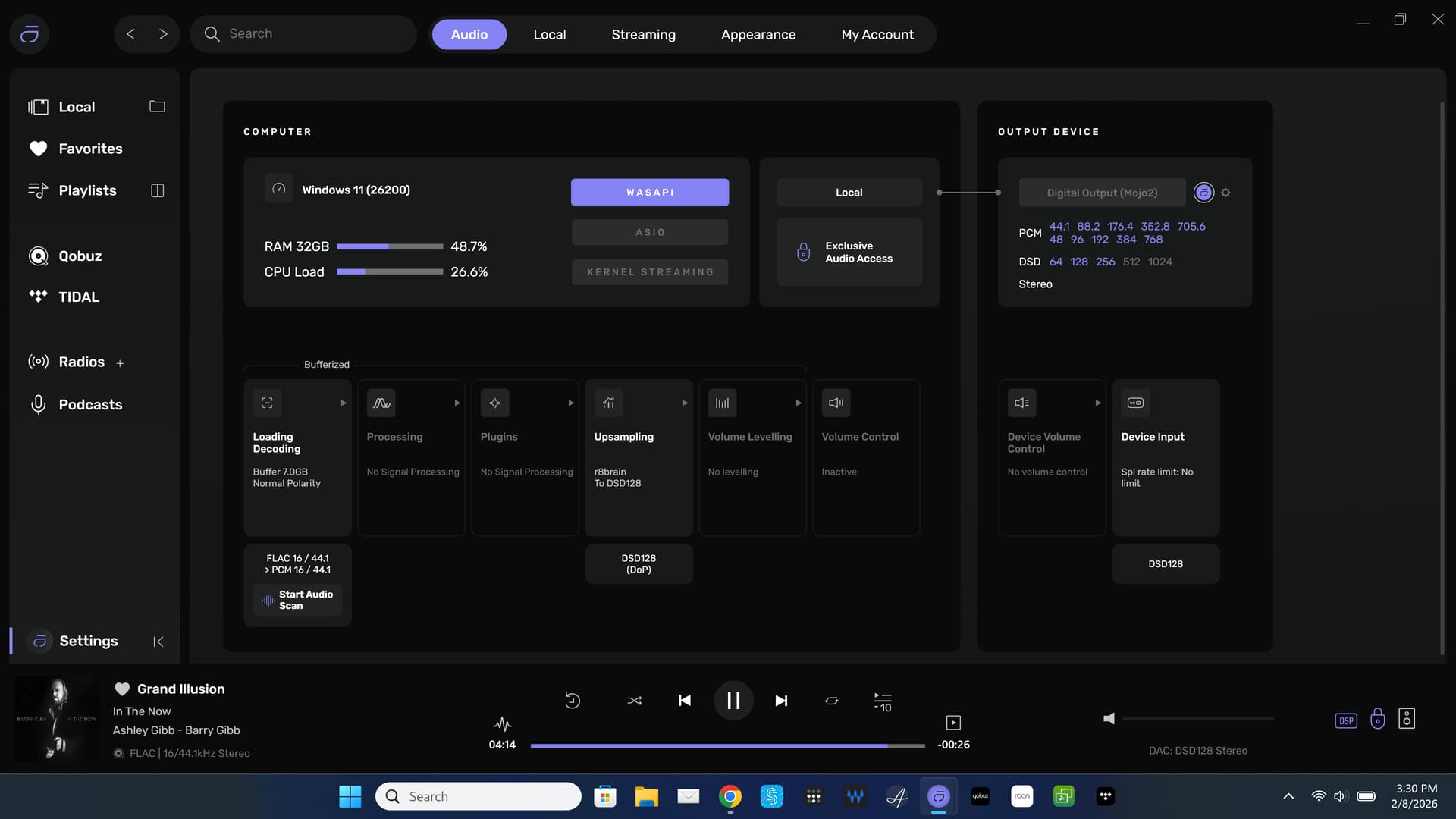
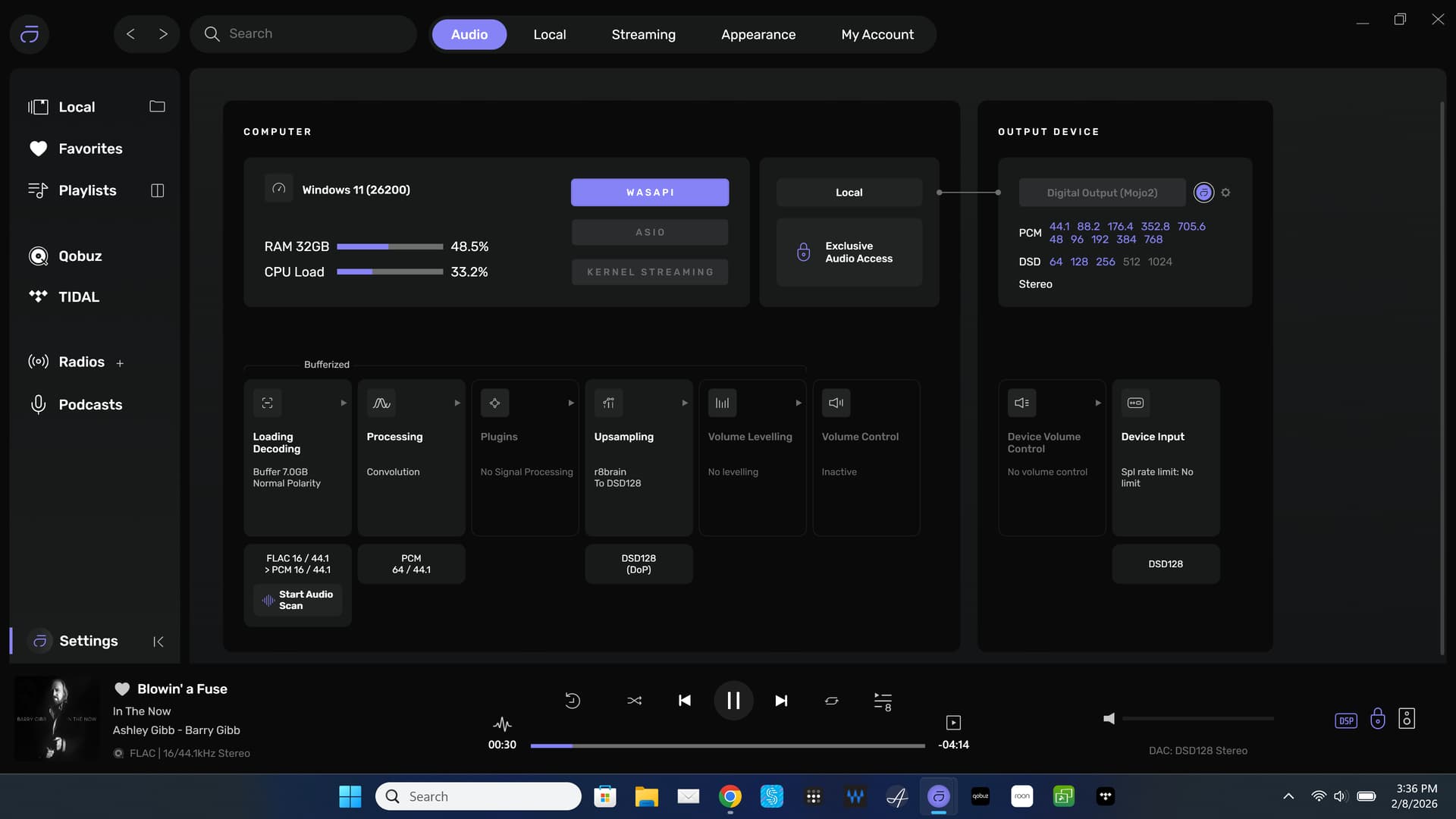
EDIT: Problem was some settings in RoPieee on RPi4. I fixed it.
1 Like
I’m tired of fooling with this. I will simply use Audirvana with convolution only since the Mojo 2 does it’s own upsampling anyway. It sounds really good regardless.

EDIT: Problems was some settings in RoPieee on my RPi4. I fixed it.
3 Likes
Concerning noise using a PC through USB, what is the consensus here concerning USB isolation devices? Am I correct that these devices are irrelevant when using the XLR output of a DAC?
Guess what? I got it working over UPnP through RPi4 to Mojo 2. Found some other settings in RoPieee that solved the issue. Mojo 2 light is bright white.
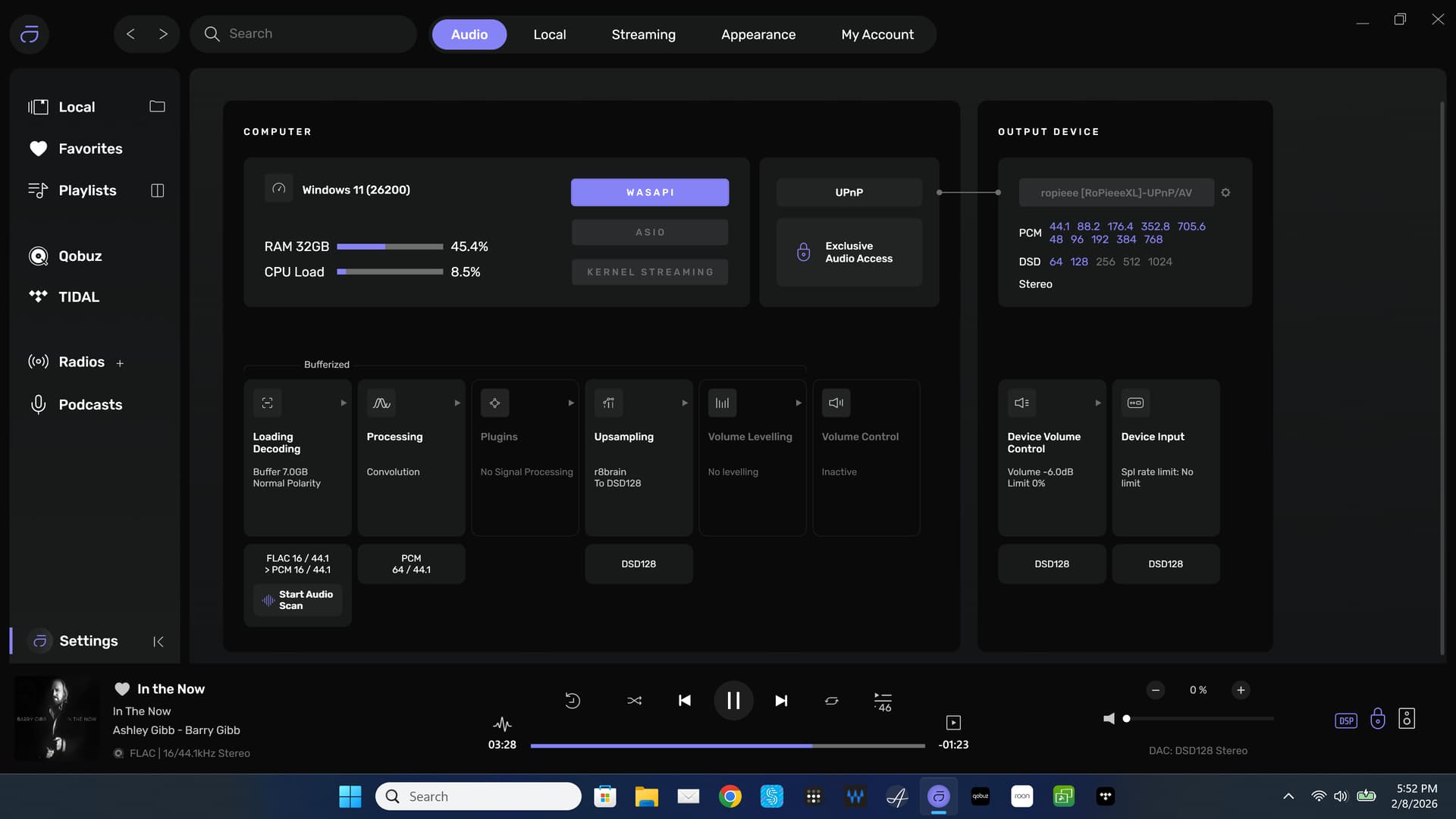
And, look at this…DSD 256
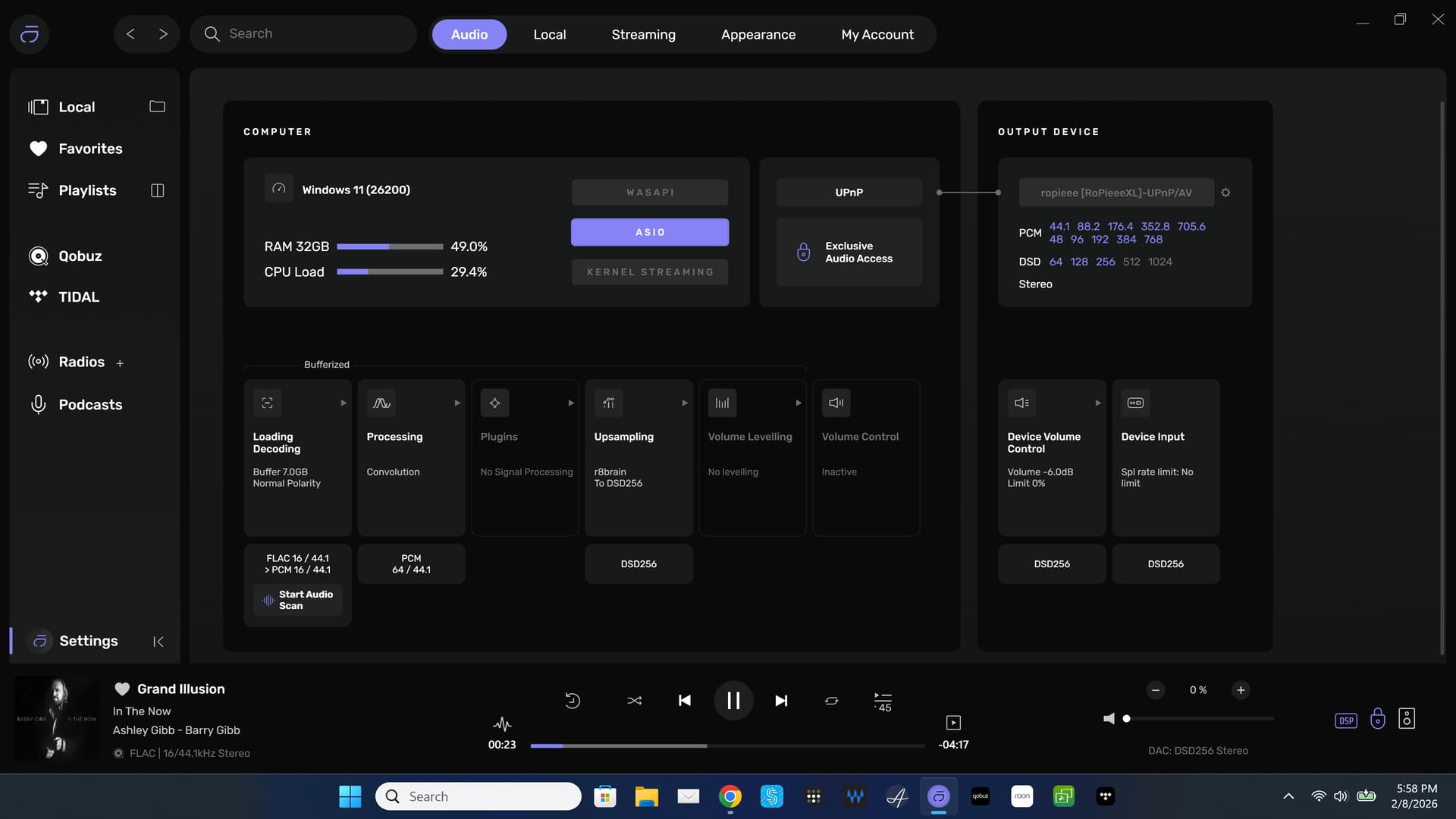
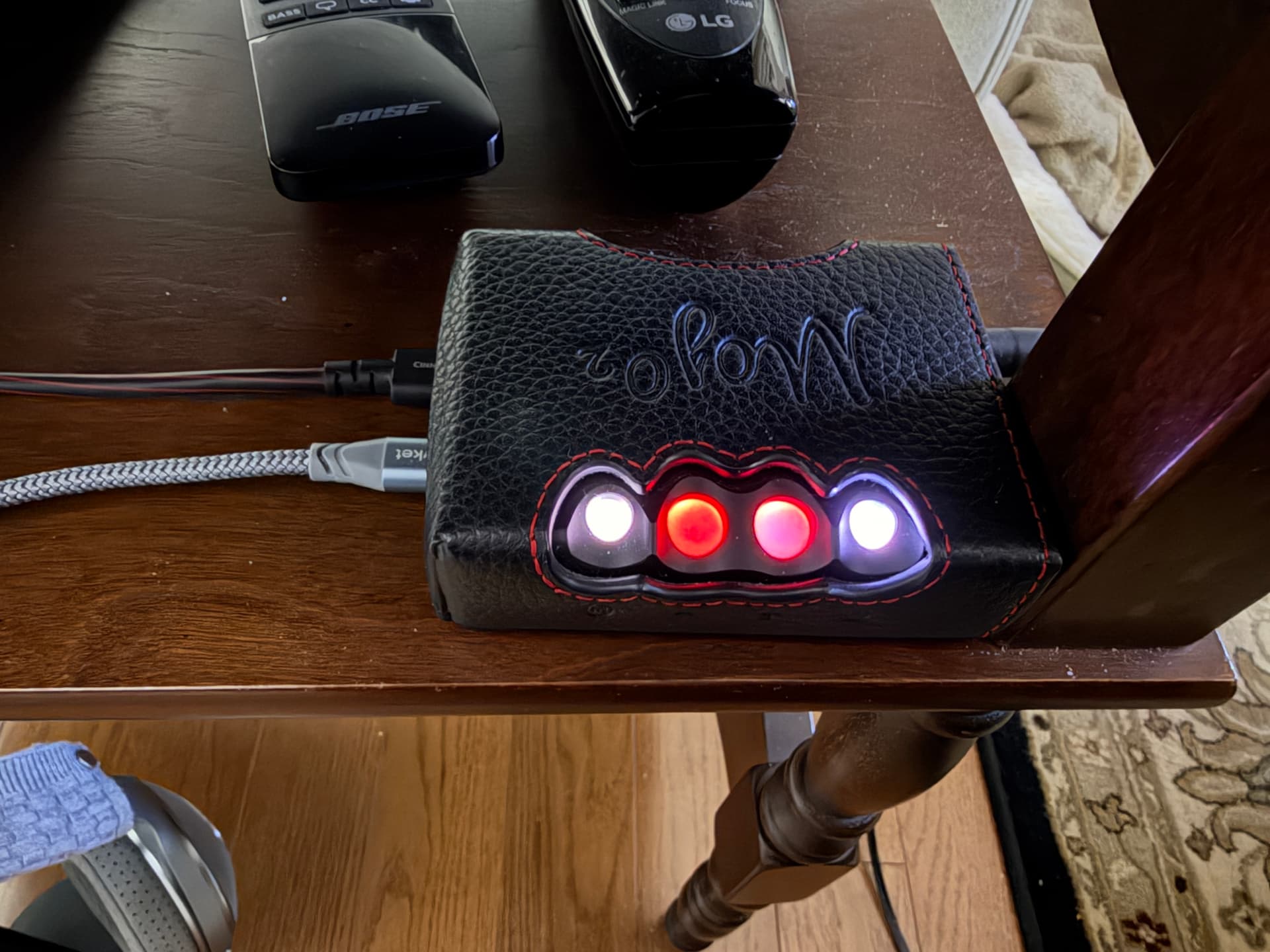
4 Likes
Noise between your computer and DAC via USB is a concern as is noise between your DAC and Preamp and/or your Integrated via RCA and/or XLR connections… In other words, two separate ingres for noise in your signal chain…
And to make you even more paranoid… What about the noise coming thru power… What about the noise from all the various interconnect cables including speaker cables… What about the noise coming thru the HVAC system, refrigerator etc…
1 Like
No distortion with UPnP, and everything showing on the remote UI plus my ears (which of course are subject to being influenced by the UI) tell me that convolution and upsampling to 768kHz are turned on.
If it’s any help in determining why I get distortion with the direct connection but not UPnP, with the direct connection the DAC is a Pro-Ject Pre Box S2, while with UPnP the DAC is an iFi NEO iDSD.
No, Asynchronous USB digital-audio transmission is all about the input to the DAC platform. It’s about the power/grounding/earthing scheme of your playback system…
Ground-loop noise potentials between the computer platform and the DAC have influence on the signal, and also, the potentials of noise related to packet send/request latency on the transmission line, if using USB 2.0, where these interrupts are handled on the data-line… Using a USB 3.0 isolator/filter, with a very short USB 2.0 interconnect to the USB 2.0 input of a DAC will shorten the interrupt latency, because USB 3.0 cable protocol separates the signaling-lines from the data-line… USB digital-audio transmission is asynchronous… Once delivered to the USB input controller, the signal is buffered and clocked to the system master clock that gets its reference from the USB input signal metadata, that tells the system the bit-depth and sample-rate of the transmitted digital-audio file.
For best performance, maintaining a proper power/ground/earthing scheme is essential for noise-free transmission of digital-audio signals. All components must share a common power/ground/earthing path, and in cases where the components are separated by long distance and on different power/ground /earth circuits, the implementation of optical transmission serves to isolate components from ground differential noise and worse-case potentially hazardous ground differential conditions.


Have you tried reducing the output gain to the Pro-Ject Pre Box S2? Not all DAC platforms have the same level of headroom capability.
1 Like
I have the same exact situation. With UPnP, RPi4, and Mojo 2 everything sounds great and works great. With a direct USB from Dell XPS 15 to Mojo 2 I get intermittent noise and static, etc. I guess it’s maybe a grounding issue as pointed out by @Agoldnear
My solution is to always use UPnP with this setup. That’s my preferred situation anyway.
This is not something new or related to Audirvana. I’ve always had this issue and with Roon also. I’ve learned to never use USB from my Dell to Mojo 2.
Now that I have all this figured out and working perfectly, I’ve done enough reading and listening that I think there is absolutely no reason to use upsampling with the Chord Mojo 2. In a best case scenero, it sounds no better and in a worst case upsampling to DSD might even introduce noise. It’s just the way the Chord DACs work that this is true.
So, I will use convolution and maybe play around with DSD 256 but don’t expect any improvement in SQ.
1 Like
There certainly no reason to send DSD to the Chord DAC… If you have DSD files, convert these to PCM in Audirvāna… This will typically produce a 24/705.6kHz file to the DAC… If you cannot discern any subjectively better audible difference in the audition between a 16/44.14kHz (or any) PCM file sent directly to the Chord DAC versus that same PCM file up-sampled to 705.6kHz or 768kHz (Power of Two strategy) delivered to the Chord DAC, this is the final test… It can’t hurt to take it to the next step in the analysis… However, I understand the nature of subjective value… 
Yes, the Chord Mojo 2 converts DSD to PCM 705.6 also. I’ll do some power of two listening and see if I can tell any difference.
Convert DSD to PCM in Audirvāna… Yes the WTA operations will work on the 705.6kHz or 768kHz file sent to it from Audirvāna… This removes the fundamental upsampling of any lower resolution PCM file that requires more DSP overhead in the FPGA…
You will be the arbiter of which approach sounds the best to you… 
2 Likes
There is some thought that removing some of the upsampling workload from the Mojo 2 to Audirvana can be a benefit. I’ll leave it this way for a day or two, or maybe indefinitely.
PS: I have no native DSD local files. I only have 47 files in my local library. I’m essentially 100 percent Tidal and Qobuz.
It may be worth checking.
In the Naim forum there was a suggestion that lowering the CPU activity in the media streamer (such as my ND5 XS 2) results in a better sound.
And the discussion that followed also included letting for example Audirvāna do the upsampling and deliver a steady flow of digital data to the Chord which then can use its CPU to optimize the process converting the signal.
Wether that really makes a difference is something that indeed as @Agoldnear says you can judge.
1 Like
Can’t be in my case at least. It always happens when directly connected at 768kHz when using convolution, never happens without convolution, seldom happens with convolution at 705.6kHz, never happens with convolution below that resolution.
That’s not characteristic of any sort of ground fault or ground loop, because the electrical connections are exactly the same in all those situations.
2 Likes
Logical based on your playback experiences… You are describing two different DAC design architecture/topologies in this scenario… If not DAC overload, perhaps some data-buffering relationship..?
May have missed it in all the messages, but did you already try a different USB cable?