I have a very large local collection of classical music that I have been meticulously tagging for years; I am interested in making the switch to Audirvana, but noticed this inconsistency in how tags are displayed between different file types that makes me hesitant.
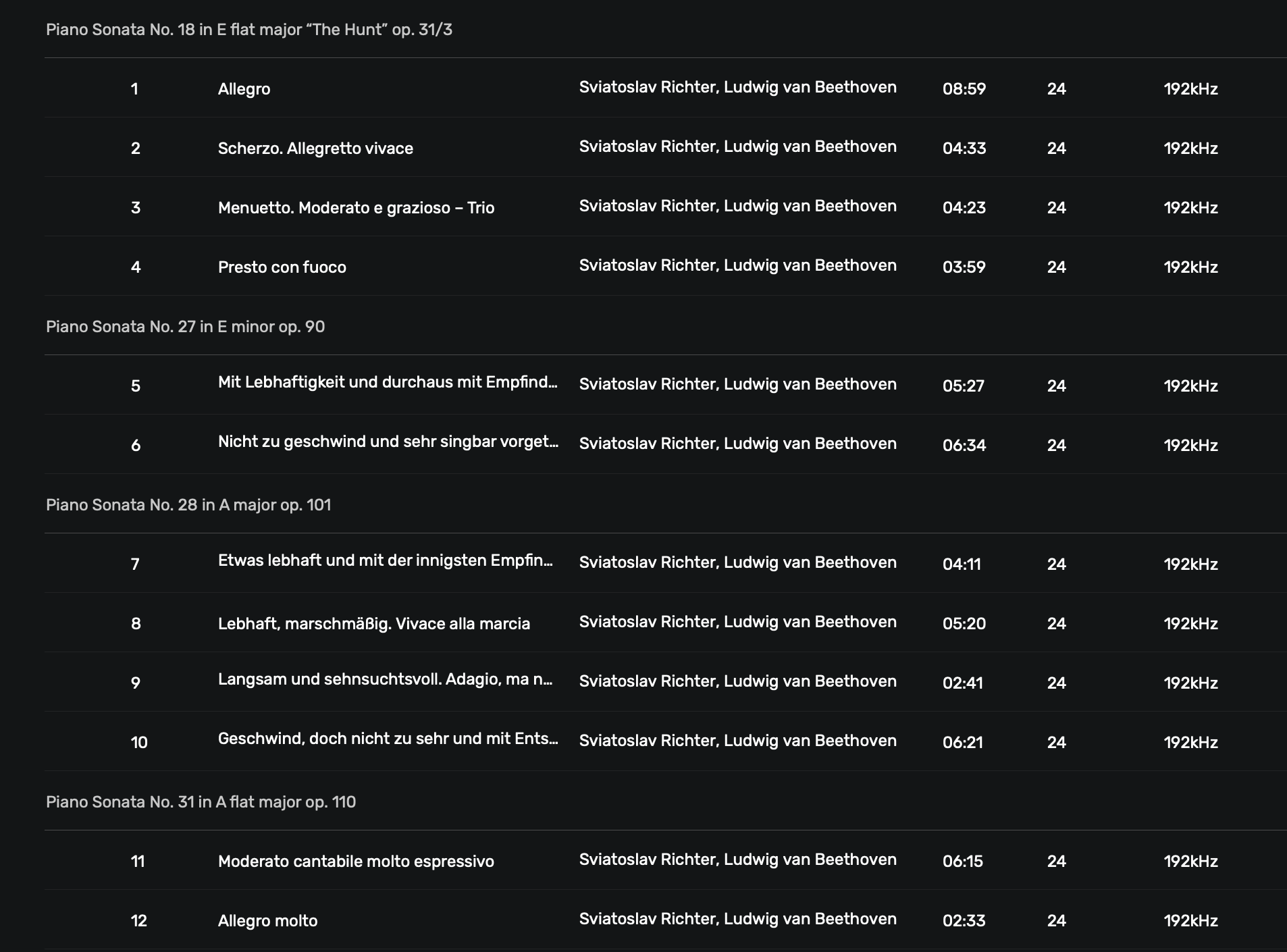
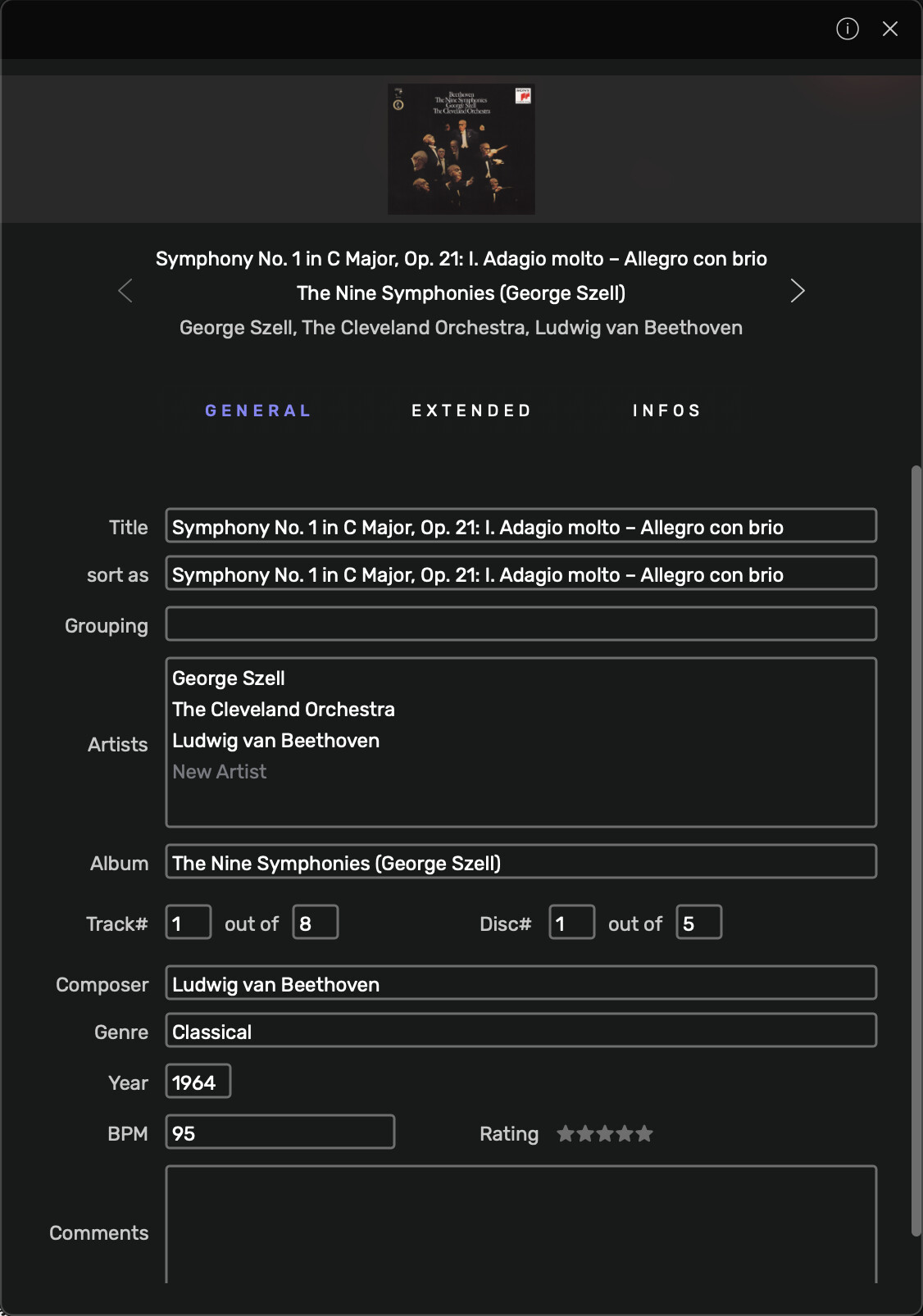
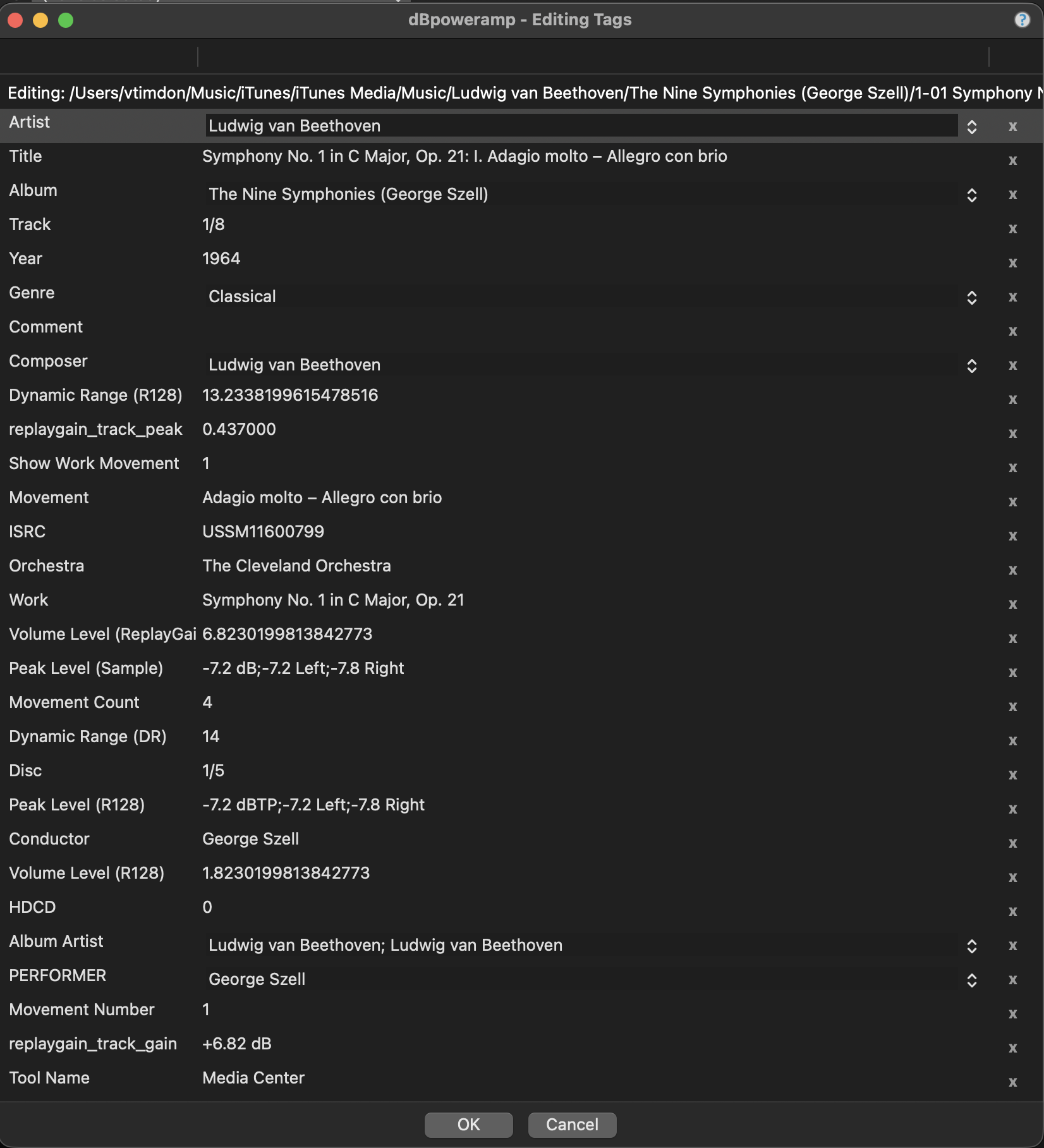
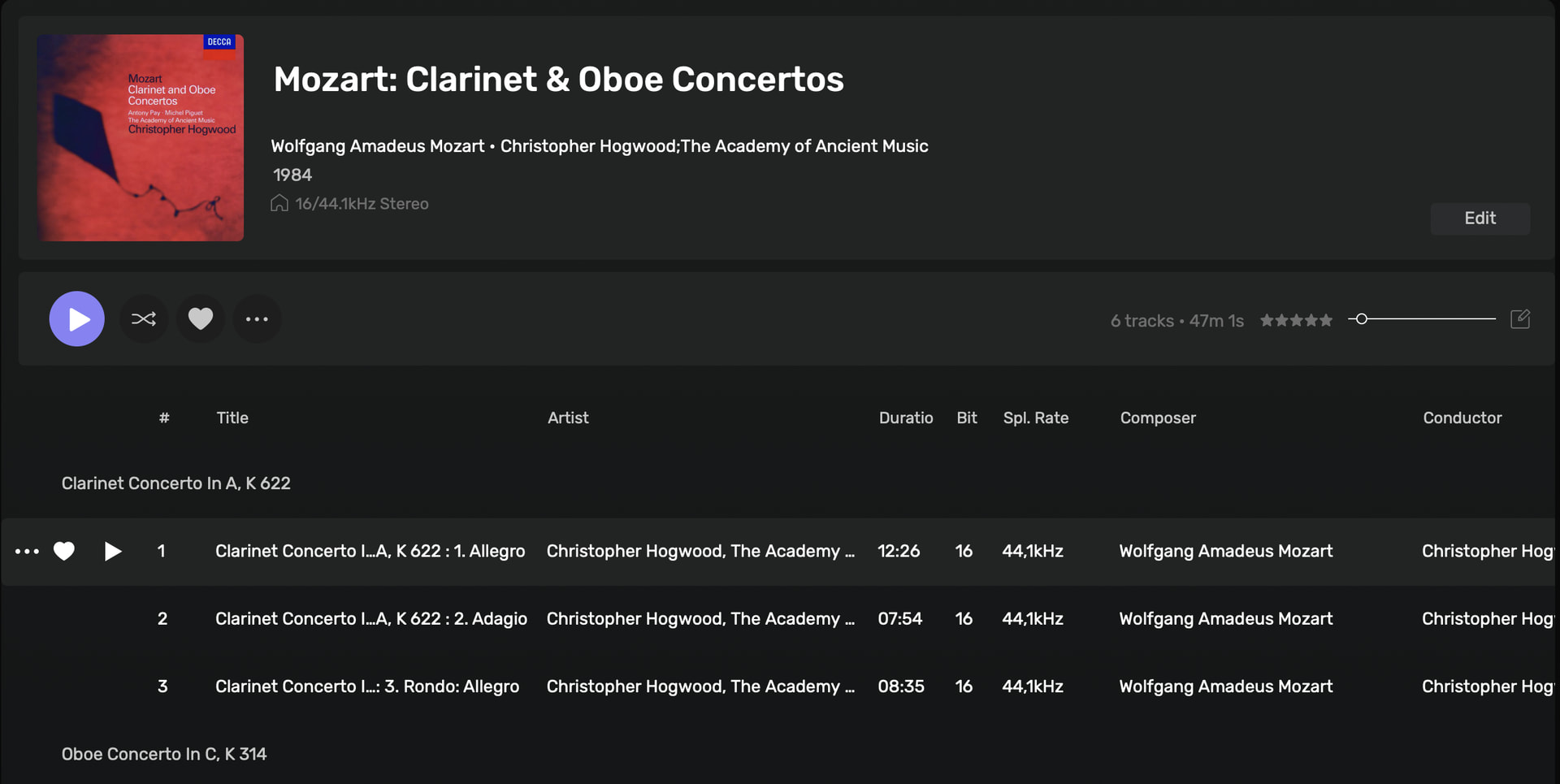
Here is how Audirvana displays classical music albums in PCM (ie. regular FLAC or ALAC files), with full classical tags for work titles and movement titles:
All things considered, this looks quite decent. The only thing really missing is movement numberings, which are for some reason omitted by Audirvana, but this is quite close enough.
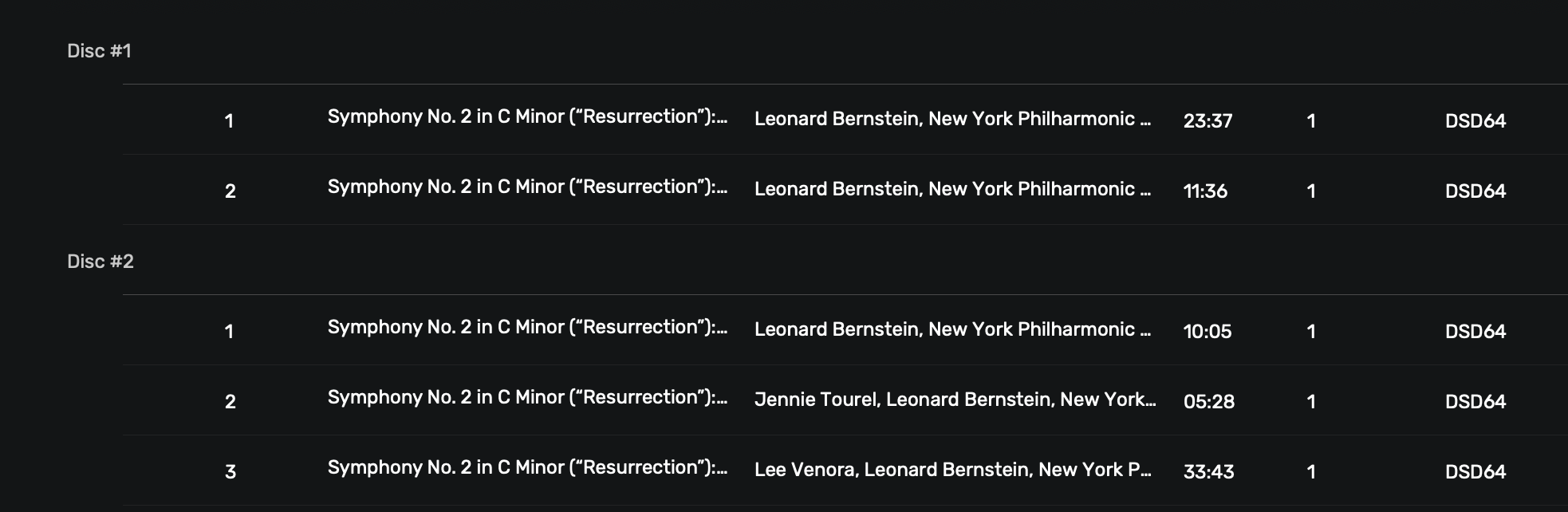
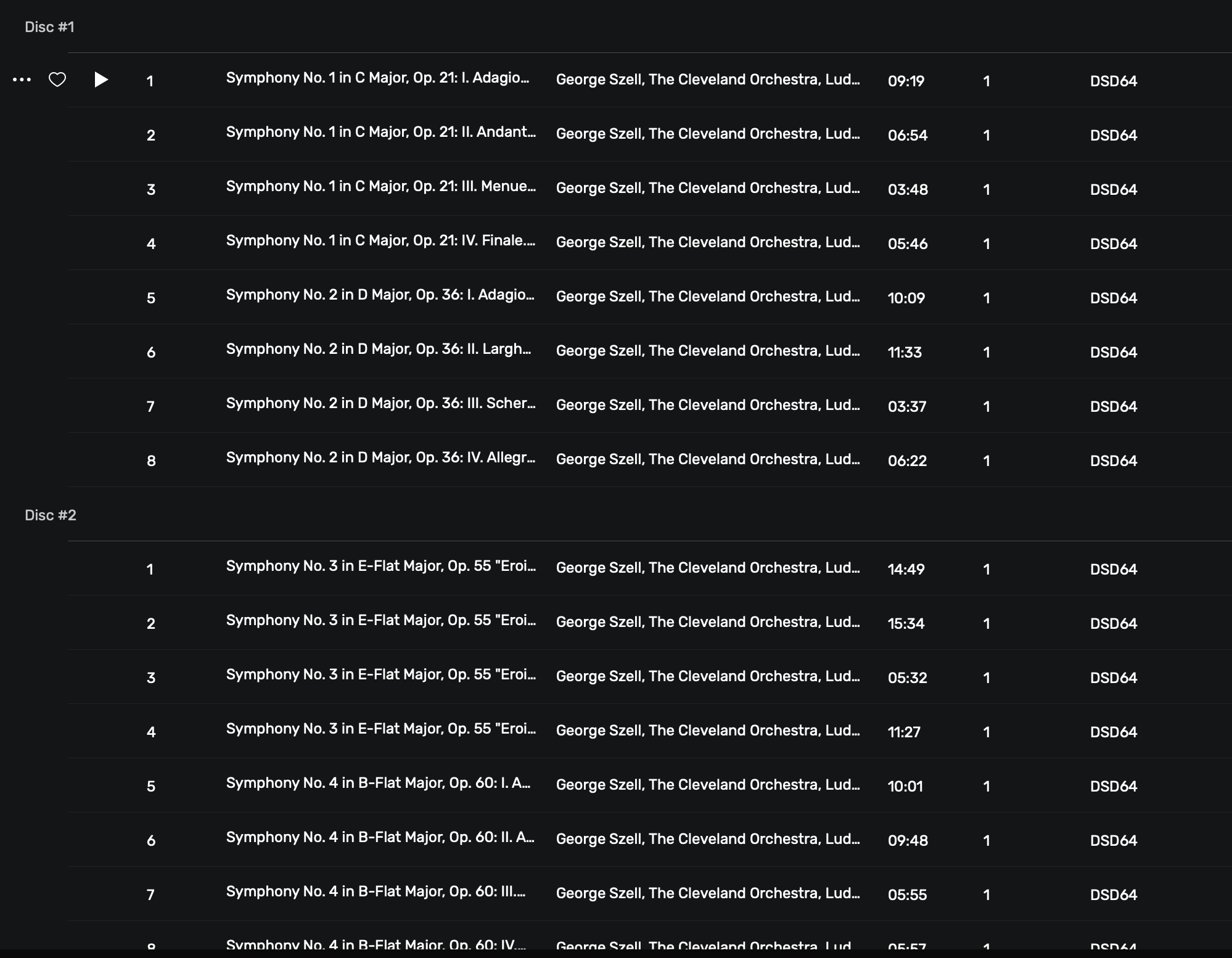
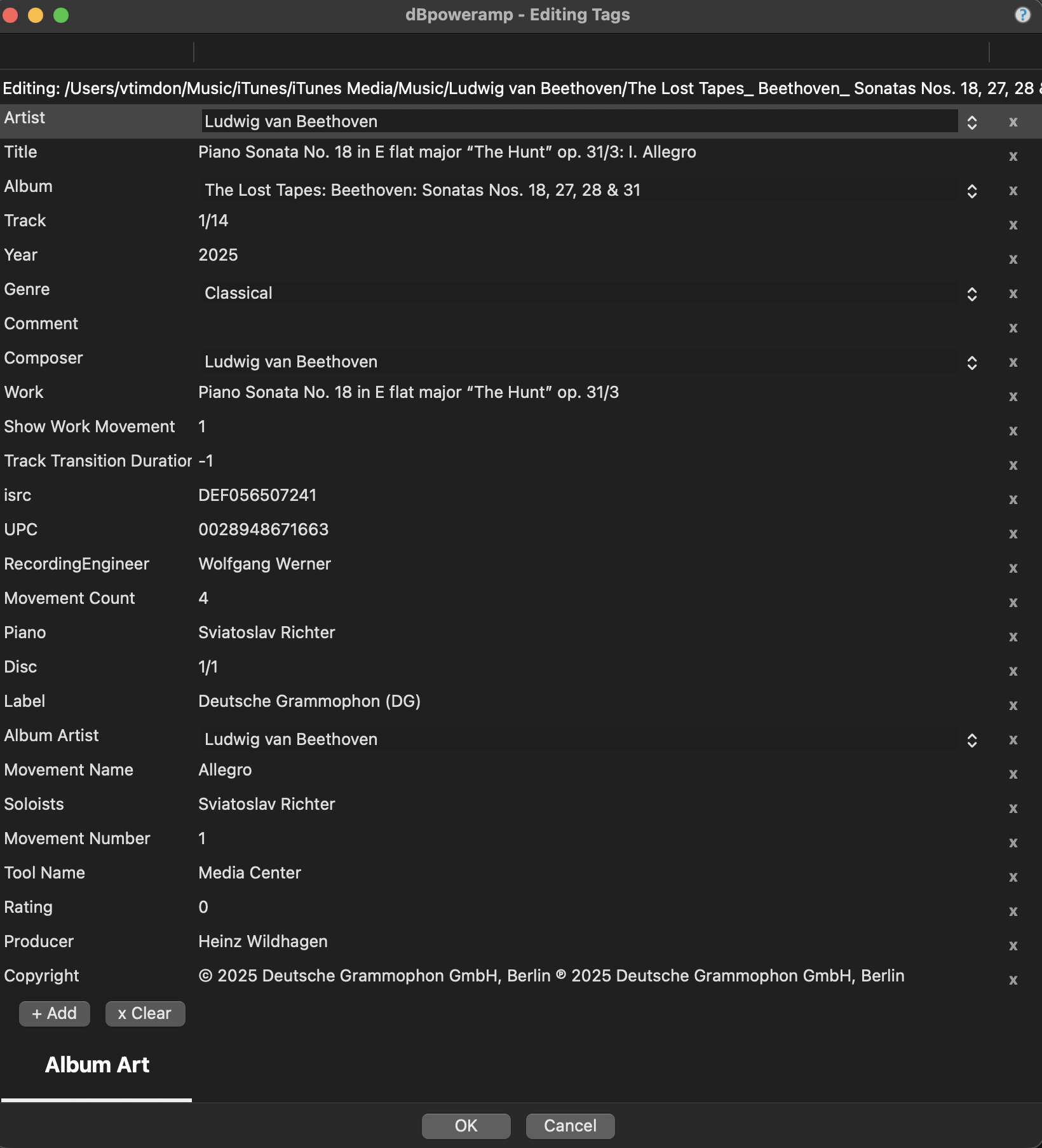
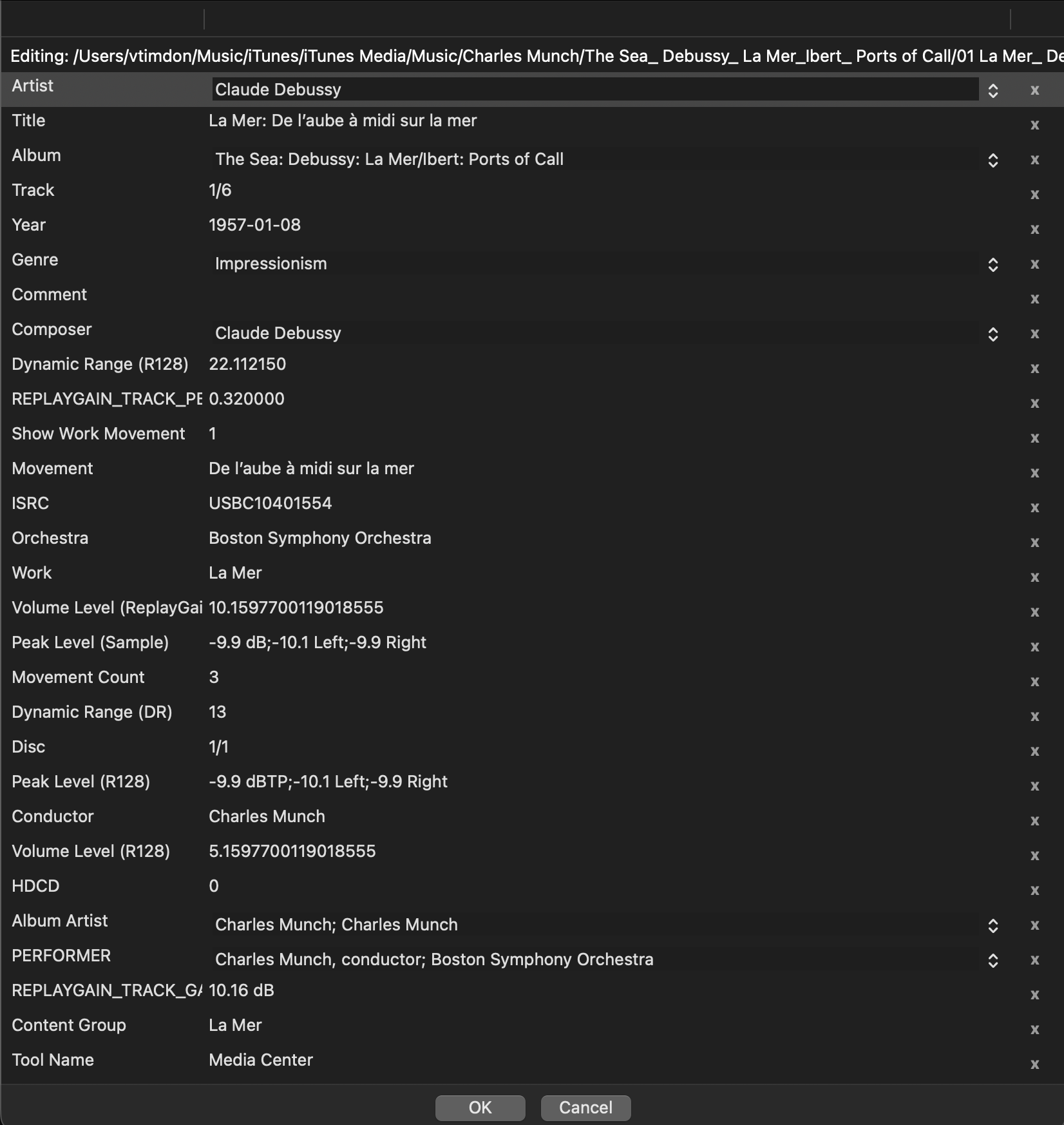
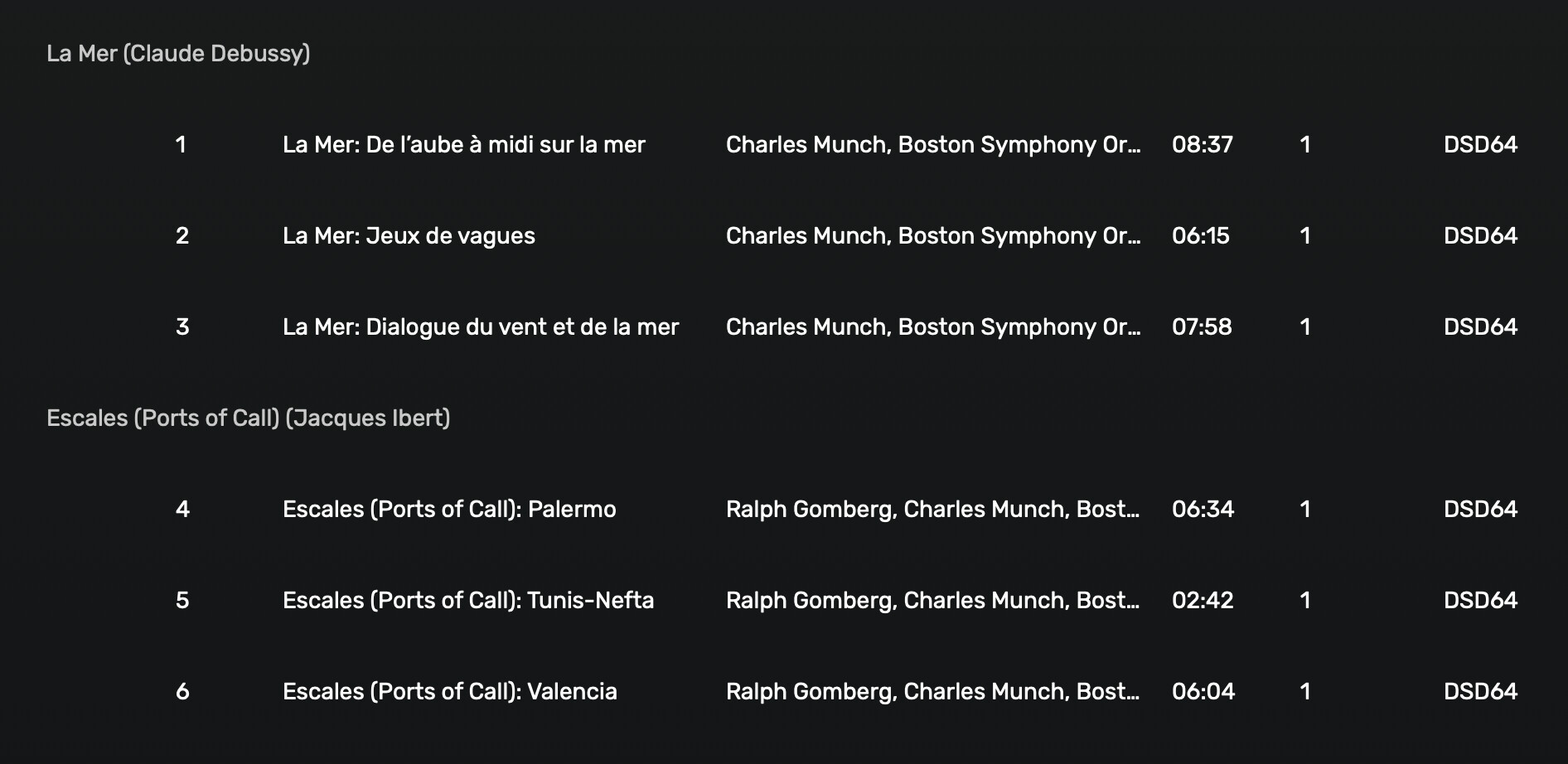
Now here are 2 examples of DSD albums, with the exact same tagging system. All the movement titles and work titles have been included in the track metadata:
This basically looks like I have no classical tags whatsoever and Audirvana is simply reading the default track titles. Why the inconsistency in metadata reading behavior?
I have other issues with Audirvana’s display of classical music tags, but this is the most glaring and immediately annoying one at present. Anyone have any suggestions or explanations as to why this is?
As you can see, it’s basically just reading the track title as if the work names and movement names don’t exist at all, despite being tagged the same as the PCM file.
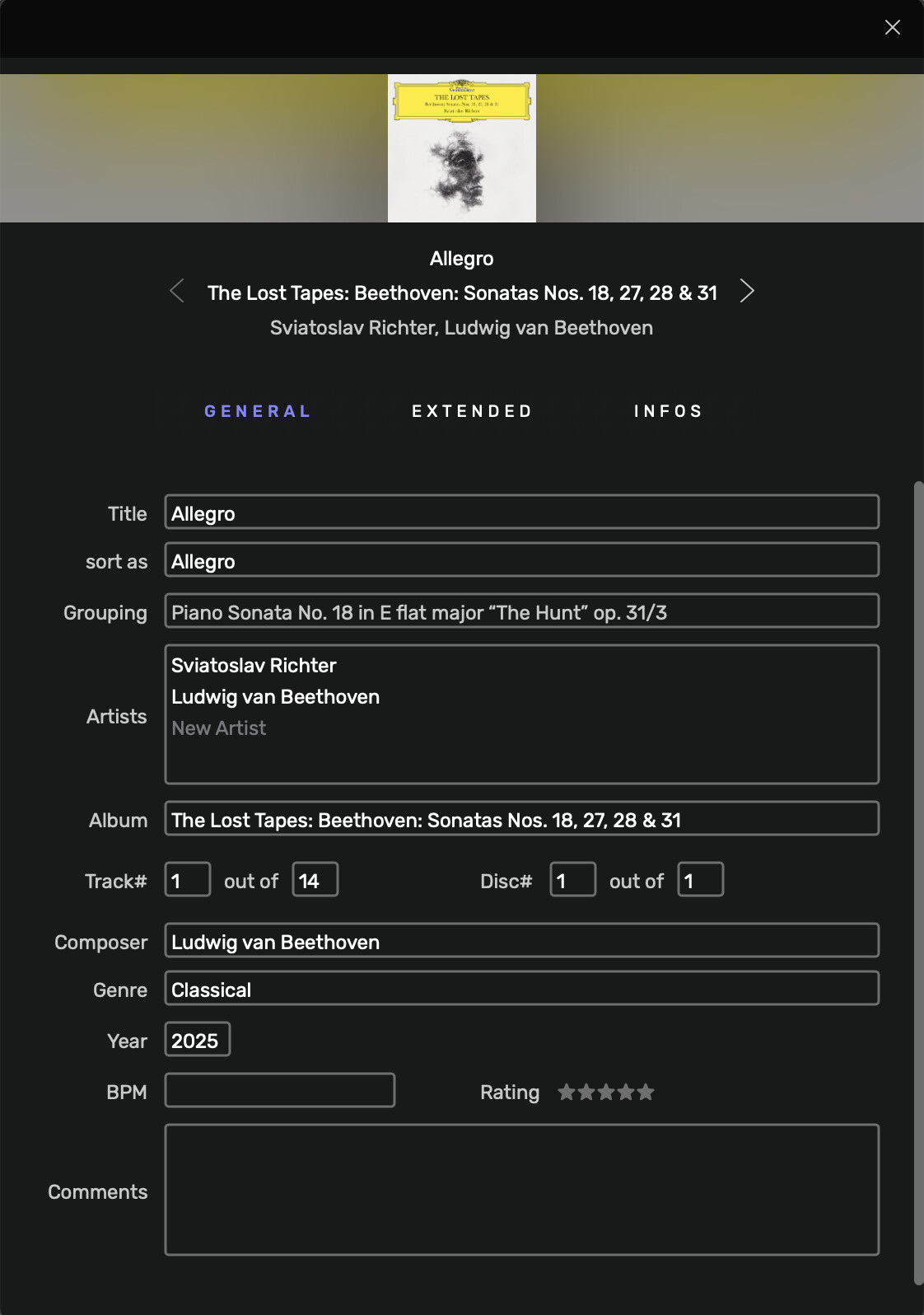
I can add groupings in Audirvana’s tags and dbpoweramp, but that’s missing the point slightly. My PCM file tags don’t have any groupings either, Audirvana just interprets the work titles as a grouping for them, and not for the DSD files.
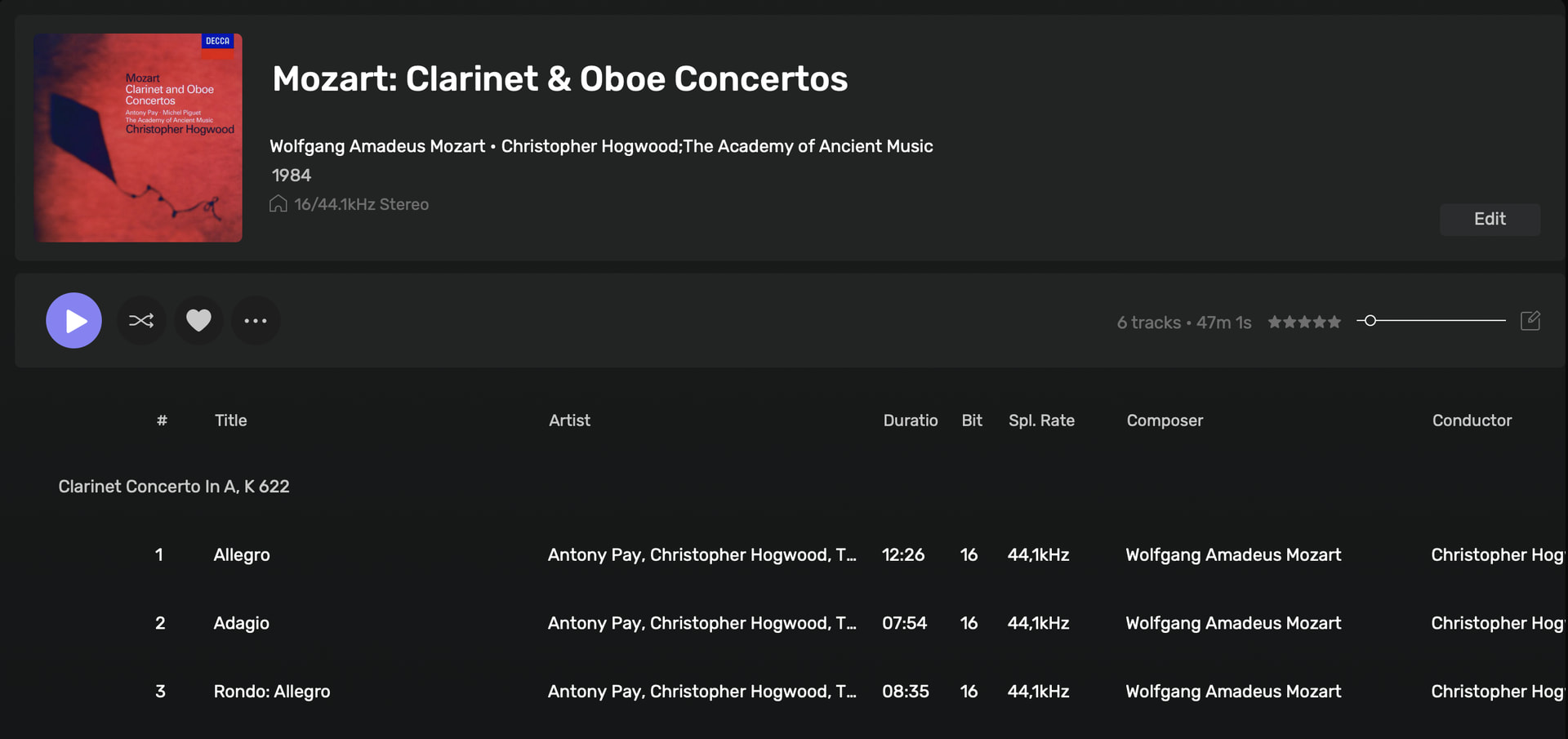
Even if I were to add groupings to the DSD files to reflect the behavior of the PCM files, they look like this:
Now I have my work titles twice, first as a grouping and then in the track titles themselves. There is no way to force the DSD files to have similar display to the PCM files without changing the track titles of the DSD files outright, which completely defeats the purpose of having classical tags in the first place.
It does more or less what you’d expect; add a Content Group tag to dbpoweramp. None of this affects or has any relevance to the classical tagging functions, and again, the PCM files don’t have any sorts of Content Group or Groupings tags, they simply remain grouped based on classical tags.
Correct. I’ve applied my work and part tags primarily through other software like JRiver, Apple Music and dbpoweramp. The lack of availability of these tags in the Audirvana tag editor is another issue, but not one as immediately glaring as this one, which as of yet has not been resolved.
Any progress? Audirvana has many qualities, but as of today, attention to classical music is not one:
the lack of recognition and use of Work, Mouvement and Part tags means all tracks are treated on the basis just of their title unless we add the very non-standard use of the Grouping field, and then mouvements are still using the full title field (some seem to get Audirvana to swap Work and Mouvement into Grouping and Title, but this doe not happen for me, and it remains very non standard).
Audirvana still does not recognize the “;” as separator for for genres so I end up with all kinds of “genres” such as “Classical;Opera”…
Not that I’m aware of. Audirvana doesn’t seem very interested in cleaning up how classical tags work and I’m not able to justify purchasing it until it does.
So the only satisfactory arrangement seems to be for ALAC (and AAC) files… But the good new is that this could easily be fixed by Audirvana, with just an update on the mappings for the FLAC (Vorbis) and DSD (ID3V2) schemes.