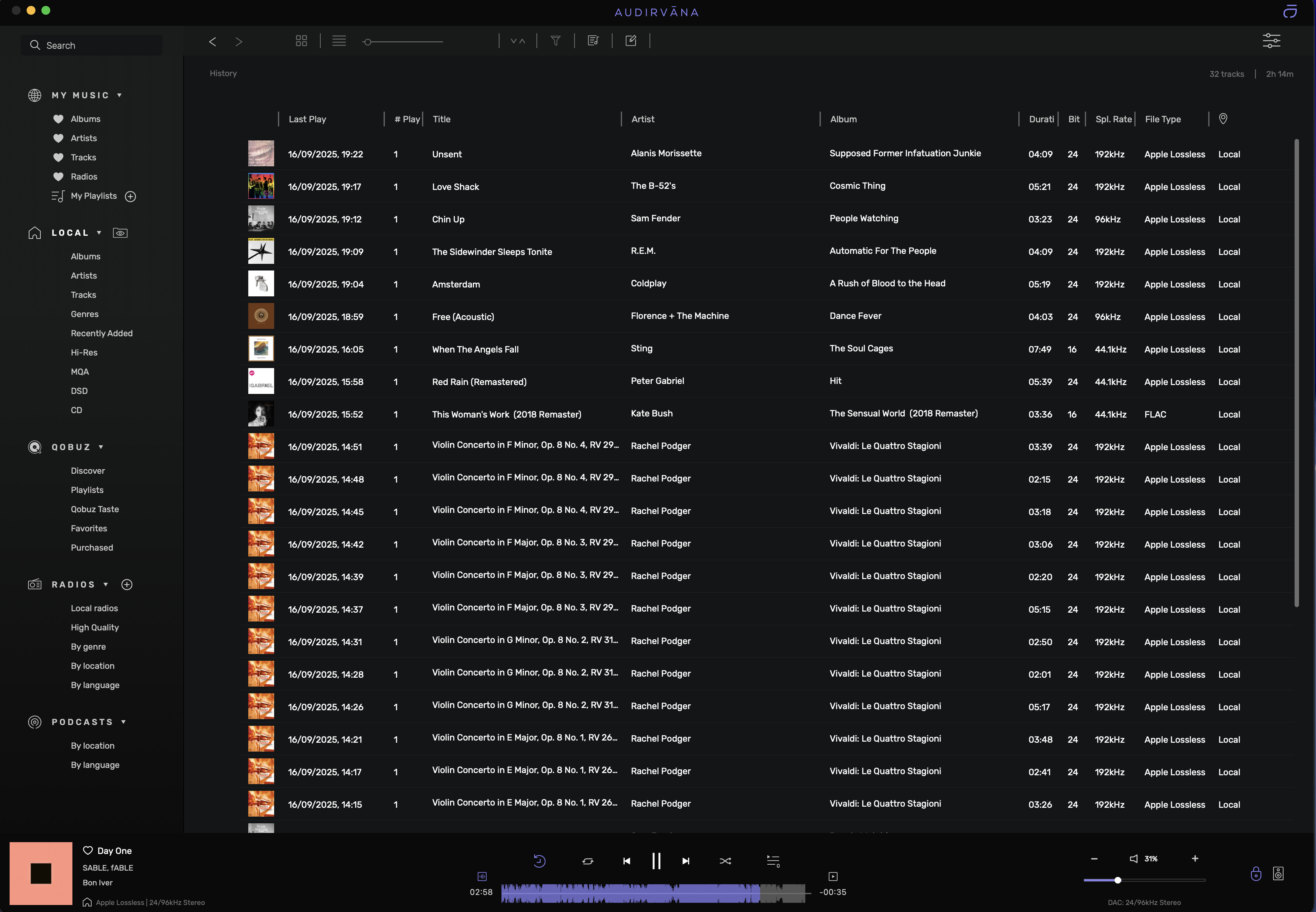
Integer mode stopped working on the latest Mac OS Tahoe when I installed the public beta when it was released. There was faint distortion during playback that was only audible when I turn the volume all the way up. I was hoping the problem would go away with the official release of Mac OS Tahoe 26.0, but the problem still remains. Playback is fine with integer mode turned off.
I read some of the older posts saying that integer mode doesn’t really work on Macs due to Apple blocking access to the kernel (or something along those lines) – is this still the case?
Audirvana Origin 2.6.2 (20602)
Running on MacBook Pro (13-inch, M1, 2020), Apple M1
macOS Version 26.0 (Build 25A354) ARM64 with 16GB physical RAM
Connected account of : Hadi Mahmud
NETWORK
Status: available
Local network access: allowed
LOADING/DECODING:
Max audio buffer size: 13312MB
Polarity Inversion:
Globally: OFF
Per track: ON
SIGNAL PROCESSING:
Effect Plugins: NOT ACTIVE
UPSAMPLING:
r8brain not in use
r8brain filter parameters
Bandwidth = 99.5%
Stop band attenuation 218dB
Phase linear
AUDIO VOLUME:
Replay Gain: by album
Max allowed volume: 100
SW volume control: OFF
LIBRARY SETTINGS:
Sync list: 2 folders
AUTO: /Users/hadimahmud/Music/DJ MIXES/DJ Sets
AUTO: /Users/hadimahmud/Music/LOSSLESS
Sync folders at startup: YES
iTunes/Music library synchronization: not synchronized
Sort and display order: en_US
Library database path: /Users/hadimahmud/Library/Application Support/Audirvana/AudirvanaDatabase.sqlite
Remote Control server:
Listening on
en0 IPv4: 192.168.101.15
on port 49277
APPEARANCE SETTINGS:
UI theme: dark
Font size: regular
Language: System language
Show album covers in tracks list: yes
Source list sorted:
Library
My Music
Startup view: Last displayed view
Show local extended in source list: no
Use media keys: yes
Use media keys for volume control: yes
Use Apple Remote: yes
Number of paired remotes: 2
Remote pairing code required: yes
Screen saver disabled: yes
=================== AUDIO DEVICE ========================
Active method: Local
Max. memory for audio buffers: 13312MB
Local Audio Engine: CoreAudio
Exclusive access: ON
Integer mode: ON
Use max I/O buffer size: ON
Actual I/O buffer frame size: 512
Preferred device:
Built-in Output
Model UID:
UID:
Active Sample Rate: 44.1kHz
Hog Mode is off
Bridge settings:
Sample rate limitation: none
Sample rate switching latency: none
Limit bitdepth to 24bit: OFF
Mute during sample rate change: OFF
Selected device:SMSL USB AUDIO
Manufacturer: SMSL
Model name: SMSL USB AUDIO
Model UID: SMSL USB AUDIO:152A:85DD
UID: AppleUSBAudioEngine:SMSL:SMSL USB AUDIO:1100000:1
USB Vendor ID: 0x152a
USB Product ID: 0x85dd
ID 0x5f
10 available sample rates up to 768000Hz
44100
48000
88200
96000
176400
192000
352800
384000
705600
768000
Audio buffer frame size : 14 to 4096 frames
Current I/O buffer frame size : 512
Volume Control
Physical: No
Virtual: No
Max volume alert: Enabled
MQA capability
Auto-detect MQA devices: Yes
MQA Decoder device
DSD capability
Unhandled (PCM conversion) with boost gain of 6dB
Device audio channels
Preferred stereo channels L:1 R:2
Channel bitmap: Ox3, layout:
Channel 0 mapped to 0
Channel 1 mapped to 1
Audio channels in use
Number of channels: 2
Use as stereo device only: No
Simple stereo device: Yes
1 output streams:
Number of active channels: 2, in 1 stream(s)
Channel #0 :Stream 0 channel 0
Channel #1 :Stream 0 channel 1
Stream ID 0x60 2 channels starting at 1
30 virtual formats:
2 ch Mixable linear PCM Interleaved 32 little endian Signed Float 768kHz
2 ch Mixable linear PCM Interleaved 32 little endian Signed Float 705.6kHz
2 ch Mixable linear PCM Interleaved 32 little endian Signed Float 384kHz
2 ch Mixable linear PCM Interleaved 32 little endian Signed Float 352.8kHz
2 ch Mixable linear PCM Interleaved 32 little endian Signed Float 192kHz
2 ch Mixable linear PCM Interleaved 32 little endian Signed Float 176.4kHz
2 ch Mixable linear PCM Interleaved 32 little endian Signed Float 96kHz
2 ch Mixable linear PCM Interleaved 32 little endian Signed Float 88.2kHz
2 ch Mixable linear PCM Interleaved 32 little endian Signed Float 48kHz
2 ch Mixable linear PCM Interleaved 32 little endian Signed Float 44.1kHz
2 ch Non-mixable linear PCM Interleaved 32 little endian Signed Integer 768kHz
2 ch Non-mixable linear PCM Interleaved 32 little endian Signed Integer 705.6kHz
2 ch Non-mixable linear PCM Interleaved 32 little endian Signed Integer 384kHz
2 ch Non-mixable linear PCM Interleaved 32 little endian Signed Integer 352.8kHz
2 ch Non-mixable linear PCM Interleaved 32 little endian Signed Integer 192kHz
2 ch Non-mixable linear PCM Interleaved 32 little endian Signed Integer 176.4kHz
2 ch Non-mixable linear PCM Interleaved 32 little endian Signed Integer 96kHz
2 ch Non-mixable linear PCM Interleaved 32 little endian Signed Integer 88.2kHz
2 ch Non-mixable linear PCM Interleaved 32 little endian Signed Integer 48kHz
2 ch Non-mixable linear PCM Interleaved 32 little endian Signed Integer 44.1kHz
2 ch Non-mixable linear PCM Interleaved 24 little endian Signed Integer aligned low in 32bit 768kHz
2 ch Non-mixable linear PCM Interleaved 24 little endian Signed Integer aligned low in 32bit 705.6kHz
2 ch Non-mixable linear PCM Interleaved 24 little endian Signed Integer aligned low in 32bit 384kHz
2 ch Non-mixable linear PCM Interleaved 24 little endian Signed Integer aligned low in 32bit 352.8kHz
2 ch Non-mixable linear PCM Interleaved 24 little endian Signed Integer aligned low in 32bit 192kHz
2 ch Non-mixable linear PCM Interleaved 24 little endian Signed Integer aligned low in 32bit 176.4kHz
2 ch Non-mixable linear PCM Interleaved 24 little endian Signed Integer aligned low in 32bit 96kHz
2 ch Non-mixable linear PCM Interleaved 24 little endian Signed Integer aligned low in 32bit 88.2kHz
2 ch Non-mixable linear PCM Interleaved 24 little endian Signed Integer aligned low in 32bit 48kHz
2 ch Non-mixable linear PCM Interleaved 24 little endian Signed Integer aligned low in 32bit 44.1kHz
40 physical formats
2 ch Mixable linear PCM Interleaved 32 little endian Signed Integer 768kHz
2 ch Mixable linear PCM Interleaved 32 little endian Signed Integer 705.6kHz
2 ch Mixable linear PCM Interleaved 32 little endian Signed Integer 384kHz
2 ch Mixable linear PCM Interleaved 32 little endian Signed Integer 352.8kHz
2 ch Mixable linear PCM Interleaved 32 little endian Signed Integer 192kHz
2 ch Mixable linear PCM Interleaved 32 little endian Signed Integer 176.4kHz
2 ch Mixable linear PCM Interleaved 32 little endian Signed Integer 96kHz
2 ch Mixable linear PCM Interleaved 32 little endian Signed Integer 88.2kHz
2 ch Mixable linear PCM Interleaved 32 little endian Signed Integer 48kHz
2 ch Mixable linear PCM Interleaved 32 little endian Signed Integer 44.1kHz
2 ch Mixable linear PCM Interleaved 24 little endian Signed Integer aligned low in 32bit 768kHz
2 ch Mixable linear PCM Interleaved 24 little endian Signed Integer aligned low in 32bit 705.6kHz
2 ch Mixable linear PCM Interleaved 24 little endian Signed Integer aligned low in 32bit 384kHz
2 ch Mixable linear PCM Interleaved 24 little endian Signed Integer aligned low in 32bit 352.8kHz
2 ch Mixable linear PCM Interleaved 24 little endian Signed Integer aligned low in 32bit 192kHz
2 ch Mixable linear PCM Interleaved 24 little endian Signed Integer aligned low in 32bit 176.4kHz
2 ch Mixable linear PCM Interleaved 24 little endian Signed Integer aligned low in 32bit 96kHz
2 ch Mixable linear PCM Interleaved 24 little endian Signed Integer aligned low in 32bit 88.2kHz
2 ch Mixable linear PCM Interleaved 24 little endian Signed Integer aligned low in 32bit 48kHz
2 ch Mixable linear PCM Interleaved 24 little endian Signed Integer aligned low in 32bit 44.1kHz
2 ch Non-mixable linear PCM Interleaved 32 little endian Signed Integer 768kHz
2 ch Non-mixable linear PCM Interleaved 32 little endian Signed Integer 705.6kHz
2 ch Non-mixable linear PCM Interleaved 32 little endian Signed Integer 384kHz
2 ch Non-mixable linear PCM Interleaved 32 little endian Signed Integer 352.8kHz
2 ch Non-mixable linear PCM Interleaved 32 little endian Signed Integer 192kHz
2 ch Non-mixable linear PCM Interleaved 32 little endian Signed Integer 176.4kHz
2 ch Non-mixable linear PCM Interleaved 32 little endian Signed Integer 96kHz
2 ch Non-mixable linear PCM Interleaved 32 little endian Signed Integer 88.2kHz
2 ch Non-mixable linear PCM Interleaved 32 little endian Signed Integer 48kHz
2 ch Non-mixable linear PCM Interleaved 32 little endian Signed Integer 44.1kHz
2 ch Non-mixable linear PCM Interleaved 24 little endian Signed Integer aligned low in 32bit 768kHz
2 ch Non-mixable linear PCM Interleaved 24 little endian Signed Integer aligned low in 32bit 705.6kHz
2 ch Non-mixable linear PCM Interleaved 24 little endian Signed Integer aligned low in 32bit 384kHz
2 ch Non-mixable linear PCM Interleaved 24 little endian Signed Integer aligned low in 32bit 352.8kHz
2 ch Non-mixable linear PCM Interleaved 24 little endian Signed Integer aligned low in 32bit 192kHz
2 ch Non-mixable linear PCM Interleaved 24 little endian Signed Integer aligned low in 32bit 176.4kHz
2 ch Non-mixable linear PCM Interleaved 24 little endian Signed Integer aligned low in 32bit 96kHz
2 ch Non-mixable linear PCM Interleaved 24 little endian Signed Integer aligned low in 32bit 88.2kHz
2 ch Non-mixable linear PCM Interleaved 24 little endian Signed Integer aligned low in 32bit 48kHz
2 ch Non-mixable linear PCM Interleaved 24 little endian Signed Integer aligned low in 32bit 44.1kHz
Local devices found : 3
Device #0: ID 0x5f SMSL USB AUDIO
Manufacturer: SMSL
Model UID: SMSL USB AUDIO:152A:85DD
UID: AppleUSBAudioEngine:SMSL:SMSL USB AUDIO:1100000:1
USB Vendor ID: 0x152a
USB Product ID: 0x85dd
Model name: SMSL USB AUDIO
Device #1: ID 0x53 MacBook Pro Speakers
Manufacturer: Apple Inc.
Model UID: Speaker
UID: BuiltInSpeakerDevice
Model name: Apple Inc. MacBook Pro Speakers
Device #2: ID 0x4d Serato Virtual Audio
Manufacturer: Serato
Model UID: VirtualAudio_ModelUID
UID: VirtualAudio_UID
Model name: Serato Virtual Audio
UPnP
UPnP network interface
Available Network interfaces:
Wi-Fi
UPnP devices found : 0
Chromecast
Chromecast devices found : 0