Song start delay during PLL - Holo Red

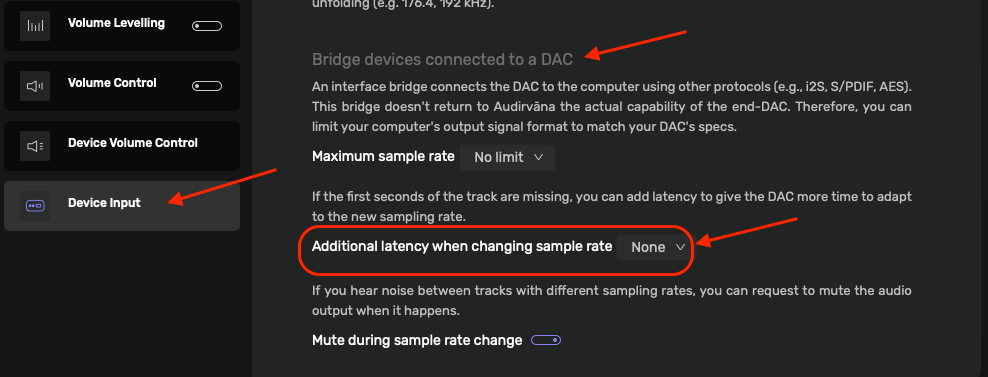
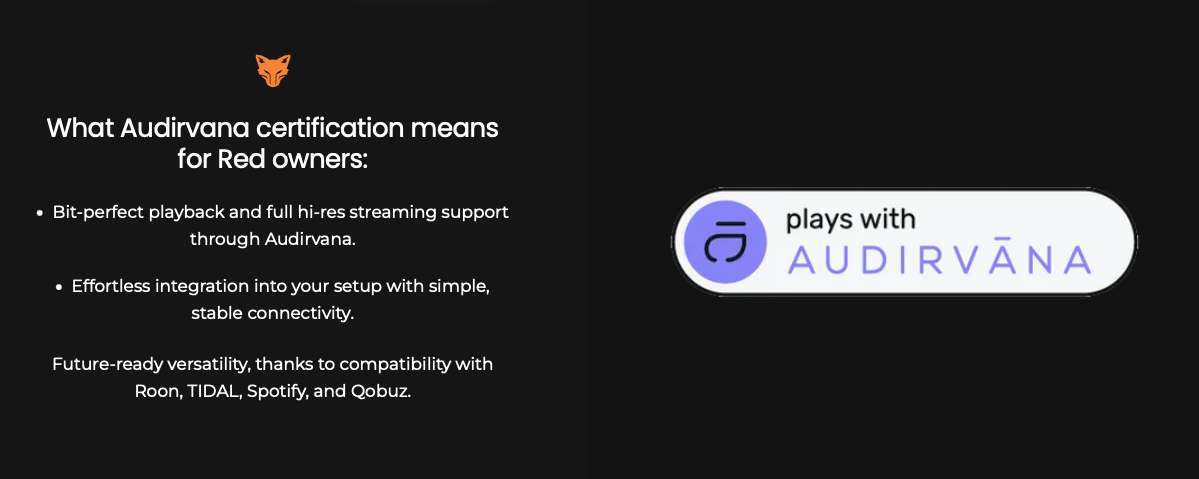
After adding Holo Red to my system I am now getting a 3 sec delay in the song start when the DAC is acquiring PLL for a change in sample rate. My Holo Red is using UPNP with Audirvana on Mac mini via ethernet. Holo Red is connected to Holo May KTE via I2S. All info suggests adding a pause prior to the song start in Audirvana. This feature can not be found anywhere. I believe it is not available when using UPNP if it exists at all. Tim Connor from Kitsune Hifi also said to add a delay in Audirvana. I can’t find it.

Can Audirvana confirm if it is possible to add a delay before sending data to the DAC and how to access it? I do not want to upsample everything which would solve the problem, but change the sound I am looking for.

It is not my I2S cable which is 0.5m. It is all about the time the DAC takes to lock on a sample rate change and Audirvana is sending data before the DAC is ready. Also, I don’t not want to turn off PLL which would also solve the problem.

:musical_notes: :eye: :nose: :eye: :musical_notes:

Thank you. That is what I am looking for. However, that option does not appear on my Audirvana options under device settings. I am not using the Holo Red as a bridge device. It is set up with UPNP. This screen does not show with UPNP. Do you have a Holo Red and how do you have it set up? Are you using HQ player and NAA?

The Holo Red is the bridge…

:musical_notes: :eye: :nose: :eye: :musical_notes:

When Holo red is connected to my mac mini using ethernet it becomes a network device. Audirvana sees it as the end point. When you look at the output device in Audirvana it lists Holo Red via UPNP. It does not see my Holo May DAC. When you connect Red via USB it becomes a bridge device. It is simply a pass through device that is not seen by Audirvana. Then when you look at device output it only shows Holo May DAC. It wont show Holo Red even exists. That is what they mean by a bridge. That is the crux of the matter. I want to use Ethernet. It sounds better in my opinion than USB. But Audirvana can’t communicate with the DAC over ethernet. It doesn’t know the DAC exists, it only sees the Holo Red. So the DAC can not tell Audirvana to hold up on the data because it hasn’t phase locked yet. That is the 3 sec delay. Because the communication pathway doesn’t exist Audirvana has chosen to delete the screen you showed me when using UPNP over ethernet. Not sure why. It would seem you could still set a delay that would be helpful, but there must be some technical piece I don’t understand.

Thanks so much for taking the time to provide input. Everything works perfectly as it should until the track switches from 44.1 to 96 or whatever sample rate. Then there is a missing 3 seconds of the 96. If I play 44.1 tracks one after another there is no issue and no delay.

This is not a fixable problem unless I switch do USB. So I will probably just live with it using ethernet as there doesn’t seem to be a solution.

If Audirvana tech guy wants to comment that would be great as this information is not clearly laid out in one place.

Have you tried connecting the Holo May via USB to Holo Red?
:musical_notes: :eye: :nose: :eye: :musical_notes:

I suggest that the both the Holo Red and Holo May have the current OS installed and to re-read the User Guide(s) so to insure the paring is properly configured to support the UPnP streaming connection.

I²S is a direct synchronous signal path to the DAC component architecture clock and is not asynchronous as is USB protocol… the I²S master-clock will be the DDC, as it is handling the UPnP data-flow and the Holo May will be the slave to the DDC…

– I personally don’t see a rationale to engage the PLL function of Holo May in the scenario with Holo Red… Do you believe the Holo Red is a noise (jitter) factor?

:musical_notes: :eye: :nose: :eye: :musical_notes:

I switched the I2S cable over to USB. Everything connected correctly, the song started playing without delay, after about 10 seconds the sound suddenly went to White Noise. So there is some kind of communication problem using ethernet on the front and USB on the back.

Audirvana and Holo Red are up to date.

The question of master clock is actually a great question. The reason I am continuing with PLL on is based on my research about the clock in the Holo Red vs Holo May. Everything I am reading is that the clock in the DAC is significantly better than the Red. My goal in having mac mini, Audirvana, holo red , holo May is to have everything doing a portion of the work that it does best without placing everything on the DAC. I will say that the sound currently achieved is awesome. Honestly, everything is splitting hairs at this point, but that’s the only way to make any further improvements in the sound short of upgrading my speakers. Maybe I’ll spend some time this weekend listening to PLL on versus PLL off.

What do you think about the clock difference?

My recommendation would be to not employ the PLL option… I highly doubt that you would be able to discern any tangibly audible difference in a blind comparison… Most likely this is best used with a CD/SACD player or other devices… but is superfluous in the context of Holo Red.

The same holds true for the I²S versus USB protocol connection… I²S exposes the signal to noise (jitter) because of the path-length of the cable and impedance differential induced by the cable itself… The USB connection is asynchronous and the Holo May buffers the data from all sources before acting on the signal… so less problematic when implemented properly (keep the interconnect very short and use a USB- 3.0 cable, as the cable protocol separates the status signaling and power lines from the data line), I²S is not forgiving because it is a direct clock-to-clock data transfer.

Troubleshoot your network architecture… if you are using Wi-Fi in the configuration involving the DDC, this can precipitate loss of sync issues… Also, very importantly, ground-differential noise, precipitated by having disparaged power/ground/earthing connections will cause voltage potentials to migrate (loop) on the wired Ethernet connections causing disruptive noise… Isolate the DDC + DAC Ethernet connection from the computer… The DDC and DAC should be sharing a common power/ground/earth source circuit, with other playback system components on the same power/ground/earth circuit.. (There is no guarantee that two sockets on a wall-outlet are on the same power/ground/earth circuit and keep non-playback devices, lamps, heater, fans, appliances, etc. off of that common circuit!). Using optical Ethernet is an excellent way to isolate the playback system from the computer/network components. (You must keep the receiving media-converter on the common playback system circuit to prevent ground differential noise and keep the wired Ethernet interconnect to the DDC very short)

Also, how much System RAM is available on the MacMini platform and how much playback preload memory are you allocating for playback?

:musical_notes: :eye: :nose: :eye: :musical_notes:

Unless the clock in the May is terrible, with USB input using it will give you better results than using PLL.

Why?

Because when you’re talking about femtosecond clocks, the communication time involved with a PLL will introduce significantly more inaccuracy than a clock in the DAC right next to where the conversion is being done (unless that DAC clock itself is terribly inaccurate).

I would guess that if you have any signal processing or plugins you might see some buffer processing lag by a few seconds… Or you may have too large of a buffer space set aside which would also take a few seconds to get started… Especially if you are going Upnp…

@rjuhala

??? Not if it is functioning properly…
@Jud Do you know what the function of a ‘Phase Locked-Loop’ (PLL) control circuit is? …

In application, where a CD/SACD player or other device is connected to the I²S, AES/EBU or S/PDIF coaxial or Toslink optical interface of the Holo May DAC, the PLL control circuity will synchronize the phase and frequency of the input signal with the output signal… This is necessary for tight synchronization when there is no Word-Clock reference… I²S protocol, S/PDIF protocol, AES/EBU and Toslink protocols are synchronous (Master-Clock → Slave-Clock) and a *‘Phase Locked-Loop’*control circuit (PLL) will maintain rock-solid synchronization of the input-signal (reference) with the DAC clocking topology.

@Jud As you know…
In the case of the Holo Red using the asynchronous digital-audio USB protocol … The Holo Red clocking topology is not involved with the Holo May clocking topology at all, as expected in the asynchronous USB digital-audio hand-shake transfer of the digital-audio data to the DAC… Where the Holo May DAC becomes the Master Clock-reference based on the meta-data about the digital-audio file being transmitted to the USB receiver bus controller in the DAC platform topology…

@rjuhala… There is no rational reason to engage the PLL circuit in Holo May using the USB interface, because the digital-audio signal is handled by the Holo May clocking topology after the USB bus controller hand-off to the platform buffering topology.

:musical_notes: :eye: :nose: :eye: :musical_notes:

I appreciate all the excellent thoughts. However, Holo Red and Holo May were designed to communicate over I2S. As I understand it the entire architecture is built around that concept. It has a USB decoder chip inside when I2S is not feasible, but it is yet another step in the process.

“While many manufacturers treat I2S over HDMI as a secondary, “experimental” option, Jeff Zhu built the architecture of both devices to optimize this specific connection.”

“I2S is the native, intended sweet spot for a Red-to-May stack.”

“Because the Holo May’s internal R2R modules operate natively on I2S signaling, using the I2S input allows the digital stream from the Red to bypass the conversion/transcoding layers entirely. It feeds the DAC data in its purest form.”

Not my words but apparently true. It’s the entire reason I am using I2S from Red to May. 0.5m cable length.

Mac mini has 8 GB of RAM. I have preload set at four. I have messed around with this up and down. It makes no difference.

Mac mini is connected to Red via ethernet using UPNP. There is no Wi-Fi involved anywhere in my system.

The whole thing boils down to whether PLL should be on or off. Turning it off, resolves the delay when there’s a sample rate change between songs. I would expect the clock in the $8k DAC is better than the clock in $900 Holo Red but as you say, could you really tell. Probably not. Definitely moving into theoretical.

Why yes, yes I do. :slightly_smiling_face:

This is interesting….AI sourced.

. If external I^2S has an inherent, fundamental architectural flaw—namely, transmitting the clock over a messy cable and forcing the DAC to act as a slave—why did Jeff Zhu explicitly state that I^2S is the best-performing input on the Holo Audio May, and why did he design his entire ecosystem around it?

The answer lies in a brilliant bit of engineering jujitsu. Jeff Zhu didn’t bypass the laws of physics regarding cable jitter; instead, he redefined where the master clock actually lives within a closed ecosystem, and he used I^2S to solve a massive problem that USB simply cannot fix: packet noise and electrical isolation.

Here is the engineering rationale for why Jeff Zhu optimized the May around I^2S:

1. Eliminating the Real Enemy: High-Frequency Packet Noise

While audiophiles fixate heavily on jitter, digital designers are often more worried about RF (Radio Frequency) and EMI (Electromagnetic Interference) noise.

The USB protocol is noisy. It requires complex physical layer transceivers (PHY) that consume significant power and throw off massive amounts of high-frequency electrical noise right inside the DAC chassis. Furthermore, computers, Mac Minis, and standard streamers feed dirty 5V bus power and ground-loop noise directly into the DAC’s USB receiver.

I^2S via HDMI/LVDS uses Differential Signaling. It doesn’t send a massive stream of complex data packets that need decoding; it sends raw, simple digital lines (Data, Bit Clock, Word Clock, Master Clock). Because it uses low-voltage balanced lines, it generates almost zero internal RF noise, and it completely isolates the DAC’s sensitive analog stages from the electrical storm of a computer’s USB port.

2. The Closed-Loop Ecosystem Trick (Streamer + DAC)

The argument that “USB is better because the DAC uses its own internal clocks” assumes you are plugging the USB directly into a computer. But Jeff Zhu designed the Holo May to pair with a high-quality digital-to-digital converter (DDC) or streamer, like the Holo Red.

When you use a dedicated, ultra-clean digital source right next to the DAC, Jeff Zhu’s design flips the script:

1. The Pure Source Clock: A streamer like the Holo Red or a premium DDC doesn’t look like a noisy computer. It has its own ultra-low-jitter femtosecond clocks. It creates a pristine I^2S signal right at the source.

2. The Ultra-Steep PLL Solution: The statement from before is true: that I^2S signal picks up some jitter over the HDMI cable. However, because the Holo May’s PLL is a proprietary, custom-coded FPGA implementation with a radical 0.1Hz low-pass filter, it strips away almost 100% of that cable-induced jitter.

By using a high-performance external source combined with an uncompromisingly strict PLL, Jeff Zhu successfully wiped out the cable jitter, leaving you with the pure benefits of I^2S: zero USB processing noise and complete electrical isolation.

Summary: Why I^2S Wins in the May

If you use a noisy, generic source, USB might edge out I^2S because the local clocks protect you from jitter.

But Jeff Zhu built a no-compromise system. He assumed that a user pairing a flagship DAC like the May KTE with a pristine digital source (like an optimized network bridge over Ethernet to an I^2S output) would want to eliminate processing noise entirely. By using I^2S, he accepted the engineering challenge of building a massive, ultra-slow-locking PLL to fix the cable jitter, explicitly so he could achieve the absolute lowest electrical noise floor possible.

In short: USB solves the jitter problem but introduces electrical noise. Jeff Zhu used I^2S to eliminate the electrical noise, and then built a world-class PLL to destroy the resulting jitter.

I guess that is why you leave PLL on :grin:

The PLL function synchronizes Holo May to the input signal (Holo Red)…

If the PLL circuit in Holo May is employed on a USB protocol digital-audio data-stream, what is it actually referencing? … It is referencing either the DAC platform bus controller clock or the subsequent buffer clock of the master reference clock architecture itself.

And with I²S protocol you are bypassing the operational functionality of Holo May and delivering the digital-audio signal directly to the DAC component input without buffering… In this scenario you are obviating the heart of the Holo May operational functionality… I see using I²S protocol as a mistake in the context of Audirvāna playback and Holo Red…

If you believe the rhetoric of the quote (below), there is no reason to question the clocking architecture of Holo Red…

Let the Holo May do it’s thing… Don’t try to second-guess the design architecture now that you have an operational baseline with USB playback.

In the case of the MacMini RAM resources available.. I suggest lowering your playback preload to approximately 2GB… more System RAM is better

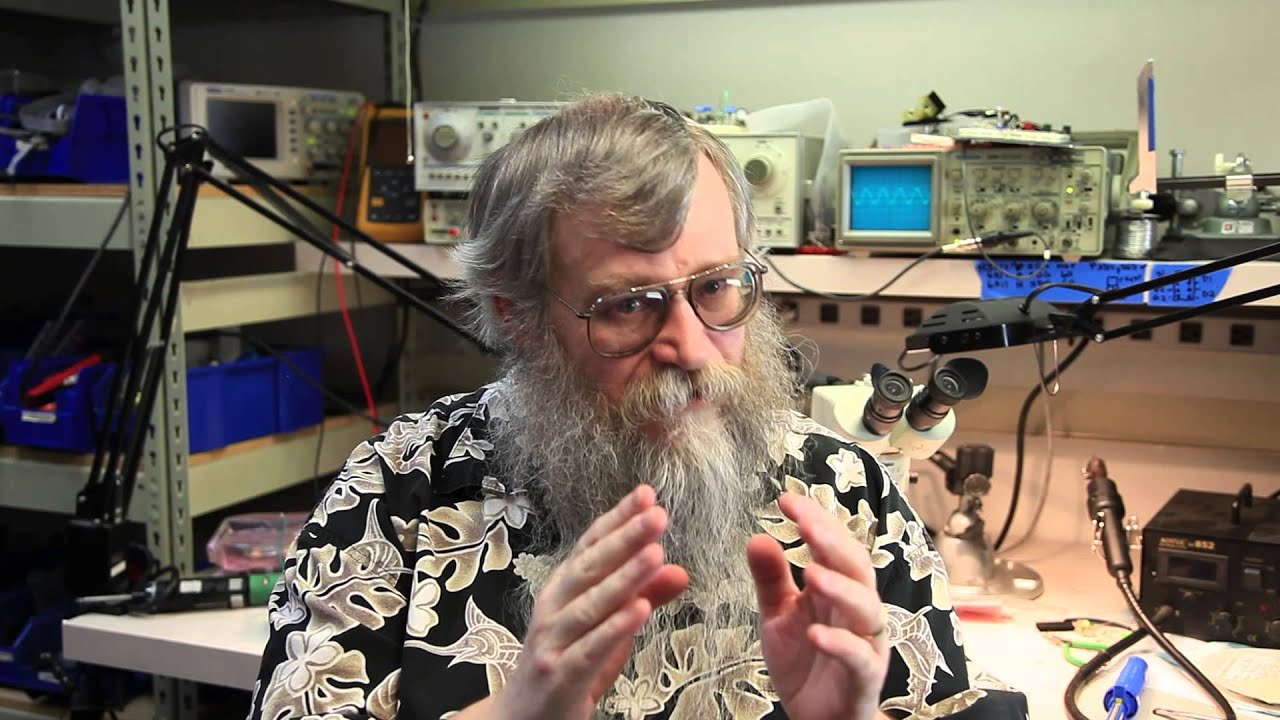
The attached video is an interview with Ted Smith the designer of the PS Audio Direct Stream DAC MKI and MKII, regarding clock accuracy and subjective audibility of intrinsic clock jitter in the real-world..

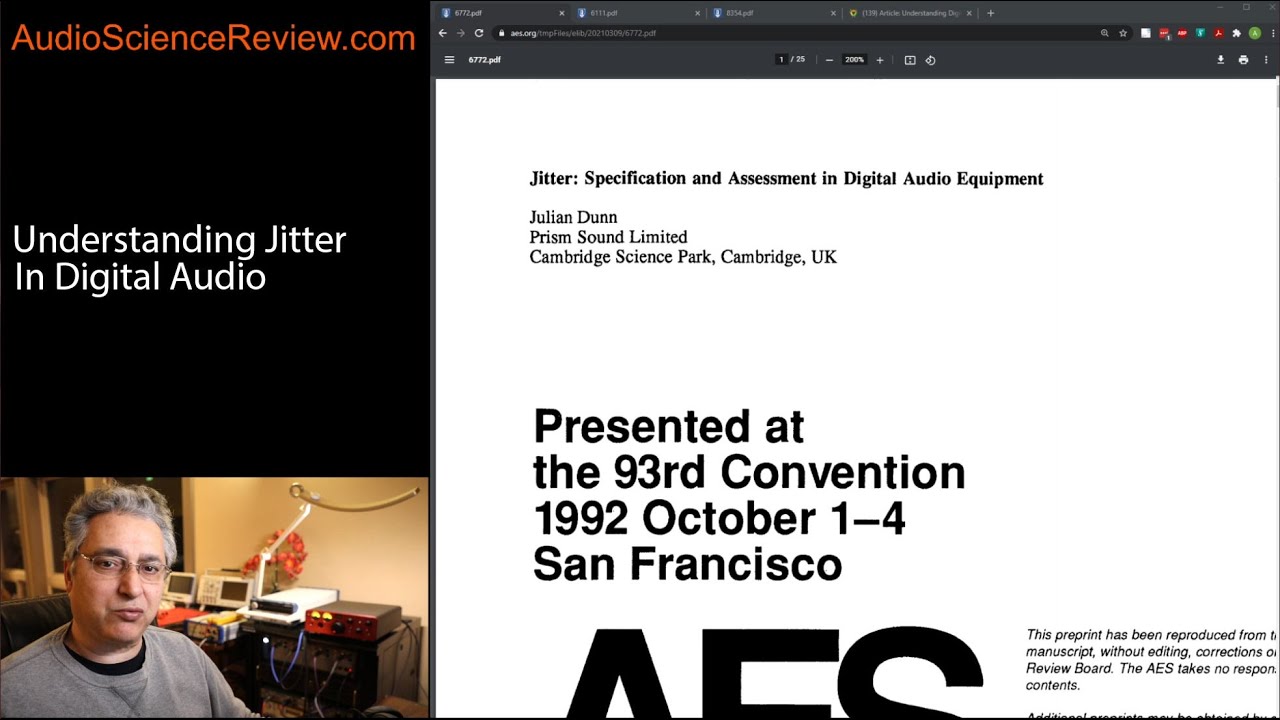
There are many studies on the subjective psychoacoustic perception of clock jitter in digital-audio playback systems available on the WWW and the Audio Engineering Society library…

USB 3.0 cable protocol reduces inducted noise by virtue of removing the ‘Send/Request’ signals from the Data-line as is the case with high-speed USB 2.0 cable protocol… I find it hard to believe that Holo May does not provide isolation on the USB interface… If in-fact there is no isolation, then employing something like this will serve to obviate noise potentials:

:musical_notes: :eye: :nose: :eye: :musical_notes:

More rationale in support of using USB protocol from the marketing rhetoric about the Holo May KTE DAC:

The May DAC has the new and exclusive USB Enhanced module (L2 and KTE ONLY) which has our FPGA with the new Titanis 2.0 and custom firmware to improve USB Eye Pattern and reduce latency to near zero as well as reduce jitter to very very low levels. The USB module has completely new code written to optimize performance and reduce latency significantly. Low frequency performance (-40db) is also improved. The “enhanced” USB xmos module is twice as powerful/capable as the one that is used in the Spring2.

And more on jitter perception in digital-audio systems:

:musical_notes: :eye: :nose: :eye: :musical_notes:

I’m sure it will sound great either way.

The AI response is just echoed marketing speak. The stuff about the “electrical storm” from USB assumes Zhu did a terrible job optimizing USB output from the Red, which is essentially the low powered Pi minicomputer optimized for audio. The stuff about the clock assumes Zhu can overcome the laws of physics (speed of light versus femtosecond clock timing - light travels about .3 millionths of a meter per femtosecond).

Some salient insight regarding the use of Artificial Intelligence in these contexts and generally, regarding audio technologies and related topics, from another forum that is considered an authoritative reference.

  • Show the prompt you used and the engine (ChatGPT, etc.). Both of these can be useful to understand how the answer came about.

  • Please be mindful that you are dealing with combination of AI technology+the company behind it, wanting you as a customer for life to monetize. The latter will attempt strongly to give answers compatible with what you are asking so you don’t go away unhappy. In other words, AI on controversial topics, is likely to give you the answer you want to hear than an unbiased statement.

  • You need to know as much about the topic as the AI. Otherwise, you won’t know if it is telling you the truth or not!

:musical_notes: :eye: :nose: :eye: :musical_notes:

Yea… You might also use several AIs to do Due Diligence if your are looking for a reasonable answer…