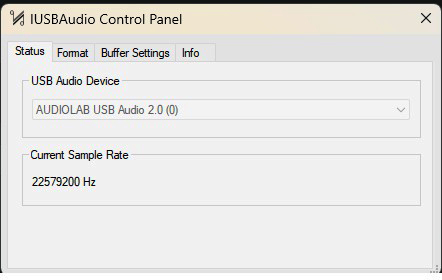
The snafu appears to be that Audirvana is not able to deal properly with file path/parsing of the .cfg… It doesn’t seem to matter about realtime or using the “new” AU Hosting or not…
If I use a single stereo FIR filter Audirvana and HLC plays it correctly…
The thing is that I would really like to have multiple L&R in multiple resolutions called out in a single .cfg file… It should work, it did work in the previous release of Audirvana and it does work with HLH and with Reaper…
The HLC will automatically match which FIR frequency with incoming frequency… You would need a minimum of 2 sets of filters to get mathematically correct upsampling… 44.1kHz and 48kHz… Some of the FIR filter creation tools can automatically generate the multiple frequencies in various taps for more precise filter sets…
Most of what I listen to is192kHz and below… So, I use FIR filters from 44.1kHz to 192kHz and every step in-between… If I happen to play something higher rez the HLC will upsample a FIR for me… And, of course, the Chord DAC will do its WTA1 into WTA2 thing…
As I had said… It is not a hassle to create multiple FIR frequency filters as the tools do the heavy lifting and automatically create the various FIRs as well as a .cfg file that maps everything together…
The 384kHz or 768kHz filter would easily handle all input Fs and Fc.. so why monkey around with Fs swaps… The Chord DSP is going to be the final arbiter of output sample-rate anyway…
To be as mathematically precise as possible every step along the way… Although it all goes thru an analogue tube preamp having tubes from 1962, a power amp with auto formers and out to a pair of those darn di-poles…
Well… “Perfection is the Enemy of the Good…” If you can detect truncation distortion or aliasing in a conversion of 44.1kHz to 384kHz or 768kHz… Nyquist of 192k and 384kHz respectively… well… you know where I’m going here…
Yes, you’ll need a microphone suitable for this task; unfortunately, laptop microphones or standard audio microphones won’t produce the desired results.
In my set up I found that there was something I didn’t like with the original IR files for my specific headphones when playing music.
As I’m technically not an expert I gave some AI machines the files and a prompt with a description of my listening experience and what I disliked.
They all came up with the same kind of solutions albeit with some differences in the margins: Red line was that they all (ChatGPT, Claude and Gemini) suggested lower mids may need a boost.
I asked them to produce IR files based on those that I uploaded and after some trial and error (also in AutoEQ) Claude came up with the ones that I really liked and use now with my headphones.
Thanks, that is something I now understand and will remember. Where my ignorance comes through is, @Ddude003 suggests doubling my buffer size to 16,384 and if that does not work then 32,768, but where do I change that? If it`s within the ASIO control panel, the buffer setting only goes up to a max of 8192.
Okay… you have drifted down the playback river to a point where some fundamental playback issues become apparent… especially in the context of DSD playback.
No DSP can be applied to 1-bit PDM files. So, what does this mean in the context of Audirvāna Studio and any DSP applied to DSD files in the context of applying any equalization or any FIR filter implemented in the Convolver engine?
No equalization can be applied to native DSD files.
FIR filters applied to native DSD files in the Convolution engine are implemented by decimating the 1-bit PDM signal to PCM for processing and subsequent of processing, the file is modulated again to the 1-bit PDM source sample-rate for presentation to the DAC.
Volume control of native DSD files is implemented by decimating the 1-bit PDM signal to PCM and subsequent of processing the PCM file is modulated to the 1-bit source sample-rate for output.
In the case of the Audio Lab D9 that utilizes the ESS chipset, there is no direct 1-bit PDM pathway to the digital-to-analog output circuitry… All DSD files are converted to multi-bit PCM for processing and output.
The implementation of convolution filters and/or plug-in equalization must be evaluated based on a number of intrinsic criteria that present challenges…
For reference, I am headphone-centric… I decimate DSD files (in a separate application) to 24/352.8kHz so I can apply Cross-feed Virtual LR+C processing and subsequent of this processing I modulate the signal to DSD256 for output to my DAC, … Prior to the vertically integrated Cross-feed implementation in Audirvāna Studio, I implemented a HRTF plug-in applied to all of my PCM files and modulated them to DSD256… All PCM files are processed with Cross-feed Virtual LR+C and modulated to DSD256… I play Binaural DSD files natively.
As you can see from the posts here, that applying convolution filters has some limitations… In the case of @Ddude003, he does not play DSD files and his Chord DAC performs DSP on his PCM files… His implementation of FIR filters in the HLC plug-in is complicated by his desire to easily switch filters for the playback of files with different sample-rates so to maintain perfect calculations… I think in his case the implementation of two high-resolution FIR’s (705.6kHz and 768kHz) would cover the gamut of available PCM content, however switching these takes planning and is not fluid in the context of a contiguous playback session experience.
The Audio Lab D9 appears to be a very nice DAC and should provide you a very satisfying playback experience in concert with the EVO 5.3 speakers, if you optimize the performance of Audirvāna Studio in concert with the D9/ESS chipset capabilities, and an insightful implementation of DSP in Audirvāna and applying the insights provided to you in the “Loudspeakers and Rooms” treatises .
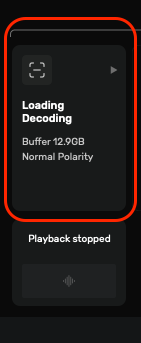
Don’t over-allocate pre-load memory… I have 64GB of System RAM in my Apple Mac Studio platform, and you can see below that I have a very small allocation in comparison… more System RAM is better… there is a fine balance to obtain the best possible playback performance and sound-quality depending on the computer platform memory throughput capabilities and system configurations, especially with DSD file playback.
Thanks for that, I already knew that the equaliser cannot be used with DSD files, and then BOOM! its over my head, nobody said its gonna be easy explaining this to me So am I right in assuming what you are saying is, unless I am playing native DSD files, then just stick to using power of 2x or even setting R8brain to the Device maximum Frequency? Regarding the Buffer setting, yeh I knew that was there, but someone told me a while back when I uploaded my settings, that I need to set it at around 4gig as that was plenty, I do have 32g of NVRAM in the pc so I guess I can up it, or is there no need to?
I suggest using the ‘Power of Two’ strategy for PCM files and convert all DSD files to PCM for playback… however, you will not be able to apply DSP to any native DSD file… This is why I decimate my stereo native DSD content to 24/352.8kHz for processing…
Leave your pre-load memory allocation at 4GB. The popping issue may be related to the ‘Bridge’ settings related to sample-rate switching that I posted earlier.
@u8myufo
I just tested playing a native DSD file with the Studio EQ enabled on my Mac Studio headphone output where the DSD64 file is decimated to 64/88.2k for processing in Studio EQ and output at 24/88.2kHz to the Mac Studio headphone output.. So technically no equalization without decimation to PCM…
@u8myufo
You may try limiting the playback sample-rate output of Audirvāna Studio to 768kHz and try playing DSD files with Processing DSP and Plug-ins… This forces the Audirvāna to work in the highest supported PCM sample-rate capability of the DAC… You can set the ‘Maximum Sample-rate’ in the “Device Input” module.