… I know I´ve seen it before but now it’s gone?
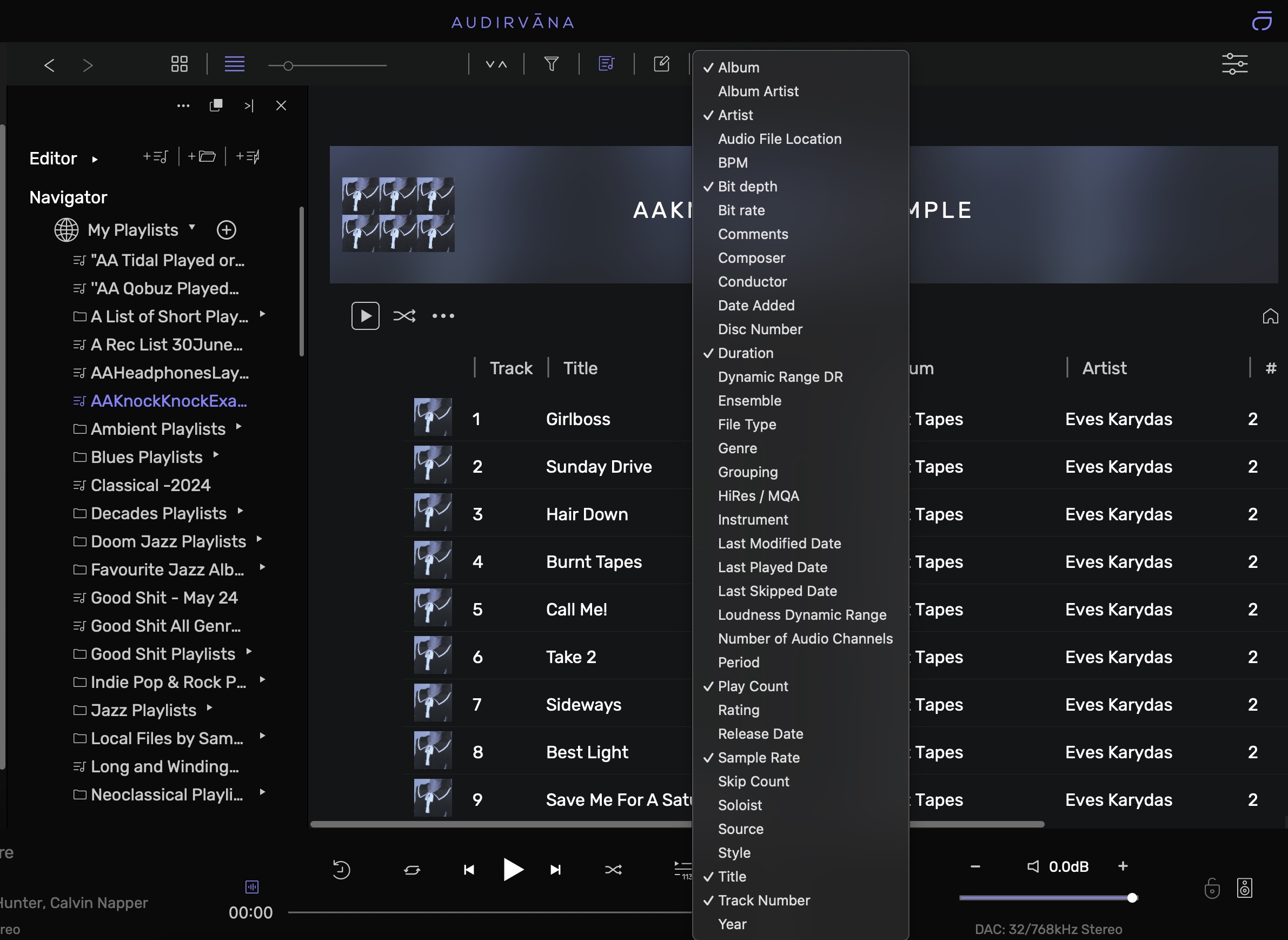
Click (right mouse) the bar across the top of the playlist in any of the headers, You will get a list of options, select it and it will add to the header.

Hey @KnockKnock Yeah same principle as is outlined in this thread.
All the available information from either Tidal and Qobuz only seems to reside in the Local/Playlists Area. It’s a bit of a pain, but if are are a bit retentive like me, just create the same name playlist in the local playlists area, Drag and drop/or copy the tracks from your Qobuz folder across and you will have a much larger drop down menu to choose from.
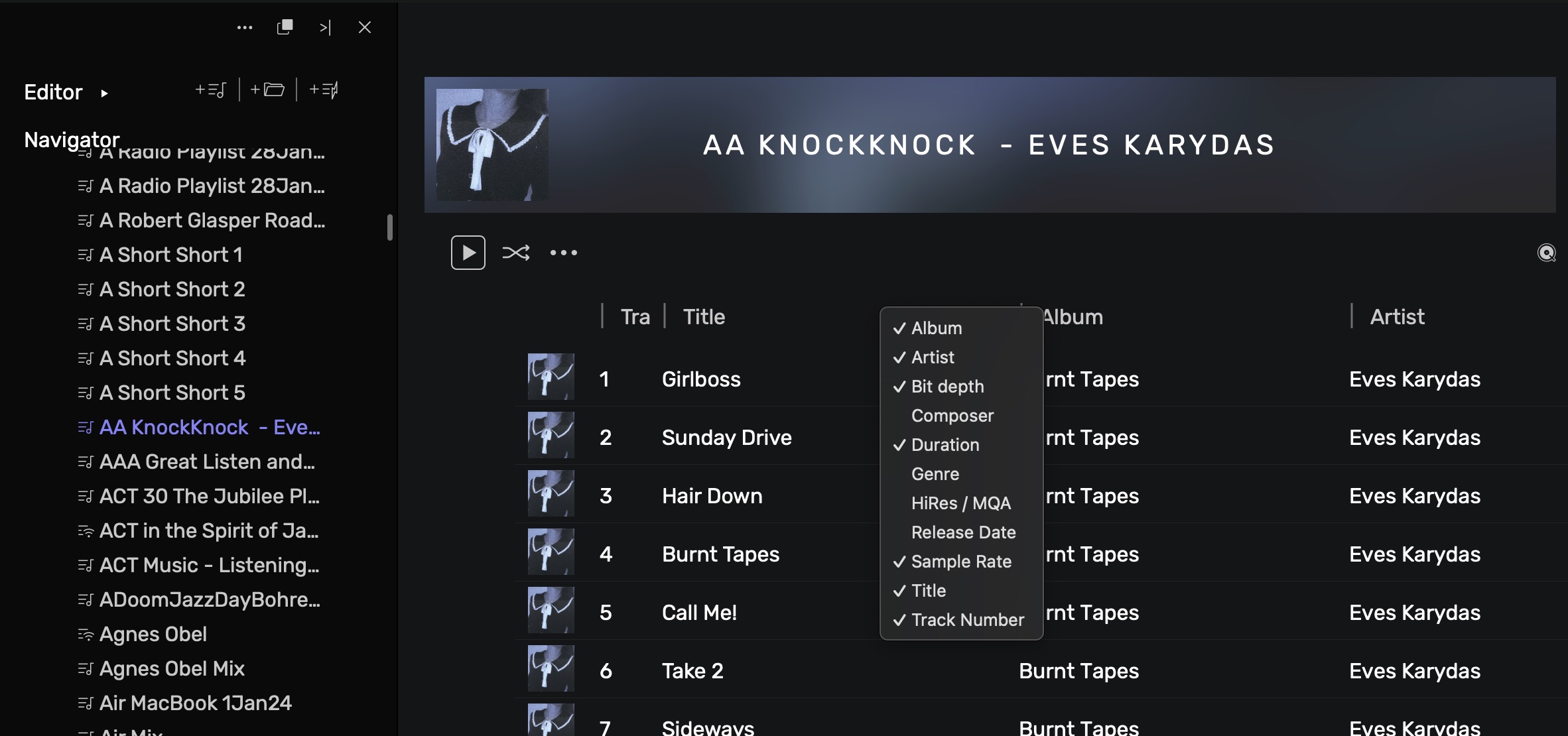
I’ve just done a simple playlist to show you on the screenshots. I just had to create the KNOCKKNOCK Playlist in my Qobuz App and got it to flow thru to Audirvāna with a quick restart of A/S, then create the folder, bought the Eves Karydas tracks across and all the info is now available.
QOBUZ
LOCAL - MY PLAYLISTS
You learn something new every day! All this time using and never noticed…
Hi ChiliHot
Thanks for your effort. Following your recipe I can add the missing fields, i.e. “Date Added”. BUT I cannot adjust the tracks in order UP/DOWN of the Date Added or something else when I am not in Qobuz mode but in my Local Playlist.
If you look to the top of the screen you’ll see a funnel shape, this is the playlist filter. Select the playlist then click this, then add the criteria - date added - …
Date Added but I cannot sort the tracks (still only in local mode). But 
Middle of the night here and only up every now and then to take meds. I haven’t tried to change anything like that, but will have a look in the morning to see if it can be done.
No miracles guaranteed sorry 
1 Like
Hey guys. Had a look at trying to change based on headers but no luck. Only way to change the play list order is to do it manually before adding to the queue.
Yes, I thought so. Strange is that its possible in the Qobuz App (to sort by Added Date), but not when I play Qobuz via Audirvana.

1 Like
Cheers Antoine I had that open but the options were blank.
However just noticed that you have to click the Purple Dot Line for the options to appear, and these were then able to be changed.
Just for everyone’s attention, to get this to appear when you have the Playlist open, click the little area with a down and up arrow…
1 Like
Is sorting playlists different in Origin?
When I click the up / down arrow when playlist selectected I get this.
I don’t want to change the sort order of local library tracks, I would like to change the play order of the playlist tracks.
And I see no option to change the play order other than the shuffle option.

Hi Antoine
Yes I can see that, but no way of adding “Date Added”. I use it very much because I daily add new tracks to my long Playlist - and next day I want to listen to the newest one, there for I use “Date Added”.
Again strange because it was in the Qobuz App, but now it´s gone there too …
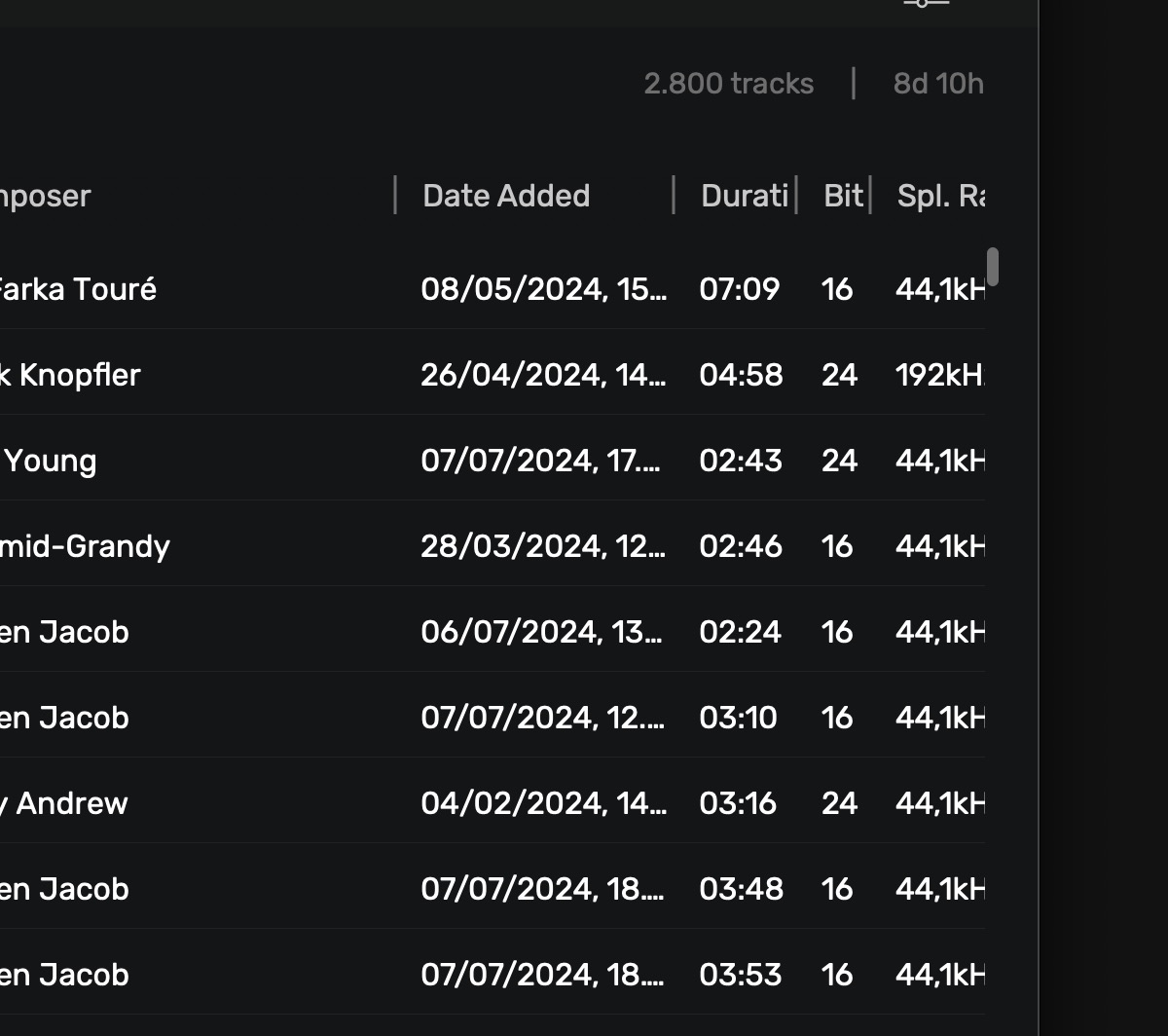
EDIT: I found it in the “Show Playback History”, the one you find with the small blue Clock when you want to play previous songs, there is a Date Added menu, see pic:
The title label need to be changed as it doesn’t reflect where you really are (in this case a manual playlist). I can guarantee you if you click on Sort Manual Playlists, the sort will be changed
Can you please send a screenshot of what you see? Is this a Qobuz playlists or a manual playlist from Audirvāna?
Its in the Qobuz playlists I use and where I like it to be
Thanks for reply.
But in the window that pops up when you click the up / down arrow it is headed ‘Sort Local Libray Tracks’.
The extra option to click is ’ Sort ALSO manual playlists’
Which implies that the sort criteria will not only my entire library, but also the playlist.
I don’t want the sort order of my library changed, just the selected playlist.
Please click on this button to only reorder for your playlist: