Congrats on the iOs app! It does a number of things right, one being synchronizing favorites between the Remote and the desktop app in real time. Kudos!
I reported several crashes via the app crash feedback mechanism. In my case crashes occurred when searching Qobuz for an album or track and when scrolling those searches.
There is also something off with those Qobuz search/queries. It only gives a very limited number of results - for example, 5 album results when searching for “Beethoven 5th Symphony”, obviously off when there are hundreds of recordings.
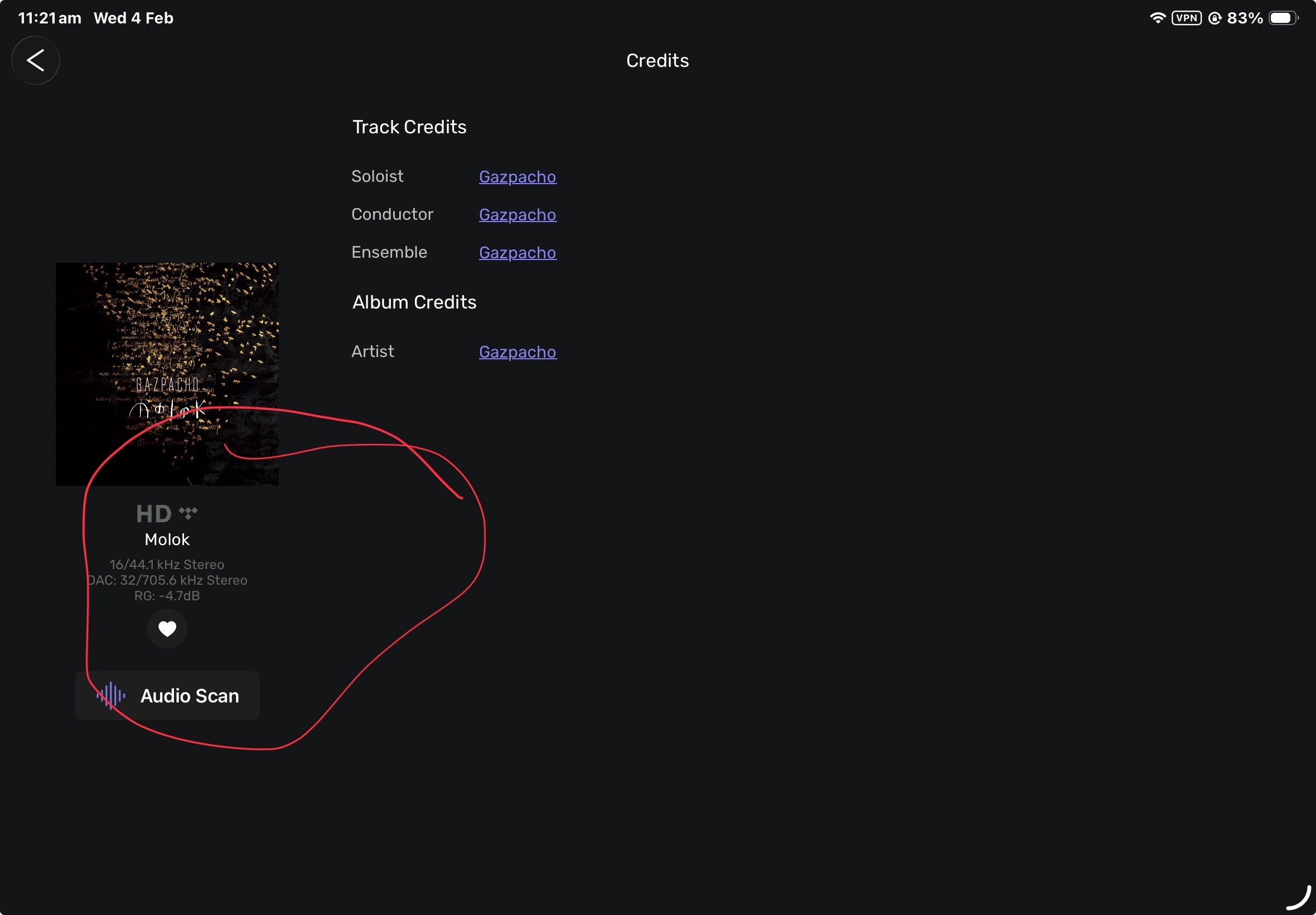
The Remote app also misses info on actual track resolution and its playback resolution. Say a CD quality track should indicate 44.1KHz/16 –> 176k.4KHz/24, as an example when oversampling takes place.
–
Also… any plans to allow the use of the Remote app in landscape mode?
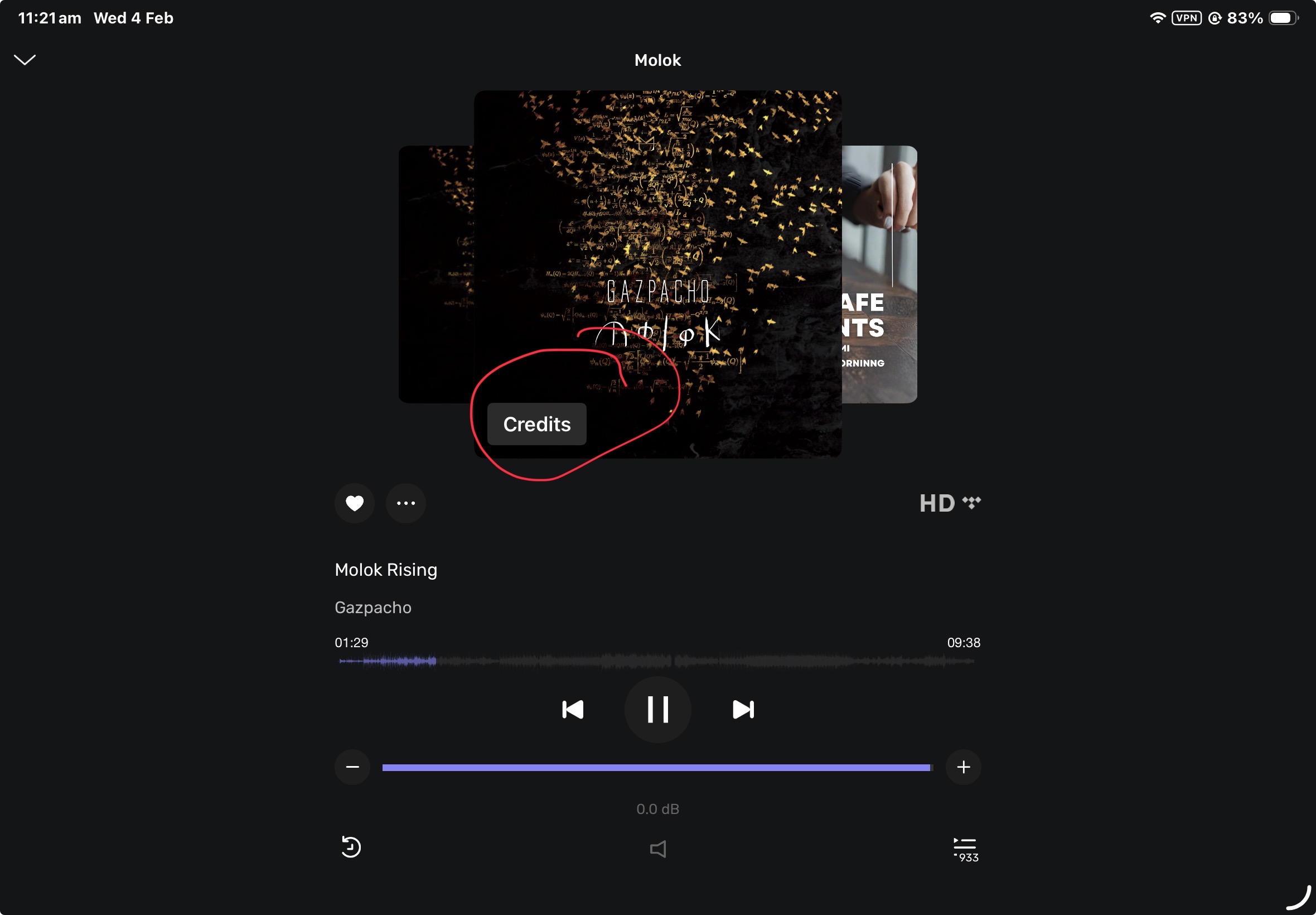
Hi @Antonio i can’t help with all your queries but if you are looking for the upsampling information go to your now playing screen. Tap the Credits and you will get the details.
I can’t argue with that. I don’t make the decisions, i just happened to find the results of their placement the first time i used the Beta. I made the same comment in my response to Audirvana thru the Test Flight app response.
Who knows, if we all think it’s better there by the Wave Form - Now Playing Bar, they might move it back.
Hi @chris , I see your point here. It turns out I wanted to do something more common: have the filled icon appear only when you select it, but it wasn’t ready when the beta was released. I will see what I can do about it with our graphic designer and developer.
I’m new to Audirvana, testing if I can replace Roon with it. It seems UPNP output to my Holo Red is now stable. Will test it a few days more.
Sound is terrific! The interface is mwahh… the new iOS beta app looks better, but what I really a pain in the … is filtering. Here I have to choose from a pull-down list, why not typing a few characters and filter during typing?
Seems to me Audirvana has some performance issues that make this impossible, even scrolling through the albums is all but fluent. Something others, like Roon or JPlay, do flawless.
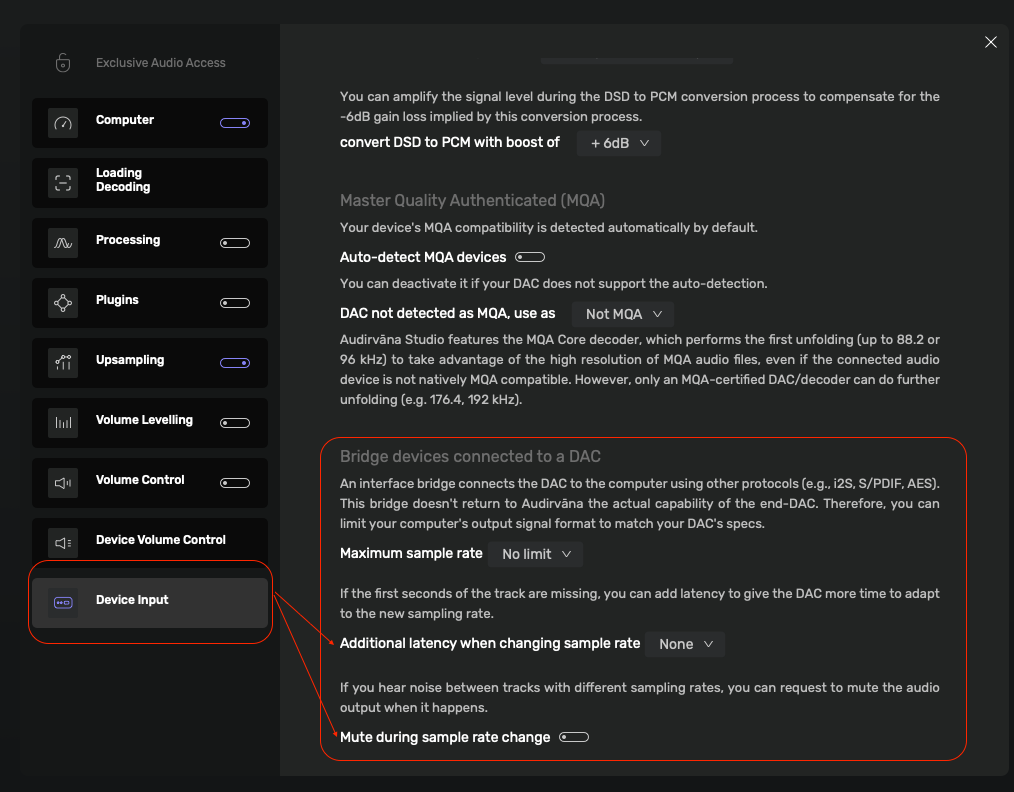
In the Device Input settings, try changing 'Additional latency when changing sample-rate’ make sure you have ‘Mute during sample-rate change’ enabled.
From the linked article below:
PCM can produce a true zero (silence) output in an instant. When the data stream stops, the DAC is then reset to “zero” for PCM.
As DSD only records the difference in level between each sample and during track changes (or a switch from PCM to DSD), the Player no longer sends DoP markers.
As a result, the DSD’s output levels (via DSD-DoP) of the DAC output can ‘stick’ at any possible level (almost anything but rarely zero) between the two extremes.
When the next song commences, the DAC suddenly receives a new DAC value (usually this new value is zero), which has no relevance to the previous sample- hence the ‘pop’.
The only way to reduce this ‘pop’ is to run a small period of silence during these changes. In other words, the playback software must handle this correctly and play a short silence before it stops sending DoP markers. “Pop” goes DSD? Why does this happen? - iFi audio
I don’t think this is the answer to this specific problem, because:
When I play the same albums directly from Audirvana on my Mac or with the current app from me iOS device there are no such clicks. As soon as I use the beta app using the same gear and albums the click is there.

 I don’t make the decisions, i just happened to find the results of their placement the first time i used the Beta. I made the same comment in my response to Audirvana thru the Test Flight app response.