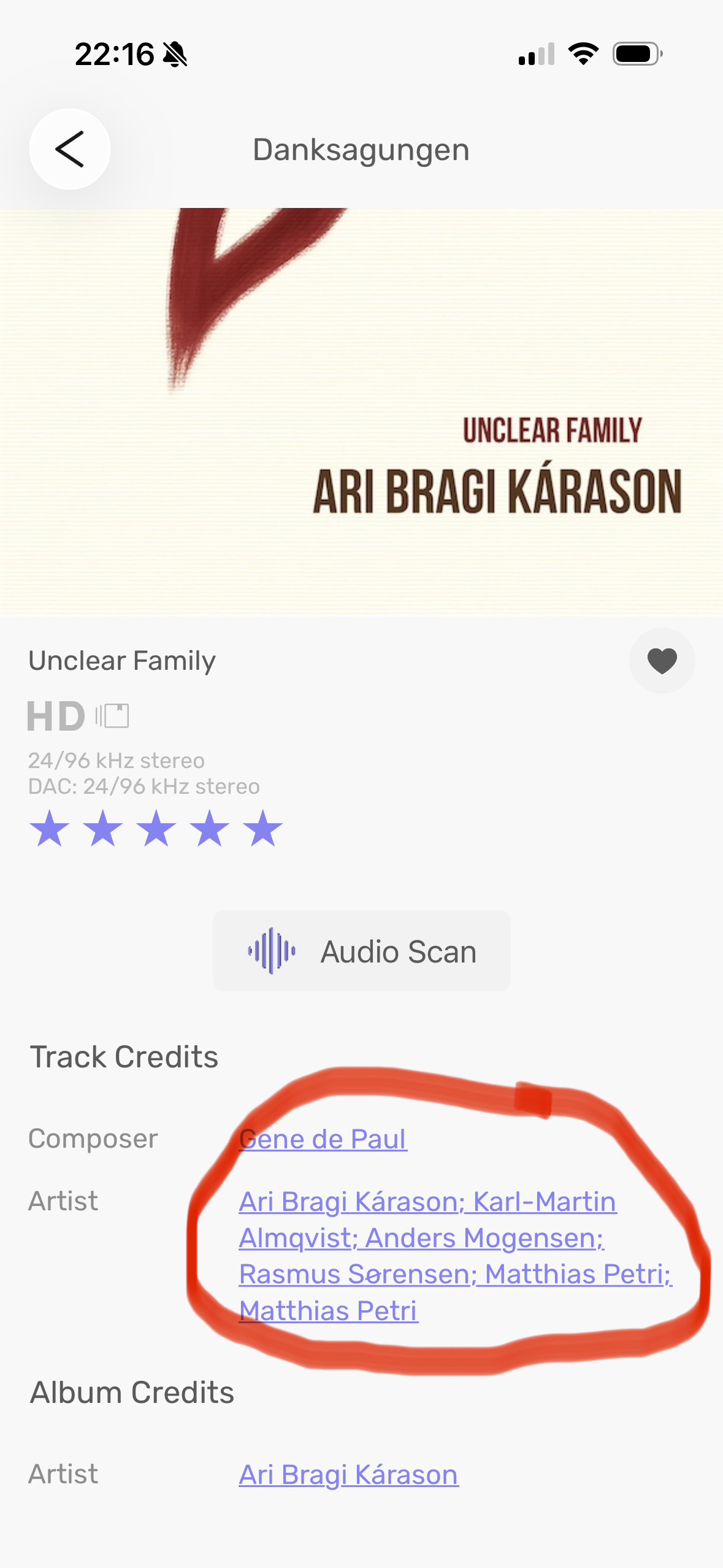
When clicking on the credits bar of the album cover, a window opens, with composer, artist, etc. underlined. Are these items thought as internet links for further information? If so, the links sre not active in this version. If intended, it would be a nice feature!
1 Like
Active with some albums and not with others @Sailor i have found so far. Possibly working with Streaming…?
A work in progress hopefully as I think it will be good option. 
1 Like
Very good if it’s active in some cases. Makes me explore this feature a bit more. It‘s a nice corollar to Roon‘s web-based artist info.
Audirvana team: keep up the good work!
1 Like
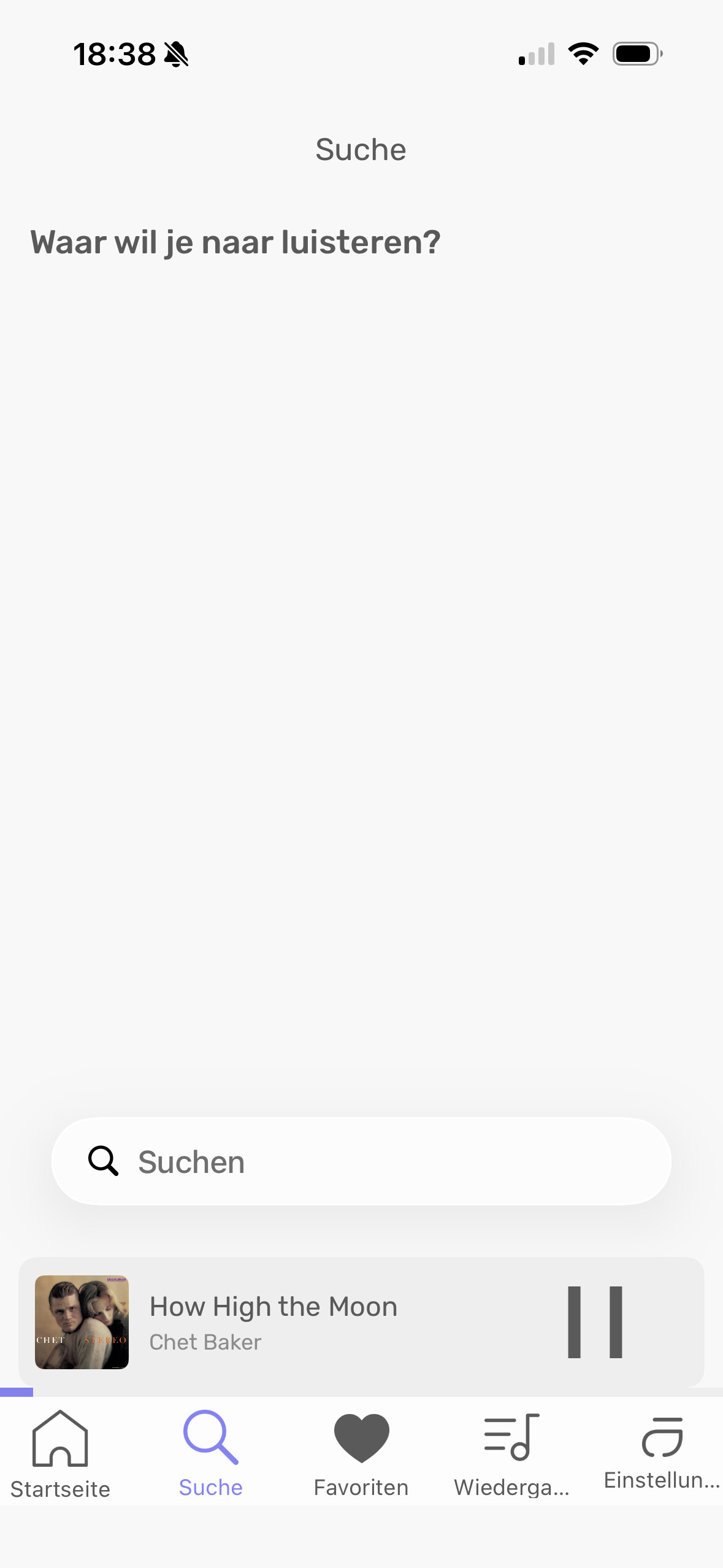
There seems to be a bit of a language confusion when I click on the search magnifying glass in the main menu. It asks me what I want to hear in Durch, even though I set it to English  .
.
I saw it, it’s something we need to do. We should update the app today, and after that, I will review all the feedback with Damien to prioritize issues.
This one will be on the top priority.
1 Like
They should direct you to the appropriate artist, but it’s not currently available on iOS. I had feedback on Testflight over this, and it will be fixed.
1 Like
Do you have your iOS settings set to Dutch?
No. The iPhone is set to German, while the language in the Audirvana app is set to English. It‘s a bit of a language mix up.
I’ve done a double check, and it’s the translation string that was in Dutch, sorry about this 
1 Like
No problem
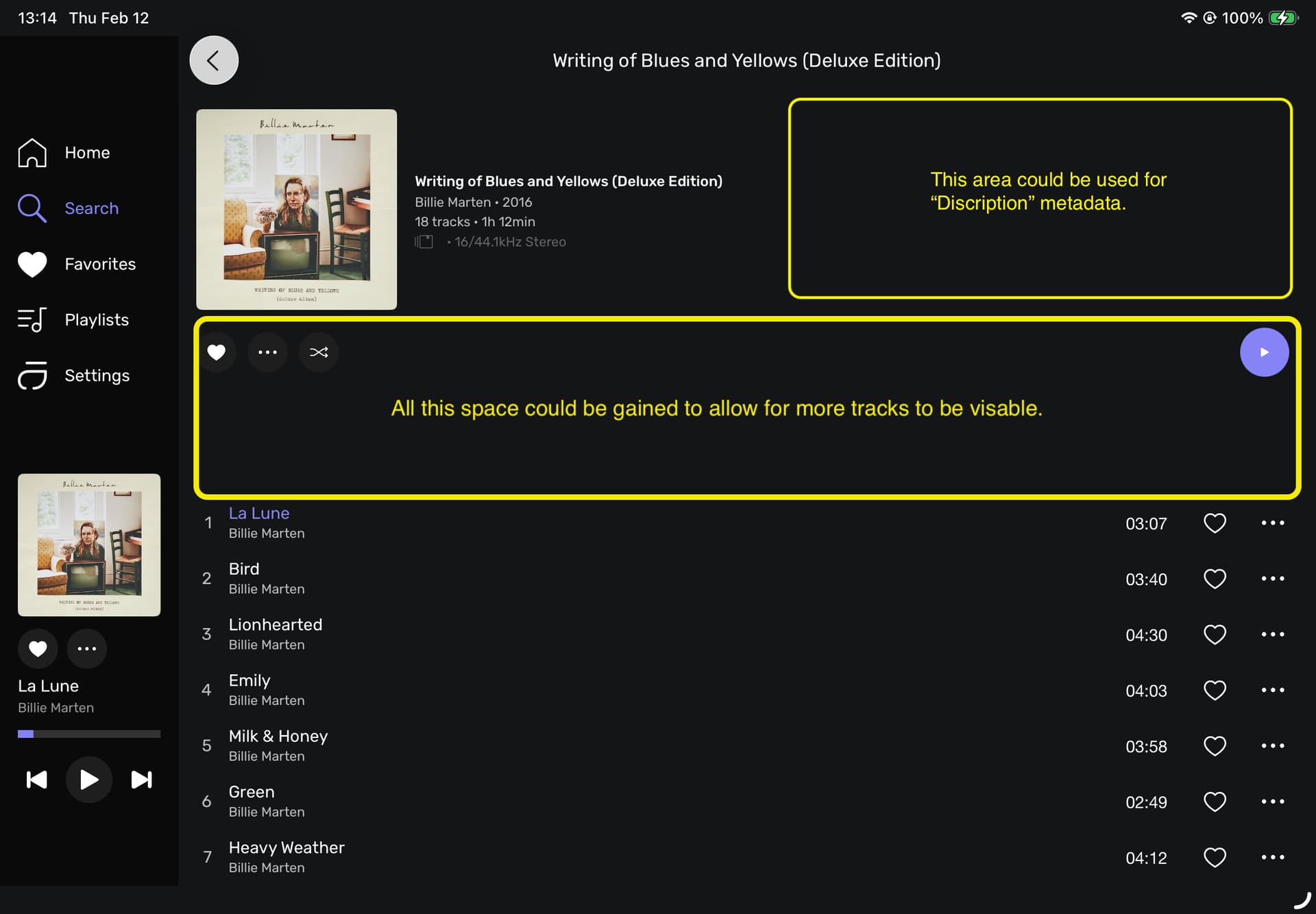
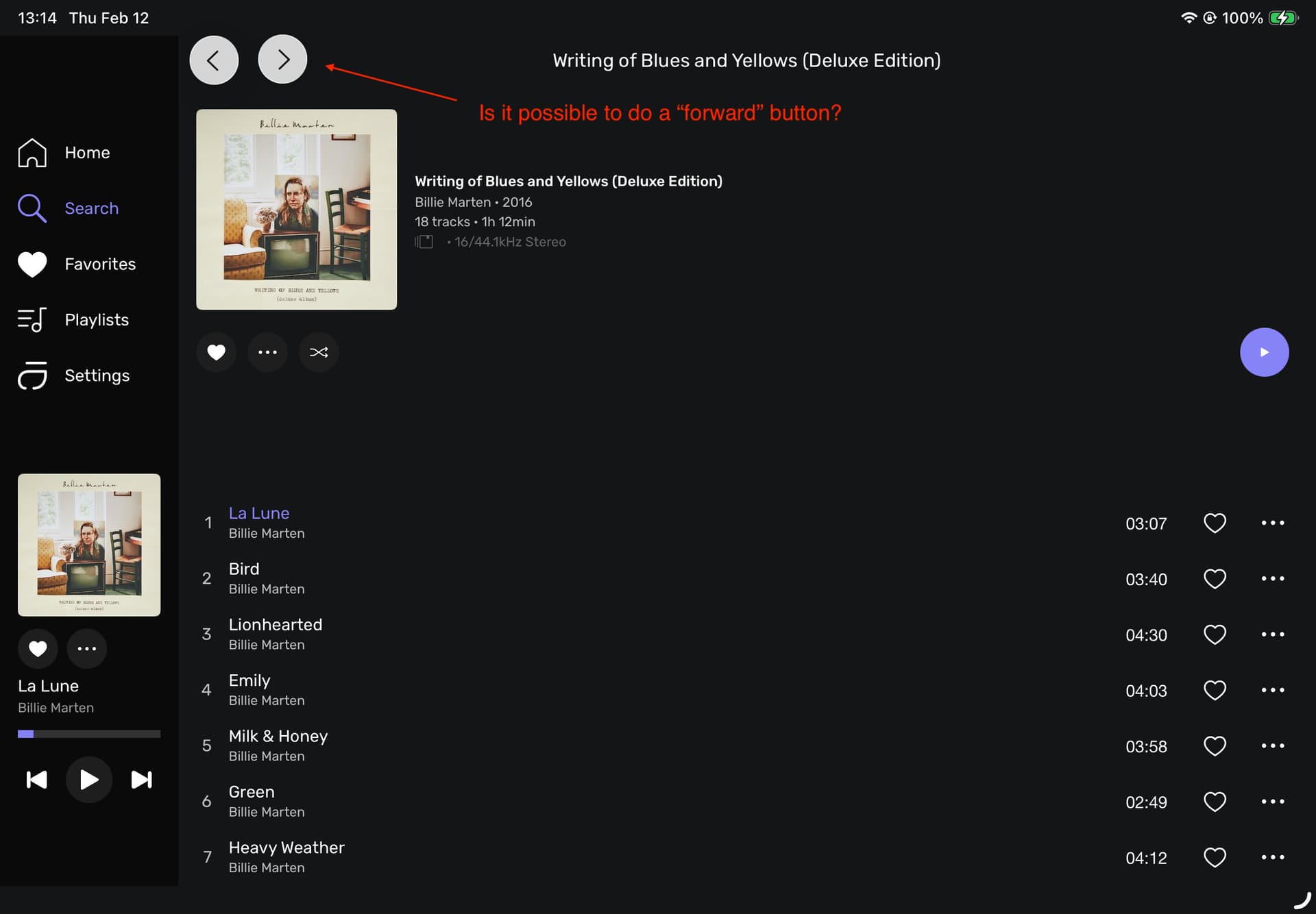
iPad & iPad mini latest software, landscape orientation
- The album art size is no longer adjustable.
- The iPad mini lacks a play/pause button in the playback menu.
- The album menu has two sort and filter buttons.
- The filter menu still doesn’t always display its contents. You then have to leave the album menu and return before the menu displays the filter options.
- A genre filter menu would be very useful.
- It would make more sense to integrate history into the button menu at the top of the home screen.
- Searching only returns a limited number of results.
Hi there,
I tested a few features of the new remote and I have some feedback (I already reported some of them via TestFlight but I don’t know if they were properly distributed):
- The search function does not seem to work properly on the remote and at least behave differently from the standard app interface.
- For example, when I type in a keyword (For example “vivaldi”, a not well known composer…) I obtain 4 albums with the remote, when I get plenty of them using the main interface.
- In the remote I have to select “Composers” to get a full list of albums that at least contain a track with “vivaldi” as a composer.
- On the remote, when I start to enter a keyword in the search bar, I can see the last keywords I used. But, if I click on one of them, most of the time, I end up on a page with a list of results not matching the selected keywords, or on the list of recent albums I selected or played.
That’s a bit messy I would say. Is it me with my big fingers who is not able to select the right topics???
Hi @Antoine,
how can I start random playback of my local library combined with my Qobuz and Tidal libraries?
Thanks for helping me out. I can´t find the feature in the remote, running the headless Linux Beta.
If you have a playlist with content from Local, Qobuz, and/or Tidal, it’s possible. Have you created such a playlist?
Nice to see that the Remote App is being revamped, Thank You sooo much!
Here is a few initial observations;
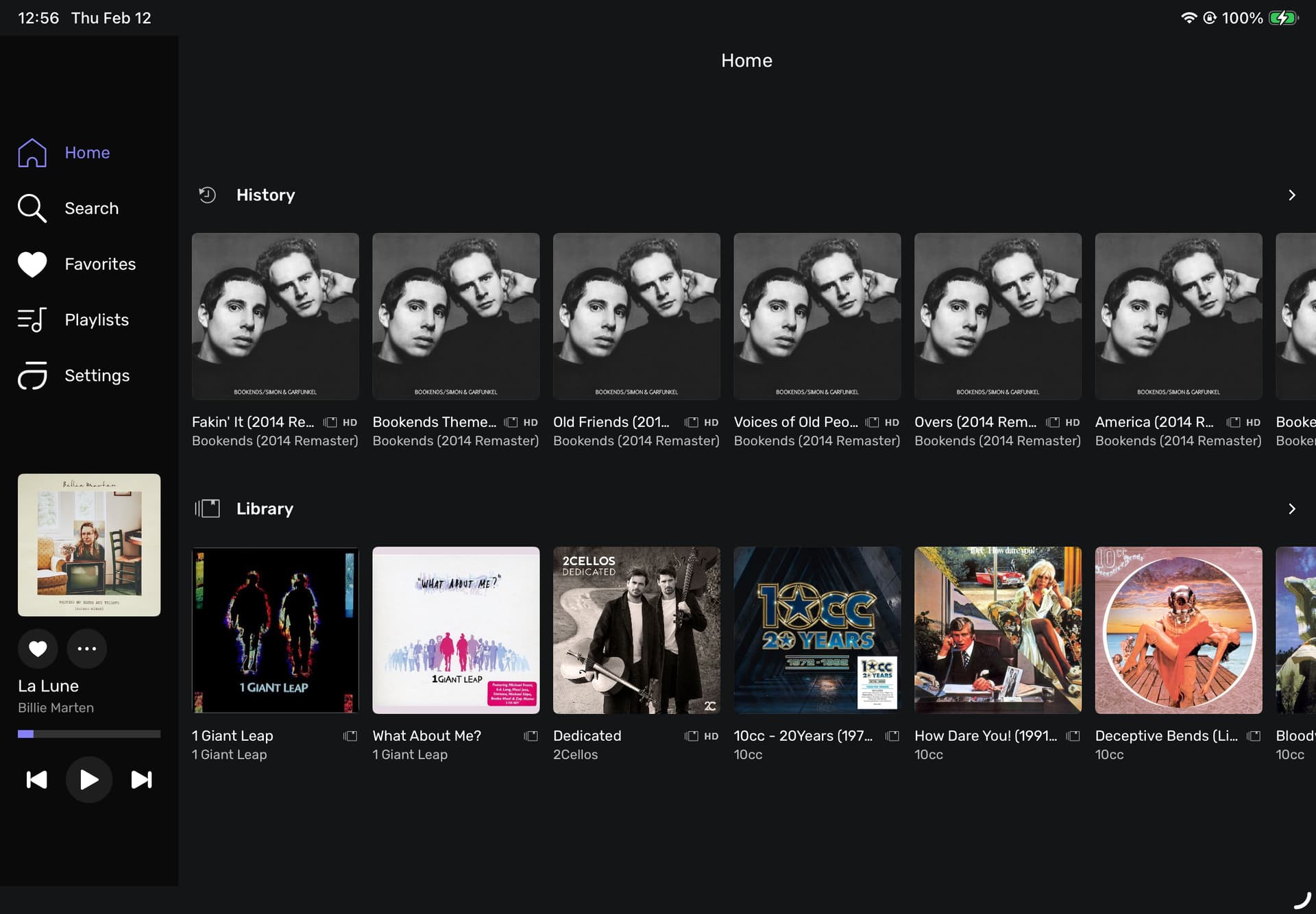
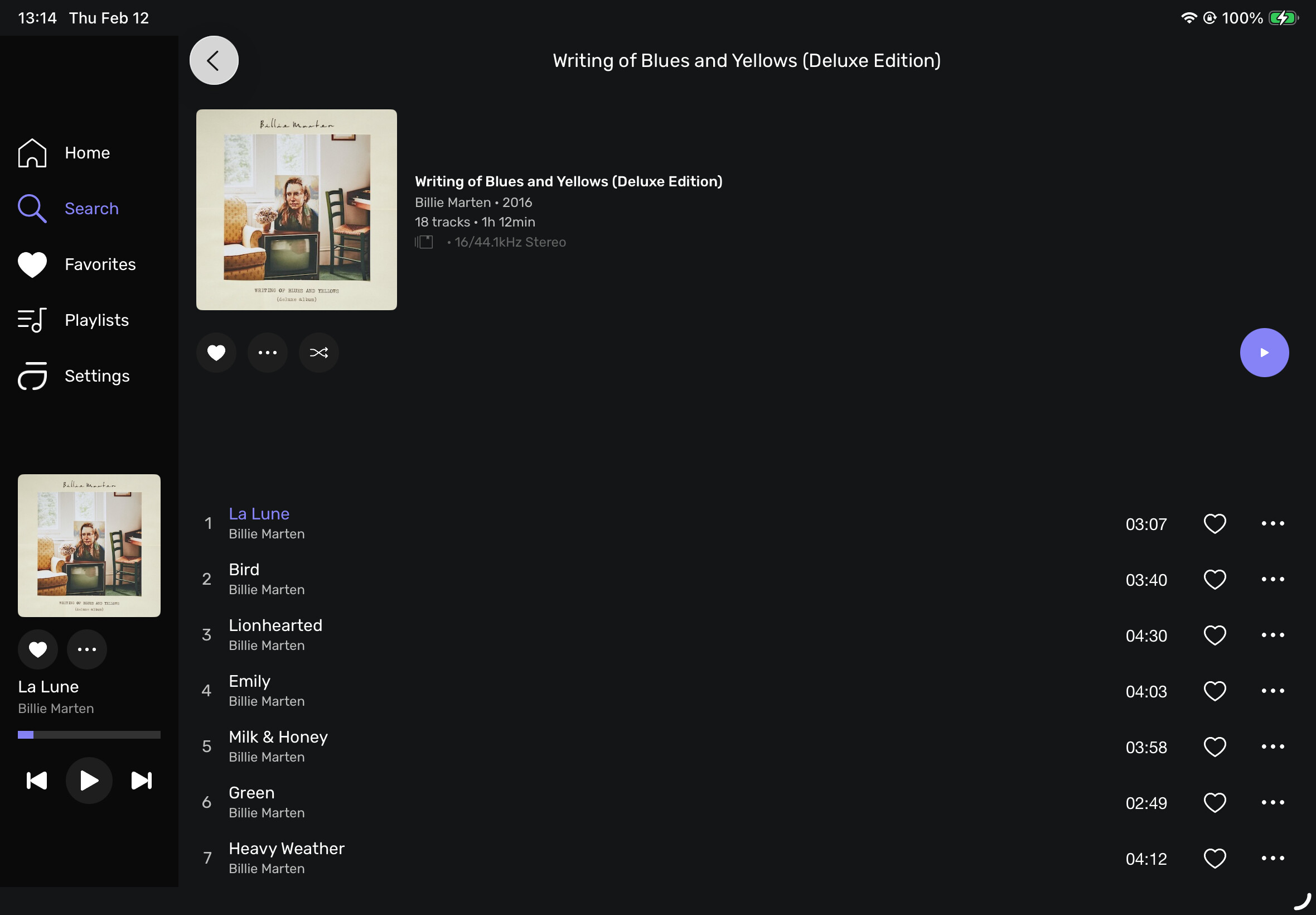
The first question I have involves the display of the HOME page. It displays “HISTORY” 1st and then “LIBRARY” 2nd. Is there/will there, be a way to change the order?
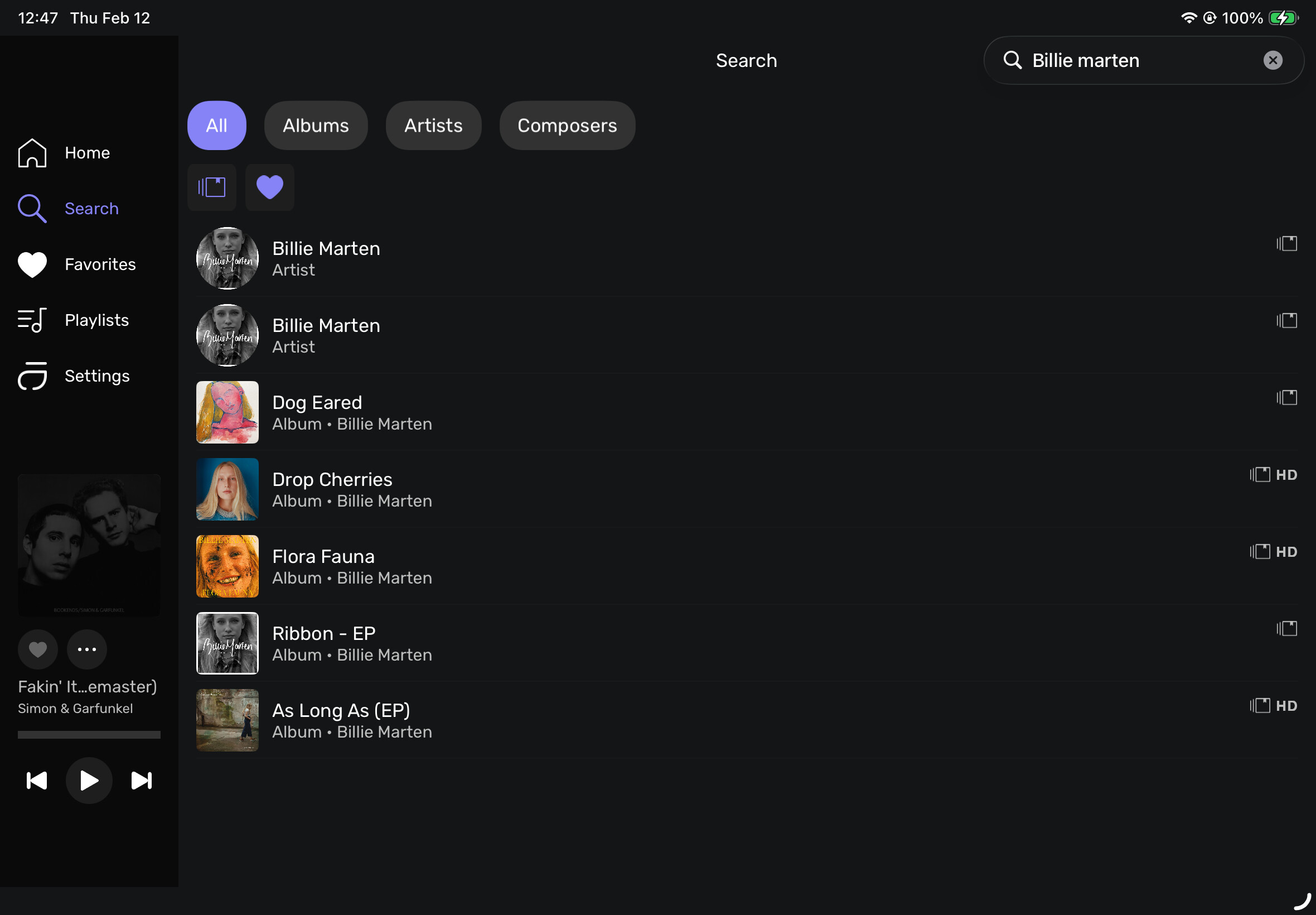
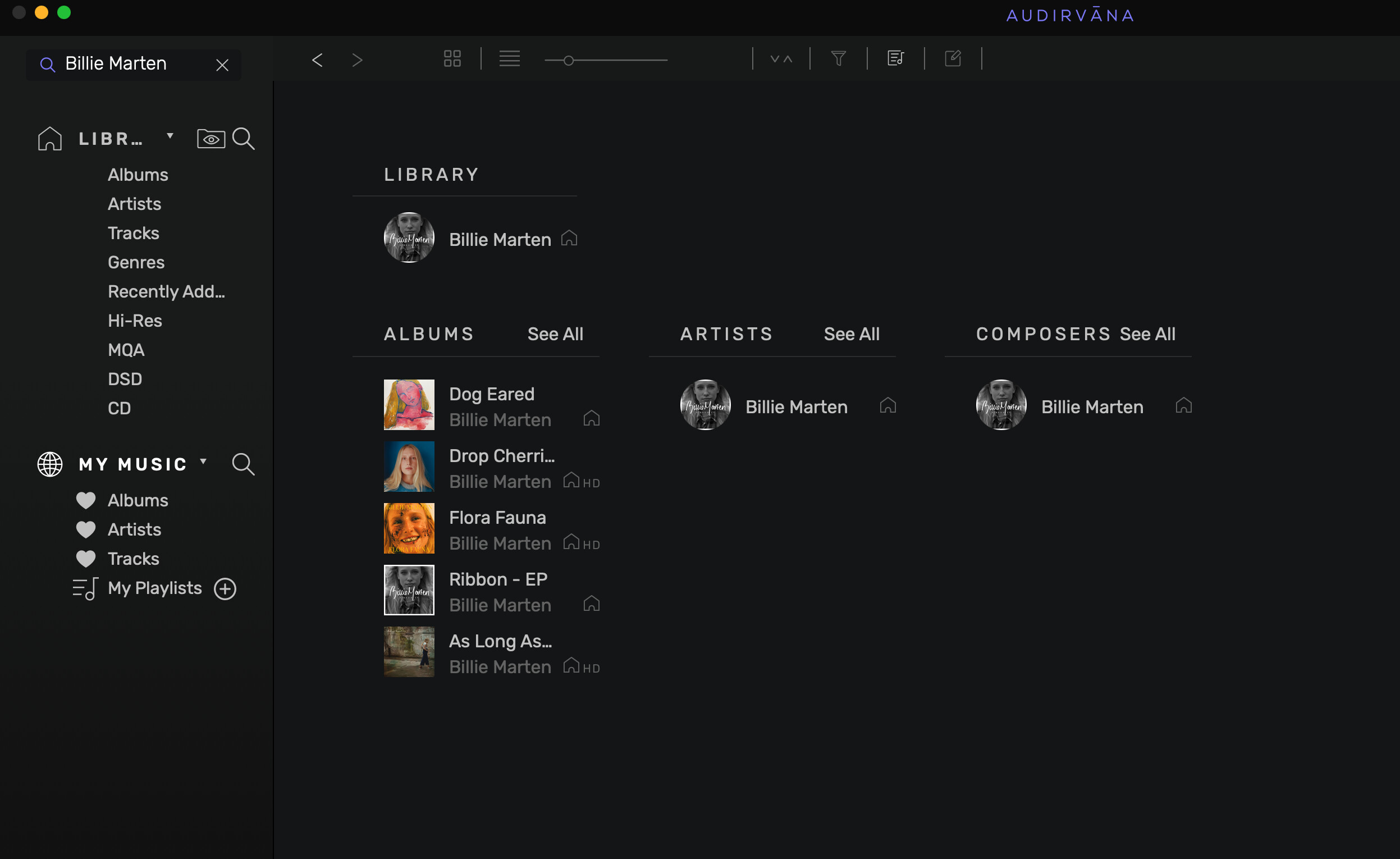
2. When I used the SEARCH option on the left, I find that I have to type in the complete name before it is displayed. On the laptop, as I type it starts to provide me with options. I also found in this search that it displayed the ARTIST twice on the iPad. I’m thinking the 2nd one should be labeled COMPOSERS?
iPAD
Laptop
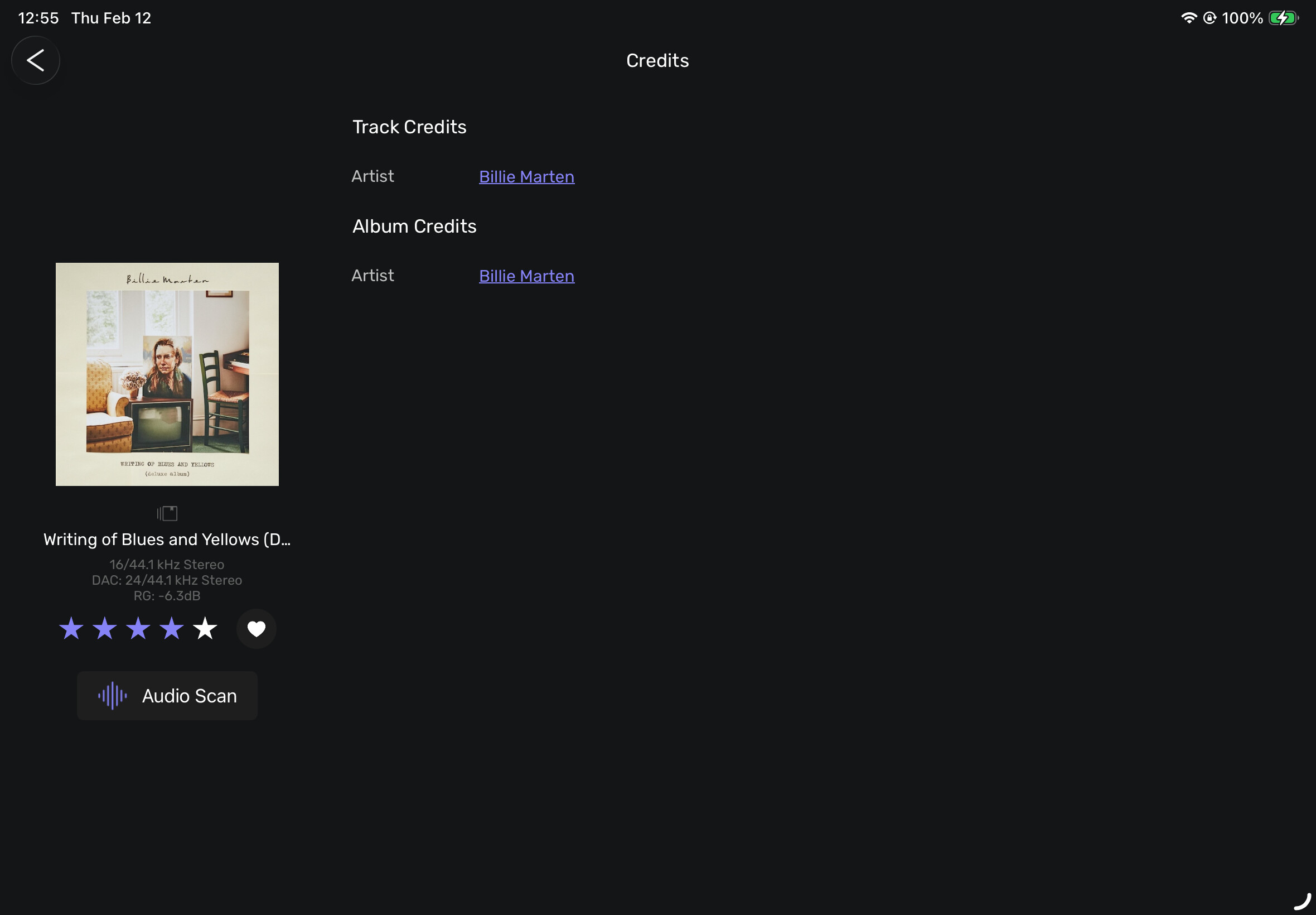
- I’m ecstatic that you have added the “
 “ rating display, that I have been pleading with you to add for years, but it only appears in the “CREDITS” area. I was requesting for it to be added to the “ALBUM” display, so I can view/choose/modify my tagged files for playback. With it in the “CREDITS” location, I have to wait until the song plays to view my rating which is not very useful. Is this still in progress?
iPAD app
Laptop
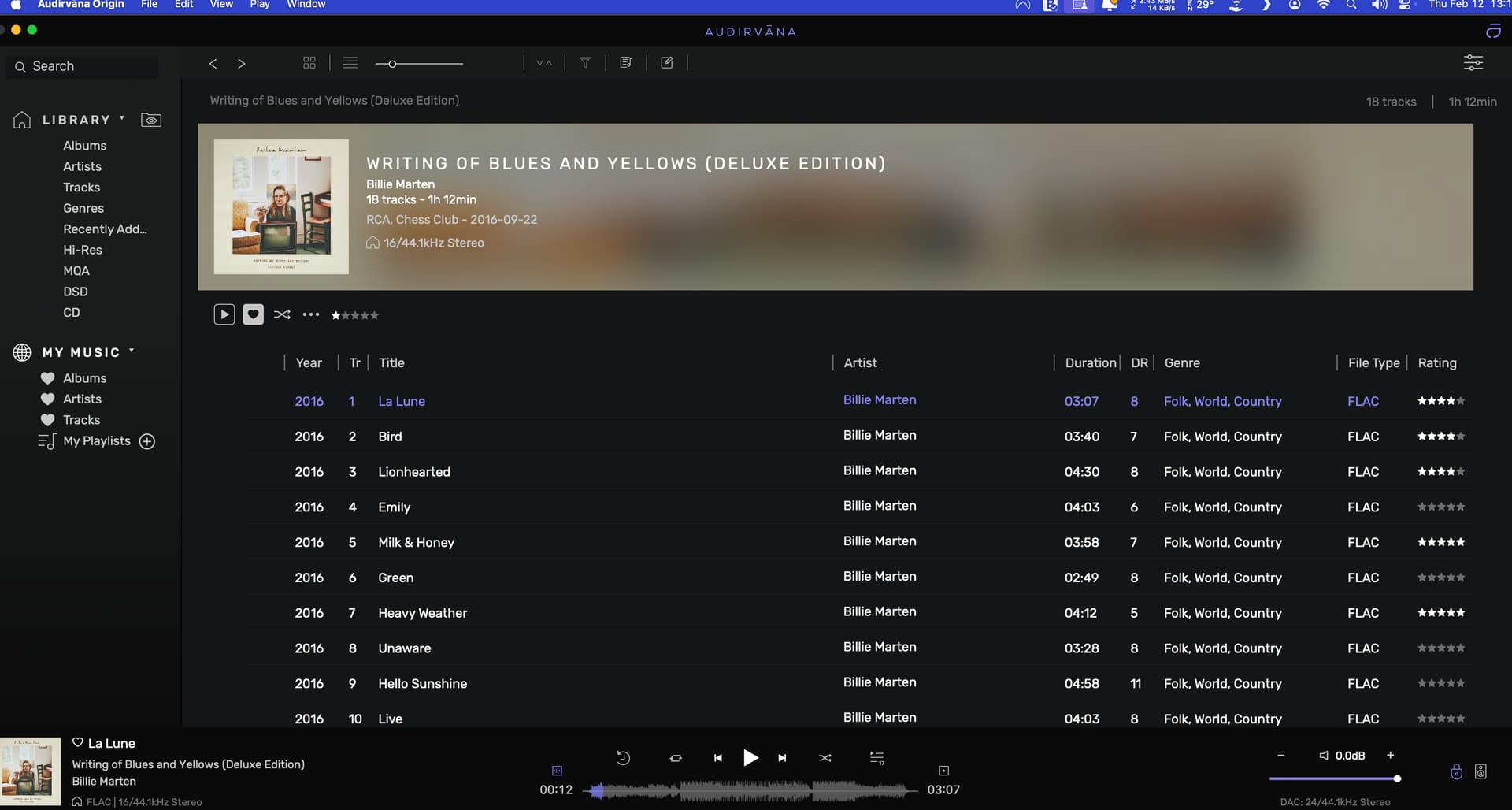
I appreciate that the Remote App is getting some attention. Hopefully when done, I can leave the laptop on my desk and use only the iOS app, while sitting on the couch enjoying the music.
That’s it for now.
It’s something we need to discuss internally, my view is that giving you more flexibility is the best.
It’s the composer. We will need to add the information to the search results.
It is, as the metadata editor is not currently available in the Remote app 
Ok, it does not seem that those remarks and comments interest somebody.
Should I add to the list a series of additional comments?
Such as:
- Regular crashes
- Still many “request error”
It seems like the “Mini Player” in the new version on the iPad is squished. Almost like it’s made for a phone screen. The album covers are smaller and the “Last Played” and “Playing Next” covers are hidden. Note: I am running the Beta on my larger iPad Air and the Original on my wife’s iPad Mini. So the screenshot size is not identical to each other.
Not sure if the “HD” indicator is presently miss-sized, but I much prefer the subtleness in the older version.
And I really dislike the “CREDITS” covering the album cover. See my suggestion for a different location.
Original iPad display (iPad mini)

New iPad display (iPad Air)
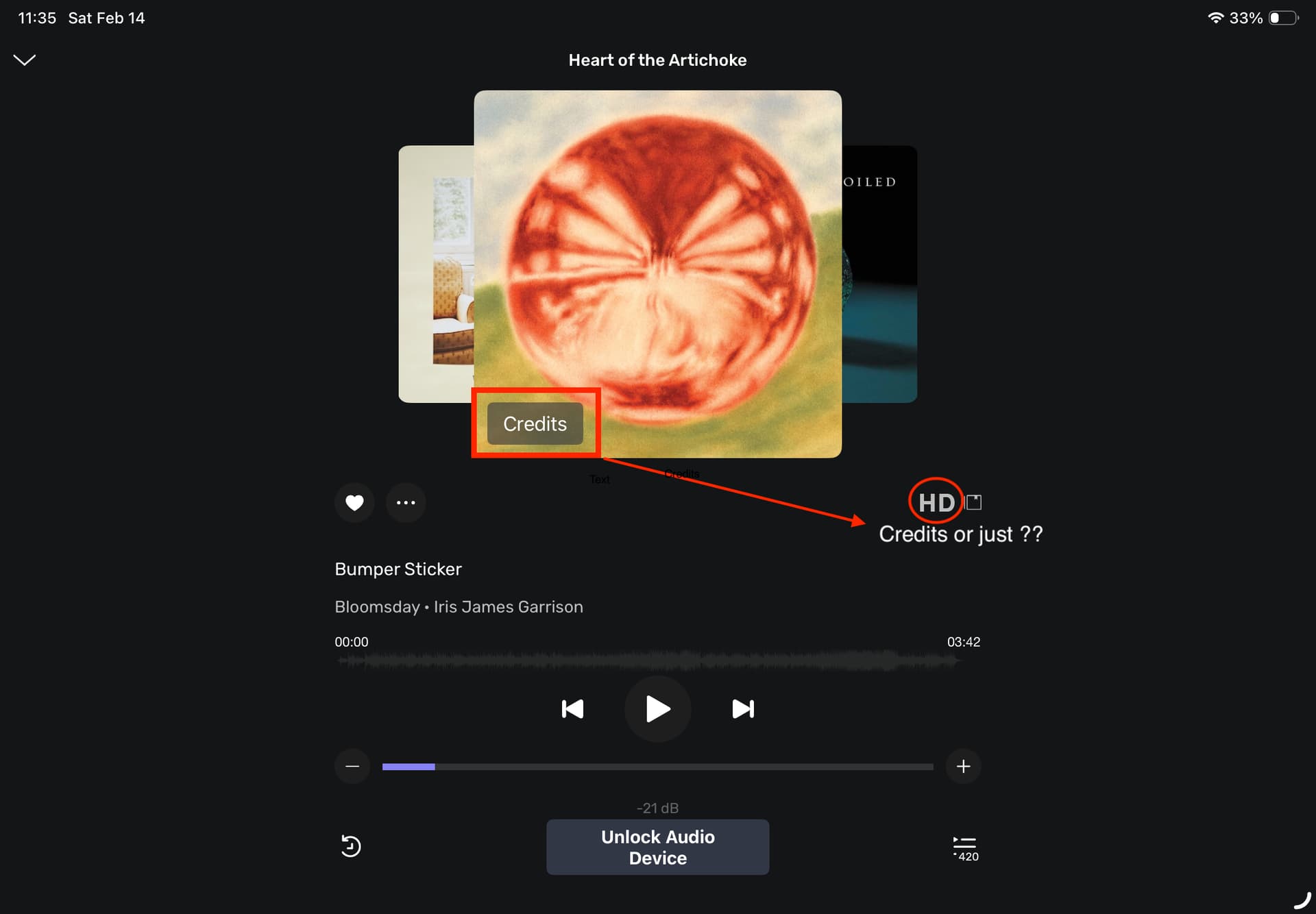
It’s also missing the FILE and DAC info that used to be at the bottom of the app. (FLAC 24/96kHz stereo & DAC 24/96kHz stereo.) I liked that info.
I’ve experienced a few crashes as well.