Hi @dburna
This is my work-a-round…
- Add a space after your corrected artist.
- Save.
- Edit that saved entry deleting the space.
Regards
Phil
Hi @dburna
This is my work-a-round…
Regards
Phil
Thanks Phil. Thought of that and tried it, but even that doesn’t always work. Sometimes yes, but once tonight while I was trying that, I went to edit the corrected artist (with proper caps) and then remove the trailing space…..and Audirvana reverted back to the old artist name (without caps). Even that workaround has its limitations. This is a buggy portion of the UI that should be fixed, it’s too unpredictable.
I was gunna say that as it is also my experience. However, persistence always worked. The original lower case or misspelt version has to deleted in all instances. If you entry reverts it means it is still somewhere in the DB, I think.
In both 2 and 7.2GB cases, the sound is worse for me. I have it set to 192 kHz because I'm listening to an R2R DAC via an AES-EBU connection. The third comment is interesting; I'll try it, although I doubt the improvement will occur in one case and not the other.
As i have Anthem electronics and Paradigm sub, the most convenient for me is to use ARC Genesis by Anthem.
I can store multiple profiles, as i use my system not only for music playback.
And i doubt that you can beat subwoofer management and integration as seemless as ARC do.
But i’m happy for you if you find your pleasure with what you have 
So, i agree to disagree 
So I gave up trying to get UPnP working and installed Studio (2.99.15) on a Mac mini M1 and connected it via USB to my integrated amp.
MacBook Pro (remote) >> WiFi >> Router >> Ethernet >> Mac mini M1 >> USB >> Quad 3 integrated >> Neat Petite classic speakers
Just played a Depeche Mode album 24/96 via Qobuz and it is crackling like a dirty record making thump noises and causing the speaker cones to go full excursion
This is the same setup I had with Roon (DSP with speaker config enabled) and that played it absolutely fine.
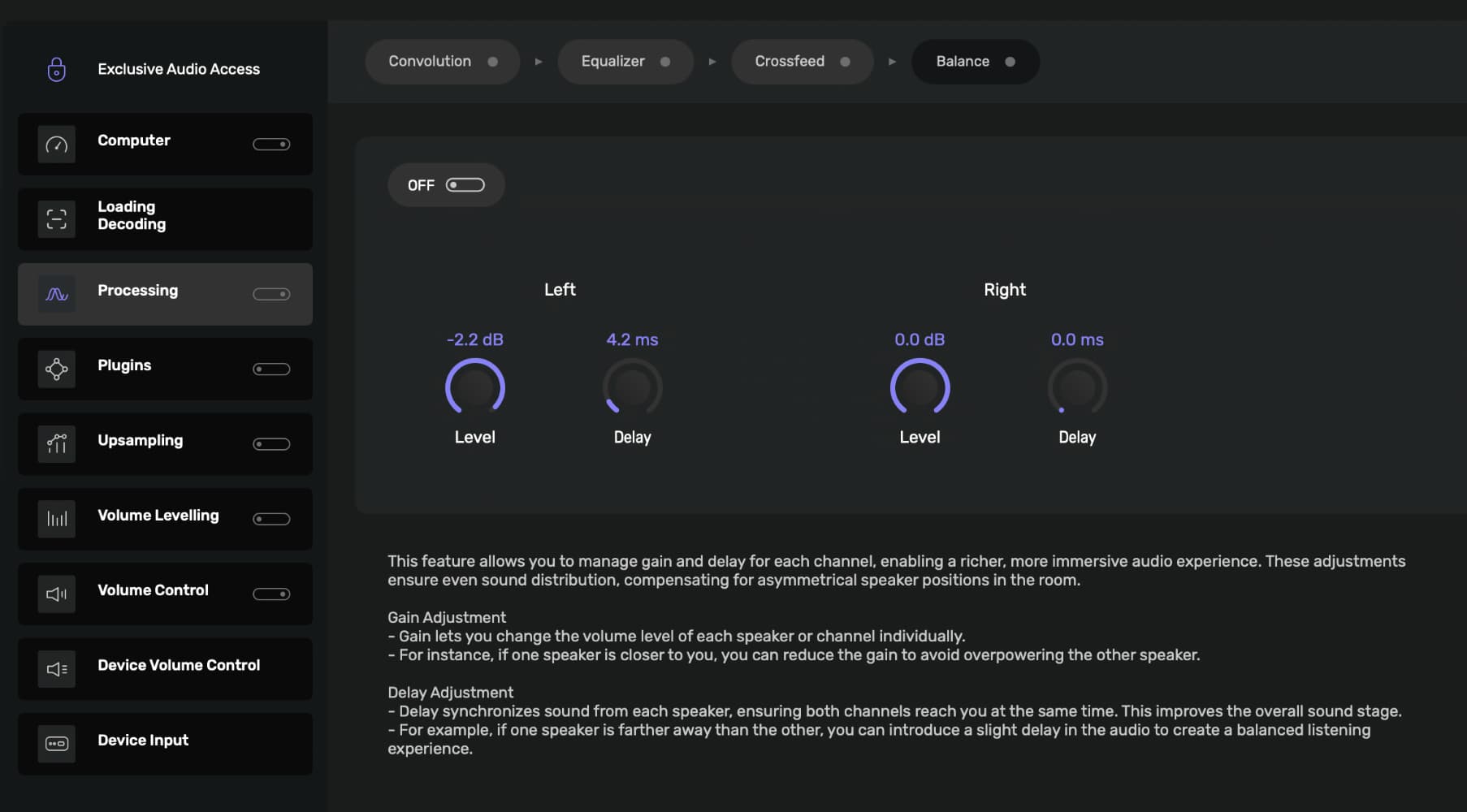
I have processing enabled with balance set with attenuation and delay for the left speaker. With processing disabled the album plays fine but immediately crackles when enabled.
I generally like the new UI. But I found texts of the header bar (e.g., album, artist) are partly hidden and shown as multiple lines on Japanese version of macOS 26.1.
If you’re happy, then I’m happy for you. Many other things in life to stress about :~)
For others reading, I’ll add that all the room correction / bass management solutions built into audio hardware are way too underpowered to control very much bass. I’d be shocked if ARC uses filters with 2048 taps, but I’ll use that as an example because I recently did the math for an article I wrote. My guess is ARC is probably using like 1024. Either way it’s not nearly enough.
As one can see in the example below, a filter with only 2048 taps can’t control bass below 70 Hz.
2048 taps:
frequency resolution = sample rate/number of taps.
48 kHz/2048 = a frequency resolution of 23.44 Hz.
Low frequency processing limit = typically = 3 x the frequency resolution.
23.44 Hz x 3 = a low frequency processing limit of 70.31 Hz.
Thinking of the frequency resolution interval like a graphic equalizer, there are only 2 eq “sliders” (at 70 Hz and 93 Hz) below 100 Hz and the filter is no effect below 70Hz.
Using a 65k tap filter in Audirvana one can get state of the art DSP.
65,536 taps
48 kHz/65,536 = a frequency resolution of 0.732 Hz
0.7 Hz x 3 = a low frequency processing limit of 2 Hz.
Thinking of a FIR filter again as a graphic equalizer: 24000/0.732 = 32,768 eq sliders for our FIR equalizer. A EQ slider at every 0.7 Hz, starting at 2 Hz. This is high resolution FIR filtering offering complete control over room eq at low frequencies,.
ARC manages my subs down to 10Hz.
Anyway, i let you behind with your certainties mister right, i don’t have time nor envy to debate this with you anymore …
And don’t forget to listen to MUSIC
not your system …
I don’t remember… Have you ever provided your debug information report so we can see your system resources and Audirvāna configuration(s)… anyway, please provide you debug information here, reflecting this new system architecture.
From the description of the behavior, you are overloading your DAC… Gain management is essential… If you are applying equalization, make sure you have the ‘Auto’ gain make-up control enabled… If not applying equalization, lower your output volume -6dB… Any DSP will add bits and increase the dynamic range of the file… Are you running the Mac mini headless?


Apparently, room correction is important to the premise you pose, since you apply room-correction…
What @chris is alluding to, is intrinsically tied to timbral quality that is represented by the contextual harmonic energies and micro-dynamics and phase relationships, revealed at very high sample-rates… If the capture is of high resolution, the resulting equalization coefficients will reveal more timbral ‘color’… I don’t know about you, but intrinsic to my appreciation of the artistic and production intentions imbued in the recording, the perception of detail plays into the aesthetic interpretation of the production… The fine details convey the subtleties of emotion and visceral-ness imbued in the performance and the production, allowing for a more natural and intimate relationship with the music and the artist(s)… The subjectivity of this interpretation is what it is..
So, in my case, as I stated previously, I have made adjustments to my EQ parameters and modulator (r8Brain) stop band level… It won’t help you to know the target(s) of these adjustments as they are intrinsically tied to my playback system architecture. Just know that after making these adjustments, the perceived appreciable contextual detail in the depth of field and the harmonic, dynamic and spatial relationships are more revealing in my playback scenario…
In your case, if you audition via speakers, the increased spectral energy, could be influencing the response of your speaker/room interaction(s)… I’m not saying this is the reason.. just a potential.… We generally design our system architectures around the perceived output sound-quality delivered to the amp and transducers… this means that we can bias the sound-quality based on source signal. This is not to argue that your perceptions are skewed by some factor outside of your familiarity of your playback system sound-quality… it is a potential factor that can contribute to your perception(s).
I have a very capable playback system, very revealing… I understand the value of computer platform resources and memory bus bandwidth, in the context of high-resolution digital-audio playback… I don’t doubt that v3 Beta requires more platform resources, and being an experienced audiophile in this context, my platform is focused on the future of digital-audio playback and easily accommodates Audirvāna Studio now, and in the foreseeable future. It will be interesting to read your insights on sound-quality as this Beta release evolves… Don’t forget about the HDMI dummy plug… this has proven to be an asset, as it engages the video sub-system… when there is no display attached, the video demands are placed on the CPU alone and this absorbs processing cycles and memory bus bandwidth.
Oooooo, didn’t know that, thanks. Yes, Mac Mini headless, didn’t know there was any way to speed it up. I will try to look for one of these. Much appreciated.
MacOS 26.1, Ecran 27 pouces (5120 × 2880). Impossible de masquer l’audio-scan une fois activité dans la mini fenêtre.
MacOS 16.2, MacMini M1.
I have some large hard drives filled with music (10-16GB). Syncing these drives takes a very, very long time. It has been days since I started syncing and I am only about halfway through. Well, OK, as a one-time lengthy process, I can live with that. But…….
….when I close down and start back up, Audirvana starts to re-sync a drive, but it seems to have no idea of files that have already been synced and haven’t changed. Therefore, it takes an extremely long time to re-sync a drive…..even if there are only about 10 tracks that have changed on that drive. Seems like Audirvana doesn’t track the initial read and sift through (quickly) only to find files that haven’t been updated. This makes updates for me – and I assume for anyone who has a large drive (and/or drives) – take a much longer time than they should. Can’t figure why this shouldn’t be an easy fix/solution, only updating tracks that haven’t been already been assimilated into the database.
Someone please tell me if I am missing something here. Right now it is syncing a drive that has already been synced and it is taking time away that Audirvana could be reading a disc that hasn’t yet been synced.
P.S. How do you stop a drive/folder that is syncing so you can start up a drive that needs syncing more? This would be very helpful to know!
P.P.S. Why, oh why, when you turn off “auto-scan at start-up” and then restart Audirvana, does it utterly ignore this setting and then try to re-scan/auto-scan drives? Quite annoying. That’s why the answer to my P.S. would be very much appreciated. At least I could stop the scan of an already (mostly) scanned drive and start up scanning manually for a drive that hasn’t been touched yet.
This may be relevant to your situation:
It might explain some things as my drives are crammed to capacity. Each has about 100GB free, but that’s the best I can manage without deleting titles. What will that mean for me? That my drives will never fully sync? If so, that’s a bummer.
Does this mean I am required to keep 5% free at all times in order to be compatible with Audirvana? Why has Audirvana instituted this policy?
My last disc in the sequence (#7) is 4GB. Would I would need to get a much bigger replacement for this disc and then move enough over from the existing drives to the replacement drive to satisfy this 5% requirement? Would love to know why this rule has been put into place. At present I will not be able to meet the 5% target at all without a major config change.
I can’t be of help here… My library is not a warehouse… it is a relatively small curated collection of select music titles.. minuscule in comparison…
I haven’t done convolution and don’t know what I’m doing, so not surprising I haven’t had success with sound effects filters pulled off the web. I have a measurement mic and can play with REW when I have time, so that will happen at some point in the future.
Meanwhile, about the sound: My wife’s asleep so I’m in the office with the little bookshelf speakers on top of my desk, an inexpensive DAC, and using Windows to test the beta rather than my usual Linux Core, so I wasn’t expecting anything much when I decided to forget trying convolution and just listen. But listening to the 50th anniversary edition of Wish You Were Here from Qobuz, I have to say the clarity was terrific. I haven’t bothered to compare to the current stable version of Studio - I don’t generally do listening tests unless I need to decide whether to keep a piece of equipment or system configuration change. Just wanted to note how much I liked the sound.
That’s the remastering you are hearing. Not Audirvana as such.