One could even import the FIR.wav file into an audio editing application/DAW and reduce the gain there…
2 Likes
Corollary to @Ddude003 's suggestion about using a DAW to reduce the gain of a convolution file..
If you don’t have access to GarageBand or Logic Pro, Audacity is a free alternative for file editing…


1 Like
No distortion, just a 1/2 second drop-out. Hasn’t happened in last few hours. I’m going to reduce the buffer a little.
EDIT: That didn’t help. I’m back to convolution and upsampling to 176.4 and 192. If I get no dropouts here, I’ll try 352.8 and 384.
1 Like
There is also Reaper another free DAW…
Maybe increasing the playback pre-load buffer is a better way to go, because of your Qobuz and TIDAL playback scenario, where your streaming files and the UPnP transmission are requiring more available RAM to operate without interruptions… 
Increase to what? I have 32 Gb ram.
Well… I believe you had about 4GB allocated before getting into this… try 6 or 8GB
I already tried those. It’s on 15 now and getting dropouts with convolution and power of 2. Going back to a lower buffer and lower upsample.
Okay… Obviously, it appears the system is being taxed by the higher sample-rates… Not unexpected… that is a lot of number-crunching and data-buffering in this scenario… Well… again, you have been a valuable resource in getting a clearer picture into the operational behaviors under certain playback conditions and System platform capabilities… Thank you!
1 Like
This might be the sweet spot for my setup.
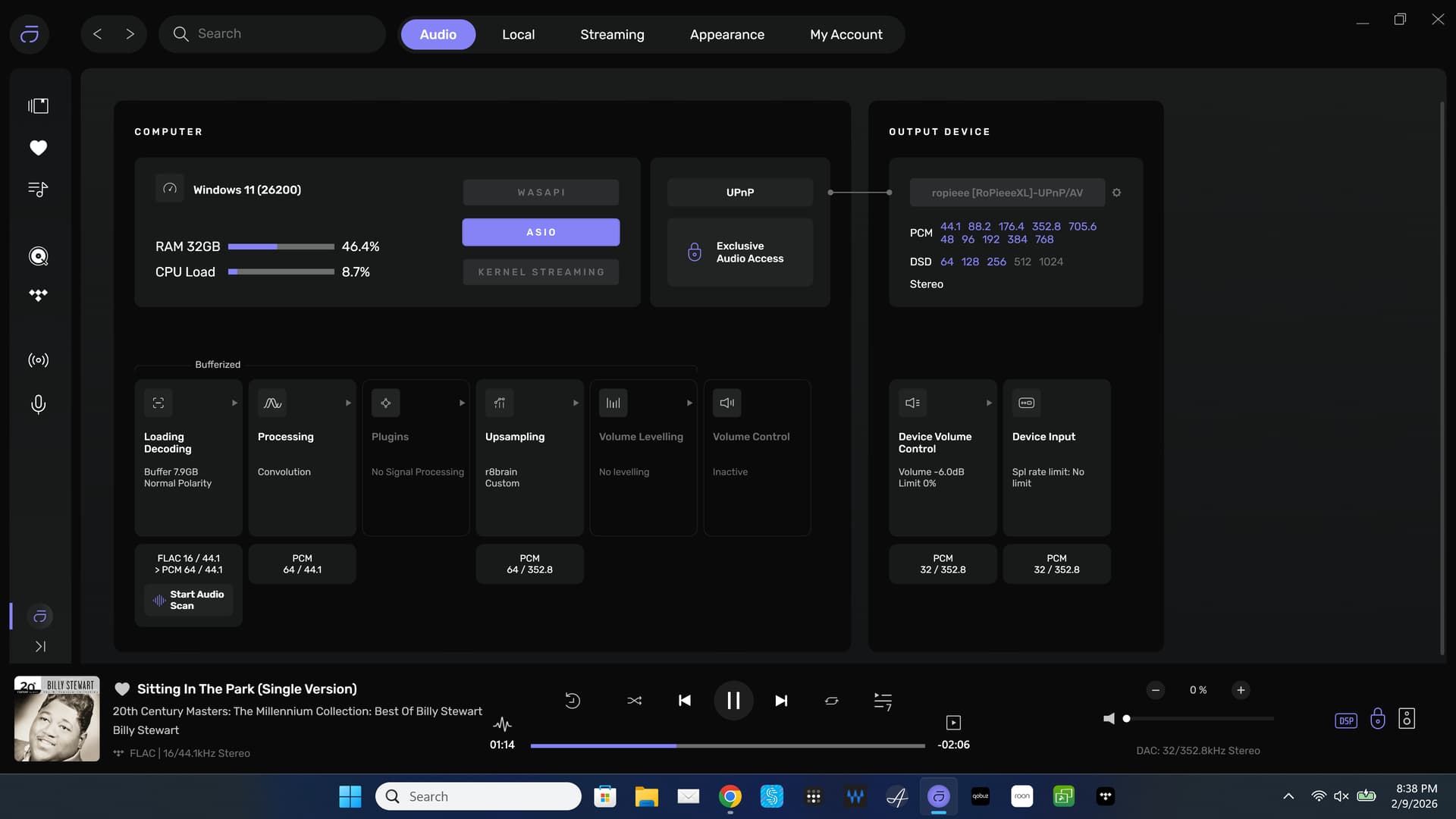
EDIT: Yes, definitely the sweet spot. Works well and sounds good.
1 Like
Nice sample-rate(s) to land-on… You can set the maximum sample-rate delivered to the DAC in the ‘Device Input’ settings to 384kHz so when using Power of Two strategy, Audirvāna will provide the proper logical result relative to the input sample-rate… Which would be 32/352.8kHz and 32/384kHz… WTA will make sure you get the best possible output sound-quality… 
- For those wondering… WTA is a contextual acronym for the Chord DAC(s) (Watts Transient Alignment DSP architecture.)
1 Like
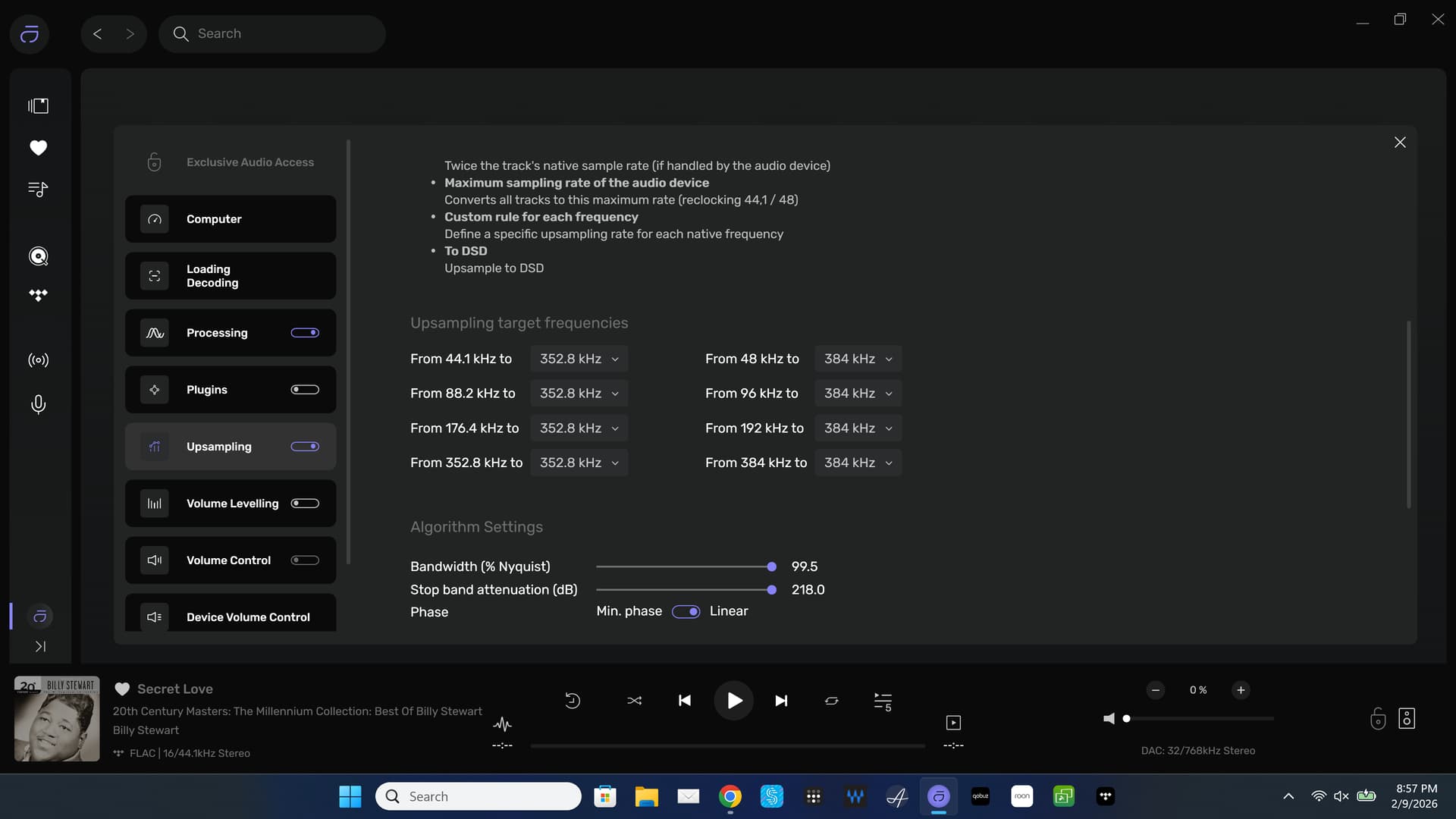
That works too! 

1 Like
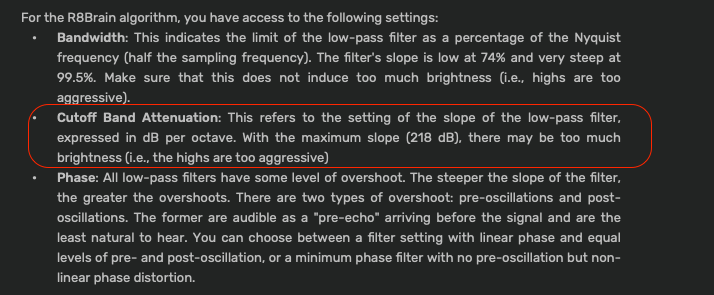
I’m supposed to be asleep….
Almost forgot that my R4 HiBy DAP is Android. Audirvāna Remote is now installed and music is playing on my Mac. I may prefer using the remote on the HiBy over my iPad. Time will tell.
Zzzzz… = )
Hi @dubharmonic ,
I was wondering if you still encounter this issue. If so, is it affecting all your albums or only specific ones?
On our end, a track is considered played when more than 30 seconds of the track are played, or when 80% of the track is played.
I see you have tabs for Hi-Res, MQA and DSD. I doubt anyone uses MQA anymore. Any chance you can add a tab for multichannel?
Not true. A lot of Tidal albums are still MQA.
I’m surprised that Tidal hasn’t switched. Still would like tab for Multichannel Files.
You can make a playlist that contains your multi-channel albums and tracks…
Multichannel playback is a far more esoteric playback scenario, as compared to MQA users and hardware/software support of the format and the availability of a wide spectrum of genre content.