Horse shit
This is the most broken/disfunctional “update” I’ve ever seen from Audirvana, and that’s saying a lot because there have been some real turds over the years.
The in-place update clearly doesn’t work. I lost everything.
Horse shit
This is the most broken/disfunctional “update” I’ve ever seen from Audirvana, and that’s saying a lot because there have been some real turds over the years.
The in-place update clearly doesn’t work. I lost everything.
It appears you did not manage your download properly to secure the older version that you are so enamored with… Version 3.0 was not automatically pushed-out… You had to make a conscious choice… Also, I don’t see where you contributed your insights during the v3 Beta testing, because you didn’t.. 
I updated Audirvāna Studio v3 Beta (2.99.23) to version 3.0 and my settings, DSP, etc, remained intact as expected…


Are you able to revert by going to your account page in your browser?
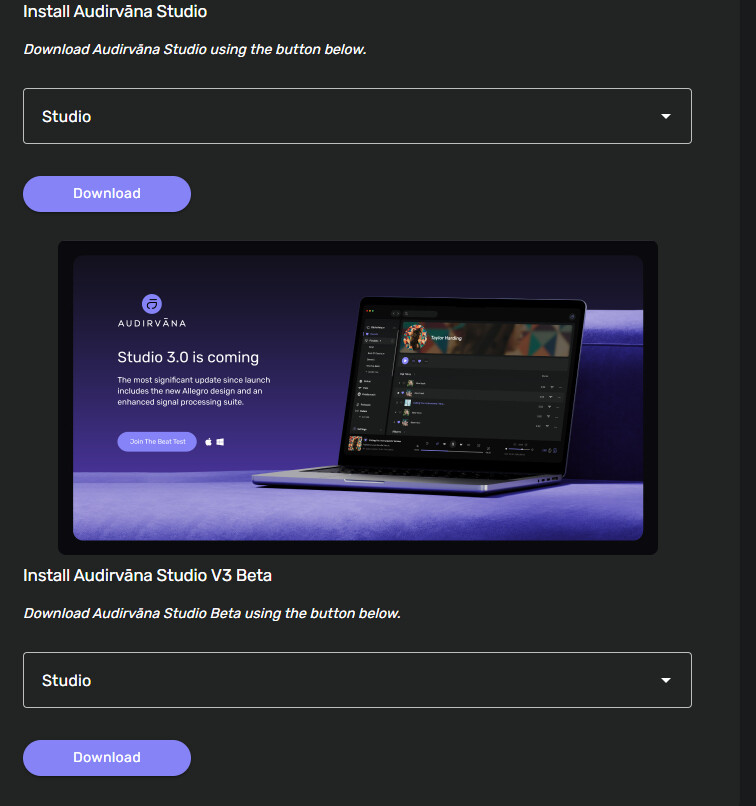
Not sure I see how to do that. On the My Studio page, I see a section where I can download studio, or the beta. That’s why I thought it was still in Beta.
You don’t have a back-up somewhere? If not, please don’t rant… basic file management is essential and this is your responsibility.
Audirvāna provided a means to back-up files:
Maybe @Antoine can help out here. How it is possible that everything is gone I don’t know.
I was able to restore my database file from my nightly PC backup. I’m not sure what caused it to corrupt the file, but perhaps my AV has something to do with it. It did try to intervene while the software was updating. That has never been an issue before, but just as a precaution, it may be a good idea to disable Malwarebytes before attempting update/install, if you are using that as well.
Did the guys at Audirvana just charge me for a years subscription when I was on a monthly subscription? Especially because I am not satisfied with the legacy plugins support… I might just report Audirvana as a fraudulent transaction to my bank… WTF guys!!! I don’t remember you asking or if I wanted to continue monthly or yearly or even if I wanted to continue at all… You billing system needs a serious adjustment…
Hi @Antoine
Downloaded and installed ‘3’.
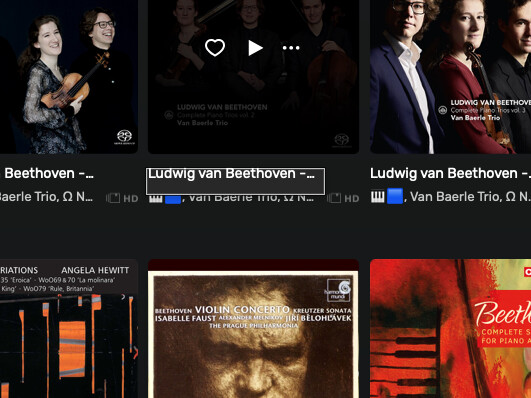
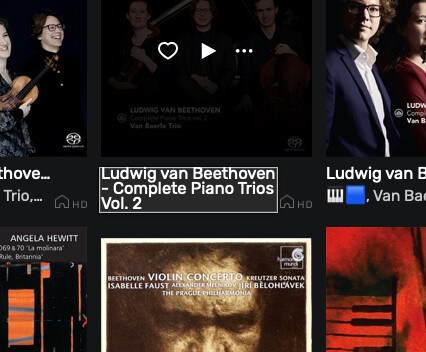
I notice difference in behaviour with mouse over between Studio 3 and Origin. See ataached images. The first one where full details do NOT appear is the ‘3’.
Regards
Phil
Studio 3
Origin
Mac 26.3.1
For what it is worth… Those pop-up metadata displays are not truncating the content in my case… 
Hmm, on my end, I see the email you use for your forum account is every year. Do you have a different email? Please reach out to [email protected] for any billing-related issues.
Intriguing, I don’t have this on my end, and I use macOS 26.4
Yes. I’m convinced there is something in my system that is toying with me. I’m the only person on earth whose pdfs won’t open in Ver 3. And now I have to go in and moderate those titles. Ten so far. I’ve fixed the one I demonstrated. Leave it with me.
Nine of these glitches worry me but I’m sure some people would carp about them, that’s why I report.
Phil
2 posts were merged into an existing topic: Exciting News: Public Beta Launch for Audirvāna iOS Remote App!
Hi everyone,
2026-03-25T23:00:00Z We unveiled the Audirvāna Studio 3.0 update, which came live after months of beta testing! 
The rest of the team and I at Audirvāna would like to thank you for all your effort for helping us make the best for this and for testing everything you could do.
We know things have not been smoother that it should, but our focus was only on delivering the best version of Audirvāna, whatever you are used to the software.
That said, the Audirvāna Studio 3.0 is the first step of other improvements that will come along the way. 
Windows: head over to the Audirvāna Studio settings, then My account. At the end of the settings, you will see a spinning arrow icon; click on it, and you will get the update.
MacOS: head over to the Audirvāna Studio settings, then My account. At the end of the settings, you will see a spinning arrow icon. Click on it, and you will get the pop-up for the update.
Note that it will require you to download version 3.0 from the website.
Once you have downloaded it, open the dmg and install the version by selecting “Replace”.
Linux: two possibilities:
In this case, head over to the Audirvāna Studio settings, then My account. At the end of the settings, you will see a spinning arrow icon. Click on it, and you will get the pop-up for the update.
Go to your account at https://my.audirvana.com and get the Linux version you want to download and install. You can follow this proceiss for the installation:
I was able to update the Linux Core Player as well… But you don’t mention it above?
Thanks for the heads-up
A question that has probably already been asked: will there be any changes to Audirvana Origin as well?
From a Japanese website:
‘The price of the one-time purchase of “Audirvana Origin” remains unchanged for the time being, and Origin users can also use Allegro designs with the Remote app. The software itself will be updated later this year, and the signal processing suite will become available as a paid option.’
Is Audirvana capable of playing.aac files? If so could someone try to play “The Easy Way” by Jimmy Guiffre through Tidal. This album bombs out Audirvana every time. Thanks