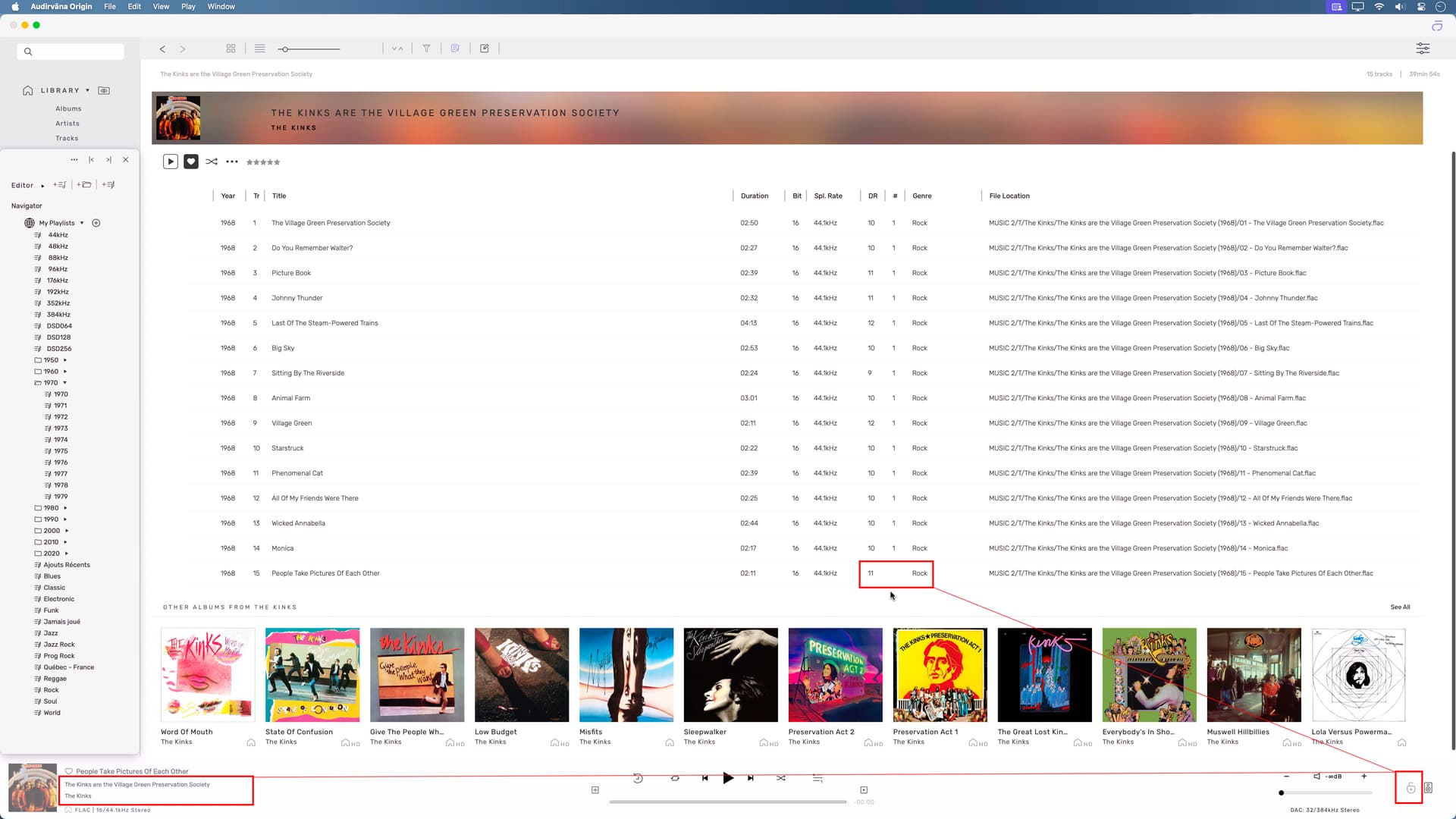
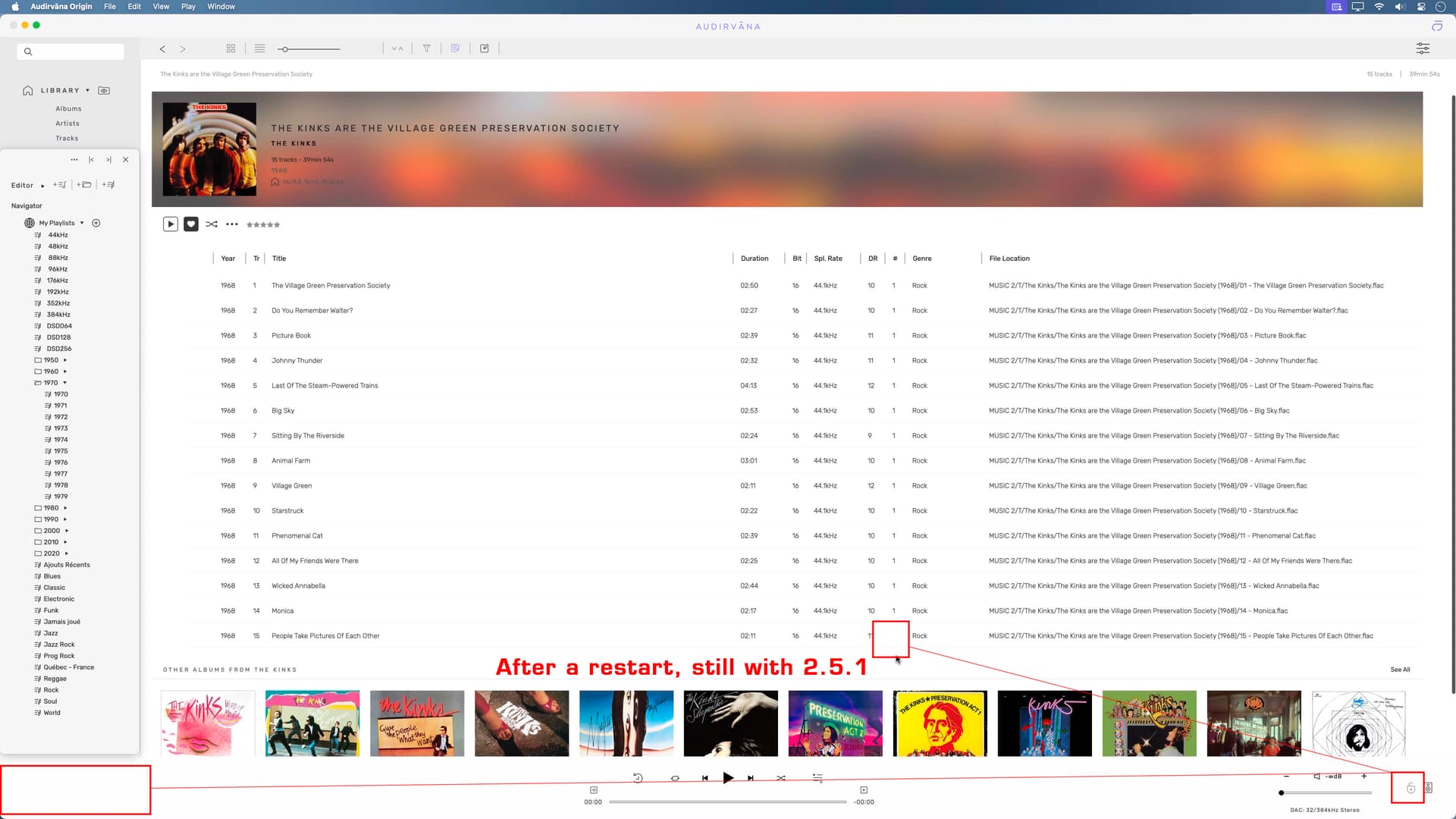
Same issue here on Mac. Wondered what was going on. Looking in Activity Monitor even when album has finished playing, Audirvana is taking up 12.04GB of 16GB RAM. Please sort this out quickly as it is spoiling any form of music listening with screeches and crackles. Thank you.
Debug info as follows:
Audirvana Origin 2.5.1 (20501)
macOS Version 12.7 (Build 21G816) with 16GB physical RAM
SIGNAL PROCESSING:
Polarity Inversion:
	Globally: OFF
	Per track: ON
Effects plugins NOT ACTIVE
UPSAMPLING:
r8brain with Power Of Two upsampling
r8brain filter parameters
Bandwidth = 99%
Stop band attenuation 208.537dB
Phase linear
AUDIO VOLUME:
Max allowed volume: 99.9801
Replay Gain: None
SW volume control: OFF
LIBRARY SETTINGS:
Sync list: 1 folders
AUTO: /Volumes/music/
iTunes/Music library synchronization: not synchronized
Library database path: /Users/Library/Application Support/Audirvana/AudirvanaDatabase.sqlite
Remote Control server:
Listening on 127.0.0.1 on port 49435
=================== AUDIO DEVICE ========================
Active method: Local
Max. memory for audio buffers: 4044MB
Local Audio Engine: CoreAudio
Exclusive access: ON
Integer mode: ON
Use max I/O buffer size: ON
Actual I/O buffer frame size: 512
Preferred device:
AUDIOLAB AUDIOLAB USB Audio 2.0 Output
Model UID:AUDIOLAB USB Audio 2.0:2622:0041
UID:AppleUSBAudioEngine:AUDIOLAB :AUDIOLAB USB Audio 2.0:14400000:1
Active Sample Rate: 352.8kHz
Hog Mode is off
Bridge settings:
Sample rate limitation: none
Sample rate switching latency: 1s
Limit bitdepth to 24bit: OFF
Mute during sample rate change: OFF
Selected device:AUDIOLAB USB Audio 2.0 Output
Manufacturer: AUDIOLAB
Model name: AUDIOLAB USB Audio 2.0 Output
Model UID: AUDIOLAB USB Audio 2.0:2622:0041
UID: AppleUSBAudioEngine:AUDIOLAB :AUDIOLAB USB Audio 2.0:14400000:1
USB Vendor ID: 0x2622
USB Product ID: 0x0041
ID 0xbf
8 available sample rates up to 384000Hz
44100
48000
88200
96000
176400
192000
352800
384000
Audio buffer frame size : 106 to 4096 frames
Current I/O buffer frame size : 512
Volume Control
Physical: Yes
Virtual: Yes
Max volume alert: Disabled
MQA capability
Auto-detect MQA devices: No
Not a MQA device, user set to not MQA
DSD capability: Unhandled
Device audio channels
Preferred stereo channels L:1 R:2
Channel bitmap: Ox3, layout:
Channel 0 mapped to 0
Channel 1 mapped to 1
Audio channels in use
Number of channels: 2
Use as stereo device only: No
Simple stereo device: Yes
1 output streams:
Number of active channels: 2, in 1 stream(s)
Channel #0 :Stream 0 channel 0
Channel #1 :Stream 0 channel 1
Stream ID 0xc0 2 channels starting at 1
24 virtual formats:
2 ch Mixable linear PCM Interleaved 32 little endian Signed Float 384kHz
2 ch Mixable linear PCM Interleaved 32 little endian Signed Float 352.8kHz
2 ch Mixable linear PCM Interleaved 32 little endian Signed Float 192kHz
2 ch Mixable linear PCM Interleaved 32 little endian Signed Float 176.4kHz
2 ch Mixable linear PCM Interleaved 32 little endian Signed Float 96kHz
2 ch Mixable linear PCM Interleaved 32 little endian Signed Float 88.2kHz
2 ch Mixable linear PCM Interleaved 32 little endian Signed Float 48kHz
2 ch Mixable linear PCM Interleaved 32 little endian Signed Float 44.1kHz
2 ch Non-mixable linear PCM Interleaved 24 little endian Signed Integer aligned low in 32bit 384kHz
2 ch Non-mixable linear PCM Interleaved 24 little endian Signed Integer aligned low in 32bit 352.8kHz
2 ch Non-mixable linear PCM Interleaved 24 little endian Signed Integer aligned low in 32bit 192kHz
2 ch Non-mixable linear PCM Interleaved 24 little endian Signed Integer aligned low in 32bit 176.4kHz
2 ch Non-mixable linear PCM Interleaved 24 little endian Signed Integer aligned low in 32bit 96kHz
2 ch Non-mixable linear PCM Interleaved 24 little endian Signed Integer aligned low in 32bit 88.2kHz
2 ch Non-mixable linear PCM Interleaved 24 little endian Signed Integer aligned low in 32bit 48kHz
2 ch Non-mixable linear PCM Interleaved 24 little endian Signed Integer aligned low in 32bit 44.1kHz
2 ch Non-mixable linear PCM Interleaved 16 little endian Signed Integer 384kHz
2 ch Non-mixable linear PCM Interleaved 16 little endian Signed Integer 352.8kHz
2 ch Non-mixable linear PCM Interleaved 16 little endian Signed Integer 192kHz
2 ch Non-mixable linear PCM Interleaved 16 little endian Signed Integer 176.4kHz
2 ch Non-mixable linear PCM Interleaved 16 little endian Signed Integer 96kHz
2 ch Non-mixable linear PCM Interleaved 16 little endian Signed Integer 88.2kHz
2 ch Non-mixable linear PCM Interleaved 16 little endian Signed Integer 48kHz
2 ch Non-mixable linear PCM Interleaved 16 little endian Signed Integer 44.1kHz
32 physical formats
2 ch Mixable linear PCM Interleaved 24 little endian Signed Integer aligned low in 32bit 384kHz
2 ch Mixable linear PCM Interleaved 24 little endian Signed Integer aligned low in 32bit 352.8kHz
2 ch Mixable linear PCM Interleaved 24 little endian Signed Integer aligned low in 32bit 192kHz
2 ch Mixable linear PCM Interleaved 24 little endian Signed Integer aligned low in 32bit 176.4kHz
2 ch Mixable linear PCM Interleaved 24 little endian Signed Integer aligned low in 32bit 96kHz
2 ch Mixable linear PCM Interleaved 24 little endian Signed Integer aligned low in 32bit 88.2kHz
2 ch Mixable linear PCM Interleaved 24 little endian Signed Integer aligned low in 32bit 48kHz
2 ch Mixable linear PCM Interleaved 24 little endian Signed Integer aligned low in 32bit 44.1kHz
2 ch Mixable linear PCM Interleaved 16 little endian Signed Integer 384kHz
2 ch Mixable linear PCM Interleaved 16 little endian Signed Integer 352.8kHz
2 ch Mixable linear PCM Interleaved 16 little endian Signed Integer 192kHz
2 ch Mixable linear PCM Interleaved 16 little endian Signed Integer 176.4kHz
2 ch Mixable linear PCM Interleaved 16 little endian Signed Integer 96kHz
2 ch Mixable linear PCM Interleaved 16 little endian Signed Integer 88.2kHz
2 ch Mixable linear PCM Interleaved 16 little endian Signed Integer 48kHz
2 ch Mixable linear PCM Interleaved 16 little endian Signed Integer 44.1kHz
2 ch Non-mixable linear PCM Interleaved 24 little endian Signed Integer aligned low in 32bit 384kHz
2 ch Non-mixable linear PCM Interleaved 24 little endian Signed Integer aligned low in 32bit 352.8kHz
2 ch Non-mixable linear PCM Interleaved 24 little endian Signed Integer aligned low in 32bit 192kHz
2 ch Non-mixable linear PCM Interleaved 24 little endian Signed Integer aligned low in 32bit 176.4kHz
2 ch Non-mixable linear PCM Interleaved 24 little endian Signed Integer aligned low in 32bit 96kHz
2 ch Non-mixable linear PCM Interleaved 24 little endian Signed Integer aligned low in 32bit 88.2kHz
2 ch Non-mixable linear PCM Interleaved 24 little endian Signed Integer aligned low in 32bit 48kHz
2 ch Non-mixable linear PCM Interleaved 24 little endian Signed Integer aligned low in 32bit 44.1kHz
2 ch Non-mixable linear PCM Interleaved 16 little endian Signed Integer 384kHz
2 ch Non-mixable linear PCM Interleaved 16 little endian Signed Integer 352.8kHz
2 ch Non-mixable linear PCM Interleaved 16 little endian Signed Integer 192kHz
2 ch Non-mixable linear PCM Interleaved 16 little endian Signed Integer 176.4kHz
2 ch Non-mixable linear PCM Interleaved 16 little endian Signed Integer 96kHz
2 ch Non-mixable linear PCM Interleaved 16 little endian Signed Integer 88.2kHz
2 ch Non-mixable linear PCM Interleaved 16 little endian Signed Integer 48kHz
2 ch Non-mixable linear PCM Interleaved 16 little endian Signed Integer 44.1kHz
Local devices found : 4
Device #0: ID 0xcf Built-in Output
Manufacturer: Apple Inc.
Model UID: AppleHDA:129
UID: AppleHDAEngineOutput:1B,0,1,2:0
Model name: Apple Inc. Built-in Output
Device #1: ID 0xbf AUDIOLAB USB Audio 2.0 Output
Manufacturer: AUDIOLAB
Model UID: AUDIOLAB USB Audio 2.0:2622:0041
UID: AppleUSBAudioEngine:AUDIOLAB :AUDIOLAB USB Audio 2.0:14400000:1
USB Vendor ID: 0x2622
USB Product ID: 0x0041
Model name: AUDIOLAB USB Audio 2.0 Output
Device #2: ID 0x2b Soundflower (2ch)
Manufacturer: ma++ ingalls for Cycling '74
Model UID: com_cycling74_driver_SoundflowerDevice:Soundflower
UID: SoundflowerEngine:0
Model name: ma++ ingalls for Cycling '74 Soundflower (2ch)
Device #3: ID 0x37 Soundflower (64ch)
Manufacturer: ma++ ingalls for Cycling '74
Model UID: com_cycling74_driver_SoundflowerDevice:Soundflower
UID: SoundflowerEngine:1
Model name: ma++ ingalls for Cycling '74 Soundflower (64ch)
UPnP
UPnP devices found : 0
Chromecast
Chromecast devices found : 0
 since on my Windows system it still is stable. I am going to test with Kernel Streaming and SOX see if I get a leak as well.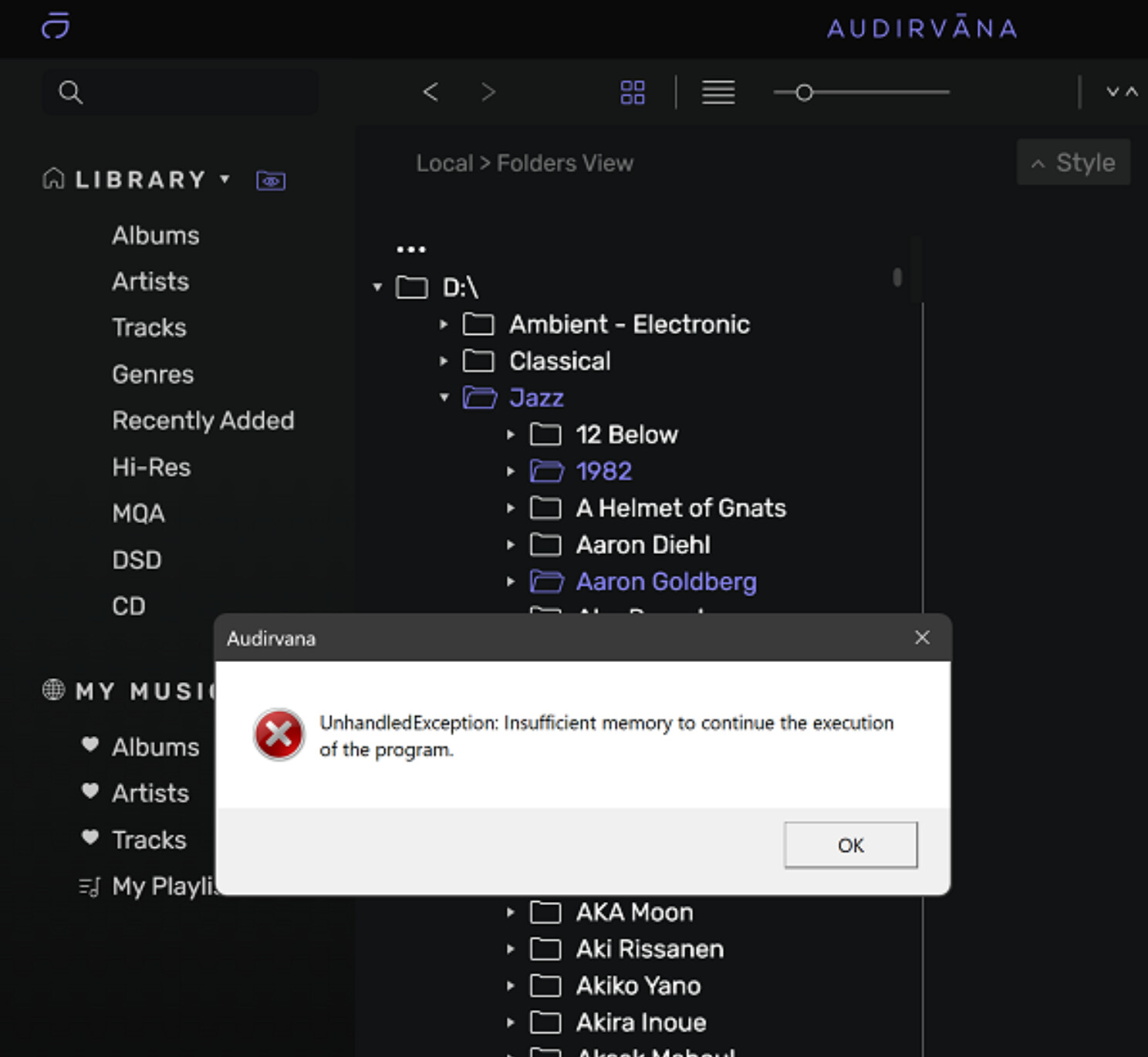

 ). As far as I know people just recognized this issue in this thread.