Hi @Signal2Noise,
Like displaying Audirvāna Studio (2.8.2) for example?
Hi @Signal2Noise,
Like displaying Audirvāna Studio (2.8.2) for example?
Yes.
hello folks,
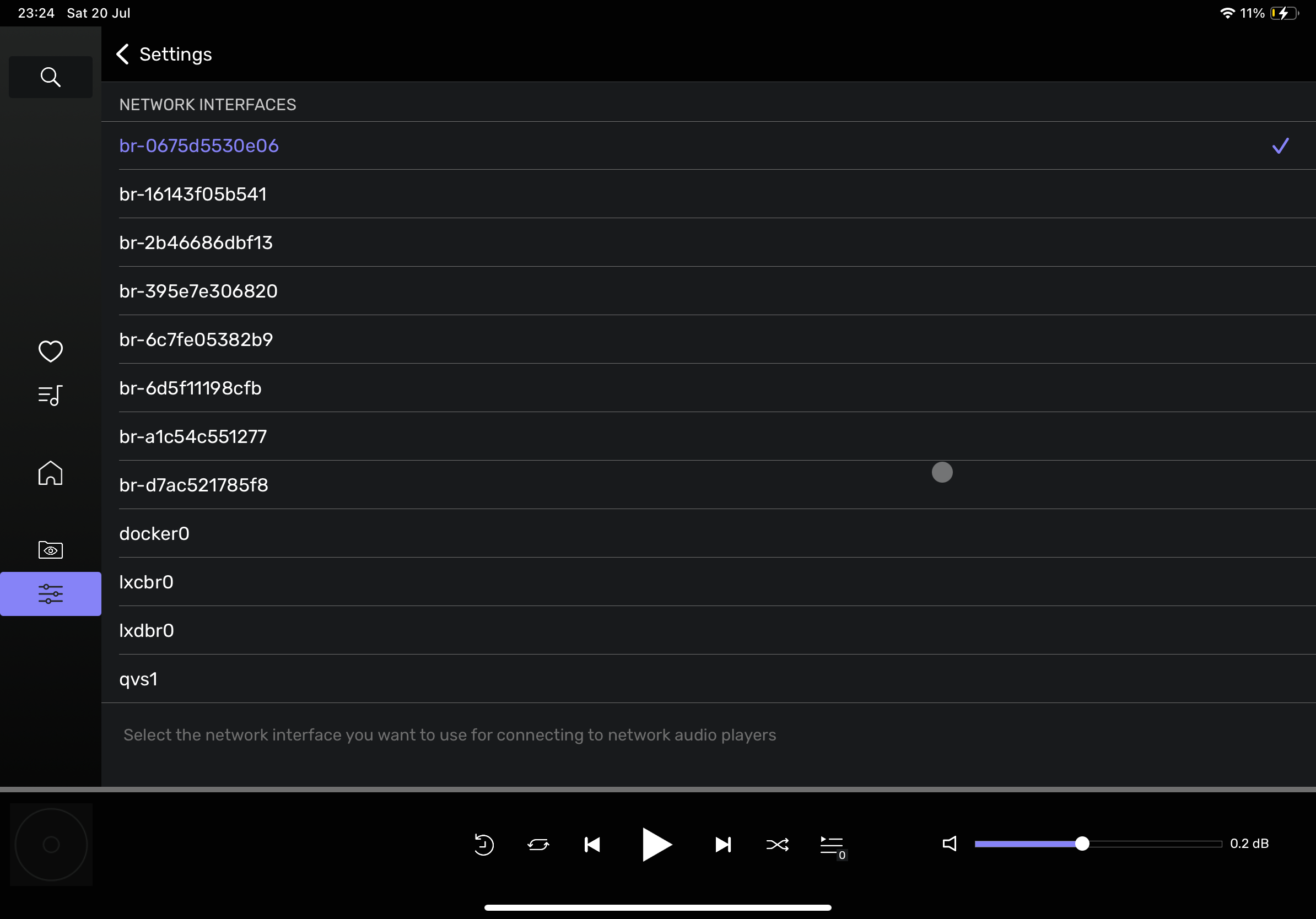
I’ve installed Audirvāna on my NAS (Qnap). But I’m not able to change the network interface in the output device settings.
Who can help me? Do I need to open a support ticket?
thanks
Andrea
hi @Andrea_Riela,
Can you please tell us more what is going on? Do you have the network interface selection appearing or not at all?
Well the interface correct is in the list (qvs1), but not selectable. I’ve reinstalled the remote, and now I can’t connect to my NAS (pairing initiate failed). I’ve sent more info to support@. Let me know if I can do troubleshooting …
edit: tried reinstalling it, now I can pair but still not able to modify the network interface. 
Is it possible to modify the default interface via config file?
here the log:
2024-07-02 22:40:52.450 [info]: ============= Started Logging, Audirvana Origin 2.5.13.1 Linux x86_64 =============
2024-07-02 22:40:52.463 [info]: Running on Linux 5.10.60-qnap x86_64 (QNAP NAS TVS-h874 QTS 5.1.7 Build 20240520)
2024-07-02 22:40:52.464 [info]: No language set in settings, using system language: en_US.UTF-8
2024-07-02 22:40:52.478 [warning]: EULA not accepted yet, showing it
2024-07-02 22:40:52.479 [info]: RemoteServer: Server started and advertised on port 34841
2024-07-02 22:41:35.685 [error]: Not logged to Audirvana account: need to sign in
2024-07-02 22:41:48.705 [info]: Login: Successfully signed in with remote to Audirvana account
2024-07-02 22:41:48.705 [info]: Remote App login successful for device 5EEA936C-9B4A-4EE3-BBE1-CBCE889D9950, pairing key generated
2024-07-02 22:41:49.067 [info]: UPnP stack initialized using default interface
2024-07-02 22:41:49.267 [info]: UPnP web server started on 172.29.24.1:49152
2024-07-02 22:41:49.311 [info]: Local Library Sync: inotify max_user_watches is set to 262144
2024-07-02 22:42:42.947 [error]: UPnP Error -115 getting audio dB volume range
tried with Origin 2.5.13.2, network interface still not selectable
Recently discovered that AS for Synology can “go to sleep” even in a ‘running’ state and NAS remains operational the entire time.
I posted a query in the Audirvana Remote discussion group, thinking the original problem was Remote itself, and after some troubleshooting steps w/ Support came to the conclusion it’s the Synology app.
Curious if anyone else who uses Synology has ran into similar issues?
guys,
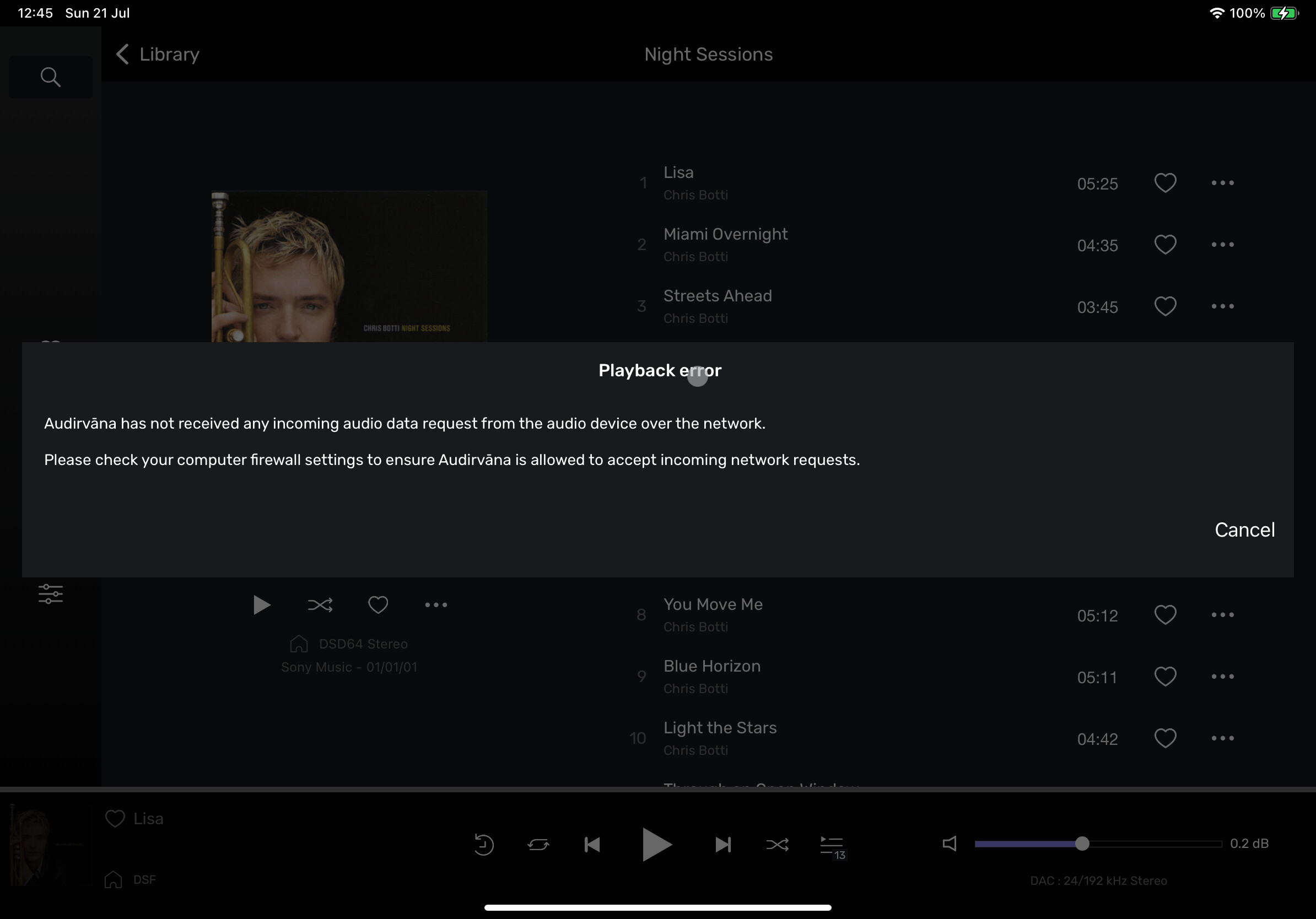
not sure how to engage the support. I’ve open a ticket, no answer, here no answer. And the trial version will end soon. I’m not able to use Audirvāna on my QNAP nas because I can’t chose the right interface to stream the music to my Marantz Cinema 50. Any help?
thanks
Andrea
What do you mean with “I cannot choose the right interface”?
Quick feature question regarding this new update.
I have a Synology NAS where my music library is stored.
I have three separate systems with DACs - a Windows PC, a Macbook and an Android device.
With the Synology installation setup, it sounds like you “control” it via the Remote app for the android device.
For the desktop devices, do I just use the desktop app as I always have? Or is there a remote app on desktops?
Lastly, will I be able to get full DSD → DAC support on all three devices or is the audio streamed / converted when using Synology as the source?
There are four parts here:
The remote app can control any of the desktop Audirvana running or the Core version running on the Synology.
The Synology version can do the same as the Windows or Mac version in terms of Audio conversion.
You cannot stream music from Audirvana on the Synology when your DACs cannot be seen over the network as UPnP renderer of Chromecast. If now you cannot see the DAC attached to the Windows PC from Audirvana on the MacBook or android device, then the Core version won’t work for you.
My goal is to have three different listening stations (Macbook, Windows PC, Android device), each with their own DACs attached that each supports DSD. I want each to be able to natively play back DSD, the NAS being the storage location.
So the words “stream music” in your response throws me off. I don’t want there to be any sort of conversion.
Am I overcomplicating this? Is the purpose of installing the Synology app to convert files on the fly and not get native file support?
No. I think you don’t understand how Audirvana works.
With Audirvāna installed on the NAS it can only send DSD to a DSD-capable streamer on your network, or a streaming-bridge with an attached DSD-capable DAC. Neither a MacBook, Windows PC or Android phone can be utilised that way.
You could install Audirvāna on both the MacBook and the Windows PC, retrieve DSD from the NAS and play it via USB from the computers to an attached DSD-capable DAC.
Your Android phone can only act as a remote control for the Audirvāna Software installed on either computer. There is no Audirvāna version for Android, only the remote control app.
This is what I was asking about. Thank you for being clear, concise and not snarky. I’m a bit said that I’ll need to find a different player for android devices.
Are you running Audirvana in a docker?
no, directly in QNAP as app.
There’s one thing then that I do not comprehend: if the app can see the Audirvana instance across the network, logic would dictate that any streamer in the same network should also be seen.
So, does Audirvana see the streamer?