Since Audirvana Studio was released I have been unable to use the remote app to play a grouped set of files by clicking on the group title. This remains a problem with the latest release of Audirvana Studio 3.0 and the remote app.
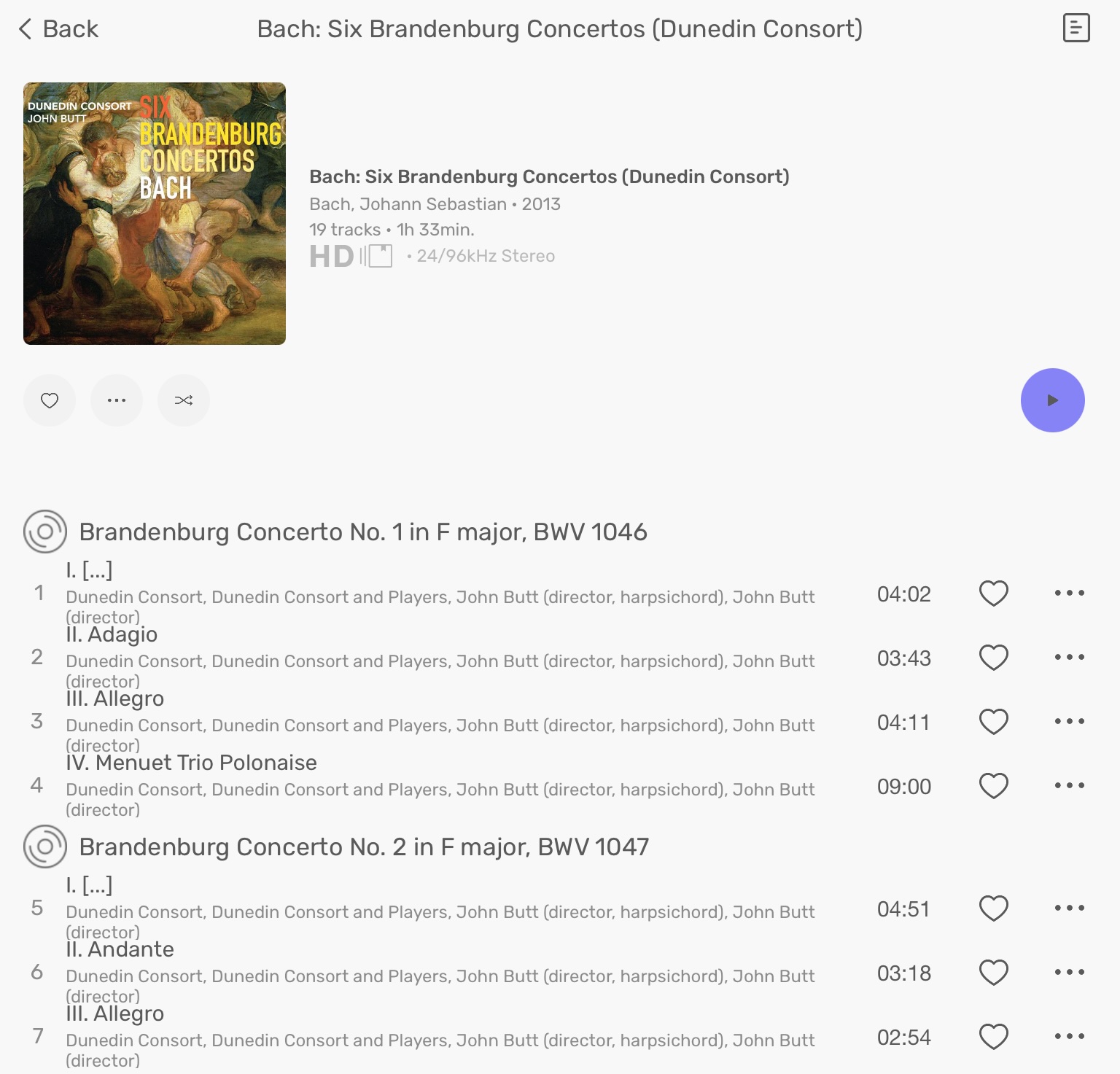
For example, a local set of the Complete Bach Brandenburg Concertos has each concerto grouped together using the GROUP tag, with it’s own concerto title (see screenshot below).
In to the remote app, the concerto (group) title is displayed with a disc icon to the left of the title, as per the screenshot. Unfortunately, clicking on this title (e.g. Brandenburg Concerto No. 1 in F major, BWV 1046) does nothing.
However, in the desktop application, an icon is shown to the left of the title which allows you to play just this concerto (group of files).
This feature was available in the remote app prior to the release of Audirvana Studio and I made extensive use of it. Since the release of Studio I can only use this feature If I use the desktop application, which reduces the convenience of the remote app significantly for me.
But the way your version of the Brandenburg Concertos and mine is tagged appears to be different. If you notice in the screenshot in my original post, each concerto is listed with the concerto title and then each movement indented under that.
This has been accomplished using the grouping tag applied to the files making up each concerto. Each file in Concerto No. 1 has a grouping metadata tag with the name of the first concerto. Likewise each file of the second concerto has a grouping tag with the name of the second concerto and so on.
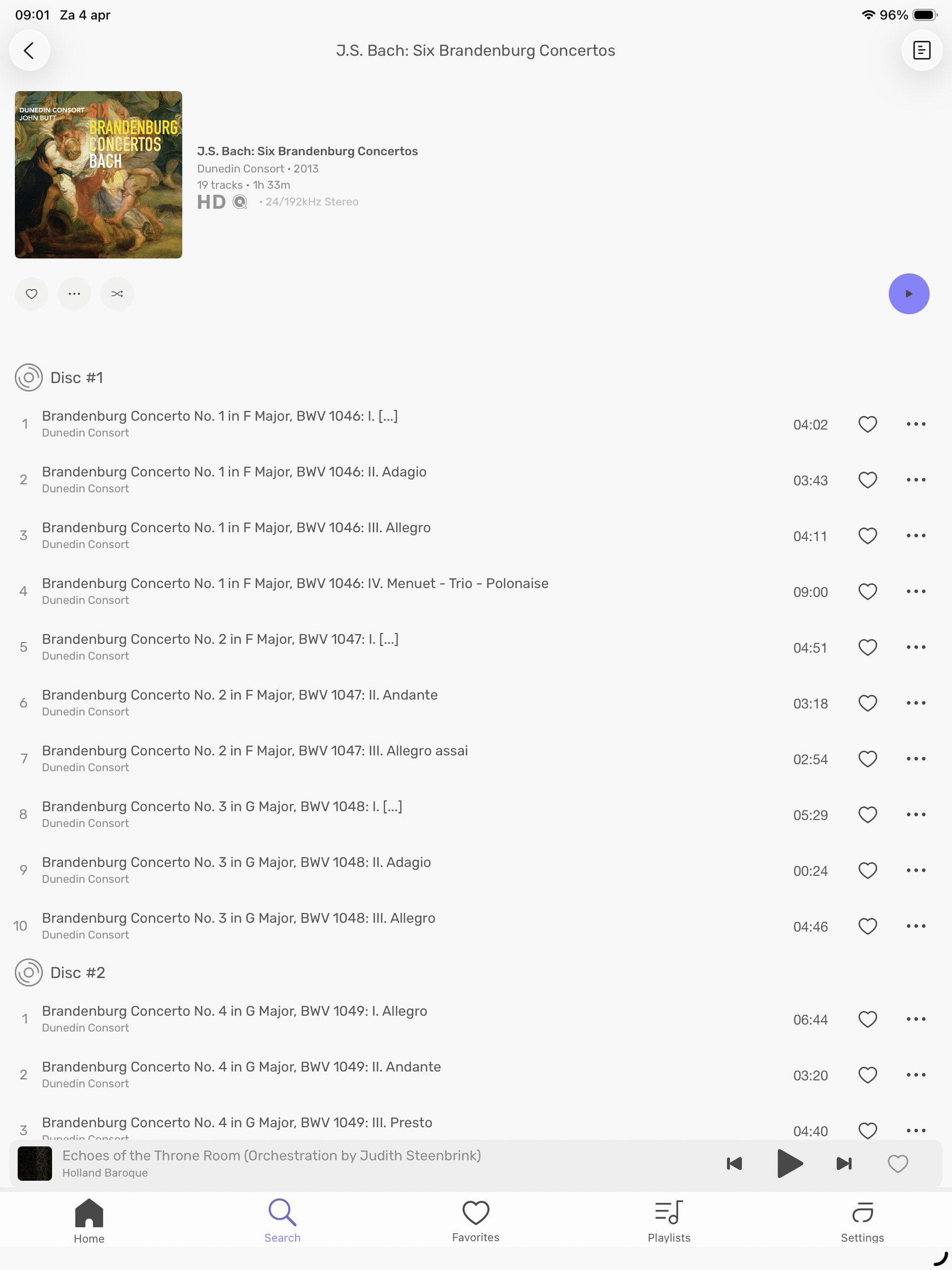
In your screenshot, it looks like the grouping tag hasn’t been used in your files and so it’s a straight list of each file showing the title of the file.
My issue stems from the fact that in older versions of Audirvana remote, I could click the concerto title (not the first movement under the title) and I would get an option to play that concerto alone. This no longer works. It does work however if I use the mac os version of Audirvana.
BTW, this is not just an issue for this album, it applies to all albums where I have used the grouping tag to collect a set of files together under one heading. Most commonly I’ve done this with classical music albums where you have multiple works on the one album. I just used the Dunedin Consort’s Brandenburg Concertos album to illustrate the problem.
I have the same issue…The Mac version handles groups very well, but Remote is missing the controls. (Audirvana 3.5 handles Groups correctly, as did most earlier versions, but neither Studio nor Origin works with Remote.)
BTW, Antoine responded in February 2024 on this issue:
“This is something that has been in our backlog for quite some time. We needed to do the update of the Remote this week but rest assure, I will make sure it will be added in the Remote app for Audirvāna Studio and Audirvāna Origin.”